







Your photography website is more than just a gallery. It’s your digital storefront. It’s a professional space where you showcase your visual storytelling, host high-resolution graphics, and turn visitors into paying clients. Unlike a social media feed, it serves as the ultimate authority for your brand.
The shift from a hobbyist to a professional starts with your online presence. While a hobbyist posts for likes, a professional builds a website to grow a business. On platforms like Instagram, you are at the mercy of algorithms. But a self-hosted website gives you total control over how you want to reach your content to a wider range of users.
So, in this post, we’ll cover a comprehensive guide on how to create a photography website on WordPress with the help of Elementor. Hope you’ll enjoy this tutorial. Get started!
What Makes a Great Photography Website?
To build a website that actually brings in clients, you need to think like a strategist. A beautiful site is a wasted investment if no one can find it or if it takes too long to load. You must focus on these eight pillars that separate a professional portfolio from a basic hobbyist site.

a. Fast Loading Speed
Photography sites are often slow because high-resolution images are ‘heavy.’ If your site takes more than three seconds to load, most potential users will leave. So, you must use tools and technologies that keep your site lightweight, improving the loading speed.
b. High-Quality Visual Presentation
Page speed should not compromise the image quality. A great photography website should show high-quality images in large size with a fast loading speed. Photos must be sharp, well-edited, and properly arranged. Use enough white space so each image can breathe.
c. Simple and Clear Navigation
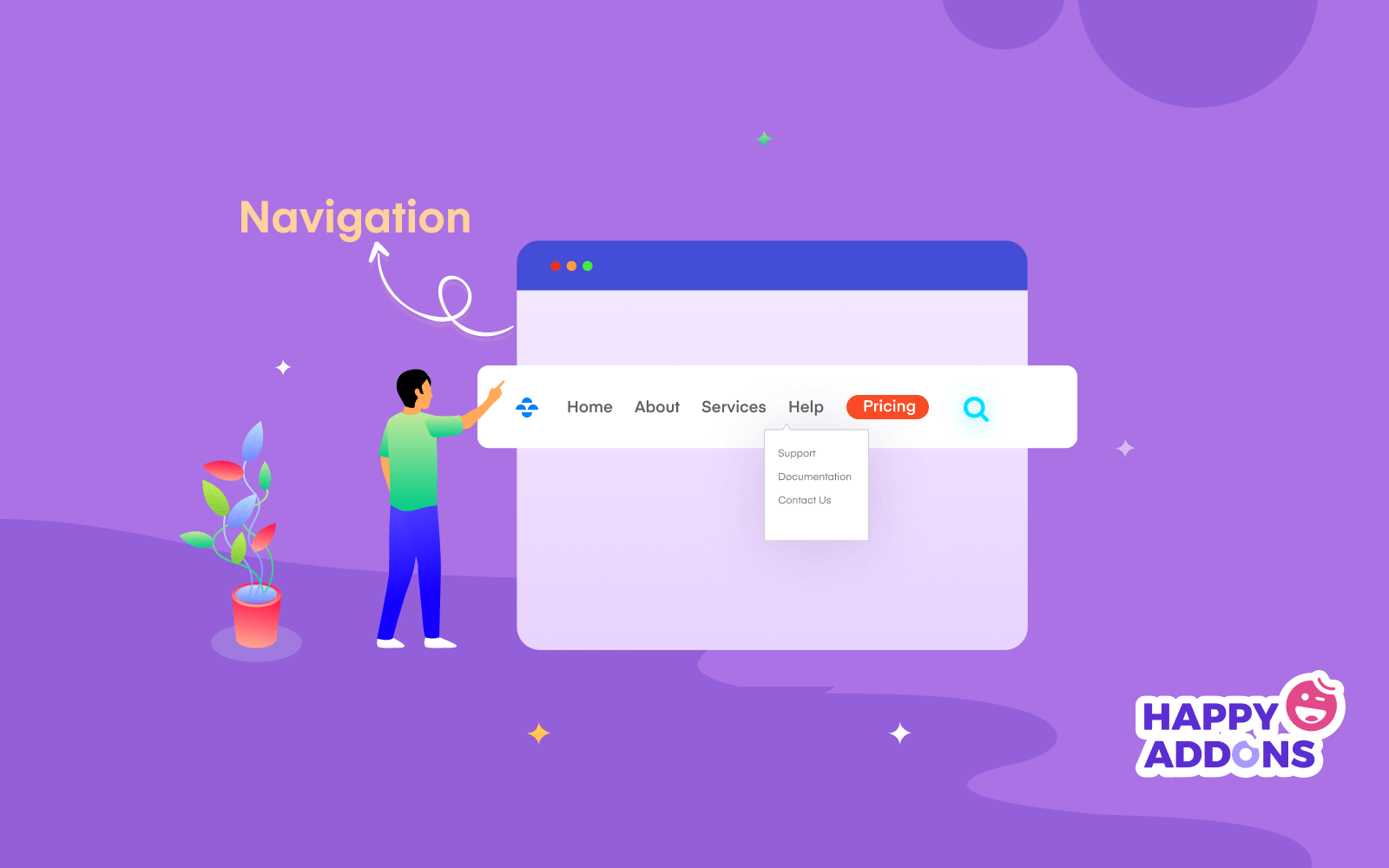
Simple and clear navigation makes a big difference. Visitors should find galleries, pricing, the about page, and the contact page without confusion. A clean menu and clear labels help users move easily. Too many options can make people leave the site.
d. Strong Personal Branding and Trust
A strong personal brand builds trust. Share a short story about yourself, your style, and your experience. Add your friendly photos and real client testimonials. This helps visitors feel connected and confident before they contact you.
e. Mobile-Friendly and Responsive Design
Mobile-friendly design is very important today. Many people visit websites from phones. Your images, text, and buttons must look good on small screens. The site should load fast and work smoothly on all devices and browsers.
f. Clear Call-to-Action and Contact Options
Clear call-to-action buttons help turn visitors into clients. Add simple buttons like ‘Book Now’ or ‘Get a Quote’ in visible places. Share pricing details or starting rates. Make the contact form short and easy so people can reach you fast.
Prerequisites to Build a Professional Photography Website
Before you start the design process, you must secure these four components. Without them, it’s quite impossible to create a high-end professional photography website.
1. Domain and Hosting
Domain is the name of your website. This is the name that people will use to search for and find your website online. As this is so important, keep your domain name simple so people can easily remember it. If your domain is hard, people may forget it over time. If possible, secure a .com domain as it carries the most trust in the photography industry.
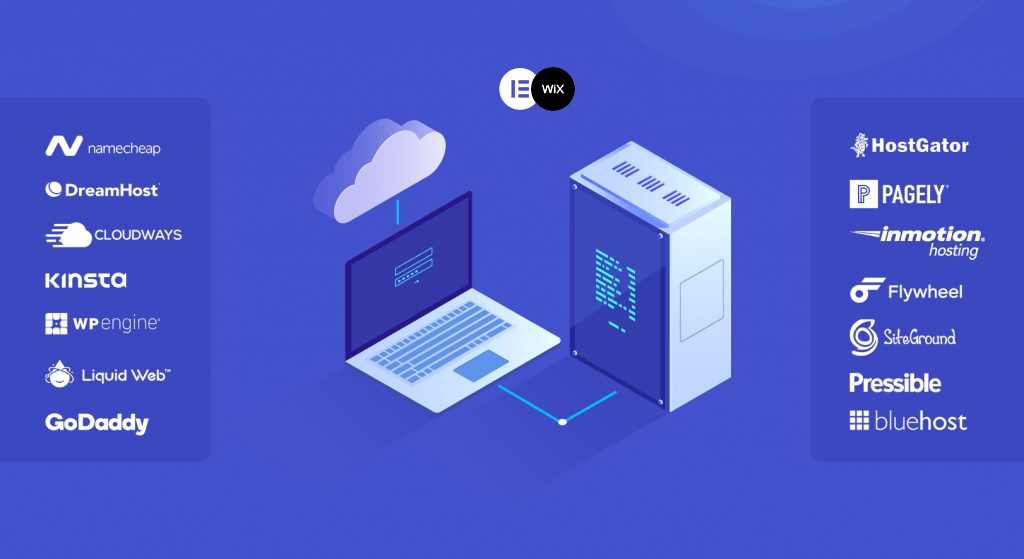
Hosting refers to the space where all sorts of your web data (including images, databases, plugins, etc.) will be hosted. As photography websites are usually heavy, you need a host that uses LiteSpeed Web Servers and NVMe SSD storage. This hardware is specifically designed to handle high-volume data requests.
2. WordPress
WordPress is the content management system that will power your photography website. It allows you to create pages, upload images, write blog posts, and manage everything from one simple dashboard. You do not need to know coding to use it.
That is why it is very popular among photographers. It also gives you full control over your design and content. You can install themes and plugins to add new features anytime. WordPress is flexible, secure, and easy to scale as your portfolio grows.
3. Elementor
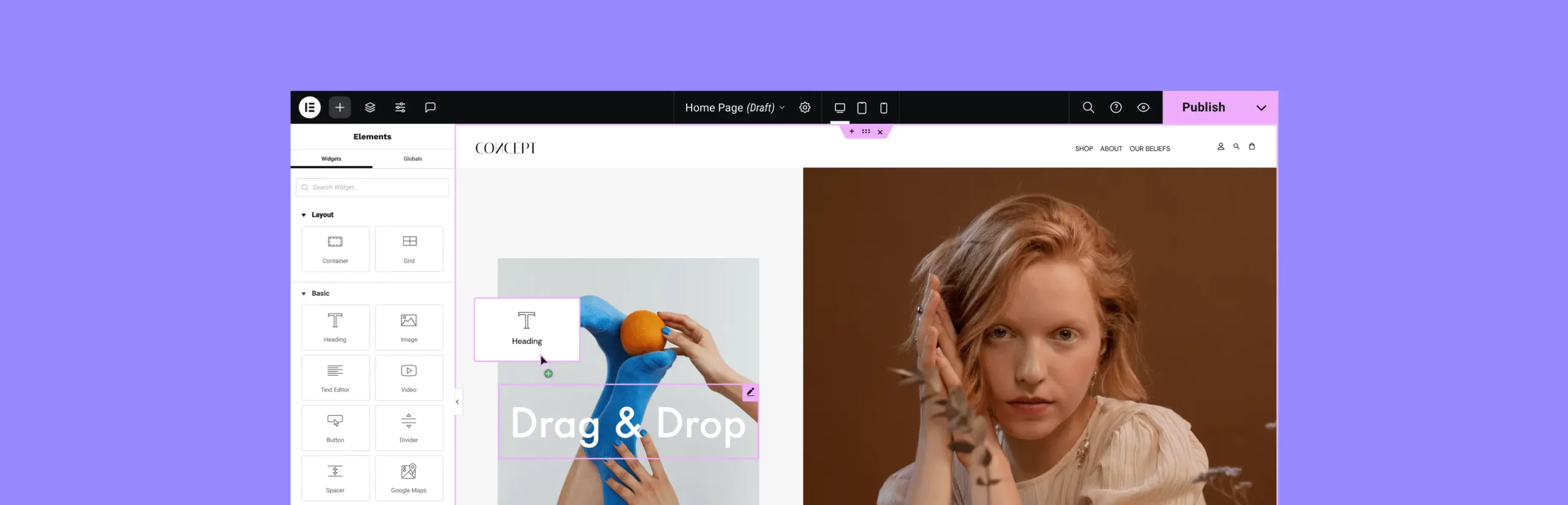
Elementor is a drag-and-drop page builder plugin for WordPress. It helps you design your website visually. You can create beautiful galleries, landing pages, and service sections without writing any code. Just drag widgets, place them on the page, and edit text or images directly.
This makes website building fast and simple. For photography websites, design is very important. Elementor gives you full control over layout, spacing, colors, and typography so your site looks modern and professional.
4. HappyAddons

HappyAddons is an addon plugin for Elementor. It gives you many extra widgets and advanced features that are not available in the default Elementor. With it, you can create advanced image galleries, creative sliders, comparison tables, and stylish content sections.
It also offers features like cross-domain copy-paste and preset designs, which save time during website building. For photographers who want a unique and eye-catching website, HappyAddons helps you design more creatively without extra coding.
How to Create a Photography Website on WordPress (Step-by-Step)
Now it is time to build. We are not just making a page; we are building an experience. Follow these steps to transform your blank WordPress dashboard into a professional portfolio.
Step 1: Create a Custom Header and Footer (The Framework)
A consistent header and footer act as the anchor for your website. They ensure your branding stays visible and your navigation remains accessible as clients scroll through your galleries. Traditionally, you would need a Pro theme for this, but with the HappyAddons Theme Builder, you can do it for free.
# Building the Header
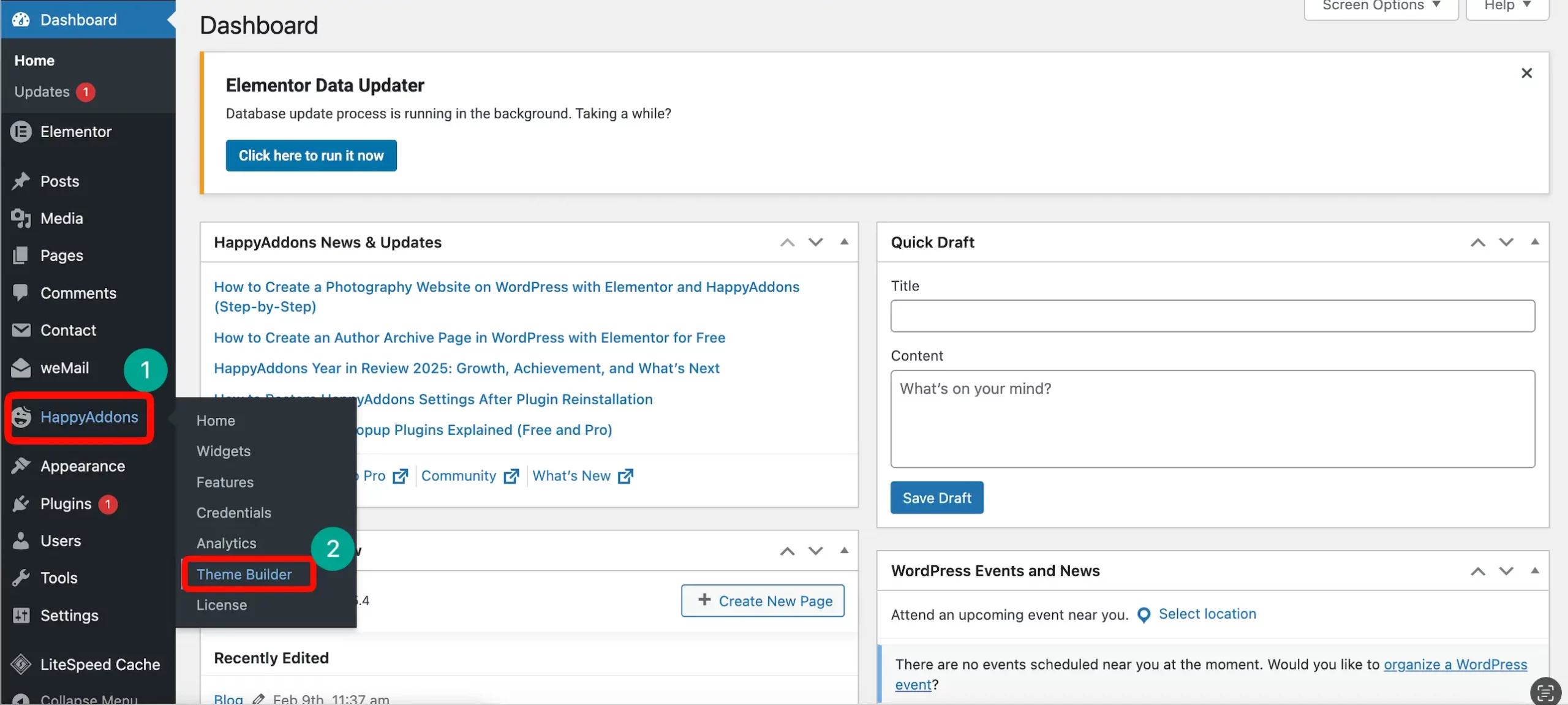
Your header should be minimalist to keep the focus on your art. To start building, go to your WordPress dashboard and navigate to HappyAddons. From there, click on the Theme Builder option.
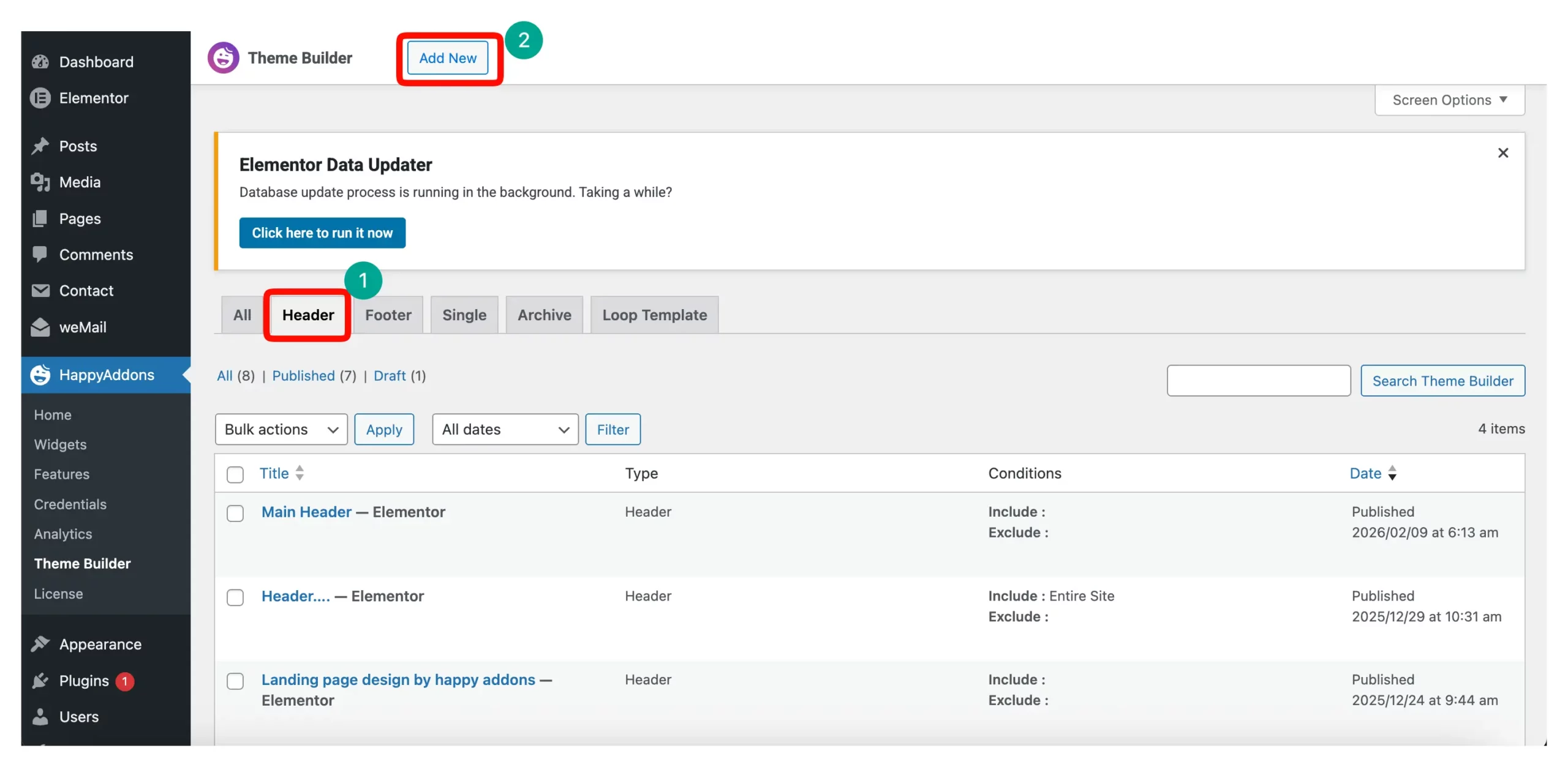
Inside the Theme Builder, you will see several tabs. Click on the Header tab and then click the Add New button located at the top right.
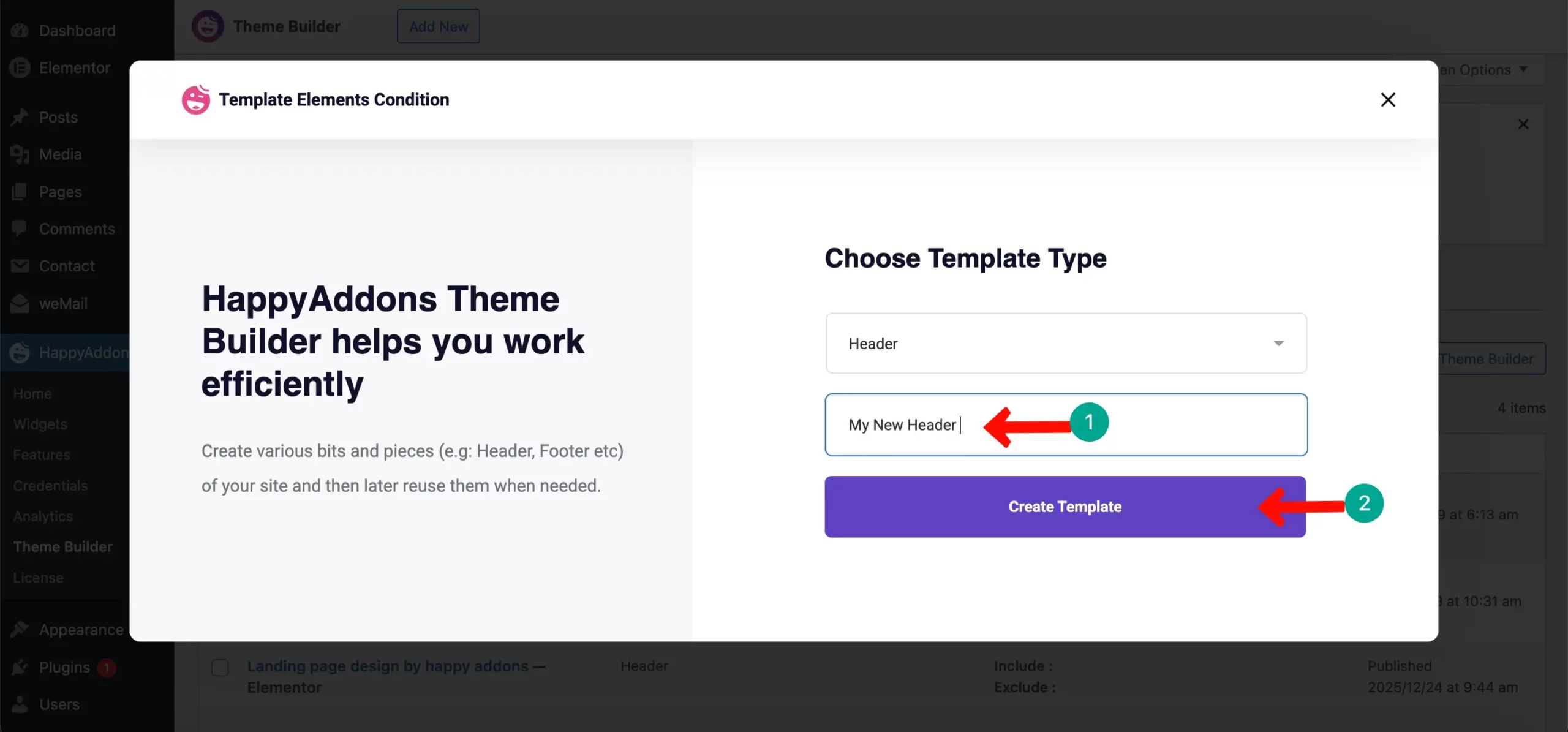
A popup will appear asking for a name. Give your header a simple name like “Main Header” and click on the Create Template button. This will open the Elementor editor.
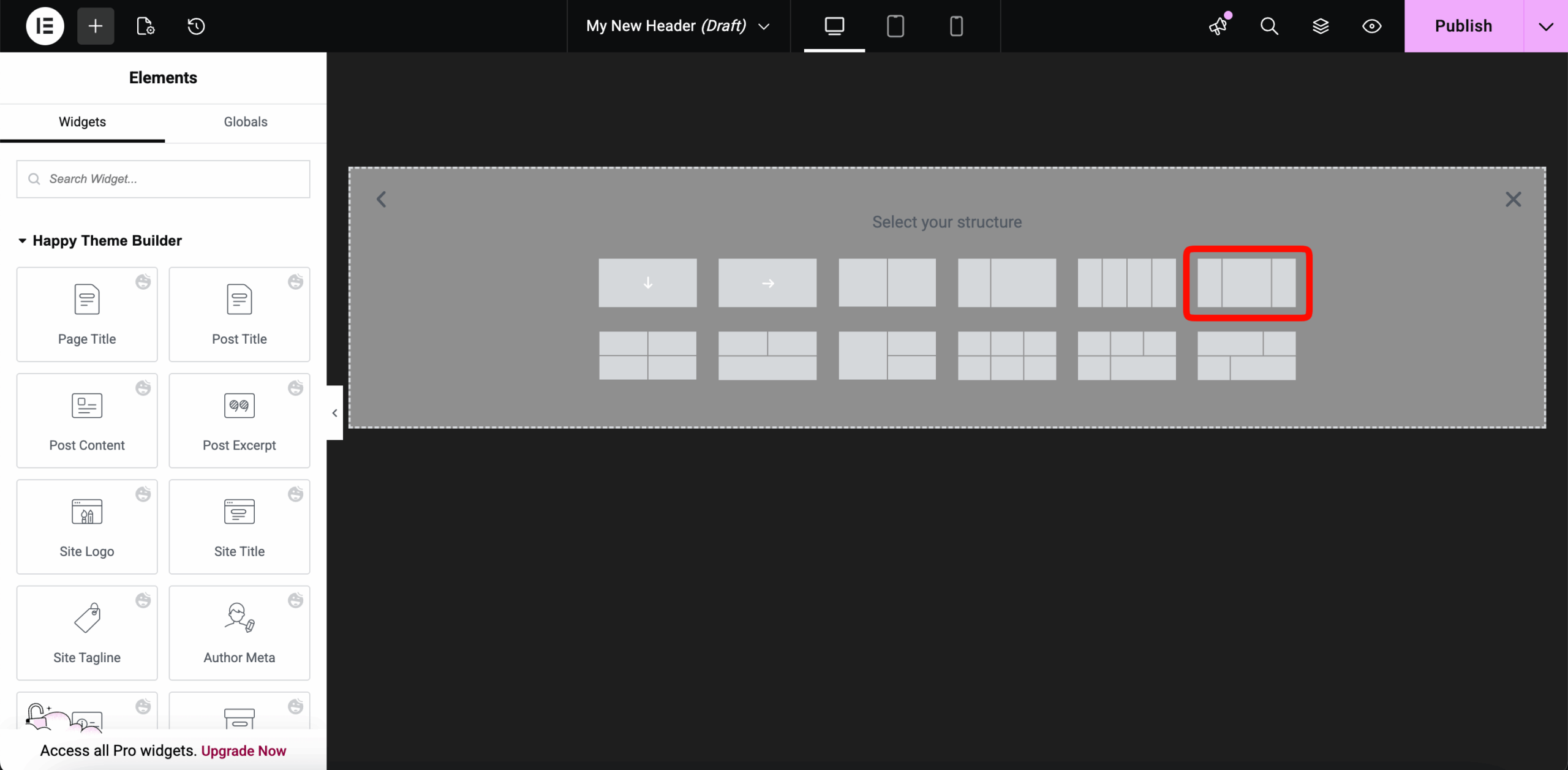
Once the Elementor editor opens, you need to choose your column structure. Click the plus (+) icon and select a three-column layout. This allows you to place your logo, menu, and a button side-by-side.
In the first column, search for the Image Widget in the sidebar. Drag it and drop it into the first column.
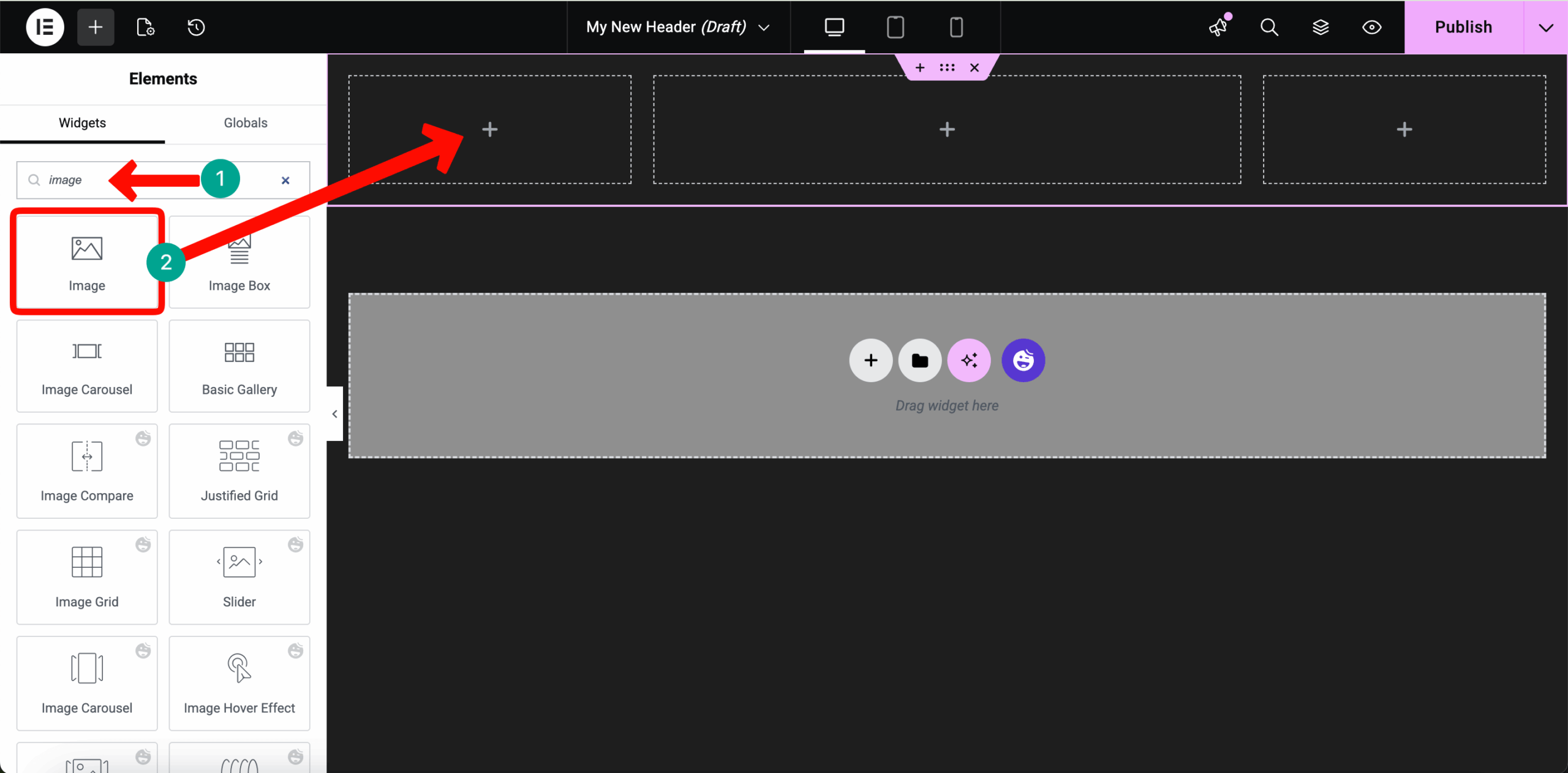
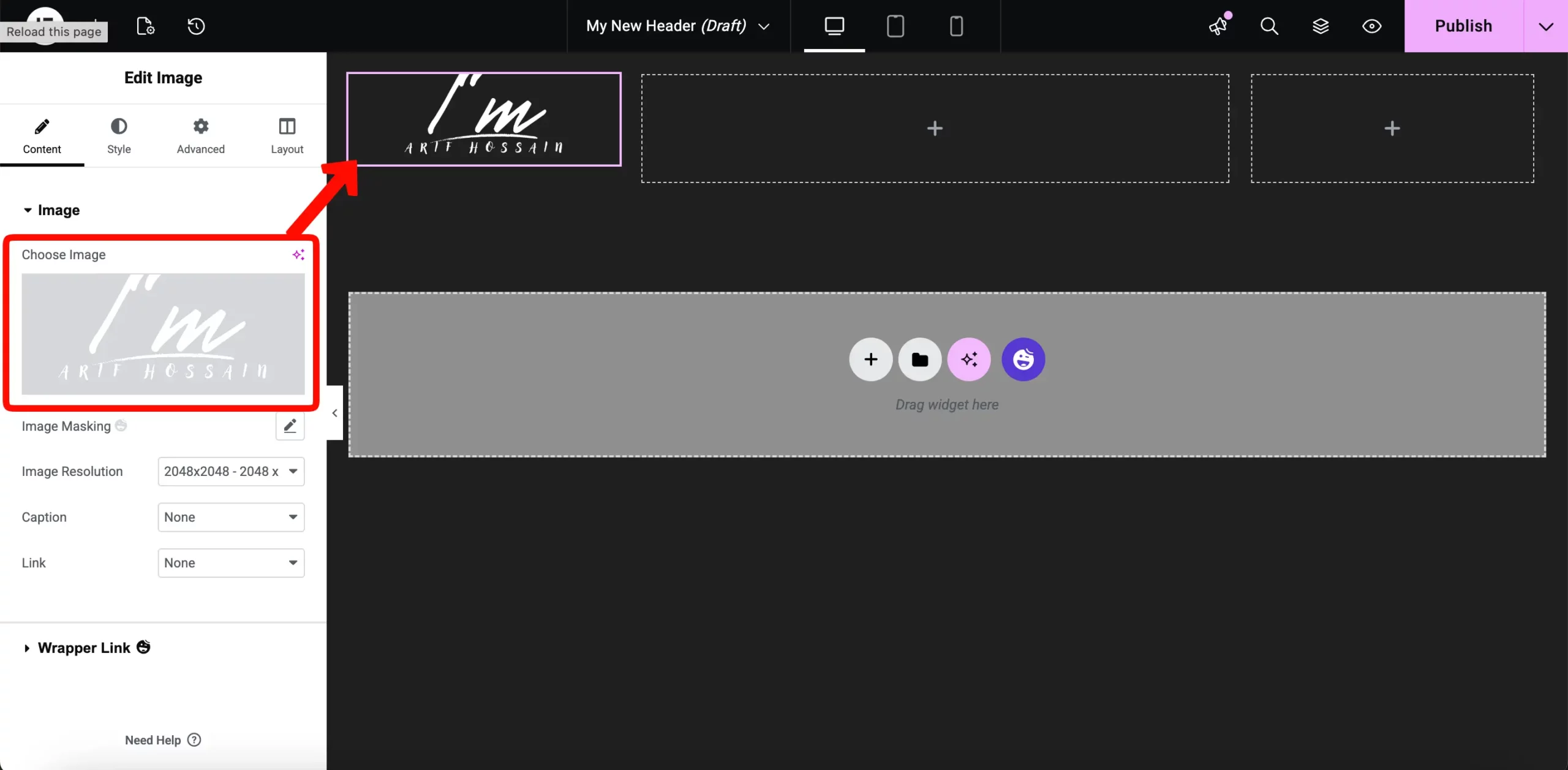
Upload your photography logo here.
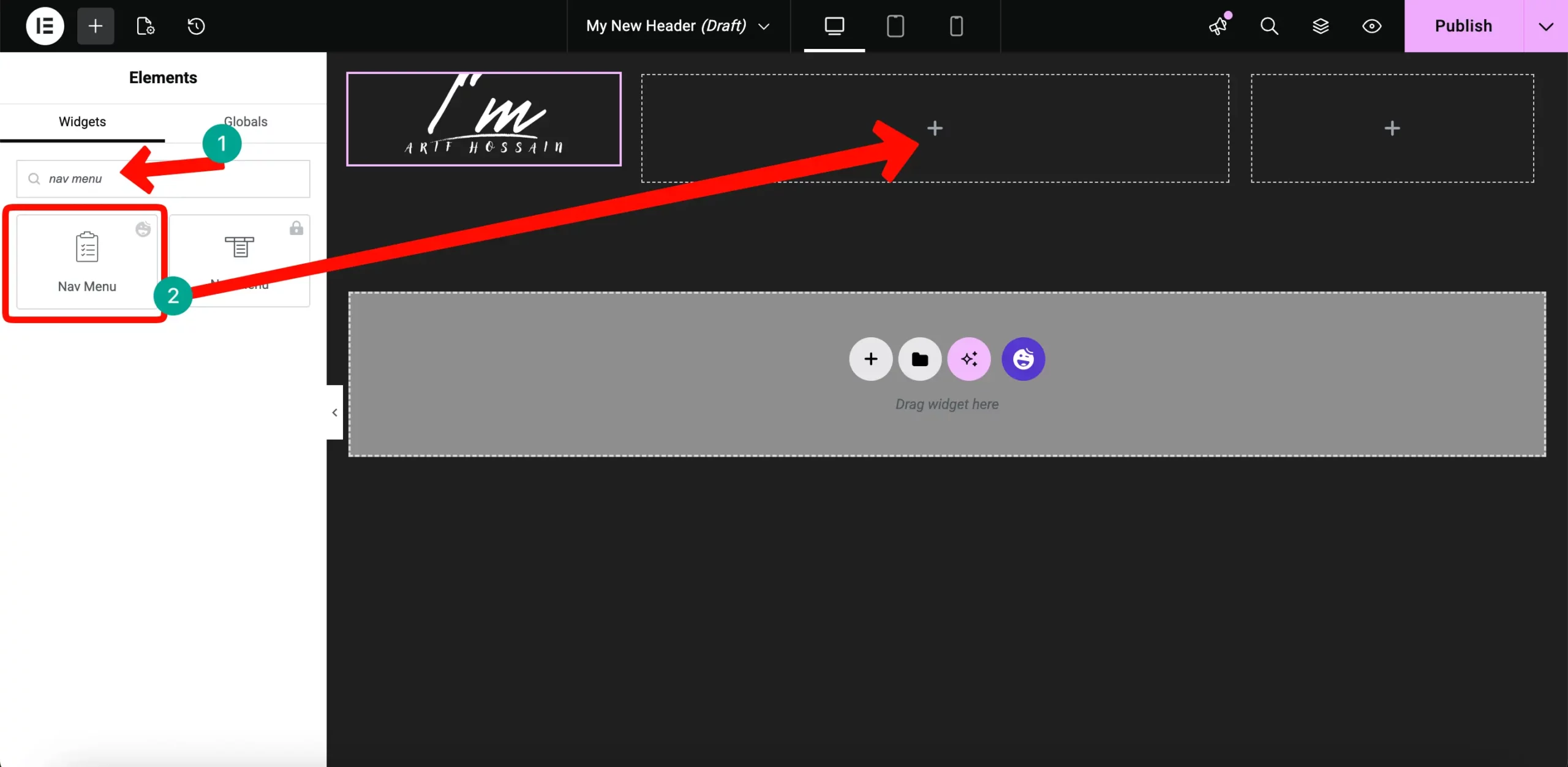
In the middle column, search for the Nav Menu widget. Drag it into the center.
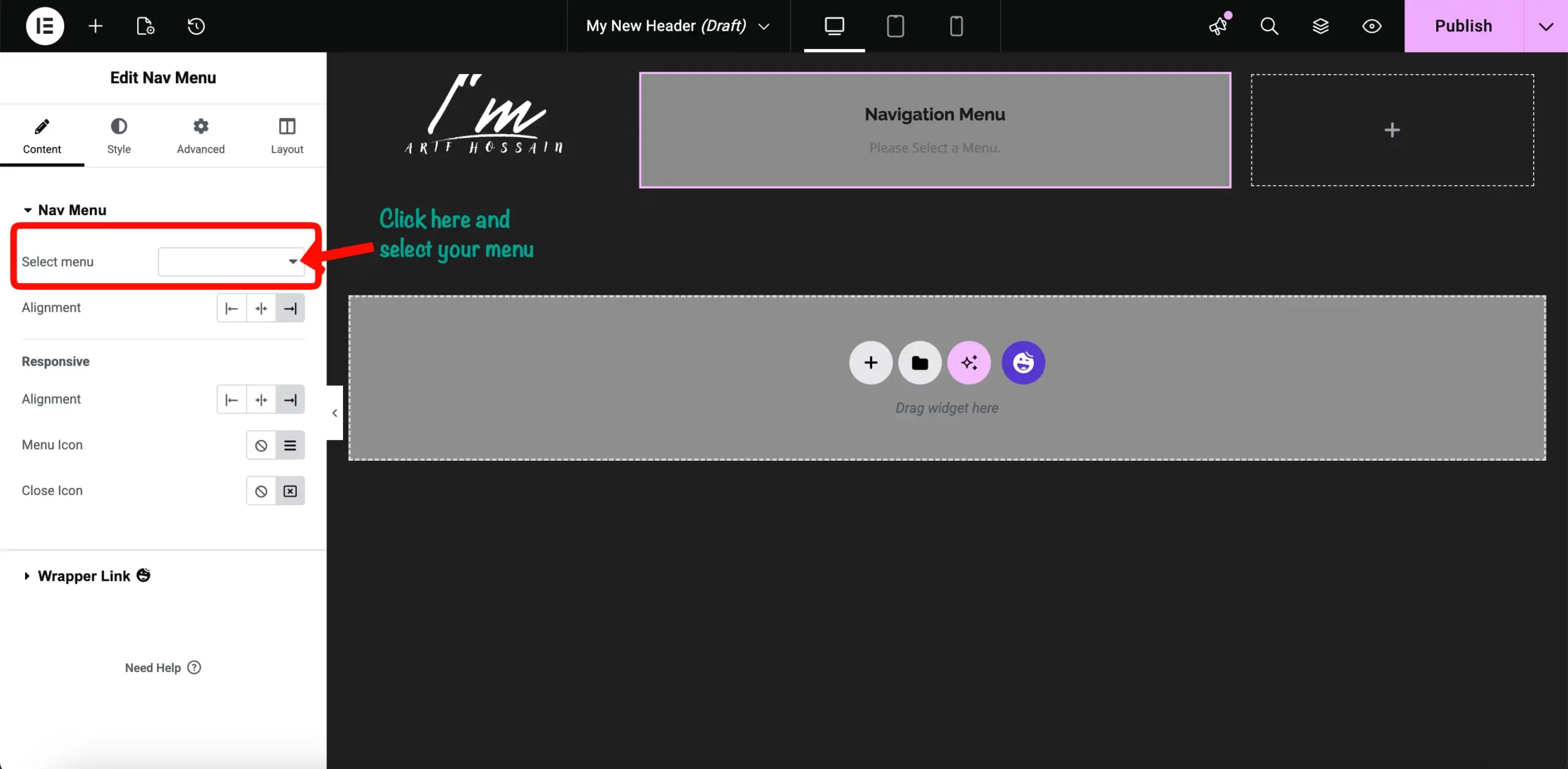
From the widget settings, select your primary menu so your links (Home, Blog, About) appear.
In the third column, add a Button widget. Set the text to “Book Now” to encourage visitors to take action.
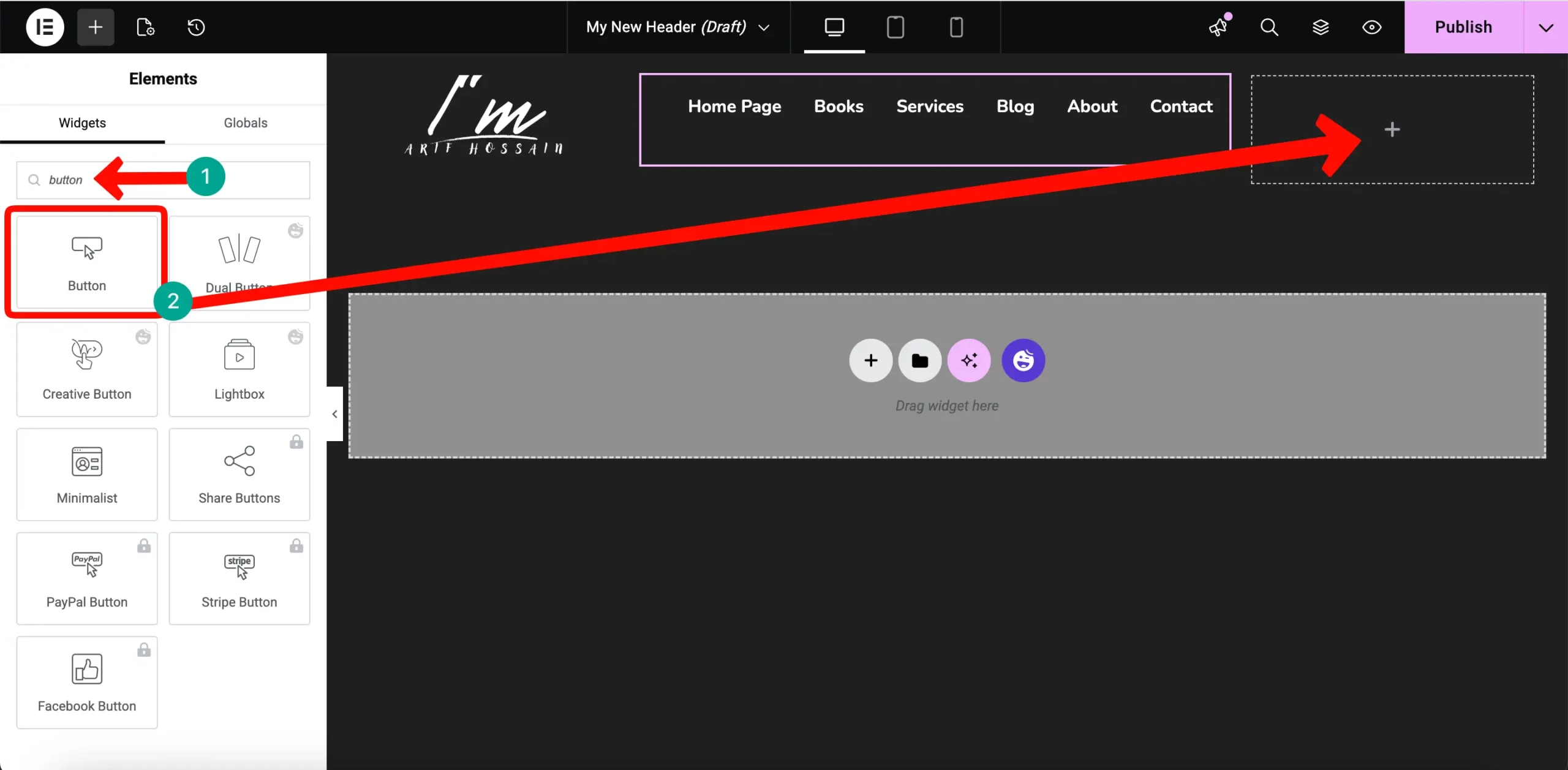
When you are happy with the design, click Publish. In the publish button, you will see a drop-down; from there, click on Template conditions.
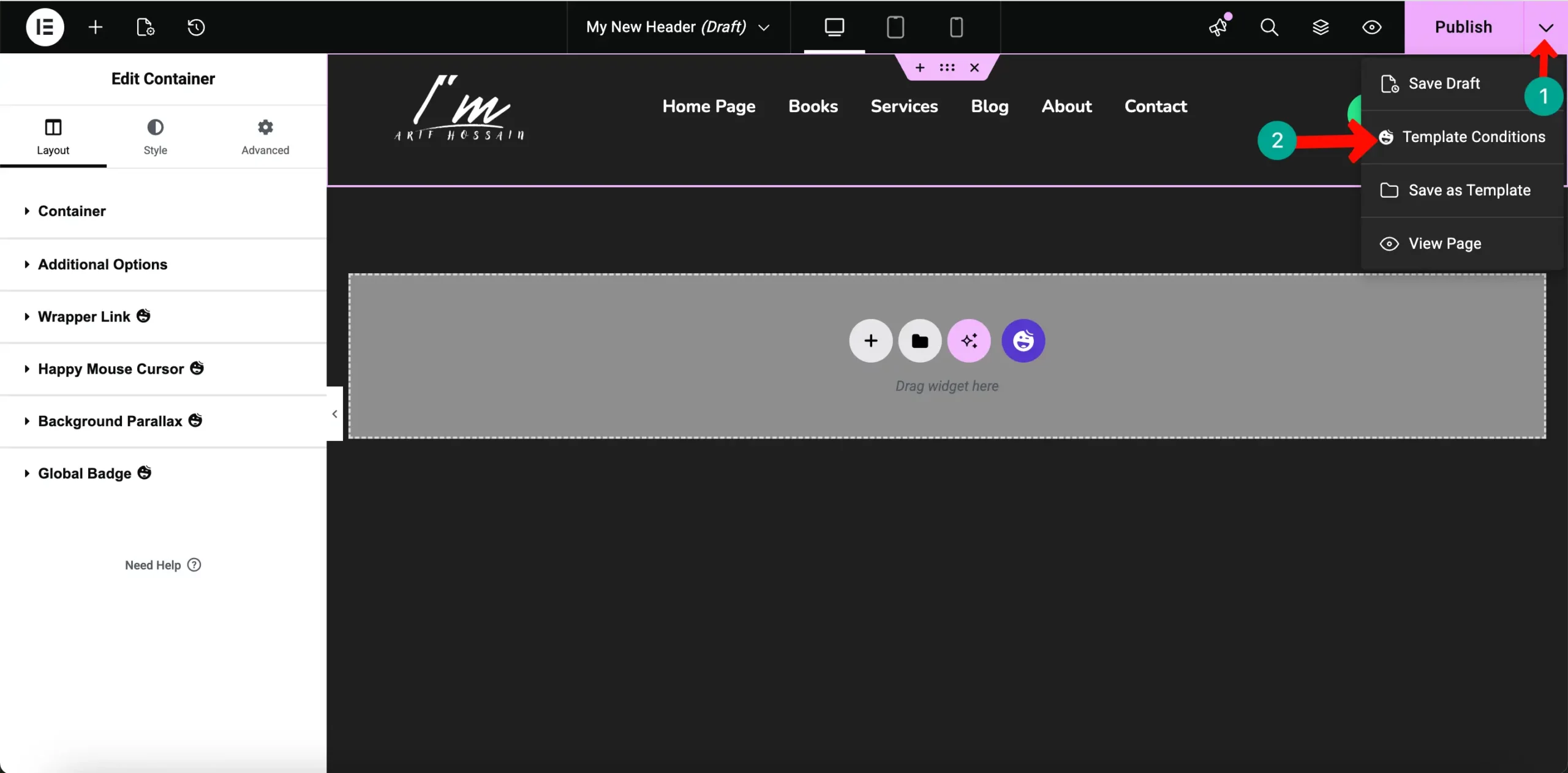
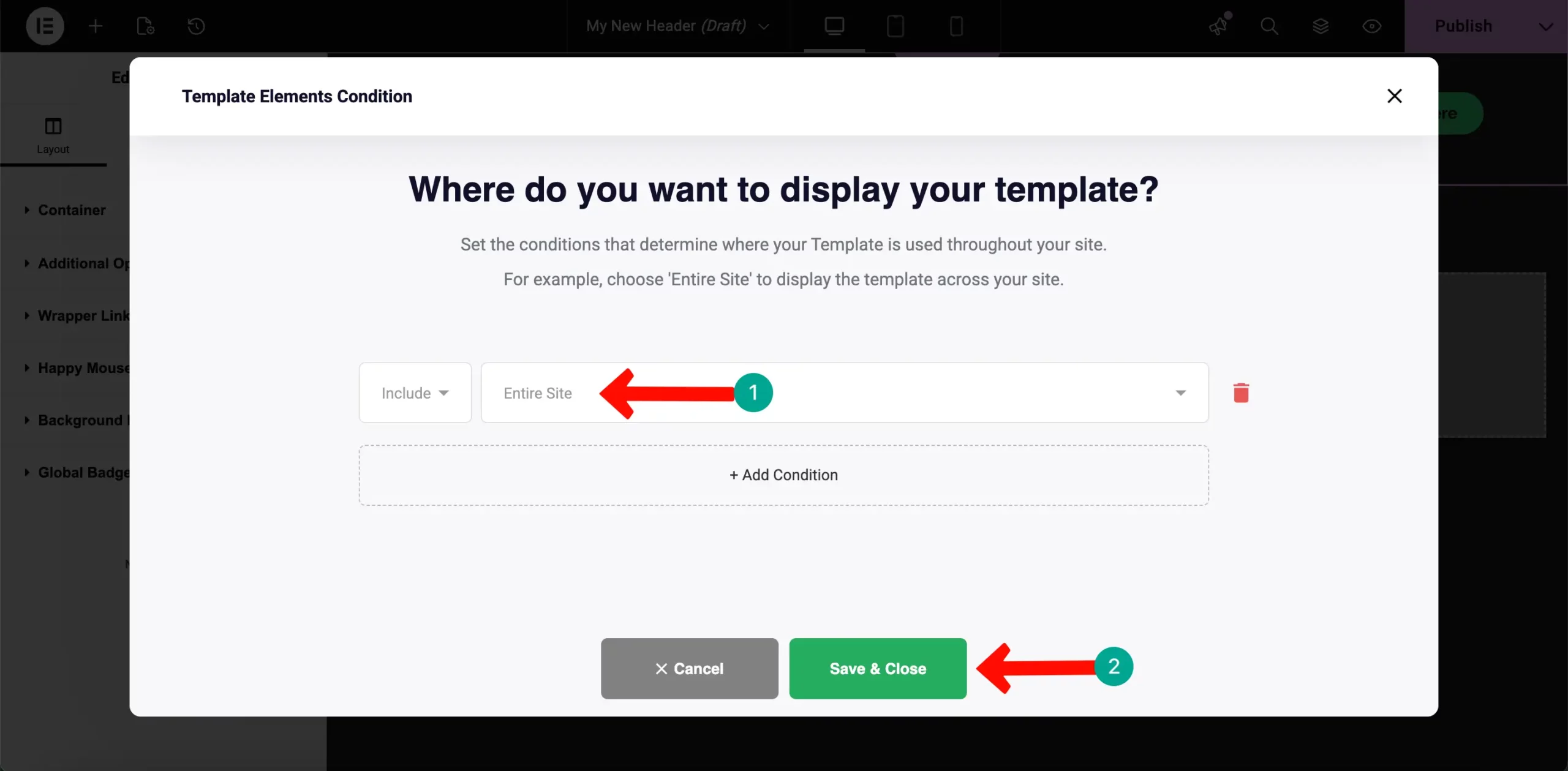
A popup will ask where to show the header. Select Entire Site so it appears on every page and click Save & Close.
# Designing a Professional Footer
The footer is where you place secondary information like copyright notices and social media links. Go back to the Theme Builder and this time click on the Footer tab. Hit the Add New button.
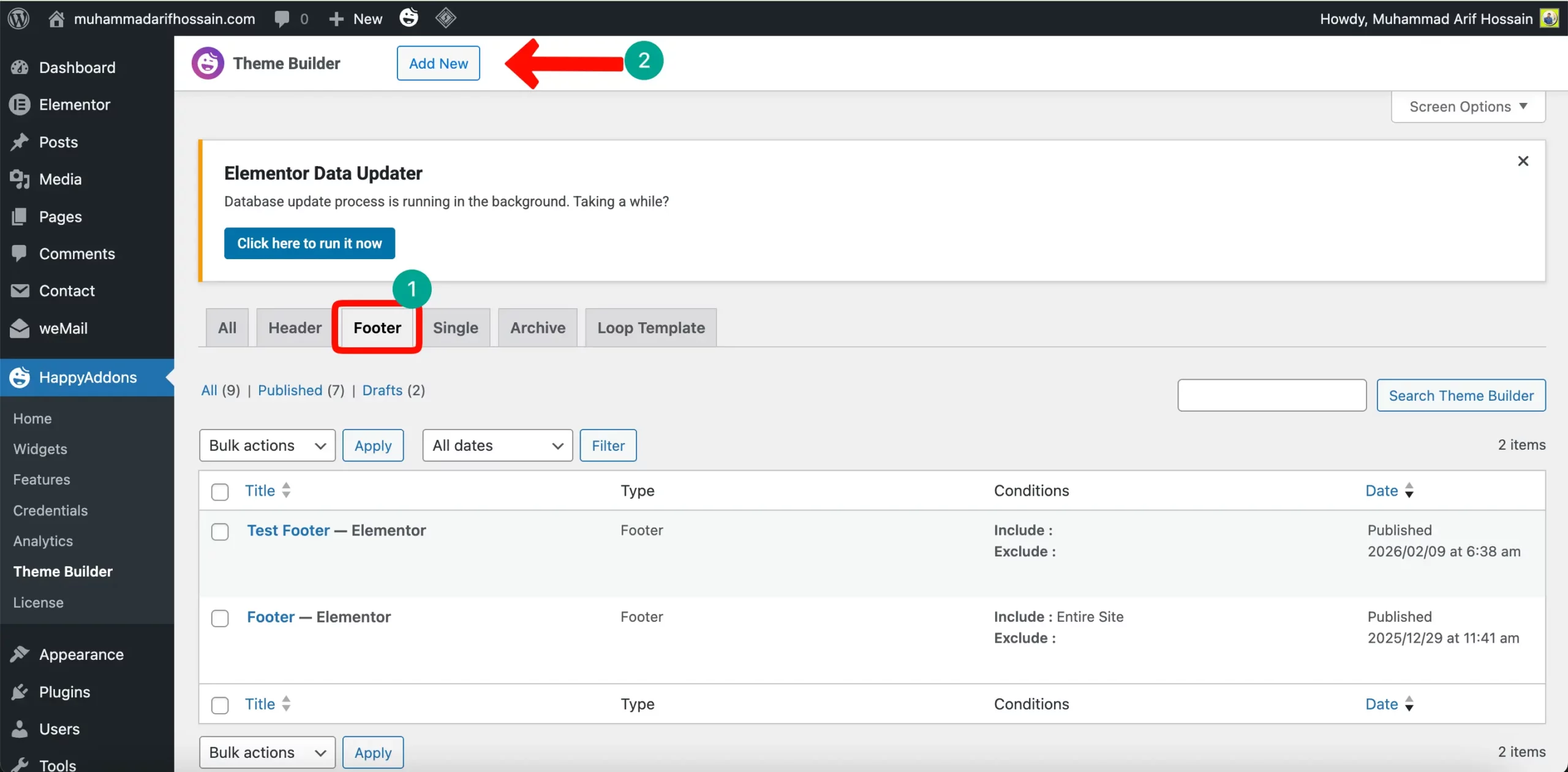
Instead of building from scratch, click on the HappyAddons Library icon inside the editor. This gives you access to professionally designed templates.
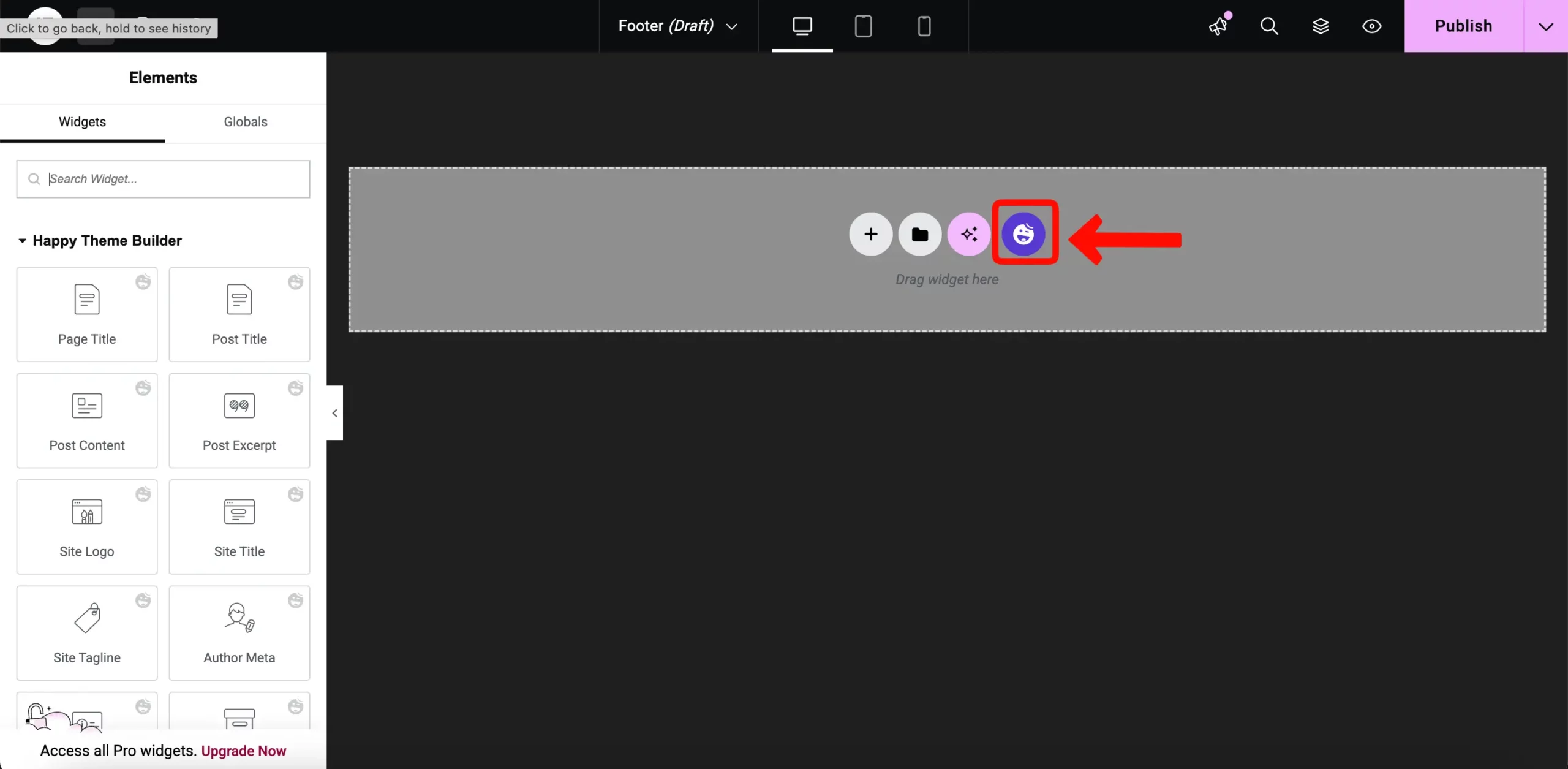
In the library, search for “Footer.” Find a design that matches your style and click the Insert button.
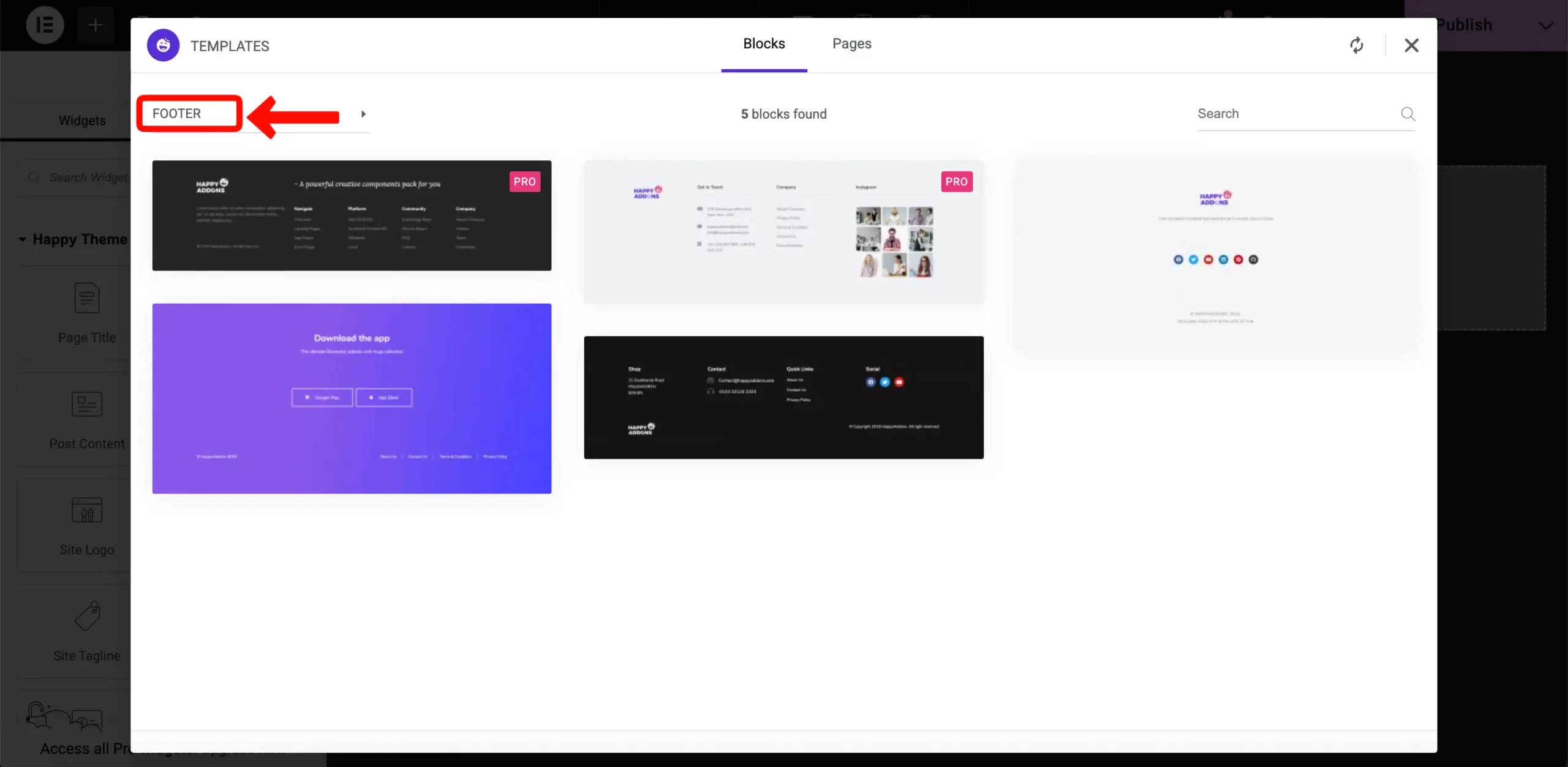
You can now edit the text to add your social media links and brand name.
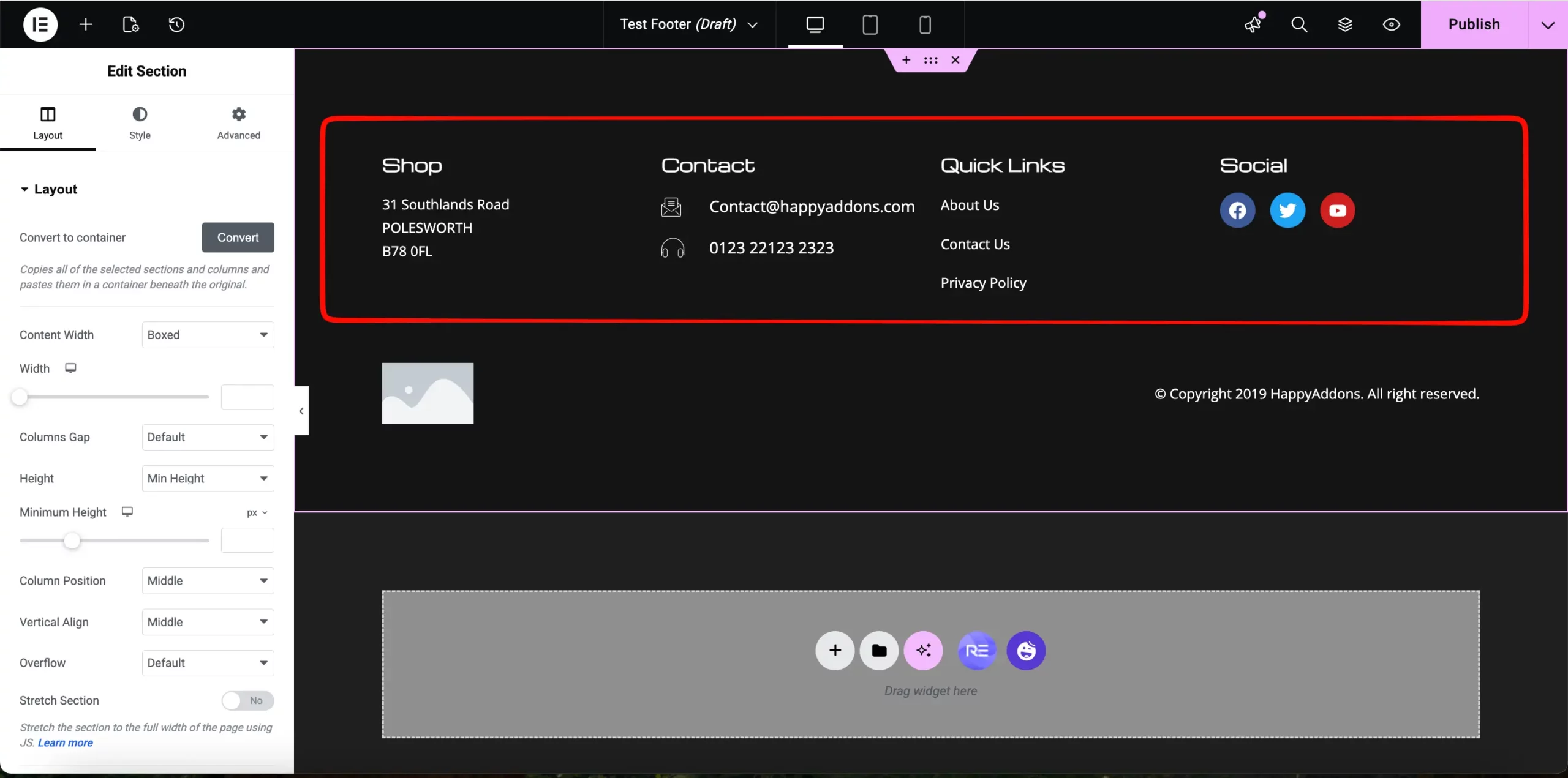
When you are happy with the design, click Publish. A popup will ask where to show the footer. Select Entire Site so it appears on every page and click Save & Close.
If you want more details on designing the header and footer. Visit this detailed guide on creating headers and footers in Elementor.
With your frame in place, it’s time to build the heart of your website. For a photographer, the Home Page isn’t just a landing page – it is your primary sales funnel. It needs to lead the visitor from seeing your face to trusting your expertise, and finally, to booking your services.
Here is how to structure your photography Home Page for maximum impact using Elementor and HappyAddons.
Step 2: Building Your Photography Home Page
We will build this page section by section. Each part has a specific job: to build a connection and prove your value.
# Creating a Hero Section
A single background image is common, but a split hero section is more professional. It introduces both your work and the person behind the lens immediately.
To start, add a two-column section
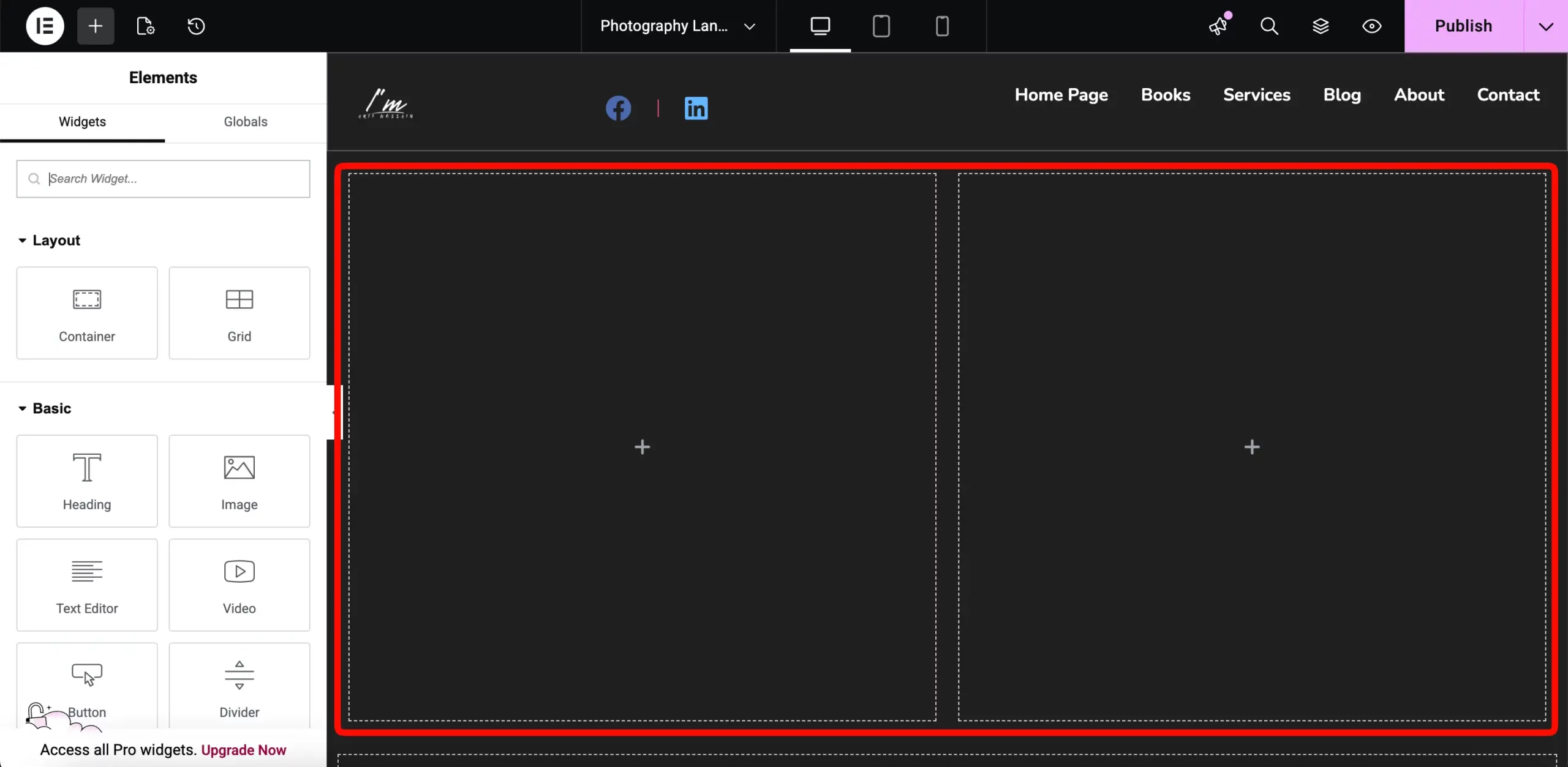
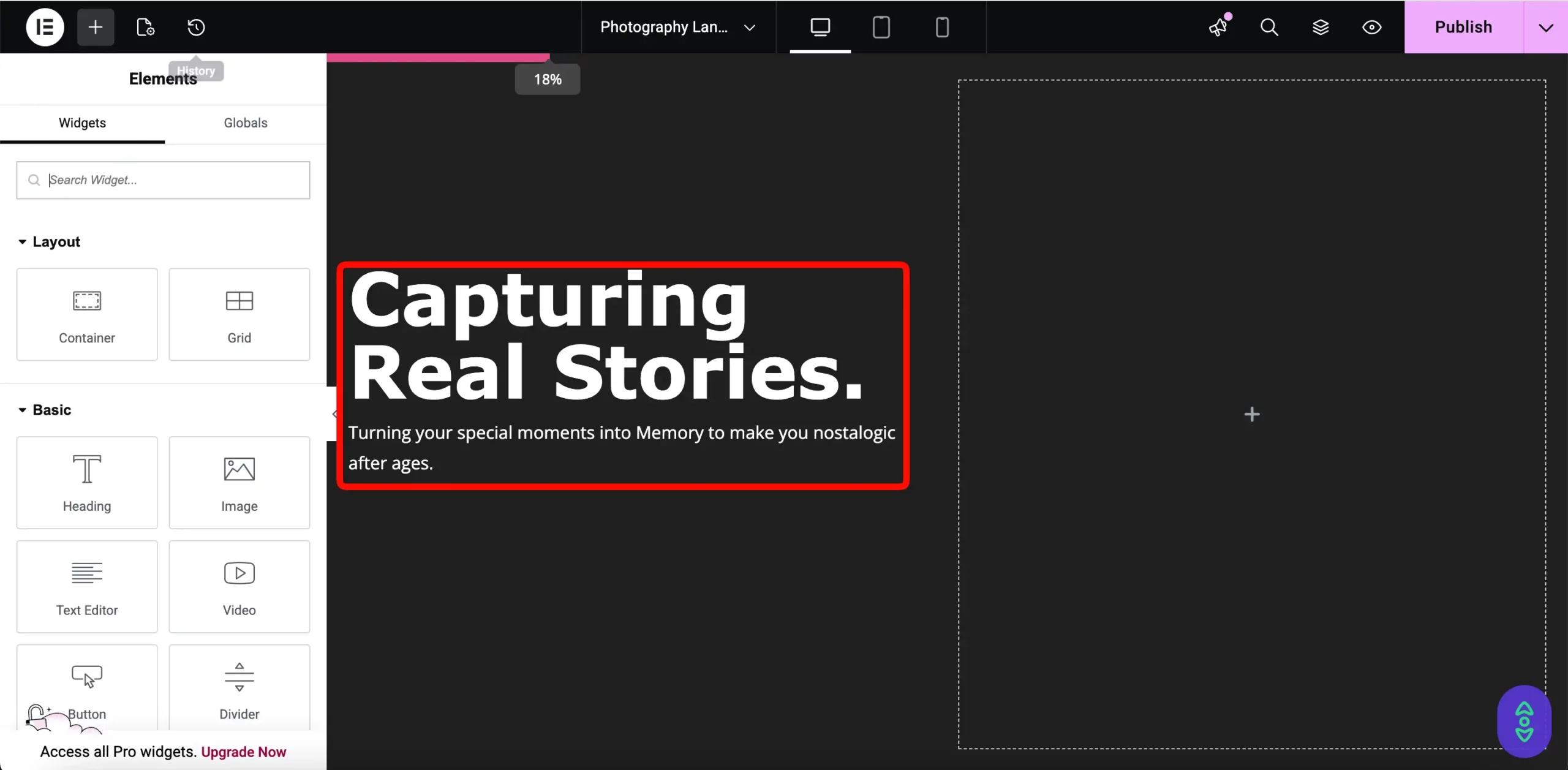
In the left column, drag and drop the Heading widget. Enter your main title, such as “Capturing Real Stories.” Below it, add a Text Editor with a one-sentence sub-headline.
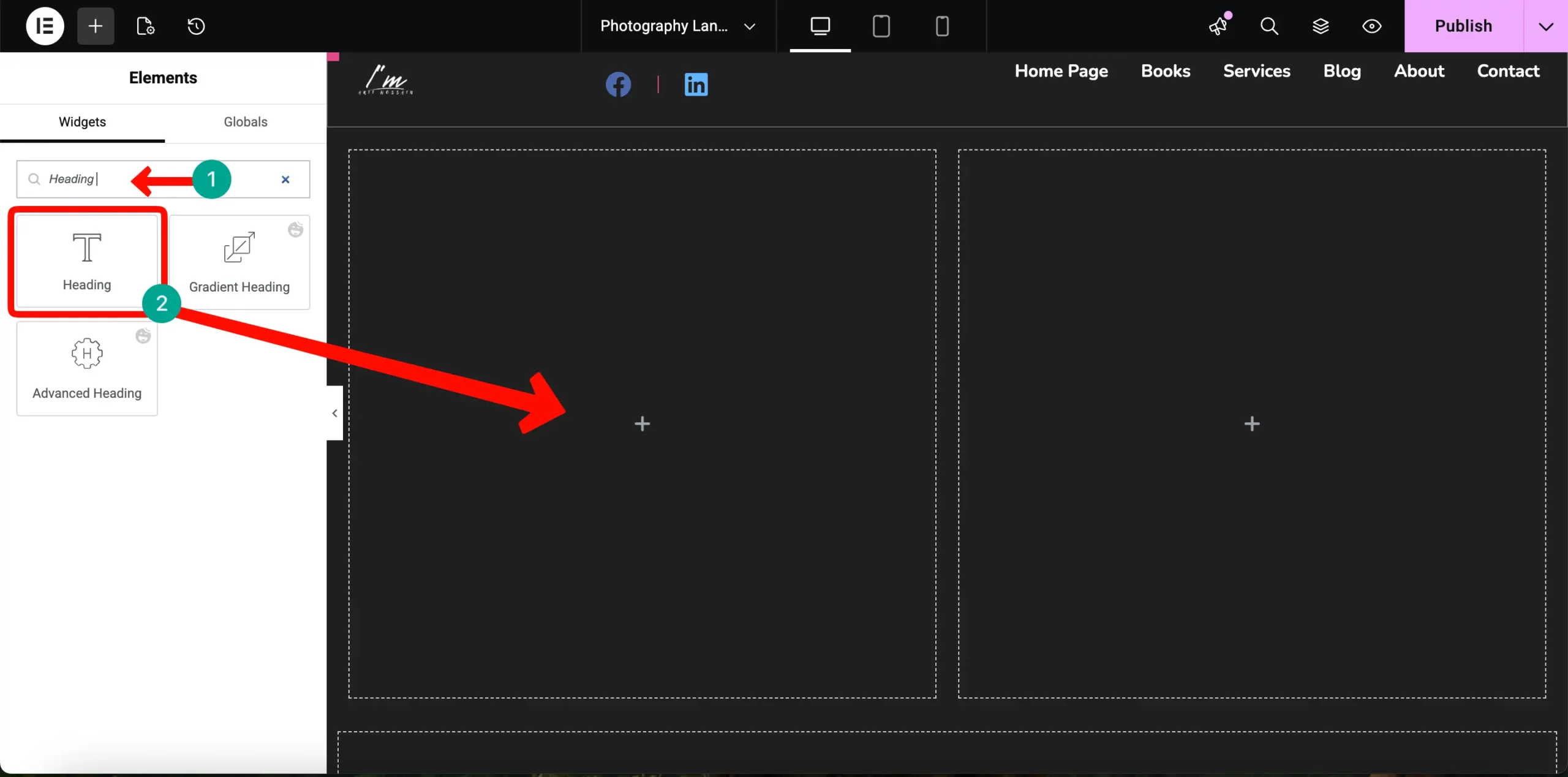
This tells people exactly what you do the moment they land on your site.
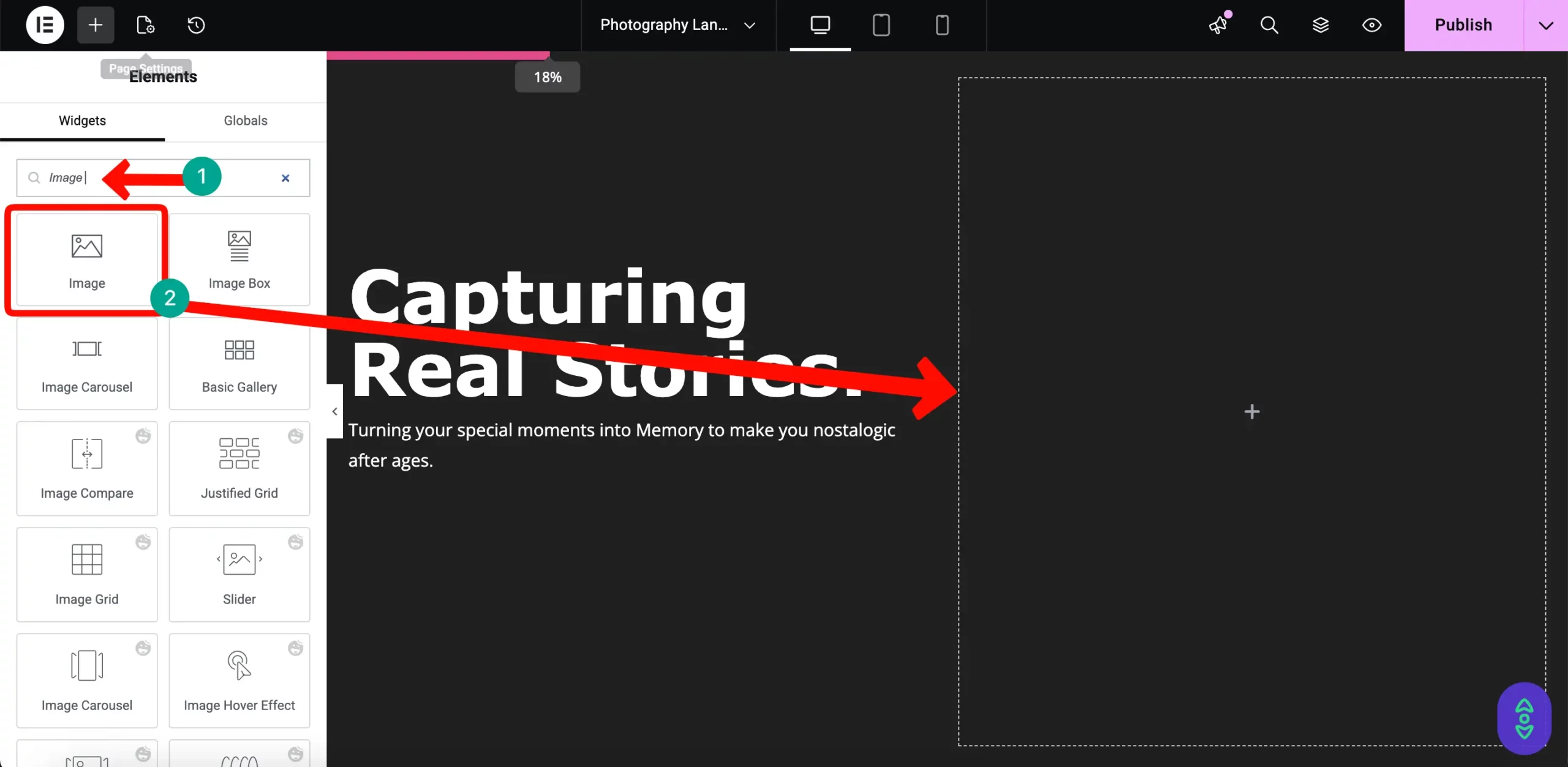
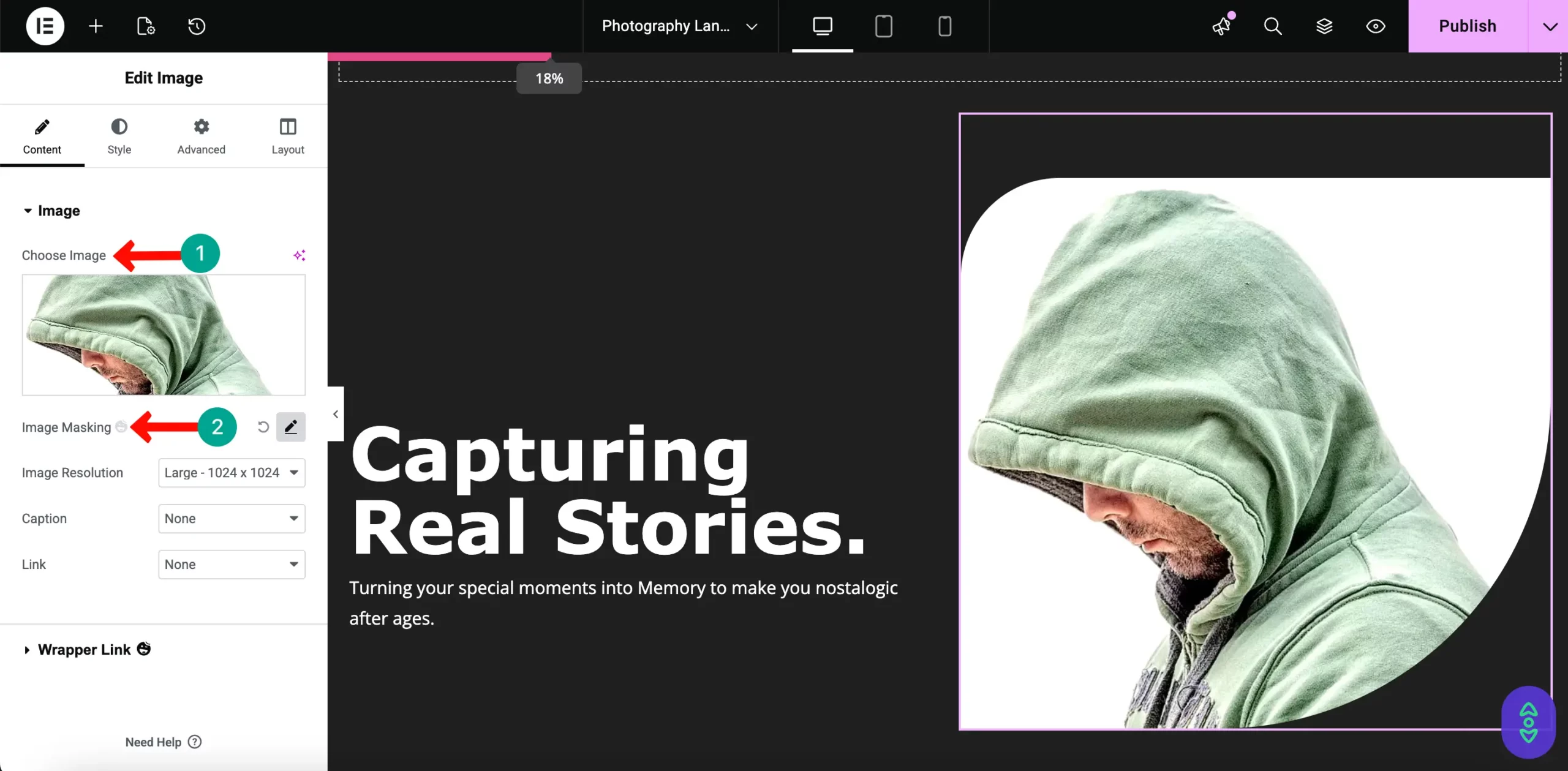
In the right column, drag the Image widget and upload a high-quality photo of yourself.
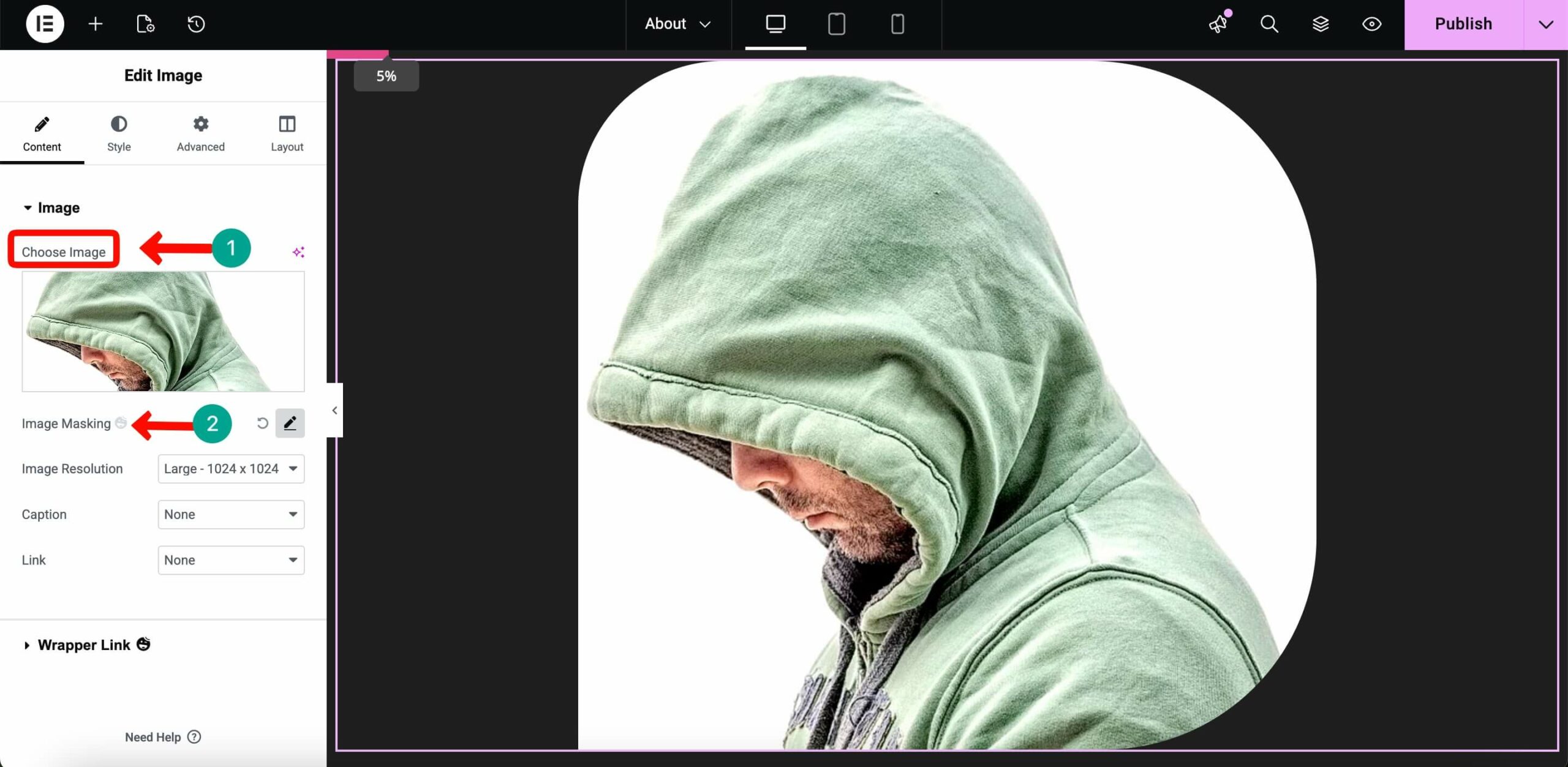
To make it look like a custom design, go to Advanced > Happy Features and enable Image Masking. Choose an organic shape like a “Blob” to give your portrait a unique look.
# Adding the Authority Slider
Before people hire you, they want to see who else has trusted you. This section builds immediate credibility.
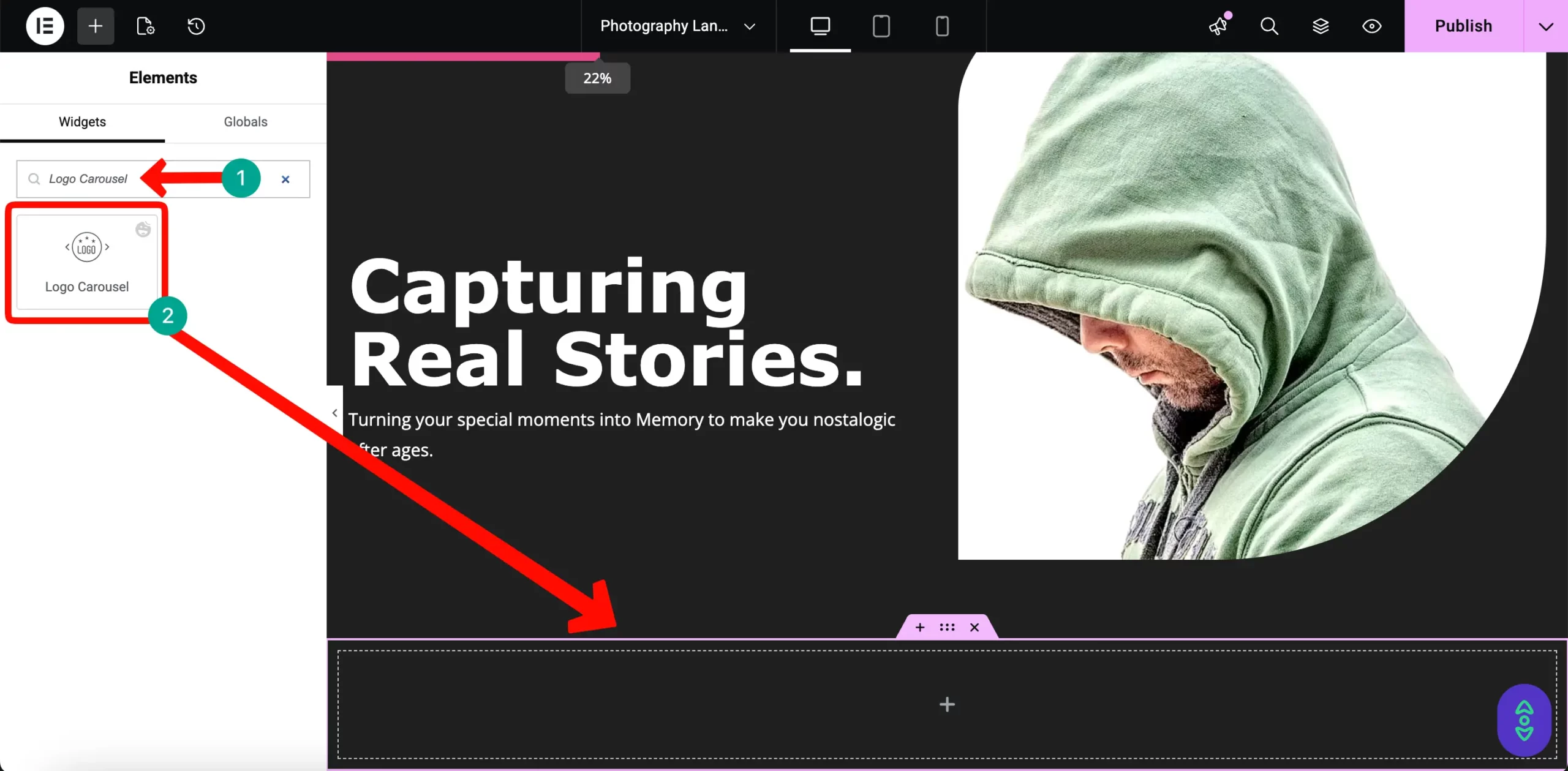
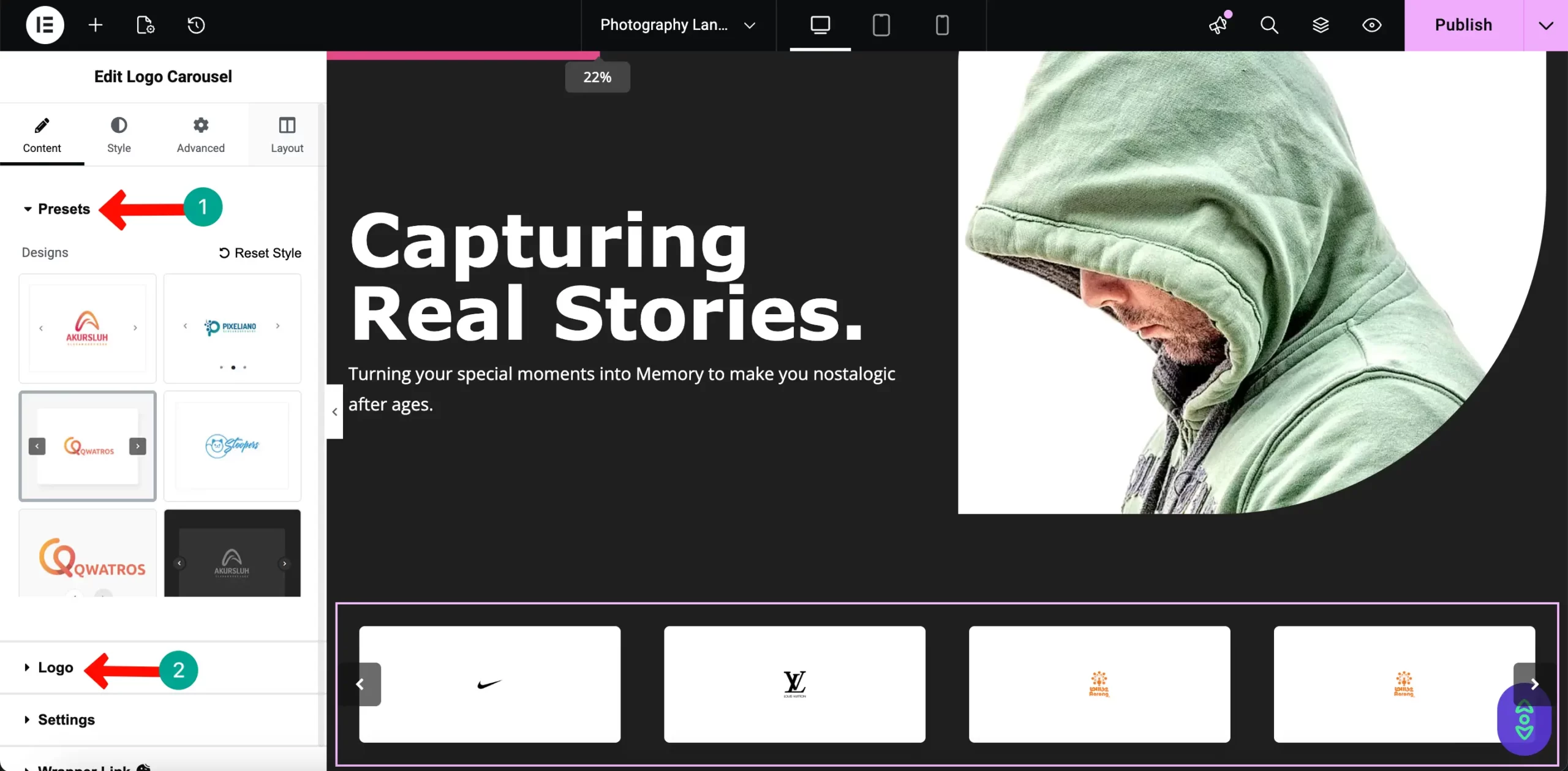
Search for the HappyAddons Logo Carousel widget and drag it below your Hero section.
Upload the logos of companies you have worked with or publications where your work appeared. This acts as social proof, showing that you are a trusted professional in your field.
# Building the Main Portfolio Gallery
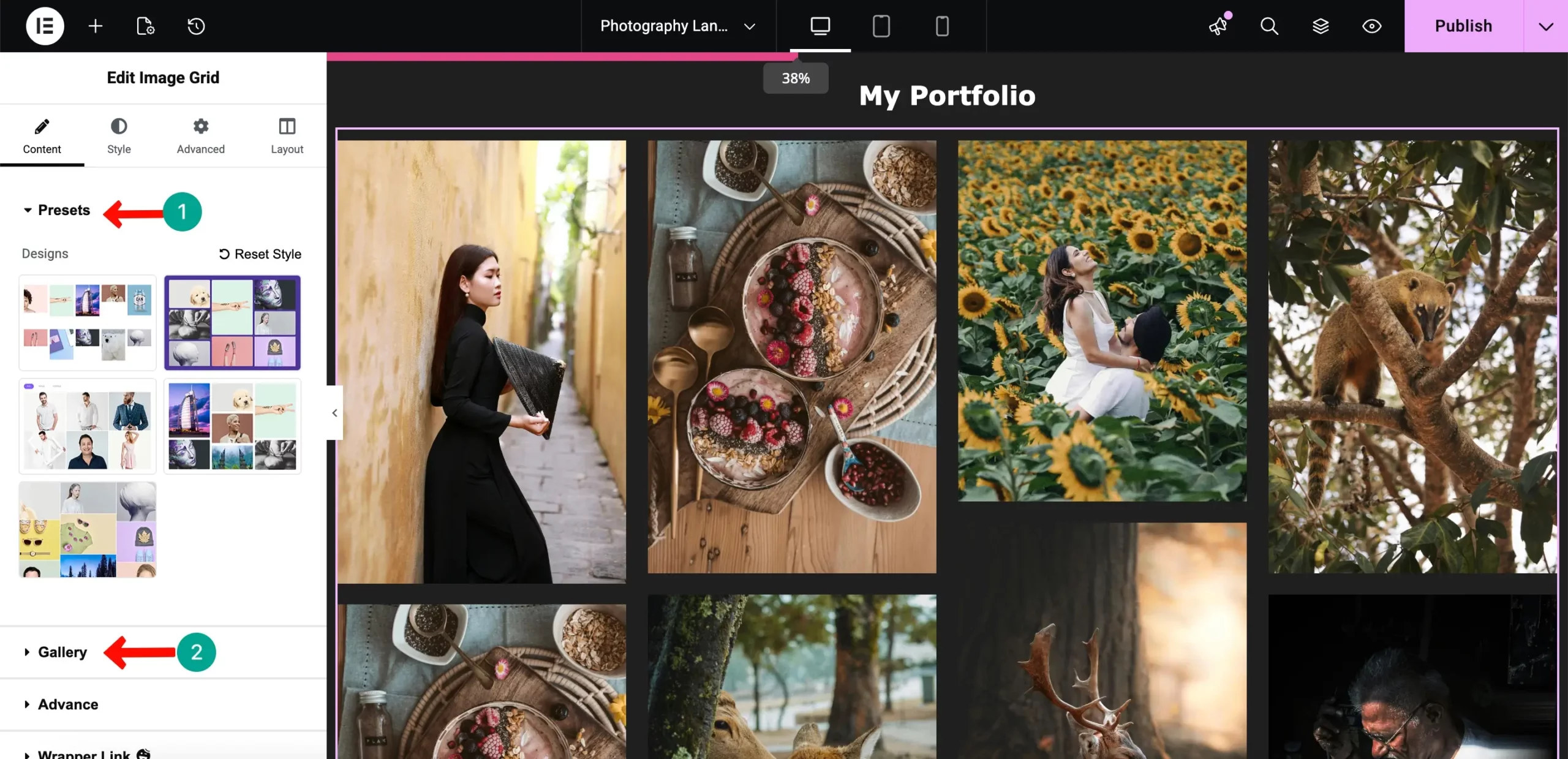
This is the most important part of your site. Using the HappyAddons Advanced Gallery widget, you can show your best work in a layout that feels like a premium art gallery. Add a new section. Give it a title for example like “ My Portfolio”
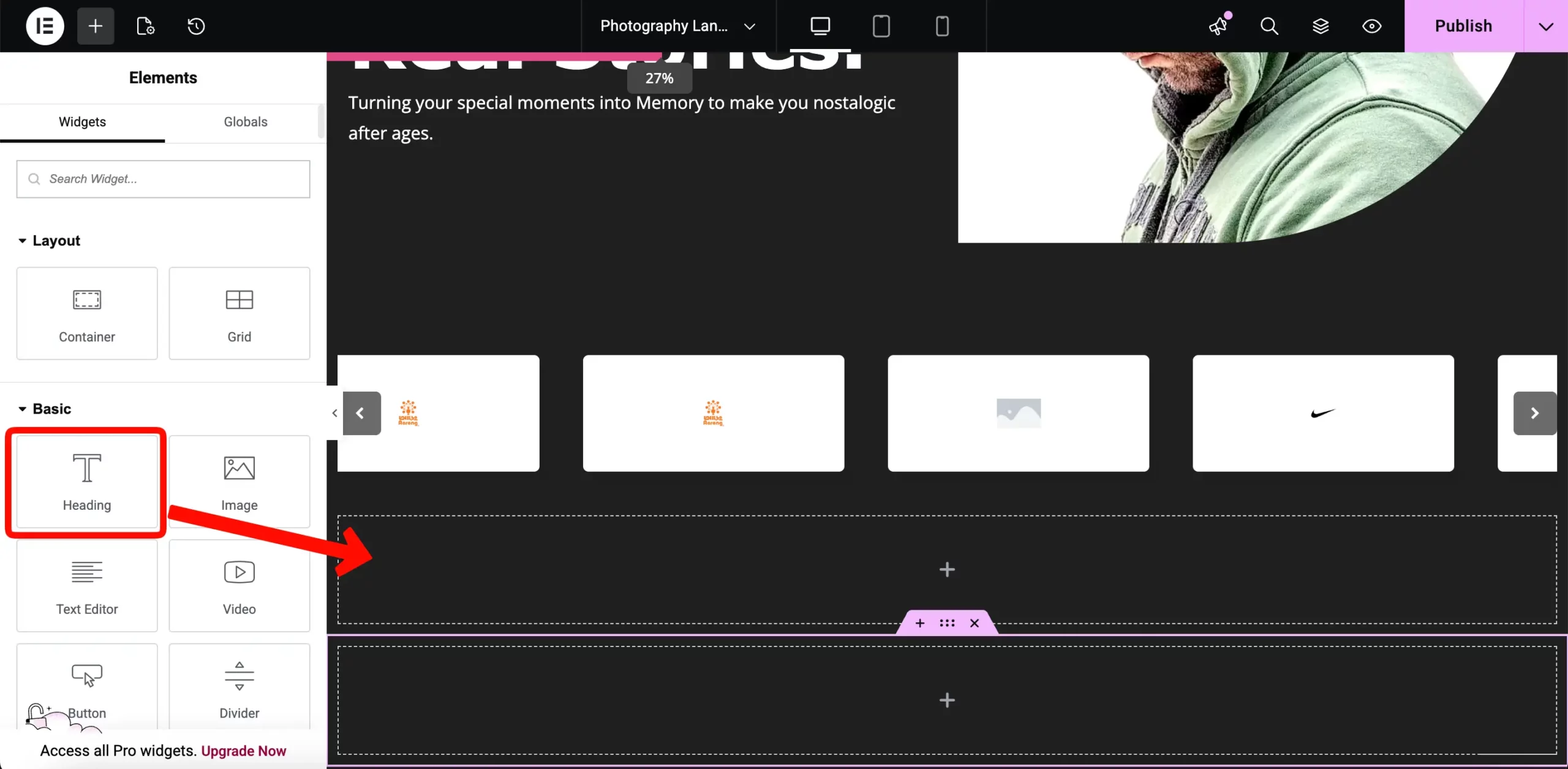
Then drag the Happy Image grid widget into a new section.
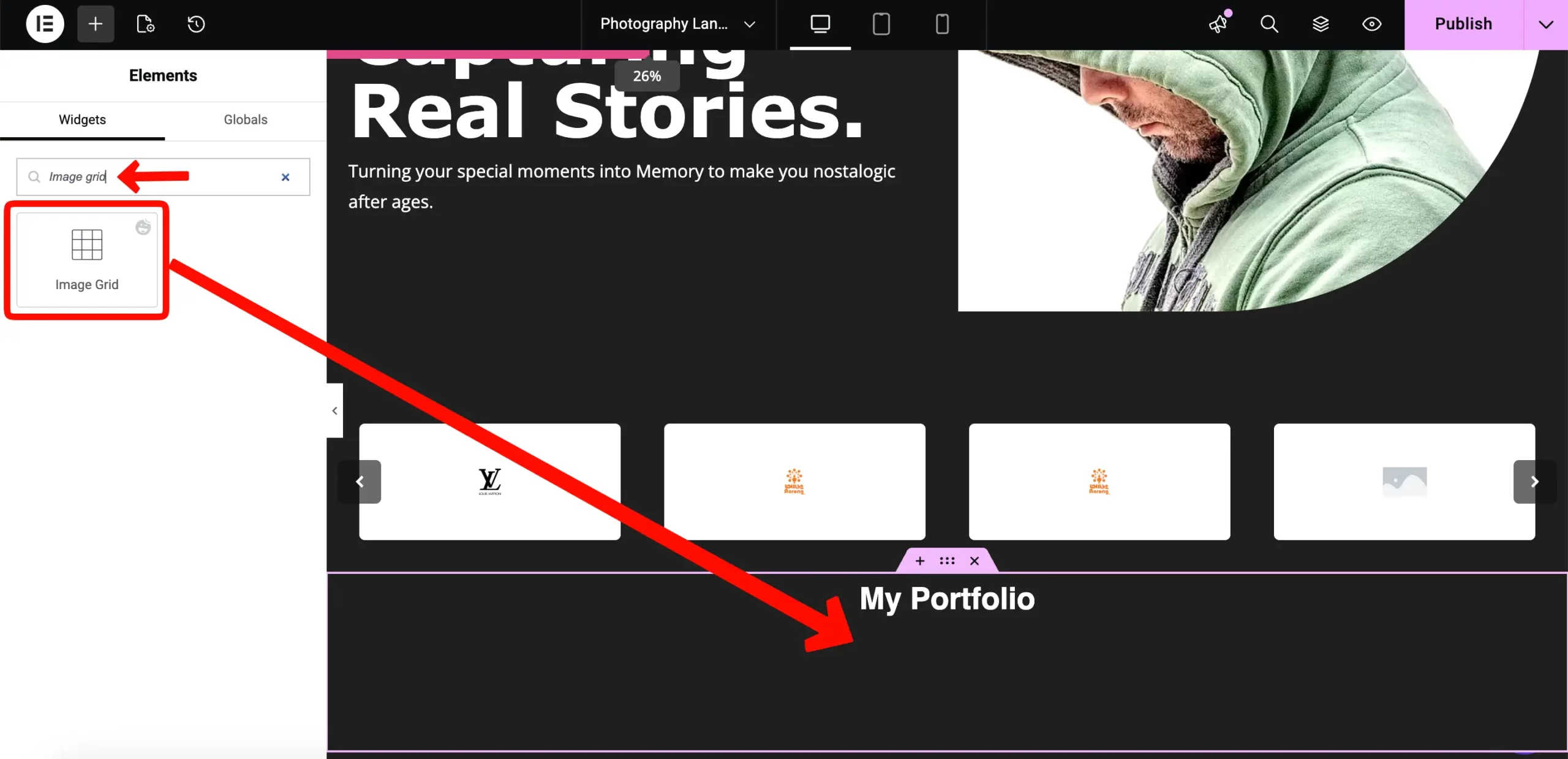
Then select your best work and update those in the gallery.
# Showcasing Your Specializations
Don’t make clients guess what you offer. Add a new section and drag a title to focus on your working area.
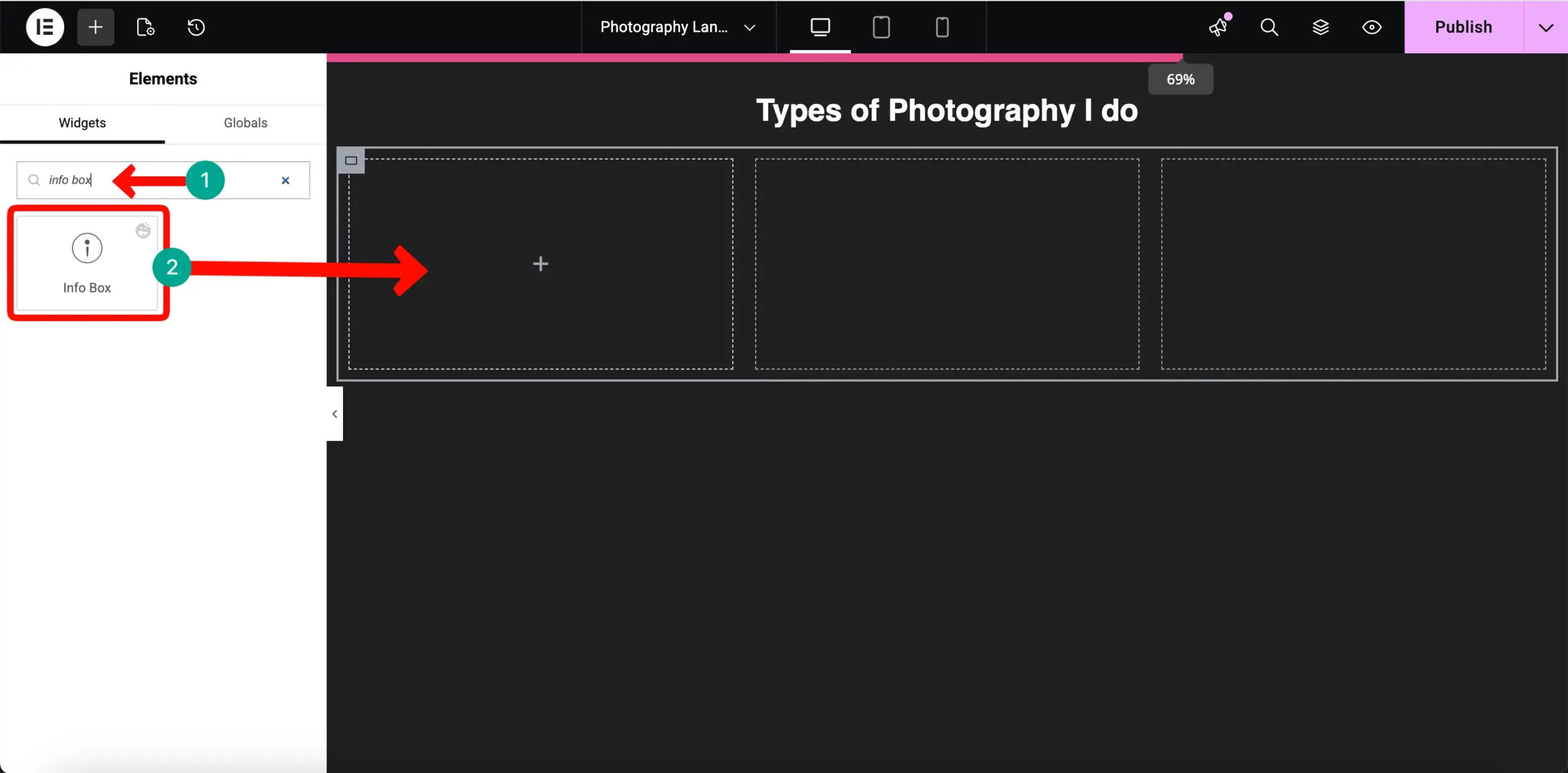
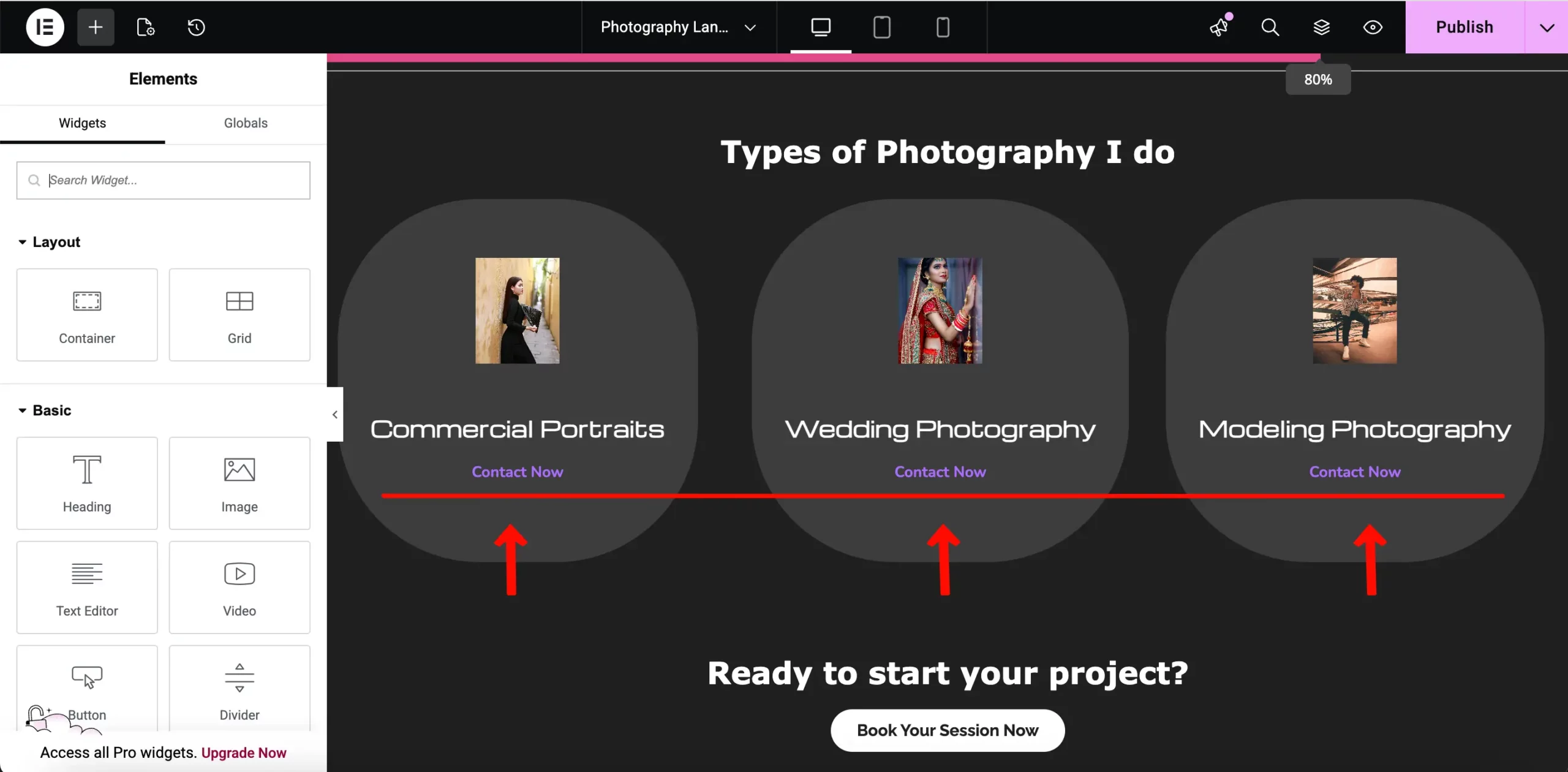
Then add a three-column section to be specific about your services. In each column, drag the HappyAddons Info Box widget.
For each box, add a small icon and a short description of what you offer, such as “Wedding Photography” or “Commercial Portraits.” This makes your service list very easy for potential clients to scan and understand quickly.
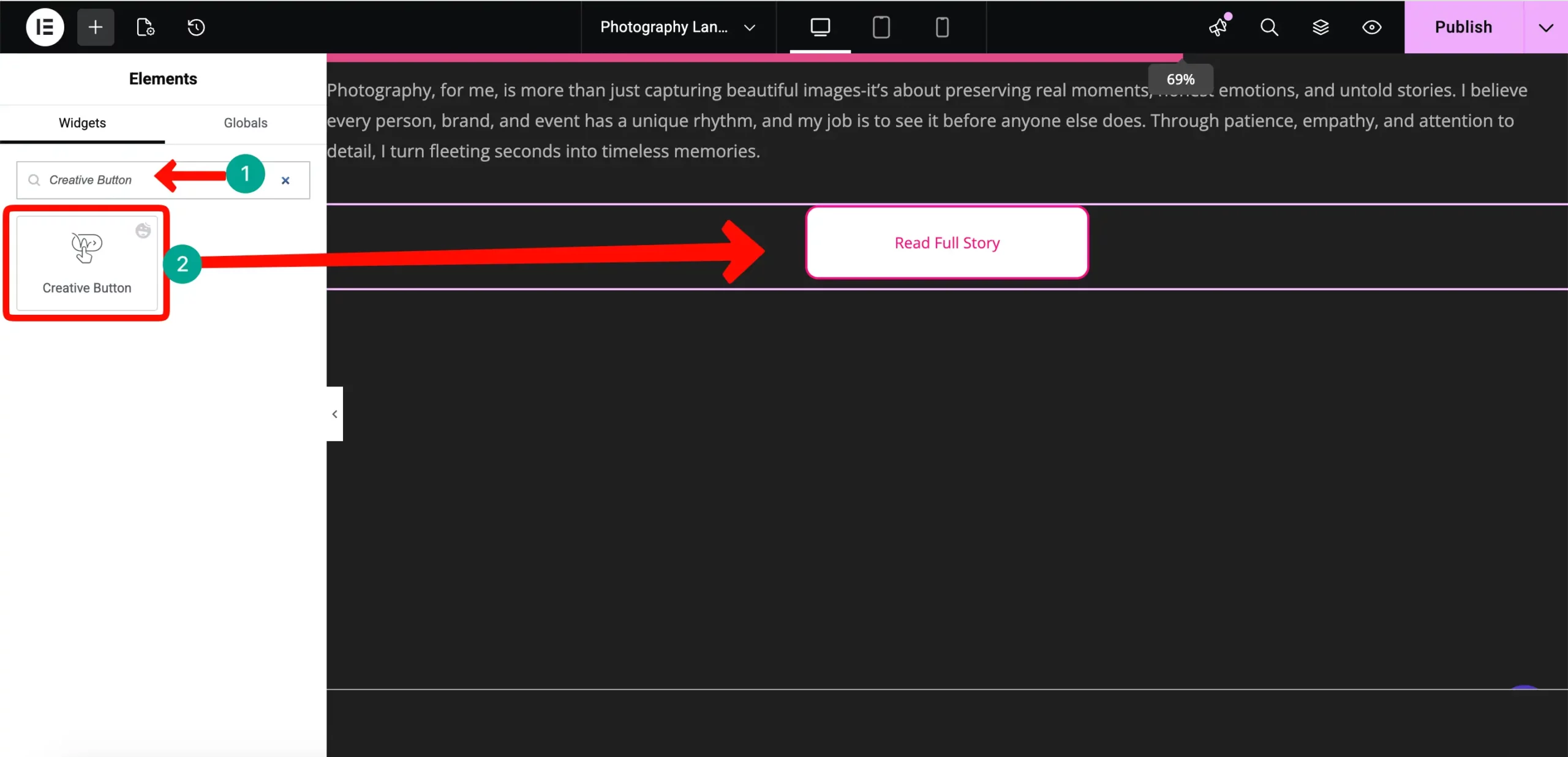
# The Bit About Me Teaser
People hire the photographer, not just the camera. You need to build a human connection. Create a clean, one-column section. Then drag a title and description box to express yourself.
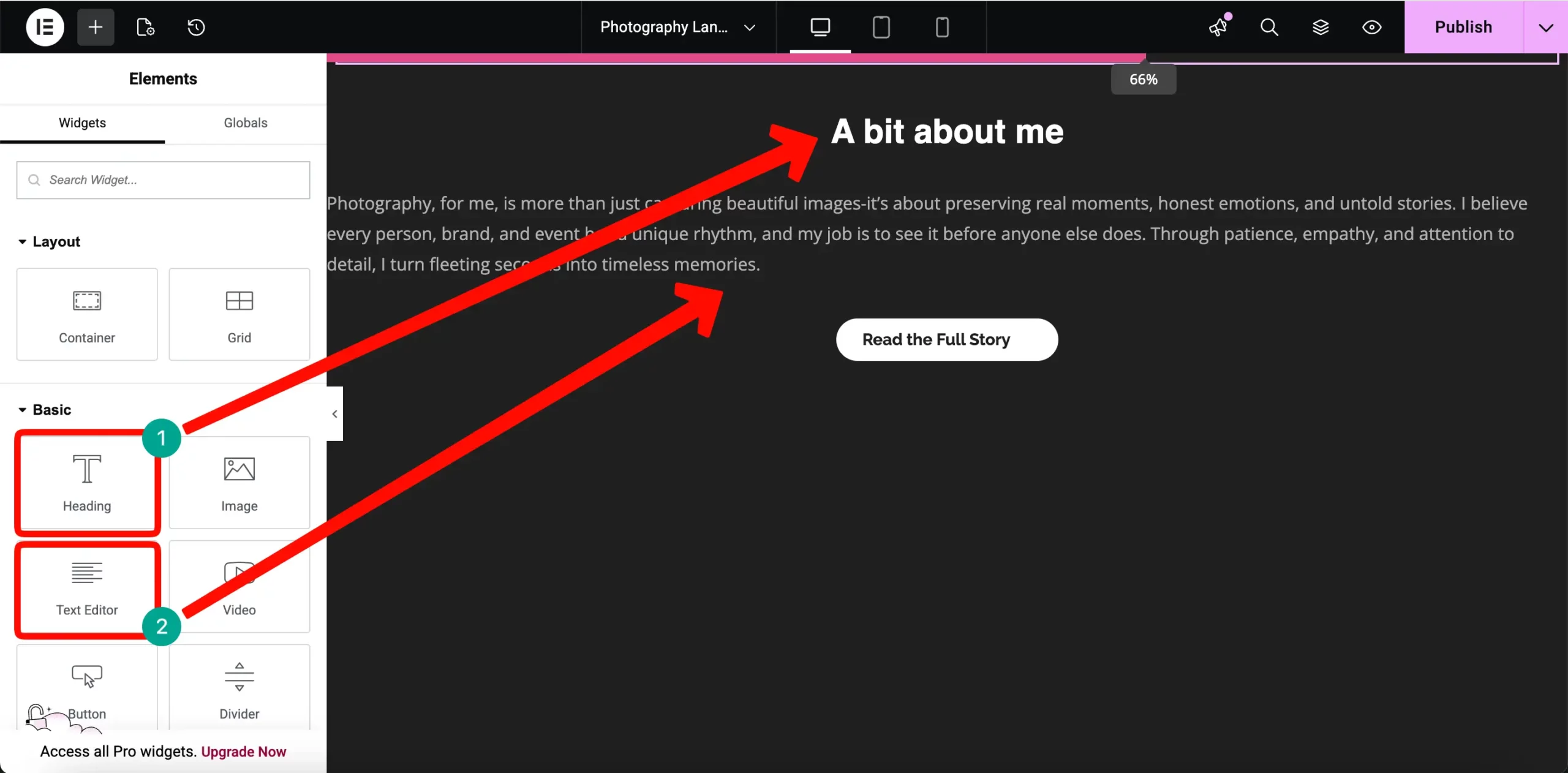
Add a Creative Button Widget that says “Read the Full Story” and link it to your dedicated About Page.
# The Final Call to Action
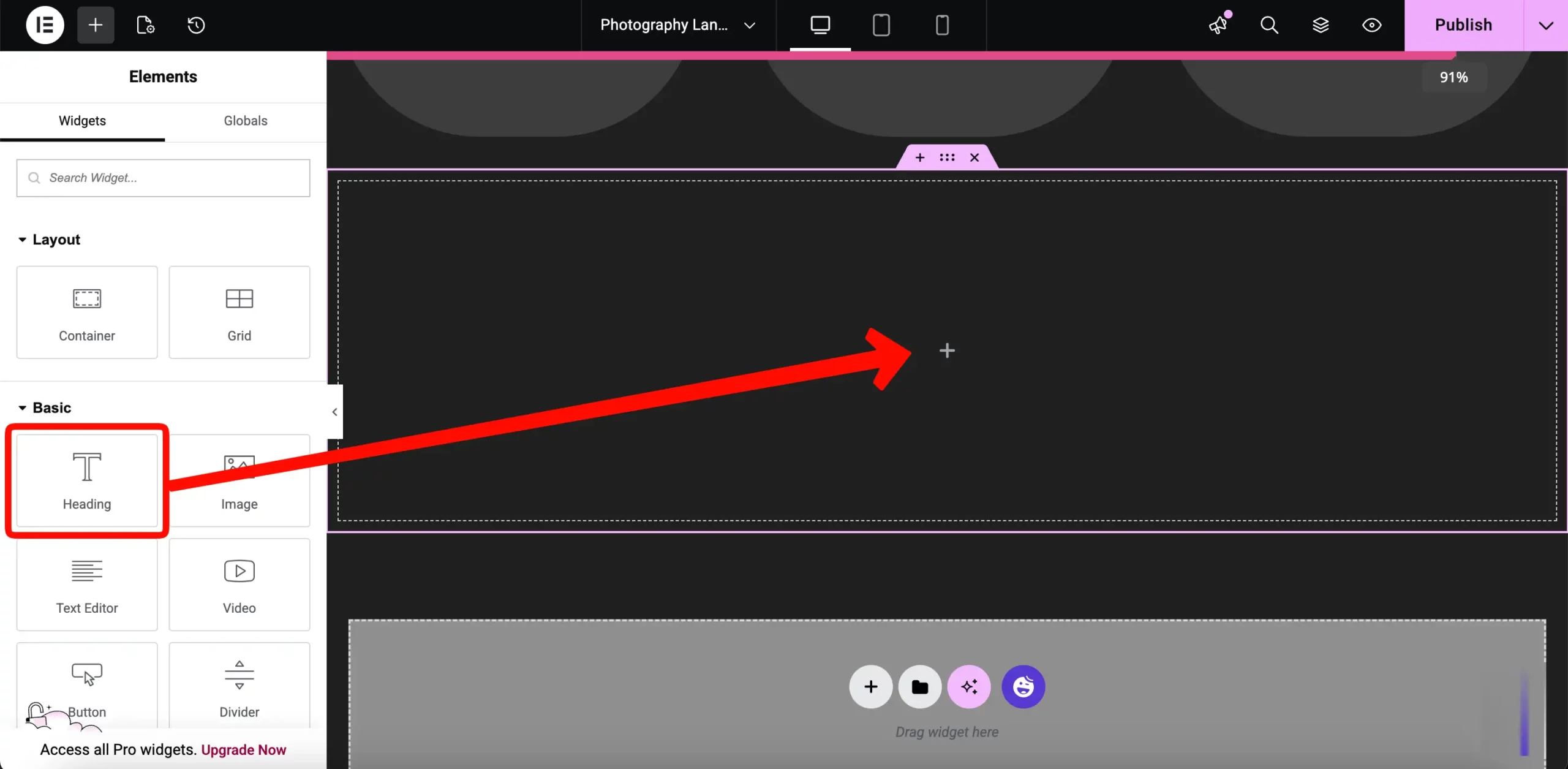
Never let a visitor reach the end of a page without a clear “Next Step.” Create a bold final section with a high-contrast background color.
Drag a Heading widget to ask a question like “Ready to start your project?”
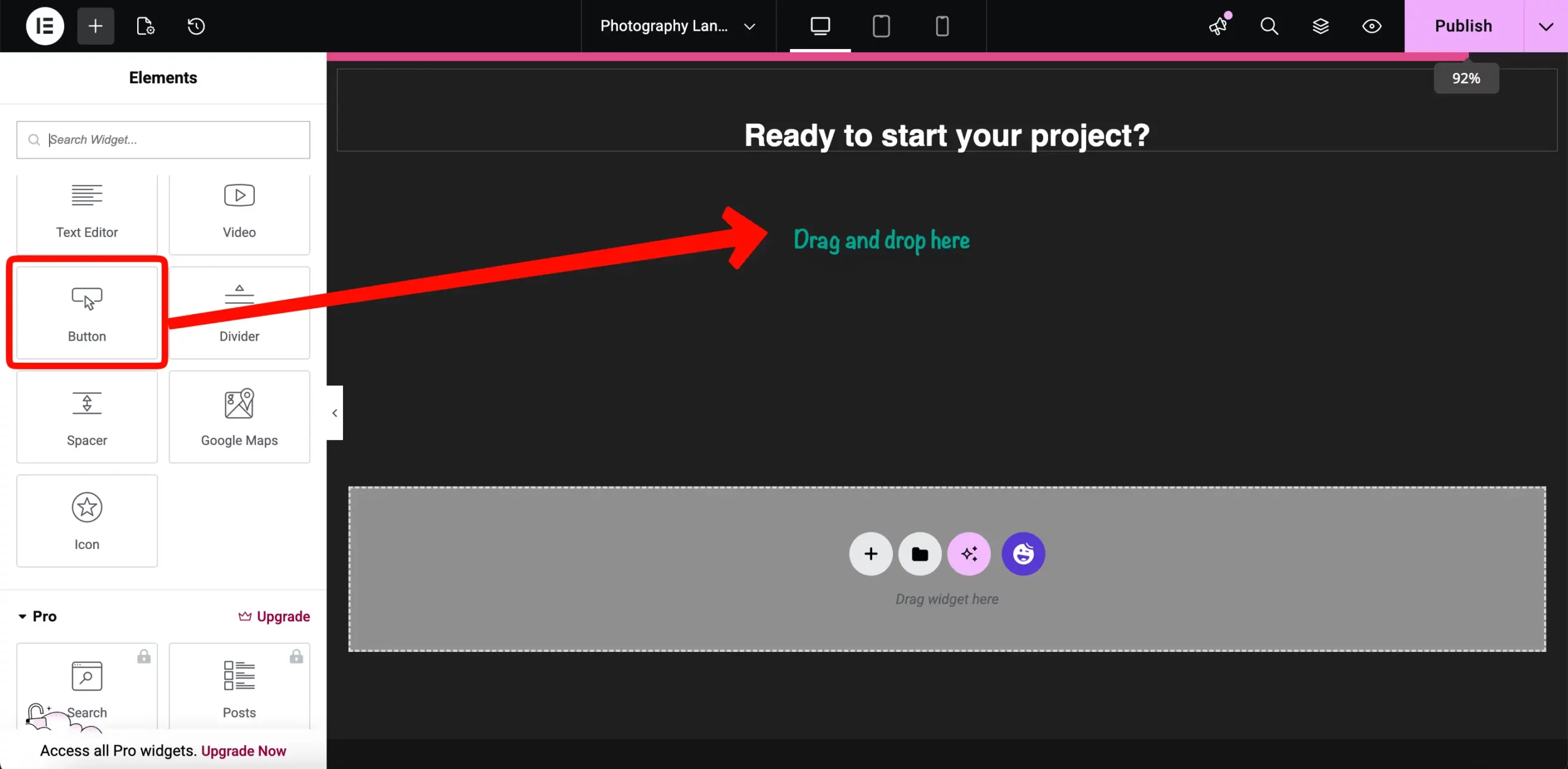
Finally, drag a Button widget below the heading. Make the button large and use a bold color. Set the text to “Book Your Session Now” and link it directly to your Contact Page so you don’t lose potential leads.
After finishing your Home page, you need to build your supporting pages. These aren’t just extra content; they are essential for your SEO and your brand’s credibility. Each of these pages serves a specific purpose in moving a potential client closer to a booking.
The About page is one of the most important parts of your photography business. In this industry, people buy the person and the creative eye behind the lens, not just the equipment. Your goal here is to tell a human story that builds trust and proves your expertise.
Setting Up the About Page Layout
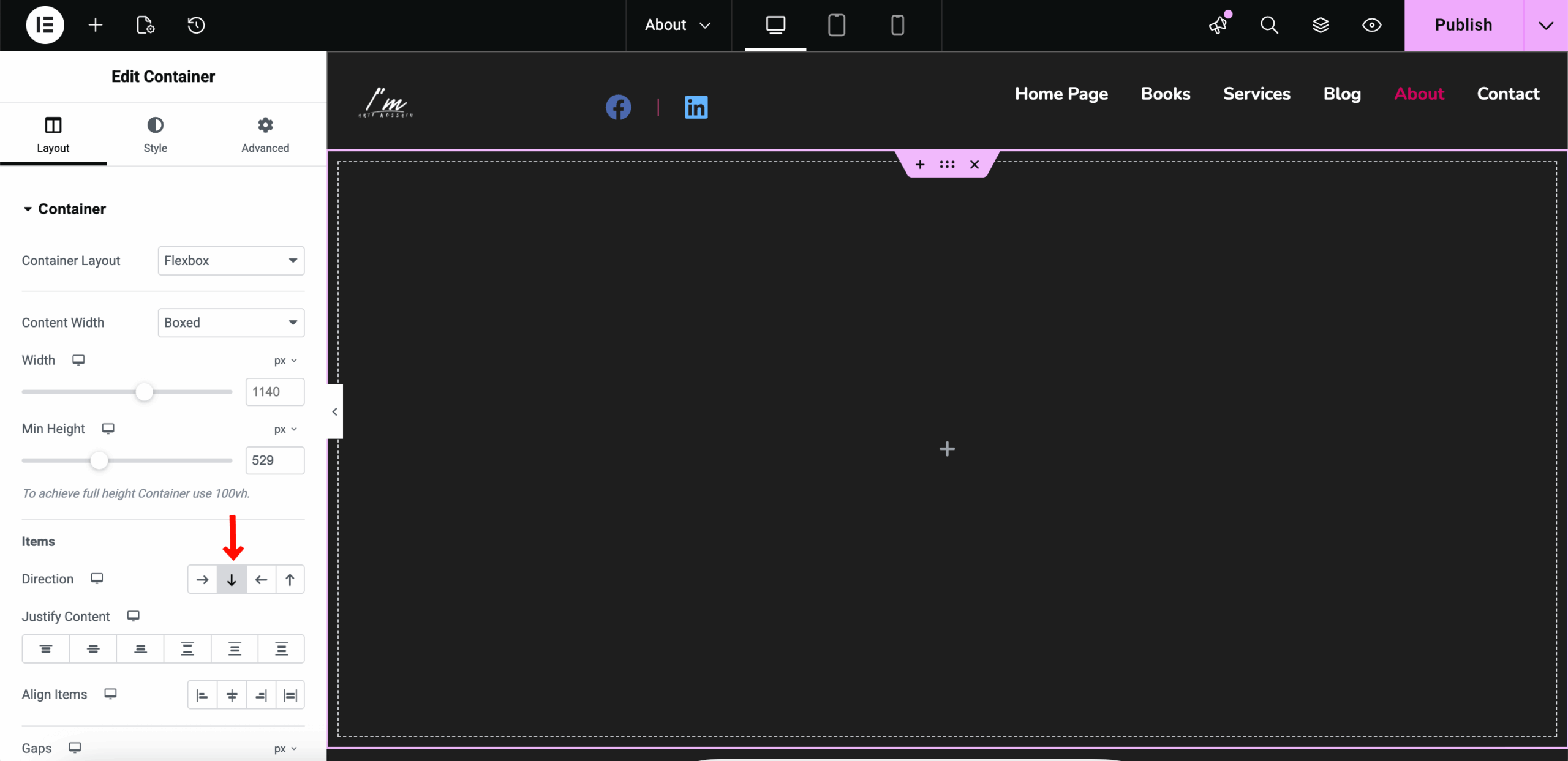
To start, you need a vertical layout where your image and story flow naturally. Since you are using the modern Elementor UI, drag a Container into the editor. In the Layout tab, set the Direction to Vertical (Column). This ensures that every widget you add will stack neatly from top to bottom.
# Adding Your Professional Portrait
A high-quality image of yourself is the first thing a potential client should see. This puts a face to the brand and makes you feel approachable. Drag an Image widget and drop it at the very top of your container.
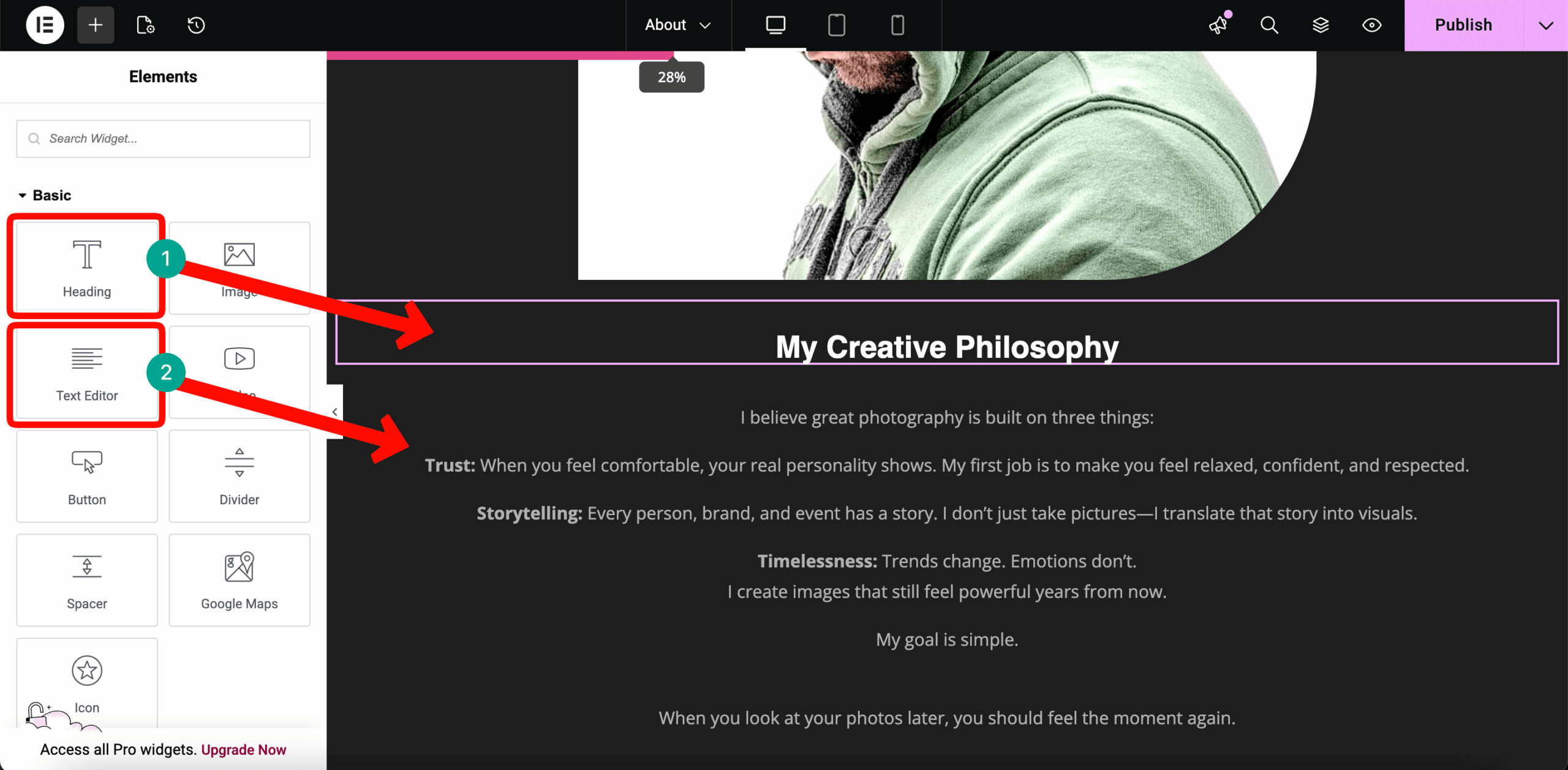
Directly below the image, you need to explain your “Why”. Avoid writing a dry, academic resume. Instead, use simple sentences to describe your philosophy and what makes your visual storytelling unique.
Drag a Heading widget and a Text Editor widget below your image. Use the heading for a catchy title and the text editor to share your journey. This helps turn a stranger into a client by building an emotional connection before they even meet you.
Once you have established a personal connection, you need to prove your credibility. This is where you show that you have the experience to handle a professional project. The best way to do this is by using a visual roadmap of your career.
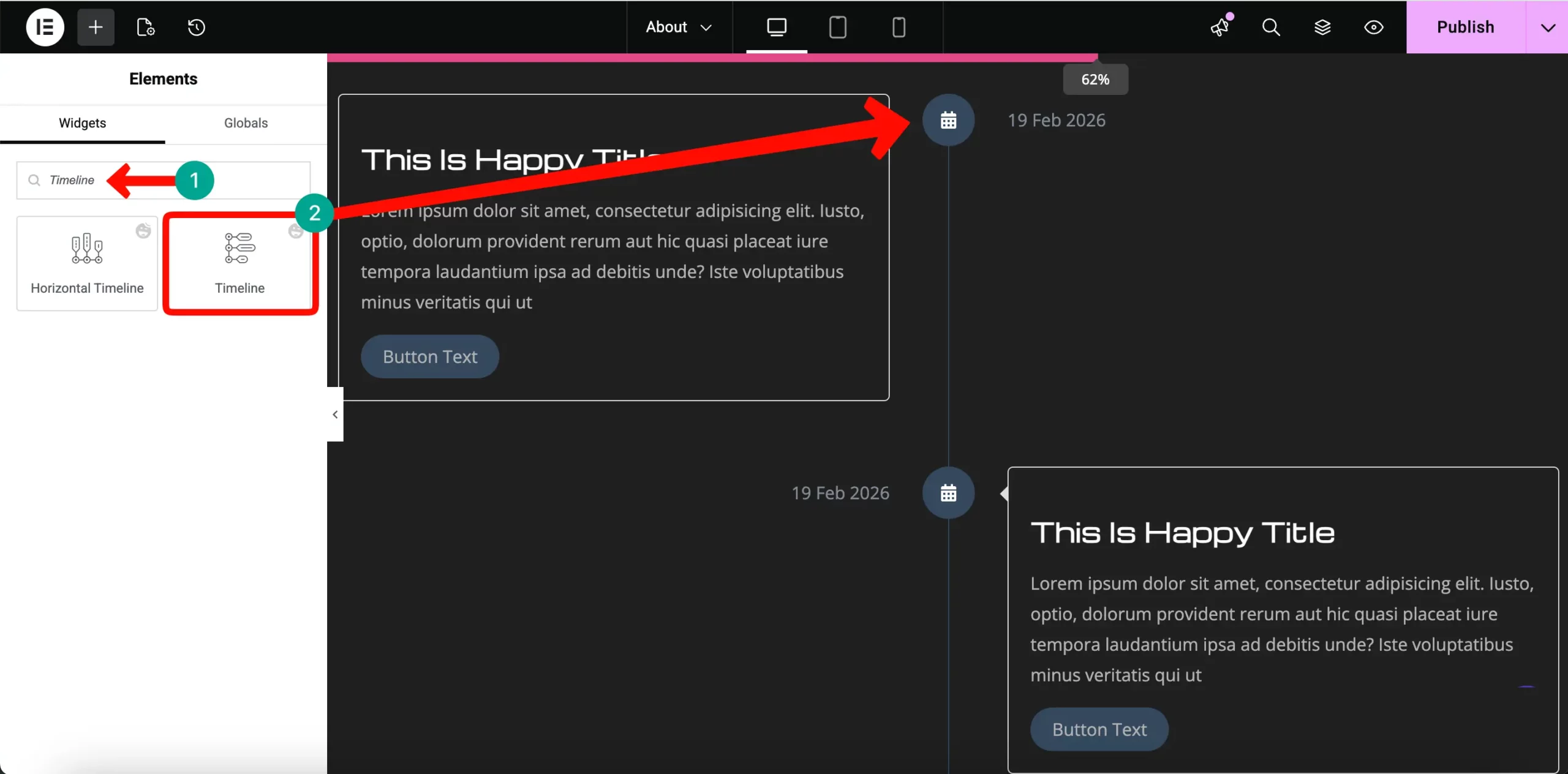
Search for the HappyAddons Timeline widget in the sidebar.
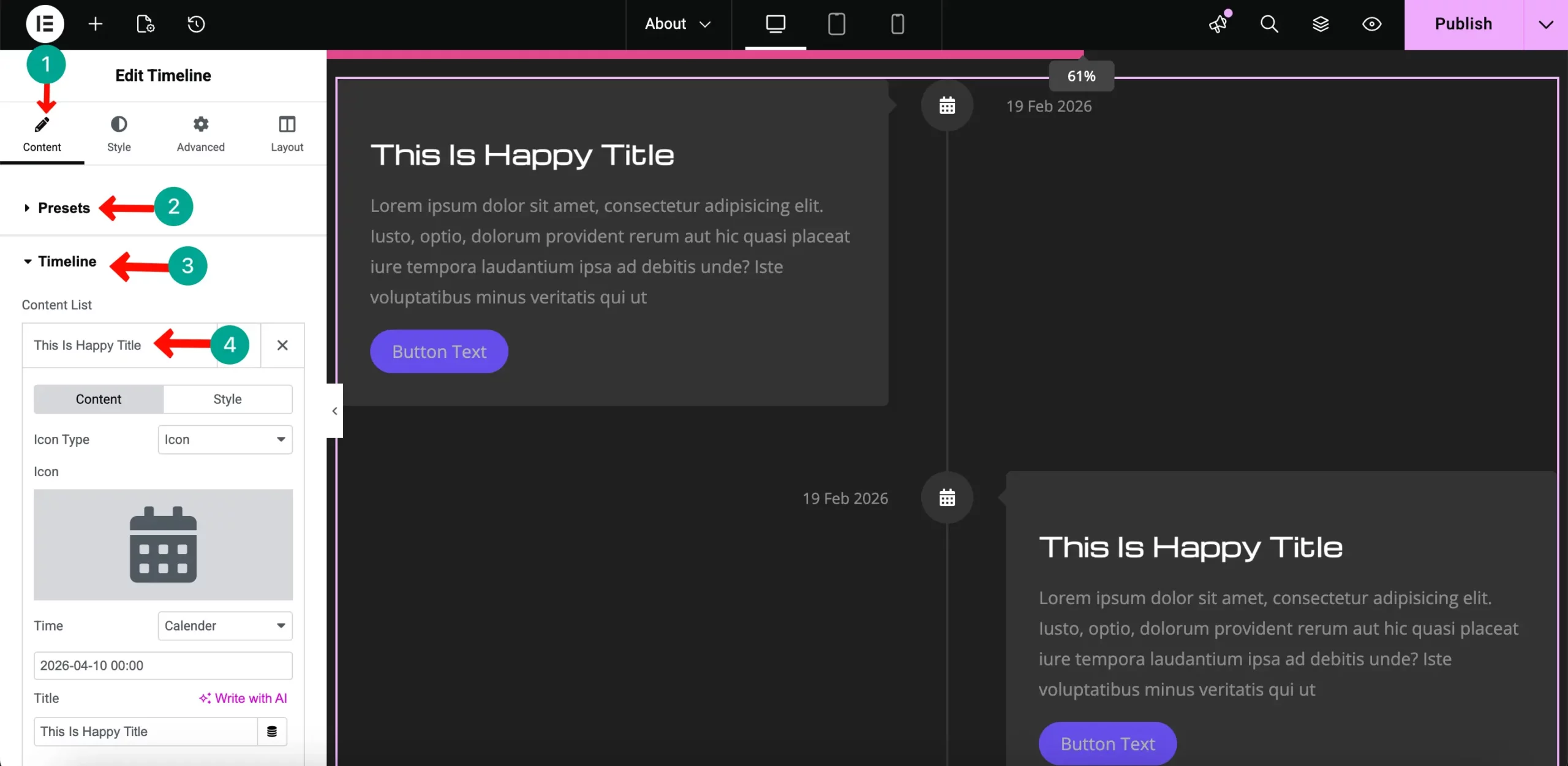
Drag it and drop it into a new container below your story. This widget allows you to list your major career milestones in a clean, chronological order.
Edit each timeline item to include important dates and descriptions, such as international awards, major exhibitions, or the number of successful shoots you have completed. This visual proof gives high-ticket clients the confidence to book your services.
If your contact page is difficult to use, you will lose money. You want to keep this page simple and direct so potential clients can reach you in seconds. The best way to achieve a professional look quickly is to start with a pre-designed template.
The Contact Page (Capturing Leads)
To begin, create a new page in WordPress and open it with Elementor. Instead of building the layout yourself, click on the HappyAddons Library icon to browse ready-made designs.
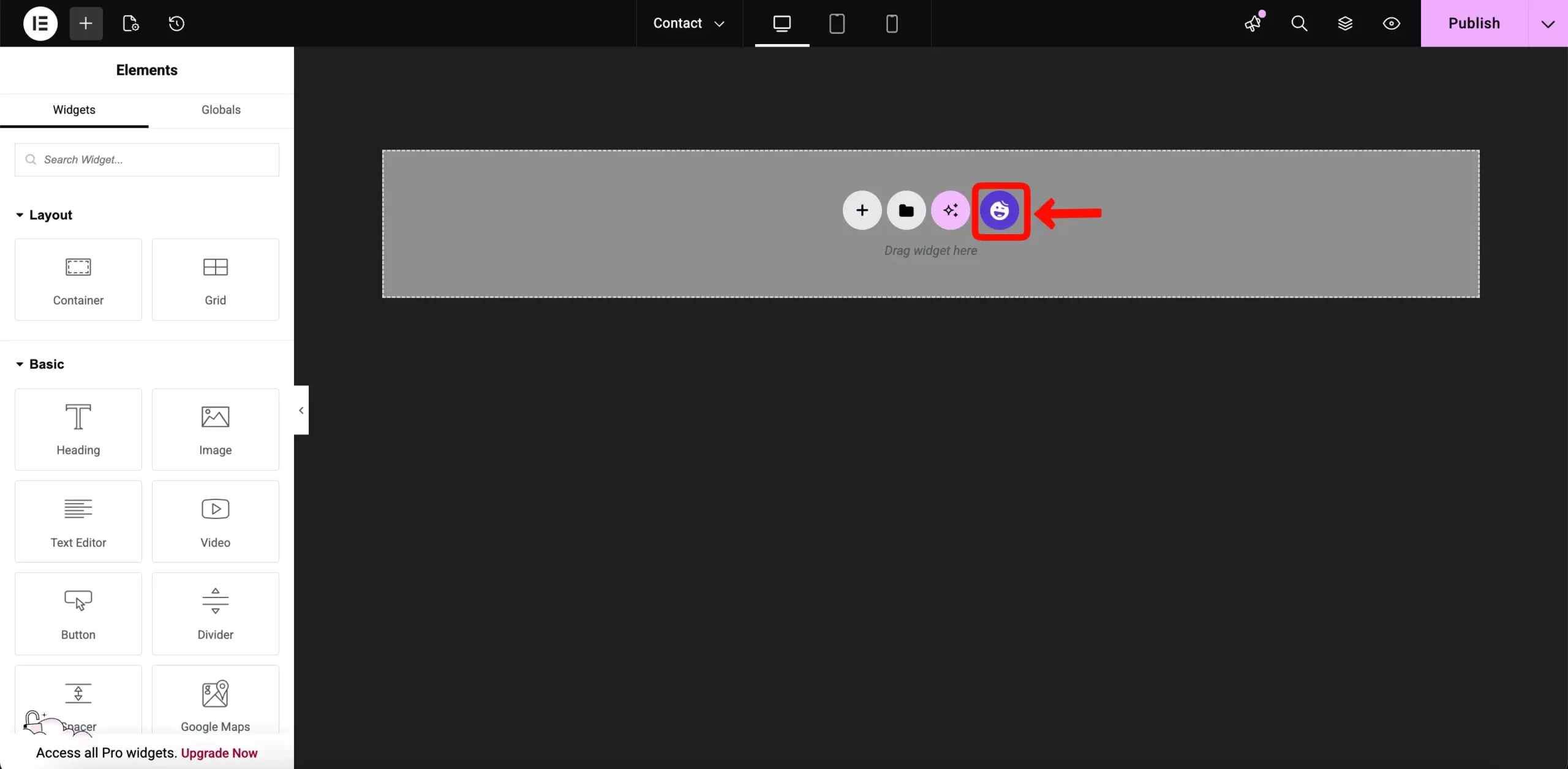
In the library window, search for “Contact” in the search bar. Browse the results and find a layout that fits your photography brand. Once you find the right one, click the Insert button to bring the entire layout into your page.
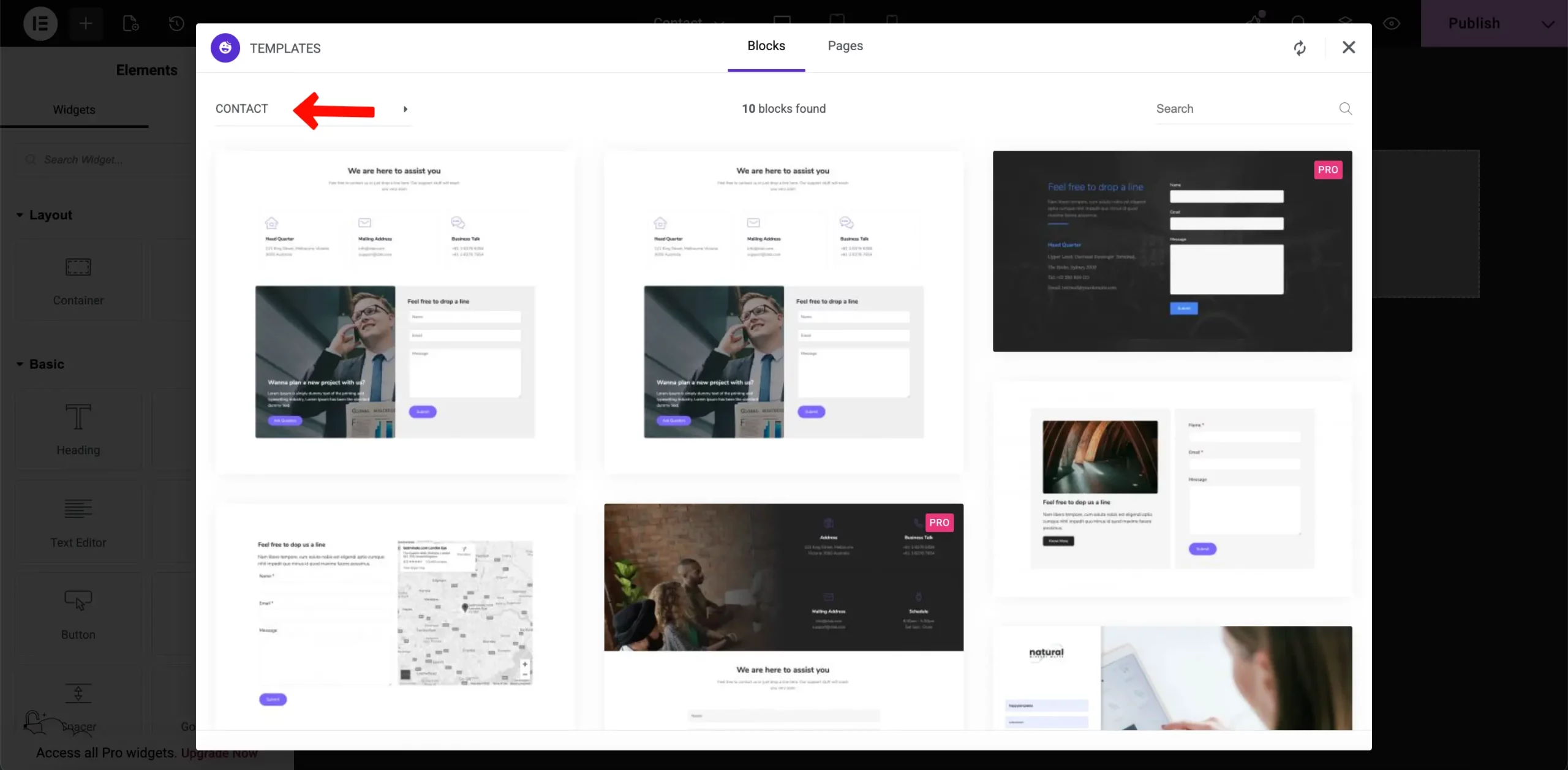
Besides, to do it manually, add a new section with 2 grids.
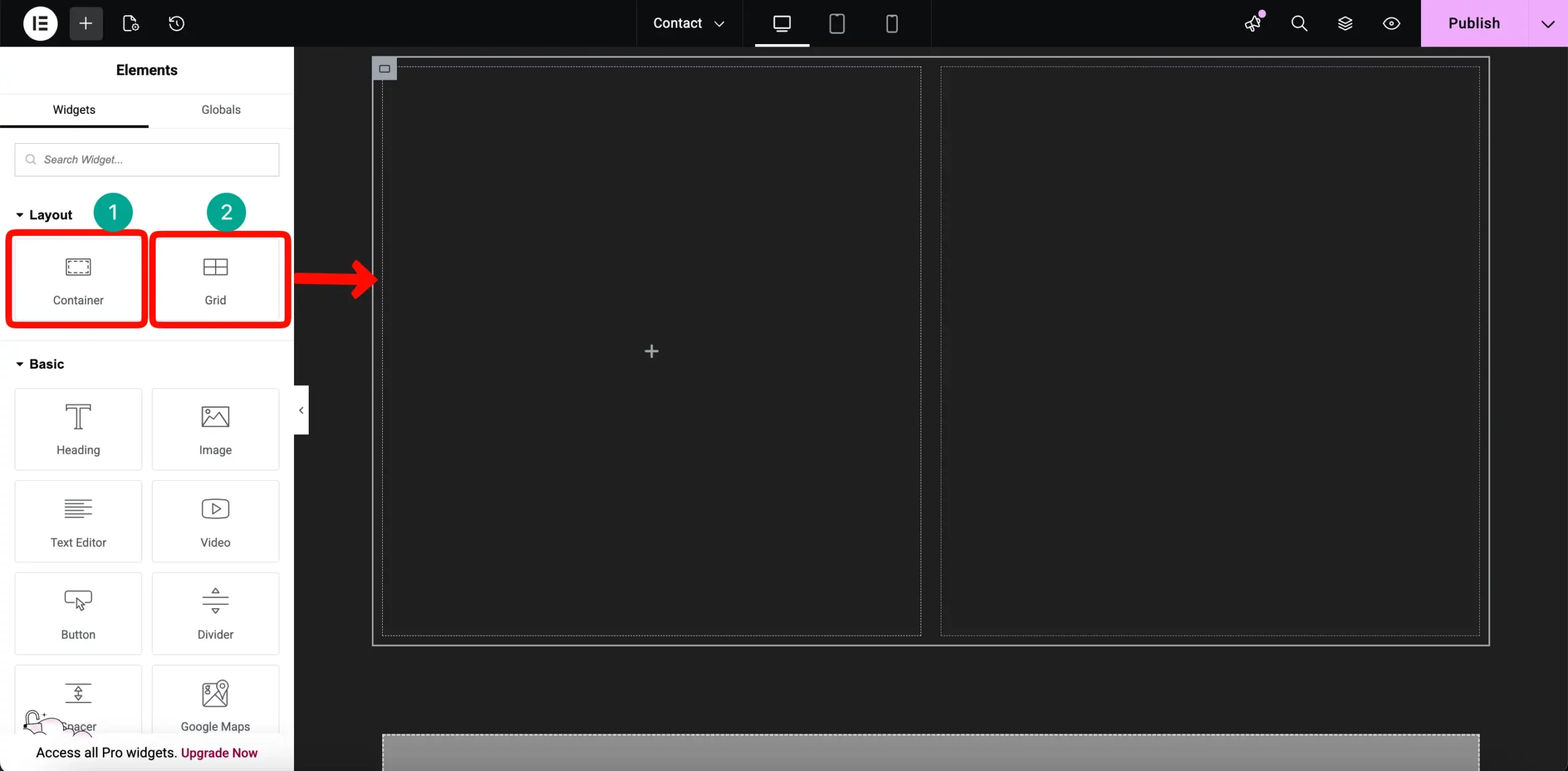
Then add heading and short description to your contact page. And drag contact page 7 widget below it.
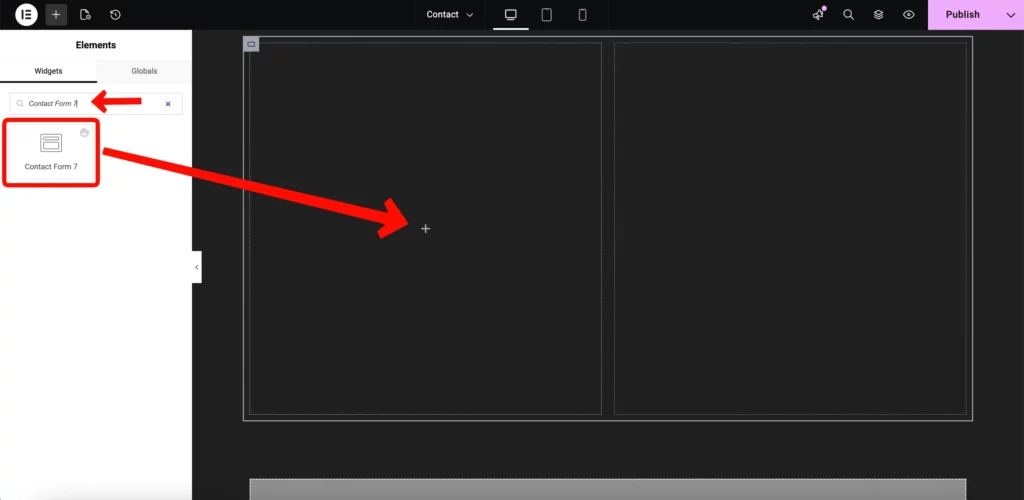
And on the right side, add relevant information about your business so that people can easily find you.
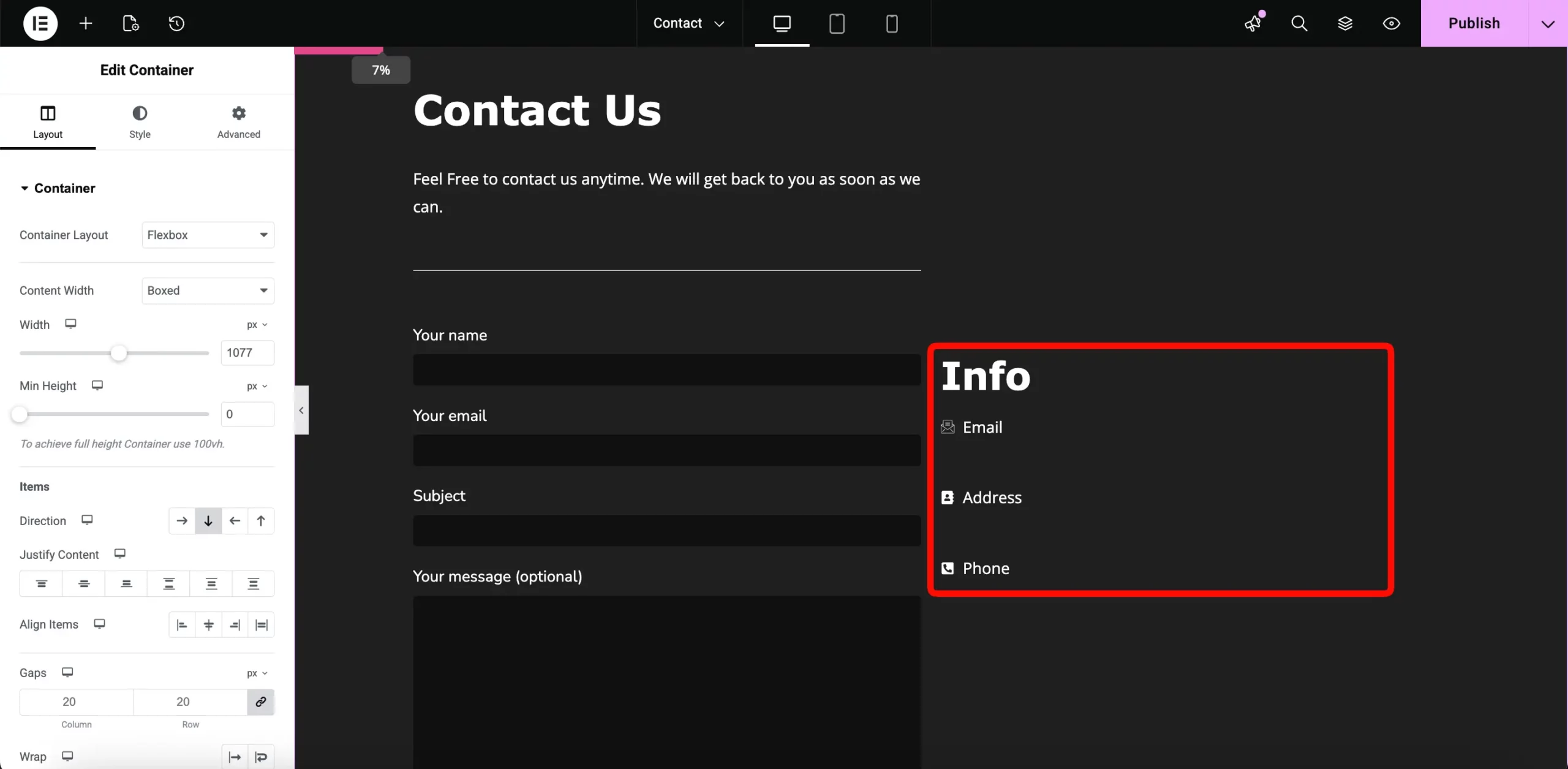
After adding your information, publish this page.
A blog is more than just a place to share updates; it is your most powerful tool for ranking on Google. By writing about specific topics, you can attract clients searching for terms like “Best Wedding Photographer in [Your City].” This helps you reach people who are actively looking for professional photography services in your area.
Setting Up the Blog Layout
To showcase your articles, you need a clean and modern layout that makes your content easy to read. Start by adding a new Container to your page. In the Layout tab, make sure the Direction is set to Vertical (Column).
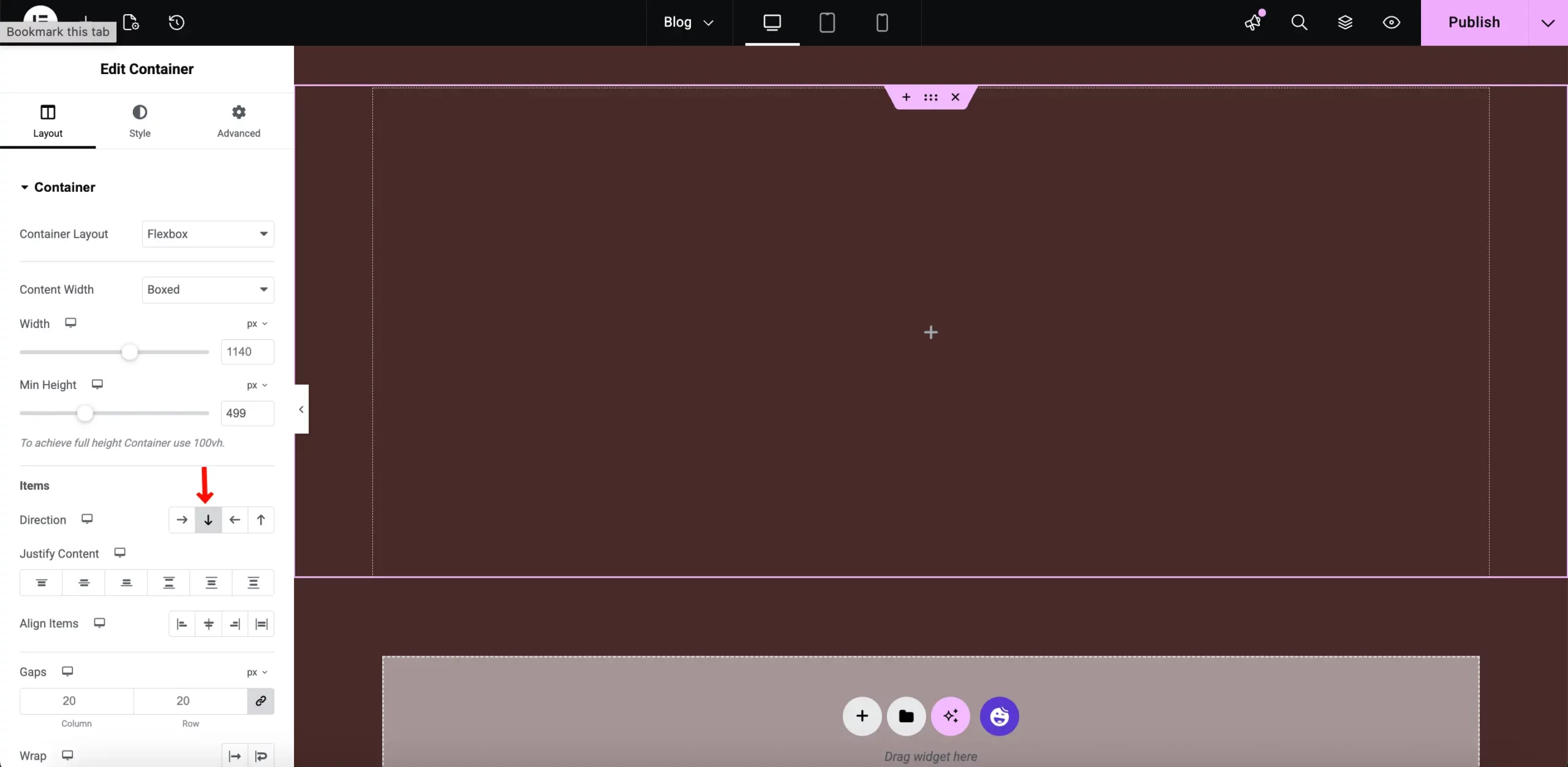
Search for the HappyAddons Smart Post List widget in the Elementor sidebar. Drag this widget into your container.
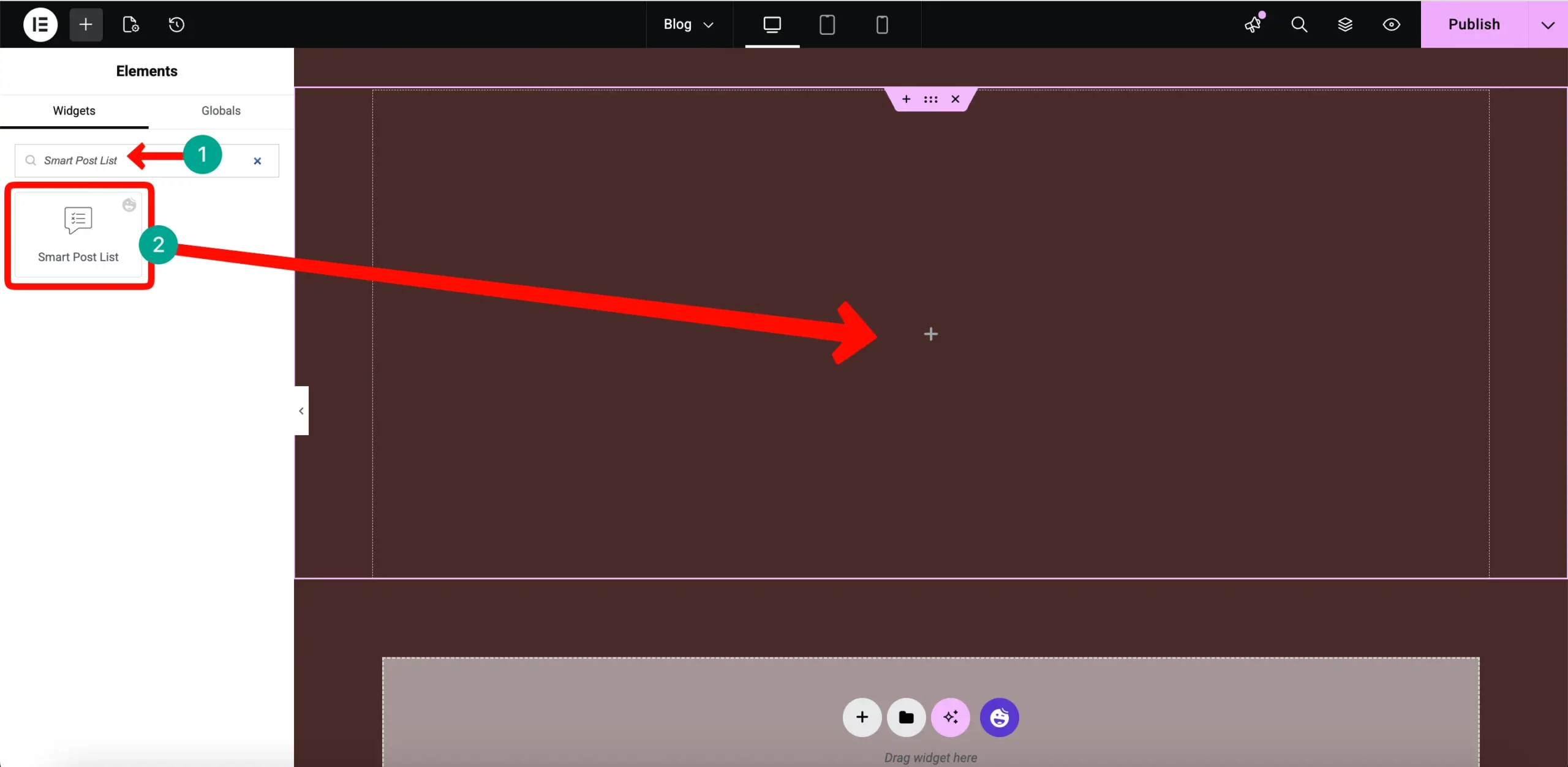
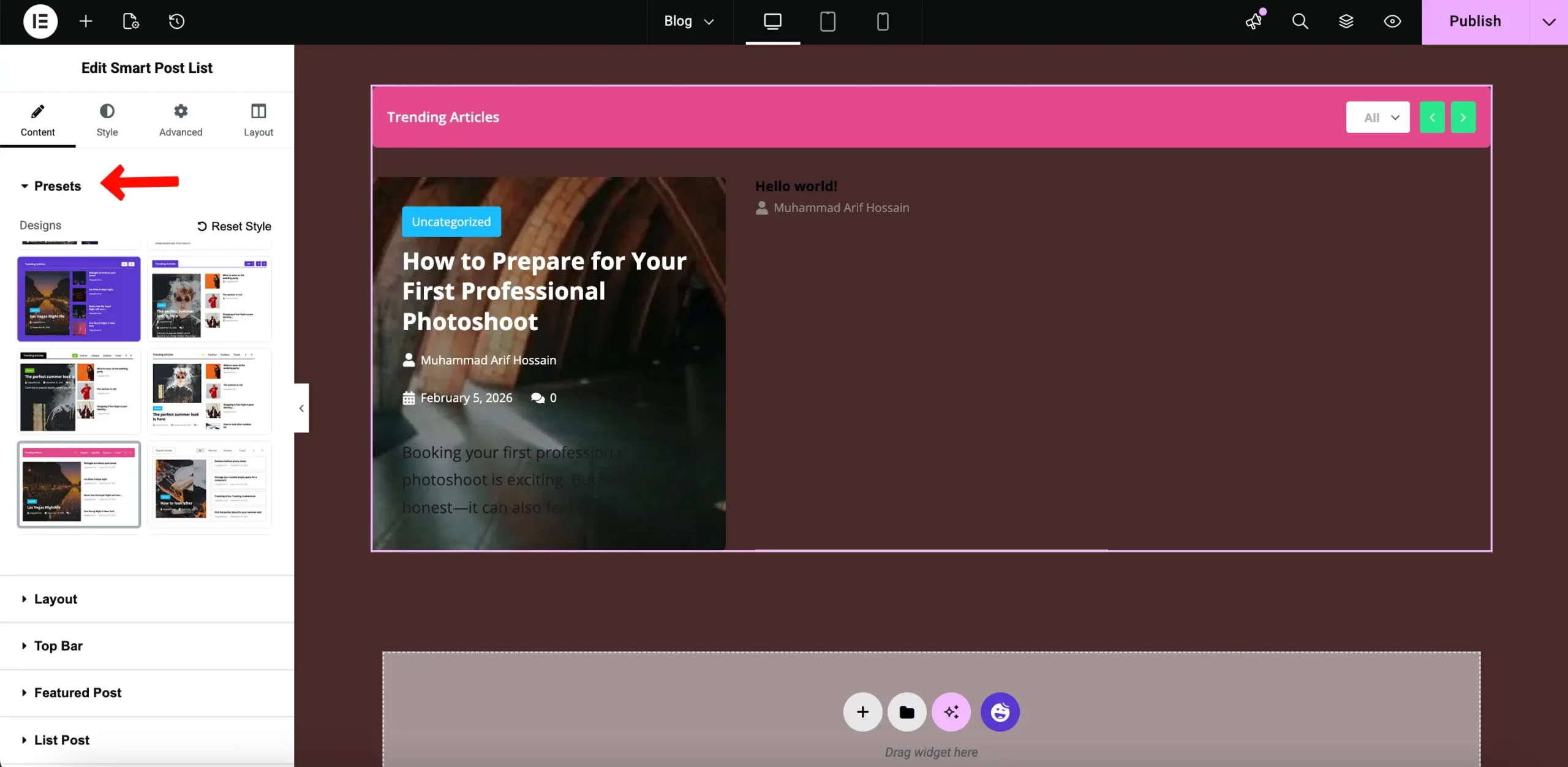
This widget is designed to automatically pull your latest blog posts and display them in a beautiful, organized grid without any manual work.
Once the widget is in place, you can customize the layout style in the Content tab. You can choose how many blog posts to show and how the grid appears. This ensures your portfolio looks fresh and professional every time you publish a new story.
Bonus Point: Additional Plugins to Keep Your Site Well Maintained
Building the site is only half the battle. You need to keep it fast, secure, and optimized.
- WP Rocket: This is the best tool for speed. It handles page caching and file minification so your photography site stays snappy.
- Webly or Imagify: These plugins automatically compress your images as you upload them. They convert your files to WebP, saving massive amounts of storage space.
- WordFence: Security is vital. This plugin protects your portfolio and client data from hackers and brute-force attacks.
FAQ on Photography Website
How do I prevent people from stealing my photos?
While you can’t stop everyone, you can use plugins that disable “Right Click” or add a subtle watermark using HappyAddons Image Masking or an overlay.
Will my high-res photos slow down the site?
Yes, if they aren’t optimized. Always use a compression plugin like ShortPixel before or during upload to keep your site fast.
Is HappyAddons Pro necessary?
The free version is great, but the Advanced Gallery and Theme Builder in the Pro version are what allow you to build a truly high-end, professional portfolio.
Conclusion
A professional photography website is your most valuable business asset. It gives you ownership over your brand and a direct line to your clients. By using WordPress, Elementor, and HappyAddons, you have built a site that is visual-first, fast, and ready to convert.
You have the tools. You have the step-by-step plan. Now, it is time to launch. Start building your digital home today and watch your photography business grow.
Ready to take your portfolio to the next level? Get started with HappyAddons today.
![Black Friday and Cyber Monday are around the corner, and people are waiting for these festivals to grab the best product deals. That is why giving an attractive look to your website during this festive season is very necessary. But, creating a whole new landing page might be difficult in a short period of time. Don't worry. By using Happy Elementor Addons Black Friday and Cyber Monday Landing Page templates, you can easily develop a whole new landing page in a few minutes. In this today's blog, we are going to show how to boost your website design using HappyAddons templates during this festival season. Before that, we'll talk a bit about these two festivals and why they are important to online business communities. What are Black Friday and Cyber Monday? Black Friday is the immediate following of the famous Thanksgiving day. This is when people start shopping to celebrate the Christmas festival. Since the late 1980s, retail sales on this day have constantly been suppressing the past volumes. See the graph below. Source: Salecycle.com The first Monday following Thanksgiving day each year is called Cyber Monday. It was first introduced in 2005 by the USA National Retail Federation to encourage people to buy online. Though this festival originated in the USA, it is celebrated globally today. See the stats below. Source: Salecycle.com It indicates customers' buying behavior around this day is growing up over time. Many customers today keep a budget to buy products on these two days. So, why won’t you prepare a Cyber Monday landing page if you have an online store? Importance of Designing Landing Pages for Black Friday and Cyber Monday Festival Having a well-design website is one of the major checklists if you are running an online business. Most importantly, you have to make sure that your website remains up-to-date to boost your sales. That is why you need to redesign your website or make a new landing page during the Black Friday and Cyber Monday festivals. Because most online product & service-based businesses promote special deals during these two festivals. Here are some remarkable ways dedicated landing pages during these festivals can positively impact the performance of your online business. Boosts your product salesIncreases conversion rateOpportunity to collect potential email leadsGrabs users' attention toward your siteReduces bounce rateIncreases website visitors. Elementor Black Friday New Seasonal Kit is Already Here! Source: Elementor To make this Black Friday more enjoyable, Elementor has launched a New Seasonal Kit that includes landing pages, sections, pop-ups, and vector assets. All these design elements are made by the Elementor team so that one can easily use them on their website to ensure more sales and conversions. New Elementor Black Friday Seasonal Kit offers: 3 Landing pages6 Sections 6 Popups A collection of stickers & animations You can only get these ready-made Black Friday landing pages and sections if you have Installed Elementor Pro on your site. However, if you are looking for templates that are outside of the box, you can go with Happy Addons, the fastest Elementor Addons on the market. It's very easy to use, flexible and has tons of advanced features and widgets that can ease your website design journey. Also, you'll get several festival landing page templates & blocks. Moreover, you can use free Black Friday and Cyber Monday design blocks and templates to decorate your site. Most importantly, these templates and blocks are easy to customize and can be used for multiple purposes. Now let's see how you can use the Happy Addons templates to design your website according to the Black Friday theme. Pre-Requisites to Use HappyAddons Templates to Design Black Friday and Cyber Monday Landing Pages You must have the following plugins installed on your site to get access to the HappyAddons Template library. Make sure you’ve installed and activated the Happy Addons Free & Premium version of your website. Elementor (Free)Happy Addons (Free)Happy Addons Pro If you are new to Elementor, check this Step By Step Guide For Beginners. If you want to explore the readymade templates of HappyAddons before installing these plugins, you may visit by clicking on the button below. Check out Happy Addons Templates How to Design Black Friday Landing Page on Your Website Once you have the plugins (mentioned above) installed, your website is ready to follow the tutorial guide explained in this section. Get ready now! Step 1: Open a New Page with Elementor Create a new page or open the existing page with Elementor. Next, you have to select the Elementor Canvas option.Unless you select Elementor Canvas, you may watch the header, footer, and unnecessary other texts on the page. These might be irritating to you.Once you open the page with Elementor Canvas, your page will be completely clean. Watch the video below on how to do it. Step 02: Go to HappyAddons Library Click on the HappyAddons Library Icon. It will open up a modal popup. Here you'll find numerous stunning premade Blocks and Pages created by the Happy Addons team. Kindly explore them to create a list of your favorite items. Step 03: Import a HappyAddons Black Friday Template Go to the Page tab on the modal popup.Select Black Friday from the left-side filter option.You will several good-looking templates on your screen.Take your cursor on the one you like and hit on the INSERT button. Wait for a while to finish the installation process. You will get the template on your screen with editable sections and options. Step 04: Set the Black Friday Campaign Deadline A deadline creates a sense of urgency in customers' minds. So, better if you add a deadline section on the page to show your Black Friday deals. The good thing is that if you select the template as we did, you will automatically get a deadline or countdown option. You have to customize it as you want. Step 05: Show Image Carousel Slider on Your Black Friday Landing Page Using the Image Carousel, you can slide show demonstrating discounts on your product categories. Drag and drop the Image Carousel widget on any landing page section. Next, from the Elementor panel, you can add photos and text to the widget. Do it accordingly. Thus, you can add more sections and options on the landing page. Hope you can do it yourself. Step 06: Make the Black Friday Landing Page Mobile Responsive Making a web page mobile responsive with Elementor is super easy. You'll get the mobile responsive option on the Elementor footer section. Clicking on it will open up the option to view your landing page on different device screens. We have explained the process in the video below. Note: Don't delete any widget or section while customizing your landing page for any particular device. Because if you delete a widget or section on any device screen, it will also be applied on other devices. However, you may change their position or alignment or hide them. It won't make any impact on other devices. Step 07: Final Preview of Our Landing Page Here is the final interface of our Elementor Black Friday landing page that we've designed using the Happy Addons' ready-made Template. Get Happy Addons to Add a Black Friday Theme Landing Page on Your Website How to Design Cyber Monday Landing Page on Your Website You will require the same prerequisites (Elementor and HappyAddons Plugins) to design the Cyber Monday landing page on your website. Hope you have them ready on your website. Now, let's get into the tutorial part. Step 01: Import a Cyber Monday Readymade Landing Page Template Go to the HappyAddons Template library.Choose the Cyber Monday template you like.Click on the INSERT button. Wait for a while to finish the installation process. You'll get a page design like the following image below. Step 02: Edit Different Sections of the Page In the first tutorial, you saw the deadline/countdown option was already embedded in the template. But this template doesn't have it. So, you can bring it to your page? Very simple. Create a new section by clicking on the plus icon.Type Countdown on the Elementor search bar.Drag and drop the widget on the section. Customize the Countdown section from the Content and Style tabs of the Elementor panel. Using the Heading widget, we have added the FLASH DEALS text next to the countdown to make it more meaningful. Thus, you can use other exciting widgets on the template to make your landing page super gorgeous. Step 03: Promote Products on the Landing Page Promotional landing pages usually include a section to showcase some hot-selling products to generate instant sales. Using the Image and Button widgets, we have created this section under the FLASH DEALS.You may customize it more as you wish. Step 04: Make it Mobile Responsive We already showed you the process in the first tutorial on making a mobile web landing page responsive. Hope you can do it here as well, following the same guideline. Click on the Responsive Mode icon and do the rest yourself. Bonus: Black Friday and Cyber Monday Landing Page Design Key Considerations Whenever you design a landing page, you need to consider why you need to design this page and what elements they should keep on the page. Because if you are not adding all the necessary features to your page, it will not serve its purpose. This is why you need to focus on a few things before designing your Black Friday landing page. Here are some points you must consider in designing Black Friday and Cyber Monday landing pages. Add Black Friday textSet deals deadlineShow your best-discounted productsAdd coupon code Focus on responsive page designMake your page visually appealingImprove your page user experience or page structureSet a proper website navigation FAQ on Black Friday and Cyber Monday Landing Page Design Now, we'll answer some common questions on Black Friday and Cyber Monday Landing page designs commonly found online. How much does it cost to design a landing page?The cost of designing a landing page varies depending on the complexity of the design, the level of customization required, and whom to hire for the page. A simple landing page can be designed for as little as $25, while a more complex design with multiple customizations can cost upwards of $2,00.However, if you have Elementor and HappyAddons installed, you can design unlimited landing pages at a minimal cost. But like any other tool, you must have a kind of enterprise on them. As they are drag-and-drop builders and their numerous tutorials and documentation are available, they won't take you more than a month to be used to. Check out some wonderful YouTube tutorials on these two plugins. Hope you will enjoy them.How many hours does it take to design a landing page?It mainly depends on the level of design complexity and your web design skill. However, both in Elementor and HappyAddons, you will get countless readymade templates and block sections. You can design a beautiful landing page in 3-5 hours by making a proper combination of them.Can I design Black Friday and Cyber Monday Landing pages with Elementor and HappyAddons free versions?Surely, you can design Black Friday and Cyber Monday Landing pages with Elementor and HappyAddons free versions. But only with the pro versions, you can't add too many exciting features to your pages. For example, free versions will give you access to only a limited number of readymade templates.If you are just a beginner-level designer, free versions are enough. But if you are a professional designer or have a web designing agency, pro versions are a must. Are You Ready To Design Your Black Friday and Cyber Monday Landing Page? Customers look forward to this kind of occasion to buy their favorite products at a minimum price. Naturally, they are drawn to websites that look good and give a festive vibe. That is why adding a Black Friday and Cyber Monday landing page during the festival season will give you an extra edge over the competitors. The above guide shows how to design your Elementor Black Friday Landing page using the Happy Addons' Black Friday Templates and how it can help boost your holiday sales. So if you have any queries regarding this blog, you can comment on us in the below box. If you like this post, then share it on your social channel. Don't forget to subscribe to our newsletter. Also, follow our Facebook and Twitter channels for regular updates. Subscribe to our newsletter Get latest news & updates on Elementor [yikes-mailchimp form="1"] ":36560} /--](https://happyaddons.com/wp-content/uploads/2021/11/How-to-Design-Black-Friday-and-Cyber-Monday-Landing-Page-300x188.png)
2 Responses
Creating a photography site really comes down to those small details—clean layouts and fast loading speeds that let the images breathe. Your advice on keeping it minimal is spot on, as heavy effects often distract from the work itself.
I’d add that consistent branding is key for a polished, professional feel. Using a streamlined logo generator can help tie the design together without overcomplicating things. Do you recommend sticking with one gallery style throughout, or mixing layouts for different categories?
I recommend sticking to a consistent gallery style across your site to maintain a professional, cohesive brand identity. Use subtle layout variations only if specific categories—like vertical portraits versus wide landscapes—require them for better visibility.