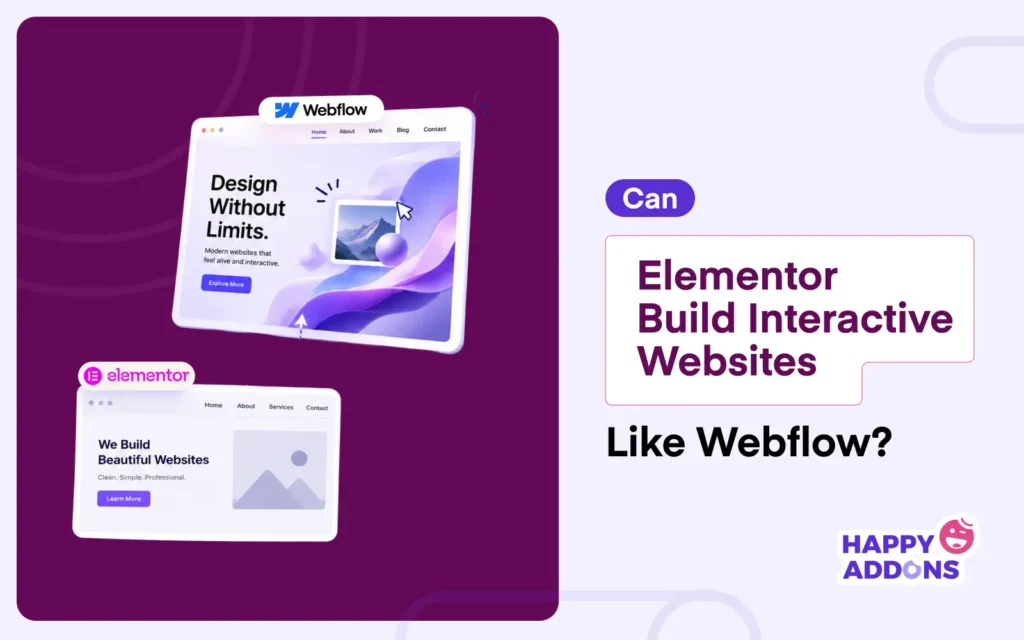

Most of you have experienced that when visiting a modern Webflow website, everything feels alive from the first second. Text appears smoothly, images stay pinned while you scroll, shapes change into new forms, and every section flows naturally into the next.
When you compare it with a typical Elementor website, you find that it has only a few fade-in effects or a counter animation. Ultimately, it feels static and less engaging. Actually, Webflow uses advanced animation technology that creates smooth, interactive experiences.
On the other hand, many Elementor websites still rely on basic animation effects. The good news is that this gap is no longer permanent. You do not have to switch from WordPress to rebuild your website in Webflow, or hire a developer to create modern animations.
Because from now on, you can create stunning animations natively in Elementor websites. In this guide, you will learn why Webflow websites feel more dynamic, and how you can bring the same level of professional animations to your Elementor website with the right tools. Get started!
Why Webflow Wins the Animation Battle (For Now)
Many people think Webflow websites look better because Webflow attracts more talented designers. That is not true. The real reason is that Webflow gives designers more powerful animation tools. Take a look at the animation tools that Webflow offers to designers.
a. Smooth Scroll-Based Animations
One of Webflow’s biggest strengths is its scroll-based animation system. Designers can control exactly when an animation starts, how long it runs, how fast it moves, and when it stops. They can even connect the animation directly to the visitor’s scrolling.
This creates a much more natural experience. As visitors scroll down, animations move with the page. If they scroll faster, the animations move faster. If they scroll back up, the animations also move backward.
Elementor’s built-in motion effects work in a much simpler way. Most animations start when an element enters the screen, play once, and then stop. They cannot follow the user’s scroll position or reverse when scrolling back.
b. Better Control with Animation Timelines
Another reason Webflow stands out is its timeline-based animation system. Instead of creating one animation at a time, designers can connect multiple animations into a single sequence. For example, a heading can slide into view first. After that, an image can fade in.
Then a button can scale up a moment later. Since every step is carefully timed, the whole section feels smooth and well-planned.
Creating the same effect in a standard Elementor setup is much harder. Many users depend on multiple plugins, custom CSS, or JavaScript to build complex animation sequences. These methods can work, but they usually require more effort and offer less control.
c. The Hidden Cost of Too Many Animation Plugins
Another challenge with Elementor is plugin stacking. Many users install different animation plugins to get features that Elementor does not provide by default. Each plugin adds its own JavaScript files, CSS files, and processing tasks. As you install more plugins, your website becomes heavier.
This can slow down page loading, reduce your PageSpeed score, and increase layout shifts that affect the user experience. Search engines and visitors both notice these problems.

Webflow does not have this issue because its animation system is built into the platform. There is no need to install extra animation plugins. This is one of the main reasons people say some Elementor websites feel heavy. In many cases, the problem is not Elementor itself.
Explore how to create the floating effect on Elementor websites.
Meet GSAP – The Animation Engine Behind Webflow
If you have ever wondered what makes many modern websites feel so smooth and interactive, the answer is often GSAP. It is the animation engine used by countless professional websites to create advanced effects that go far beyond simple fade-ins and slide-ups.
What Is GSAP Animation?
GSAP (GreenSock Animation Platform) is a professional JavaScript animation library that gives designers and developers complete control over web animations. It has been trusted by creative agencies, large businesses, and award-winning websites for many years.
From smooth scrolling effects to interactive product showcases, GSAP powers many of the animations that make websites feel modern and engaging.

Why Is GSAP Better Than CSS Animations?
CSS animations are great for simple effects like fading, scaling, and sliding. However, they have several limitations. They cannot easily create scroll-linked animations, build complex animation timelines, or produce advanced effects like shape morphing and motion paths.
GSAP removes these limits by offering much greater control, smoother performance, and support for a wide range of animation techniques. This allows designers to create rich user experiences that are difficult or impossible with CSS alone.
Built for Performance and Advanced Effects
GSAP is designed to deliver high-performance animations without slowing down your website. It mainly animates GPU-friendly properties like transform and opacity, which helps reduce layout shifts and keeps your website fast and responsive.
It also includes powerful plugins such as ScrollTrigger for scroll-based animations, SplitText for text animations, MorphSVG for SVG shape morphing, and MotionPath for moving elements along custom paths.
Even better, you can now access many of these advanced GSAP features directly inside Elementor with the HappyAddons GSAP Pack, making it possible to create Webflow-like animations without writing complex code.
How to Fix a Static Elementor Site Without Switching to Webflow
Until now, Elementor users had two realistic options for professional-grade animation. They are:
Option 1: Write custom JavaScript
Hire a developer. Install GSAP manually. Write ScrollTrigger configurations by hand. Maintain it every time Elementor updates. This is expensive, slow to implement, and fragile under plugin updates.
Option 2: Use a standard animation plugin
Get basic fade and slide effects but pay for it in PageSpeed scores, limited scroll control, and no path to the kind of motion Webflow produces.
But none of these options are enough to close the gap. So, we are coming up with a better solution that Webflow itself uses.
HappyAddons GSAP Pack
Hope you are already familiar with the HappyAddons plugin. For many years, it has powered up countless Elementor websites with a great collection of exclusive features and widgets.
But now, HappyAddons is going to release a full GSAP-powered animation pack built directly inside the Elementor editor. No code. No developer. No separate plugin stacking. Every feature and widget works through Elementor’s native control panels.
The pack brings Scroll Trigger, Split Text, Draw SVG, Morph SVG, and Motion Path to Elementor users for the first time through a proper no-code interface, paired with a full suite of GSAP-powered widgets built specifically for Elementor.
Webflow vs Elementor + HappyAddons GSAP: Side-by-Side
Both Webflow and Elementor with the HappyAddons GSAP Pack can create modern, interactive websites. However, there are some important differences between the two. The table below compares their animation capabilities, flexibility, and overall workflow.
| Capability | Webflow | Elementor + HappyAddons GSAP |
|---|---|---|
| Scroll-triggered animations | ✅ Yes | ✅ Yes |
| Timeline and scrub control | ✅ Yes | ✅ Yes |
| Text character animation | ✅ Yes | ✅ Yes |
| SVG stroke draw animation | Limited | ✅ Yes (DrawSVGPlugin) |
| SVG shape morphing | Limited | ✅ Yes (MorphSVGPlugin) |
| Physics-based interactions | ❌ No | ✅ Yes |
| Pinning elements on scroll | ✅ Yes | ✅ Yes |
| Horizontal scroll sections | ✅ Yes | ✅ Yes |
| Motion path animation | ❌ No | ✅ Yes |
| Works on WordPress | ❌ No | ✅ Yes |
| Code required | ❌ No | ❌ No |
| Existing site migration | Full rebuild required | ✅ No migration needed |
| Plugin ecosystem | Limited | ✅ Full WordPress and WooCommerce ecosystem |
| Pricing model | Monthly subscription | One-time or annual license |
Key GSAP Effects HappyAddons is Bringing for Elementor
The HappyAddons GSAP Pack is more than a collection of animation widgets. It is a complete animation toolkit for Elementor. It includes both widgets and extensions, allowing you to add advanced animations to almost any part of your website without writing code.
Below are the key items of the plugin that help you build smooth, interactive, and professional-looking websites.
| Feature | What It Does | Key Highlights | Perfect For |
|---|---|---|---|
| Animation Global (Feature) | Add GSAP animations to any Elementor section, container, column, or widget from the Advanced tab. | * From & To animations * On Scroll * On Appearing * On Page Load * 27+ properties * Custom easing * Stagger effects * ScrollTrigger * Scrub mode * Custom start/end * Advanced settings | Animate any Elementor element with complete control. |
| Horizontal Scroll (Feature) | Turn vertical scrolling into a smooth horizontal scrolling experience. | Scroll-driven horizontal movement | Portfolio galleries, product showcases, feature walkthroughs, timelines. |
| Stacked Cards (Widget) | Create stacked cards that peel away one by one while scrolling. | * 3D tilt effect * Pinned cards * Stack Offset * Rotation control * Custom ScrollTrigger | Feature cards, storytelling sections, pricing comparisons. |
| Sticky / Pin Element (Feature) | Keep any element fixed while the rest of the page continues scrolling. | * Nine preset * Trigger positions * Custom scroll range * ScrollTrigger support | Product images, section titles, CTAs, feature highlights. |
| Motion Path Waypoints (Widget) | Move elements along custom curved paths during scrolling. | * Waypoint-based path creation * Adjustable curves * Scroll-controlled movement | Product demos, illustrations, guided storytelling. |
| Heading Text Animation (Feature) | Animate text letter by letter, word by word, or line by line. | * Fade * Slide * Flip * Invert * 3D Spin effects * Stagger delay * Highlight text * Transform origin * Multiple triggers | Hero headings, section titles, promotional messages. |
| SVG Draw Animation | Draw SVG paths as if they are being sketched live. | * DrawSVG * From/To animation * Scrub * Repeat * Yoyo * Delay controls | Logo reveals, diagrams, icons, decorative graphics. |
| SVG Morphing | Smoothly transform one SVG shape into another. | Create shape transitions | Logo animations, abstract shapes, illustrations, data visualization. |
| Dropping Elements | Add gravity-based animations where elements fall, bounce, and react to the cursor. | * Bounce effects * Mouse follow * Damping * Distance controls * Staggered dropping | Tags, labels, categories, testimonials, interactive sections. |
| Infinite Marquee | Create a continuous scrolling ticker without visible resets. | * Adjustable speed & direction * Pause on hover * Smooth looping | Logos, client names, announcements, testimonials, feature lists. |
Who Is the HappyAddons GSAP Pack For?
The HappyAddons GSAP Pack is designed for anyone who wants to build Webflow-like websites directly on WordPress using Elementor. Whether you build websites for clients or manage your own business website, the pack helps you create premium user experiences.
1. Freelancers and Web Designers
If you build websites for clients, the GSAP Pack helps you deliver more engaging and professional designs without hiring a developer or learning JavaScript. You can create advanced animations directly inside Elementor and make your projects stand out from the competition.
2. Web Design Agencies
Agencies often manage multiple Elementor websites. The HappyAddons GSAP Pack provides a reliable animation system that is easy to maintain and works smoothly within Elementor. This makes it easier to build high-quality websites while reducing the need for custom code and multiple animation plugins.
3. WooCommerce Store Owners
Animations are not just for creative websites. They can also improve online stores by making product pages, promotional sections, and landing pages more engaging. The GSAP Pack helps you create interactive shopping experiences that capture visitors’ attention and encourage conversions.
4. Beginners and Non-Developers
If you have reached the limits of basic CSS animation plugins, this pack is the next step. Every feature works through Elementor’s familiar interface using sliders, dropdowns, and toggle switches. If you know how to drag and drop elements in Elementor, you already have the skills needed to use the HappyAddons GSAP Pack.
5. Anyone Who Wants Webflow-Like Animations in WordPress
Many Elementor users admire the smooth animations found on Webflow websites but do not want to rebuild their entire website on another platform. The HappyAddons GSAP Pack brings many of those advanced animation capabilities directly into Elementor.
Frequently Asked Questions on Elementor GSAP Animations
As GSAP animation is a new thing in WordPress and Elementor, there are some common questions that might hit you. So, let’s take a look at the answers to the questions below.

What is GSAP and why is it better than CSS animations?
GSAP (GreenSock Animation Platform) is a professional JavaScript animation library. It gives designers precise, frame-level control over any animatable browser property.
CSS animations are limited to preset keyframe states and cannot be scrubbed to scroll position, chained into coordinated timelines, or used for physics, path-following, or shape morphing.
GSAP removes all of those limits while running faster and with fewer layout side effects than CSS animation alternatives.
Will GSAP animations slow down my WordPress site?
No. GSAP is one of the lightest and most performance-focused animation libraries available. It defaults to GPU-accelerated properties (transform and opacity), avoids layout reflows, and does not block the main thread. Your PageSpeed score stays clean.
Do I need coding skills to use the HappyAddons GSAP Pack?
No coding is required at any step. Every animation is configured through Elementor’s native control panels using sliders, dropdowns, toggles, and text inputs. The GSAP engine handles all execution behind the scenes.
What version of Elementor is required?
The HappyAddons GSAP Pack works with the free version of Elementor. No Elementor Pro subscription is needed to use the pack.
Is GSAP free to use?
GSAP’s core library is free.
When is the HappyAddons GSAP Pack launching?
The pack is launching very soon. Join the waitlist above to get first notification when it goes live and to claim your early access discount before the window closes.
Will it work with my existing Elementor theme and plugins?
Yes. The pack works with any WordPress theme that supports Elementor, including Astra, Hello Elementor, GeneratePress, OceanWP, and others. It is designed to integrate without conflicts with standard Elementor setups.
Can I apply GSAP animations to any element in Elementor?
Yes. The Animation Global extension appears in the Advanced tab of every Elementor element, including sections, columns, containers, and all widgets. This means you can animate any element on your page through the same GSAP-powered system, not just elements that have a dedicated GSAP widget.
Conclusion
You do not have to move your website to Webflow to create modern, premium animations. The biggest difference between a typical Elementor website and a Webflow website has never been the platform itself. It has always been the animation tools available to each platform.
With the HappyAddons GSAP Pack, that gap is finally getting closed. From scroll-triggered animations and pinned elements to stacked cards, horizontal scrolling, motion paths, SVG drawing, SVG morphing, text animations, physics-based interactions, and liquid glass effects, you can now create all these experiences directly inside Elementor.
Best of all, you can do it through a simple no-code interface without rebuilding your website or hiring a developer. If you want to take your Elementor website to the next level, now is the perfect time to get started.
Join the waitlist today to secure your exclusive launch discount, get early access to the GSAP Pack, and be among the first to build Webflow-like experiences without ever leaving WordPress.
![Black Friday and Cyber Monday are around the corner, and people are waiting for these festivals to grab the best product deals. That is why giving an attractive look to your website during this festive season is very necessary. But, creating a whole new landing page might be difficult in a short period of time. Don't worry. By using Happy Elementor Addons Black Friday and Cyber Monday Landing Page templates, you can easily develop a whole new landing page in a few minutes. In this today's blog, we are going to show how to boost your website design using HappyAddons templates during this festival season. Before that, we'll talk a bit about these two festivals and why they are important to online business communities. What are Black Friday and Cyber Monday? Black Friday is the immediate following of the famous Thanksgiving day. This is when people start shopping to celebrate the Christmas festival. Since the late 1980s, retail sales on this day have constantly been suppressing the past volumes. See the graph below. Source: Salecycle.com The first Monday following Thanksgiving day each year is called Cyber Monday. It was first introduced in 2005 by the USA National Retail Federation to encourage people to buy online. Though this festival originated in the USA, it is celebrated globally today. See the stats below. Source: Salecycle.com It indicates customers' buying behavior around this day is growing up over time. Many customers today keep a budget to buy products on these two days. So, why won’t you prepare a Cyber Monday landing page if you have an online store? Importance of Designing Landing Pages for Black Friday and Cyber Monday Festival Having a well-design website is one of the major checklists if you are running an online business. Most importantly, you have to make sure that your website remains up-to-date to boost your sales. That is why you need to redesign your website or make a new landing page during the Black Friday and Cyber Monday festivals. Because most online product & service-based businesses promote special deals during these two festivals. Here are some remarkable ways dedicated landing pages during these festivals can positively impact the performance of your online business. Boosts your product salesIncreases conversion rateOpportunity to collect potential email leadsGrabs users' attention toward your siteReduces bounce rateIncreases website visitors. Elementor Black Friday New Seasonal Kit is Already Here! Source: Elementor To make this Black Friday more enjoyable, Elementor has launched a New Seasonal Kit that includes landing pages, sections, pop-ups, and vector assets. All these design elements are made by the Elementor team so that one can easily use them on their website to ensure more sales and conversions. New Elementor Black Friday Seasonal Kit offers: 3 Landing pages6 Sections 6 Popups A collection of stickers & animations You can only get these ready-made Black Friday landing pages and sections if you have Installed Elementor Pro on your site. However, if you are looking for templates that are outside of the box, you can go with Happy Addons, the fastest Elementor Addons on the market. It's very easy to use, flexible and has tons of advanced features and widgets that can ease your website design journey. Also, you'll get several festival landing page templates & blocks. Moreover, you can use free Black Friday and Cyber Monday design blocks and templates to decorate your site. Most importantly, these templates and blocks are easy to customize and can be used for multiple purposes. Now let's see how you can use the Happy Addons templates to design your website according to the Black Friday theme. Pre-Requisites to Use HappyAddons Templates to Design Black Friday and Cyber Monday Landing Pages You must have the following plugins installed on your site to get access to the HappyAddons Template library. Make sure you’ve installed and activated the Happy Addons Free & Premium version of your website. Elementor (Free)Happy Addons (Free)Happy Addons Pro If you are new to Elementor, check this Step By Step Guide For Beginners. If you want to explore the readymade templates of HappyAddons before installing these plugins, you may visit by clicking on the button below. Check out Happy Addons Templates How to Design Black Friday Landing Page on Your Website Once you have the plugins (mentioned above) installed, your website is ready to follow the tutorial guide explained in this section. Get ready now! Step 1: Open a New Page with Elementor Create a new page or open the existing page with Elementor. Next, you have to select the Elementor Canvas option.Unless you select Elementor Canvas, you may watch the header, footer, and unnecessary other texts on the page. These might be irritating to you.Once you open the page with Elementor Canvas, your page will be completely clean. Watch the video below on how to do it. Step 02: Go to HappyAddons Library Click on the HappyAddons Library Icon. It will open up a modal popup. Here you'll find numerous stunning premade Blocks and Pages created by the Happy Addons team. Kindly explore them to create a list of your favorite items. Step 03: Import a HappyAddons Black Friday Template Go to the Page tab on the modal popup.Select Black Friday from the left-side filter option.You will several good-looking templates on your screen.Take your cursor on the one you like and hit on the INSERT button. Wait for a while to finish the installation process. You will get the template on your screen with editable sections and options. Step 04: Set the Black Friday Campaign Deadline A deadline creates a sense of urgency in customers' minds. So, better if you add a deadline section on the page to show your Black Friday deals. The good thing is that if you select the template as we did, you will automatically get a deadline or countdown option. You have to customize it as you want. Step 05: Show Image Carousel Slider on Your Black Friday Landing Page Using the Image Carousel, you can slide show demonstrating discounts on your product categories. Drag and drop the Image Carousel widget on any landing page section. Next, from the Elementor panel, you can add photos and text to the widget. Do it accordingly. Thus, you can add more sections and options on the landing page. Hope you can do it yourself. Step 06: Make the Black Friday Landing Page Mobile Responsive Making a web page mobile responsive with Elementor is super easy. You'll get the mobile responsive option on the Elementor footer section. Clicking on it will open up the option to view your landing page on different device screens. We have explained the process in the video below. Note: Don't delete any widget or section while customizing your landing page for any particular device. Because if you delete a widget or section on any device screen, it will also be applied on other devices. However, you may change their position or alignment or hide them. It won't make any impact on other devices. Step 07: Final Preview of Our Landing Page Here is the final interface of our Elementor Black Friday landing page that we've designed using the Happy Addons' ready-made Template. Get Happy Addons to Add a Black Friday Theme Landing Page on Your Website How to Design Cyber Monday Landing Page on Your Website You will require the same prerequisites (Elementor and HappyAddons Plugins) to design the Cyber Monday landing page on your website. Hope you have them ready on your website. Now, let's get into the tutorial part. Step 01: Import a Cyber Monday Readymade Landing Page Template Go to the HappyAddons Template library.Choose the Cyber Monday template you like.Click on the INSERT button. Wait for a while to finish the installation process. You'll get a page design like the following image below. Step 02: Edit Different Sections of the Page In the first tutorial, you saw the deadline/countdown option was already embedded in the template. But this template doesn't have it. So, you can bring it to your page? Very simple. Create a new section by clicking on the plus icon.Type Countdown on the Elementor search bar.Drag and drop the widget on the section. Customize the Countdown section from the Content and Style tabs of the Elementor panel. Using the Heading widget, we have added the FLASH DEALS text next to the countdown to make it more meaningful. Thus, you can use other exciting widgets on the template to make your landing page super gorgeous. Step 03: Promote Products on the Landing Page Promotional landing pages usually include a section to showcase some hot-selling products to generate instant sales. Using the Image and Button widgets, we have created this section under the FLASH DEALS.You may customize it more as you wish. Step 04: Make it Mobile Responsive We already showed you the process in the first tutorial on making a mobile web landing page responsive. Hope you can do it here as well, following the same guideline. Click on the Responsive Mode icon and do the rest yourself. Bonus: Black Friday and Cyber Monday Landing Page Design Key Considerations Whenever you design a landing page, you need to consider why you need to design this page and what elements they should keep on the page. Because if you are not adding all the necessary features to your page, it will not serve its purpose. This is why you need to focus on a few things before designing your Black Friday landing page. Here are some points you must consider in designing Black Friday and Cyber Monday landing pages. Add Black Friday textSet deals deadlineShow your best-discounted productsAdd coupon code Focus on responsive page designMake your page visually appealingImprove your page user experience or page structureSet a proper website navigation FAQ on Black Friday and Cyber Monday Landing Page Design Now, we'll answer some common questions on Black Friday and Cyber Monday Landing page designs commonly found online. How much does it cost to design a landing page?The cost of designing a landing page varies depending on the complexity of the design, the level of customization required, and whom to hire for the page. A simple landing page can be designed for as little as $25, while a more complex design with multiple customizations can cost upwards of $2,00.However, if you have Elementor and HappyAddons installed, you can design unlimited landing pages at a minimal cost. But like any other tool, you must have a kind of enterprise on them. As they are drag-and-drop builders and their numerous tutorials and documentation are available, they won't take you more than a month to be used to. Check out some wonderful YouTube tutorials on these two plugins. Hope you will enjoy them.How many hours does it take to design a landing page?It mainly depends on the level of design complexity and your web design skill. However, both in Elementor and HappyAddons, you will get countless readymade templates and block sections. You can design a beautiful landing page in 3-5 hours by making a proper combination of them.Can I design Black Friday and Cyber Monday Landing pages with Elementor and HappyAddons free versions?Surely, you can design Black Friday and Cyber Monday Landing pages with Elementor and HappyAddons free versions. But only with the pro versions, you can't add too many exciting features to your pages. For example, free versions will give you access to only a limited number of readymade templates.If you are just a beginner-level designer, free versions are enough. But if you are a professional designer or have a web designing agency, pro versions are a must. Are You Ready To Design Your Black Friday and Cyber Monday Landing Page? Customers look forward to this kind of occasion to buy their favorite products at a minimum price. Naturally, they are drawn to websites that look good and give a festive vibe. That is why adding a Black Friday and Cyber Monday landing page during the festival season will give you an extra edge over the competitors. The above guide shows how to design your Elementor Black Friday Landing page using the Happy Addons' Black Friday Templates and how it can help boost your holiday sales. So if you have any queries regarding this blog, you can comment on us in the below box. If you like this post, then share it on your social channel. Don't forget to subscribe to our newsletter. Also, follow our Facebook and Twitter channels for regular updates. Subscribe to our newsletter Get latest news & updates on Elementor [yikes-mailchimp form="1"] ":36560} /--](https://happyaddons.com/wp-content/uploads/2021/11/How-to-Design-Black-Friday-and-Cyber-Monday-Landing-Page-300x188.png)