







Keyword research holds a very important place in SEO. Finding proper keywords and building your content around those, is the only way you can attract the right audience and get your online business to your desired target. Keyword research tools are the tools that help you do just that!
However, right now there are so many keyword research tools around that a beginner would be lost while choosing one. So we took it upon ourselves to present you with the top keyword research tools. We’ve also added some free tools if you don’t have the budget upfront.
Table of Contents
- What is Keyword Research and Why is it Important?
- Top Keyword research tools (Free & Pro)
- Choose the Right Keyword Tools that Serves your Need
What is Keyword Research and Why is it Important?

When we search on Google or any other search engine, it finds us the websites that match our search term. We call these search terms “Keywords”.
The main goal of SEO is to find the keywords that people search for and use that to rank on top of the search engines when people search with those keywords.
There are some tools that can show you the search volume of a keyword for a certain period. They are known as keyword research tools or keyword analysis tools. Using these tools you can not only get the data of what people search most, you can also compare many keywords and find keywords that can help you increase visitors to your website through search engines.
Top Keyword Research Tools (Free & Pro)
Now, there are a lot of keyword research tools available on the internet. Let’s be honest, not all of them are equally effective. So we’ve gathered some of the best keyword analysis tools for you. If you are someone who is just starting a new venture, we’ve got you covered too. This list of keyword planner tools also includes some free names. And if you are looking for some advanced tools, we have included some great paid tools for you as well.
1. Google Keyword Planner
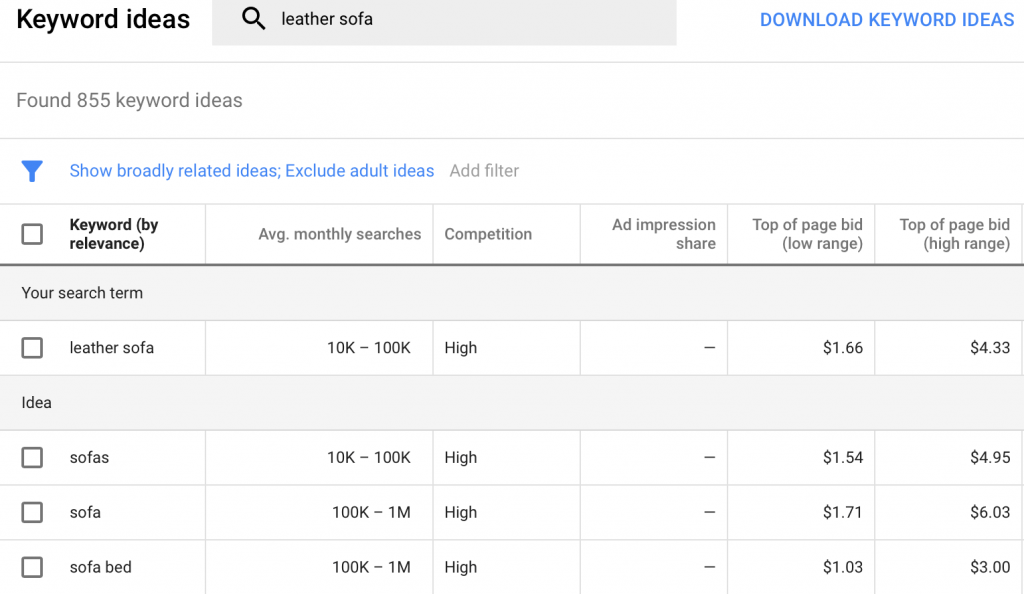
Before we talk about why we chose Google Keyword Planner as our first tool, let’s get your fact right. According to statistics, more than 90% of online searches are done on Google. So it’s obvious, Google is the search engine you have to target. And where better to get the keywords than from the google itself.
Having its root in Google Keyword Tool, Google Keyword Planner is one of the best free tools to check the number of average monthly searches of your keywords. It will also show you whether the competition is high or low for your keyword. In
However, apart from showing you some essential data, Google Keyword Planner doesn’t do anything fancy. In recent years it has also stopped showing exact search volume, rather showing tentative volumes. Yet, it is the most reliable tool for accurate data, as it comes from the search engine itself. So whether you are just starting a new business, or you have been doing keyword research for some time, you should use this tool.
Price: Free.
2. Ubersuggest
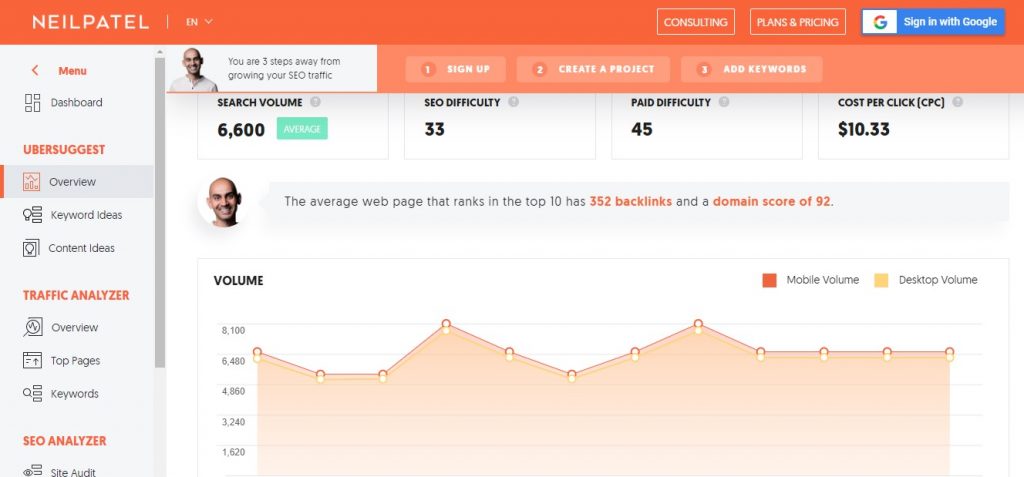
Ubersuggest is an increasingly popular tool that helps you do keyword research for free. Initially, it started as a tool to generate keywords by scraping google suggest. Later, it was bought by digital marketing entrepreneur Neil Patel.
Now Ubersuggest does well with not just keyword ideas, but also monthly Search Volume, CPC, Search Difficulty, and Paid Search Difficulty.
You can also analyze a specific keyword for the search trend. Apart from that, you can also find top keywords used on a website or the number of backlinks on a website.
Price: Free & Premium (Starting from $12/month).
3. Soovle
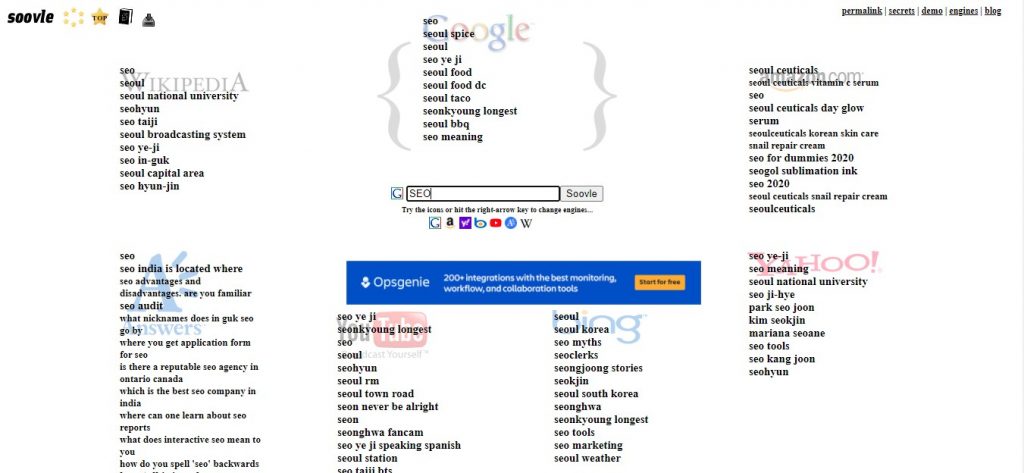
Soovle has a unique proposition for you “Let the web help”. But we say, let Soovle help. Soovle is a powerful tool that provides keyword suggestions for Google, YouTube, Bing, Yahoo, Amazon, and more.
It is like the search engine of search engines! Apart from getting proper keyword suggestions, you can also save your keywords with a drag and drop within the page. However, Soovle doesn’t provide you the search volume of the competition for that keyword, so you need to get help from other tools to do that. Nonetheless, it is one of the most powerful tools for seo that is available at no cost.
Price: Free.
4. KeywordTool.io
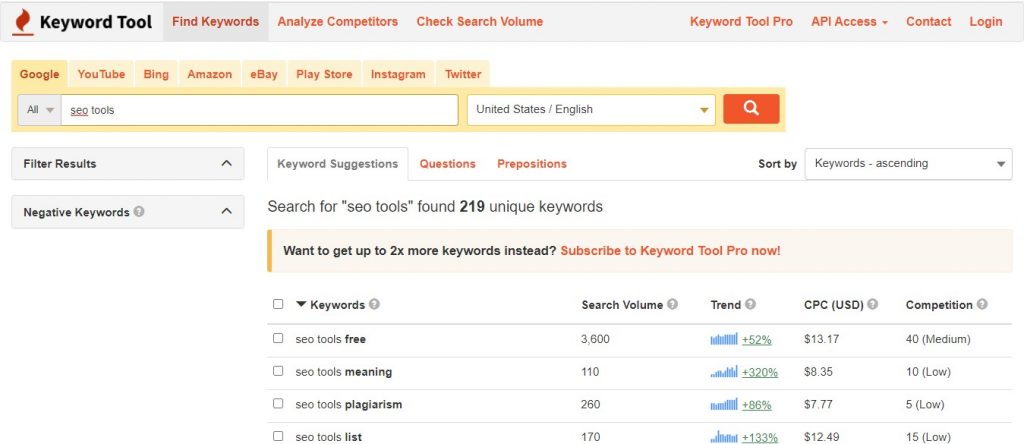
KeywordTool.io can be used as an alternative to Soovle and Ubersuggest. With the help of KeywordTool.io you can literally generate a large number of keyword ideas. There are also some very useful filer options to find amazing keywords. You can find keywords for Google, YouTube, Bing, Amazon, eBay, Play Store, Instagram, and Twitter.
You can expect to get some pretty interesting keywords. It is a free tool. However, in order to get data like Search Volume, Competition you need to buy it.
Price: Free & Premium (Starts from $69/month).
5. Keyword Surfer
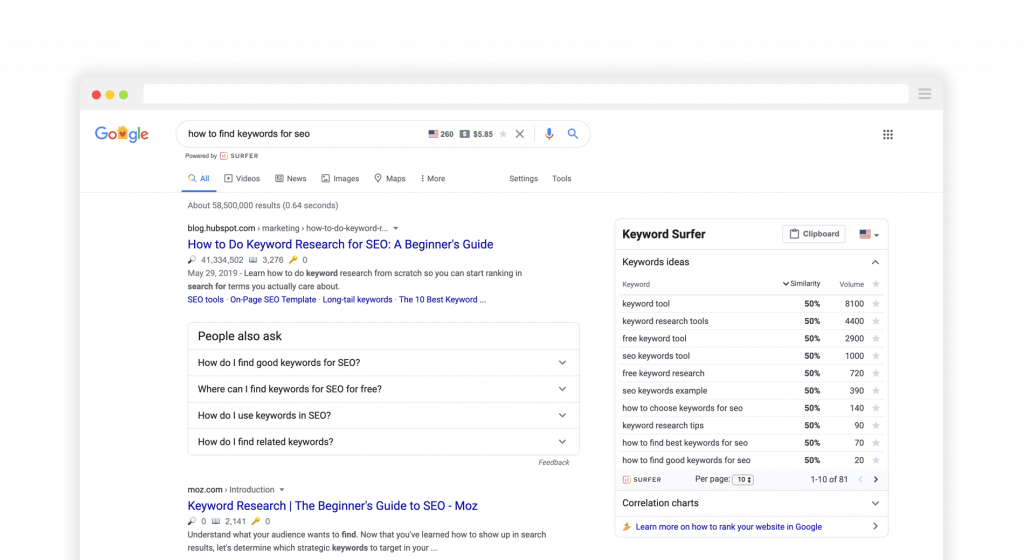
Keyword Surfer is a chrome extension that shows you the estimated search volume of a query on SERP when you type it in google. It shows search volumes and finds similar keywords according to your query. It can even show exactly how many times your keyword is used on the top-ranked sites.
Moreover, it shows all the data for 70 countries and you can see the data for any single country specifically.
And all these features are available for free. Yes, free. And according to their website, they are planning to stay that way forever. So if you are someone who is looking for free seo tools, this should be on your radar.
Price: Free.
6. Google Trends
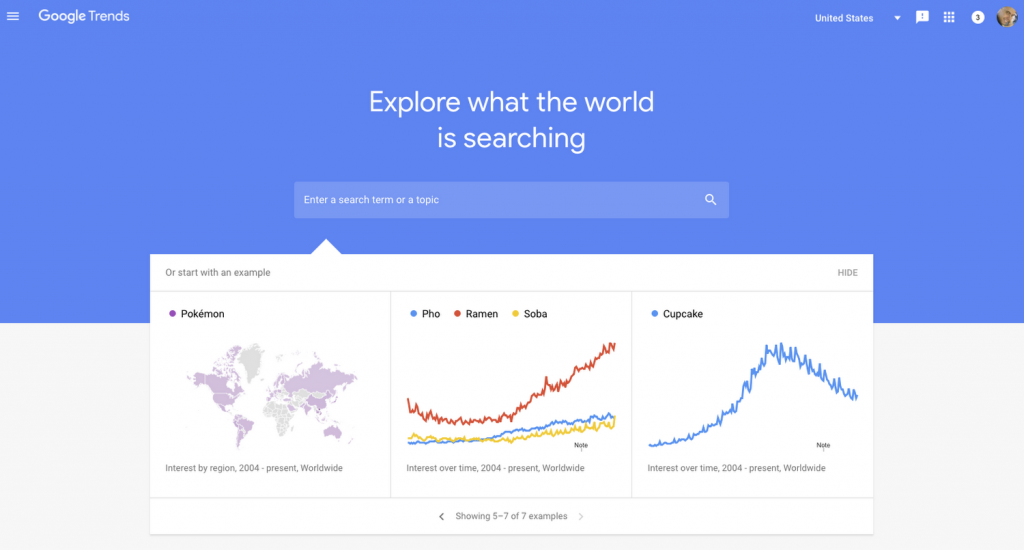
Google trends is another google service that is excellent for keyword research. You can search for keywords and how much they’re trending over time. You can also compare two different keywords.
Google trends also help you find keywords for Youtube, which is undoubtedly becoming the next big platform for showing ads.
Price: Free
7. Keyword Generator
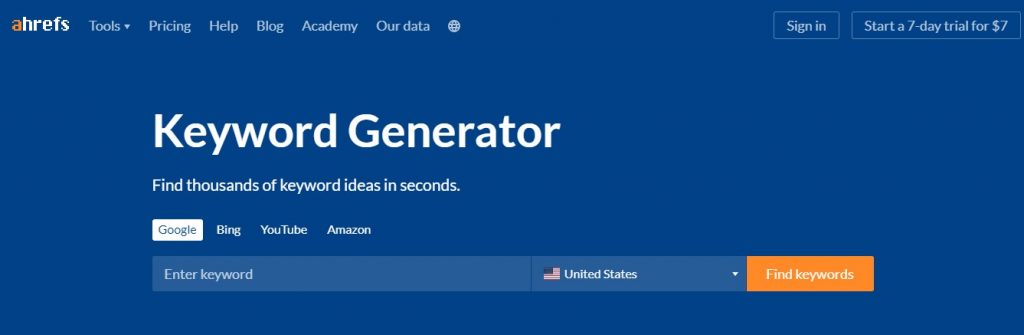
Keyword Generator is a free tool from one of the SEO giants, ahrefs. Keyword Generator generates related keywords for any keyword type. Along with that, it also shows you the search volume and difficulty to rank with these keywords.
You can get some really good untapped keywords if you stick to it. It shows you data for as much as 170 countries. Although this is a free tool, they also have a pro version that not only suggests keywords but shows other advanced insights. But we will get to that later! As for the basic keyword generation, their free tool is enough to get you covered.
Price: Free.

8. Keyword Sheeter
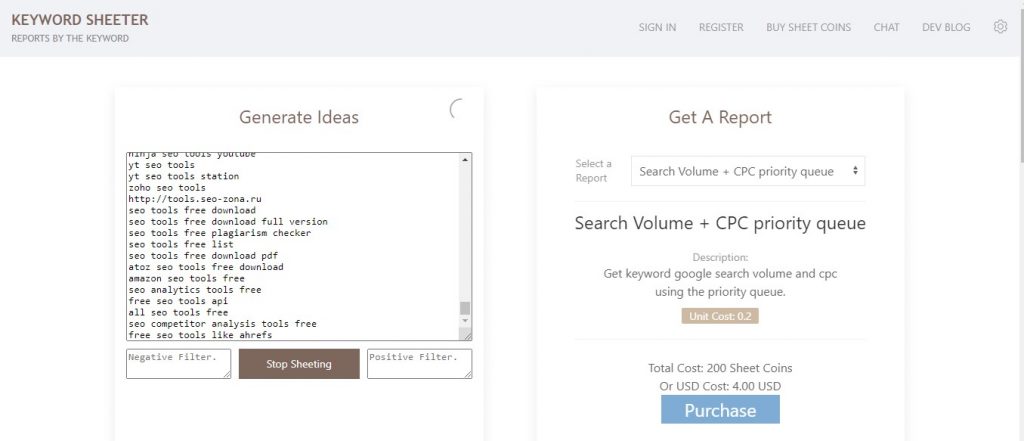
If you need plenty, this tool will give you plenty. All you have to do is enter one or more basic keywords and click on “Sheet Keywords”, and it will bless you with thousands of autocomplete suggestions from Google based on your input. You can even download the data as a CSV file for free with one click.
Now, there is not much more you can do with Keyword Sheeter. We suggest you do good use of this free seo tool to generate keywords and then find out the search volume and other data from another tool.
Price: Free.
9. Questiondb
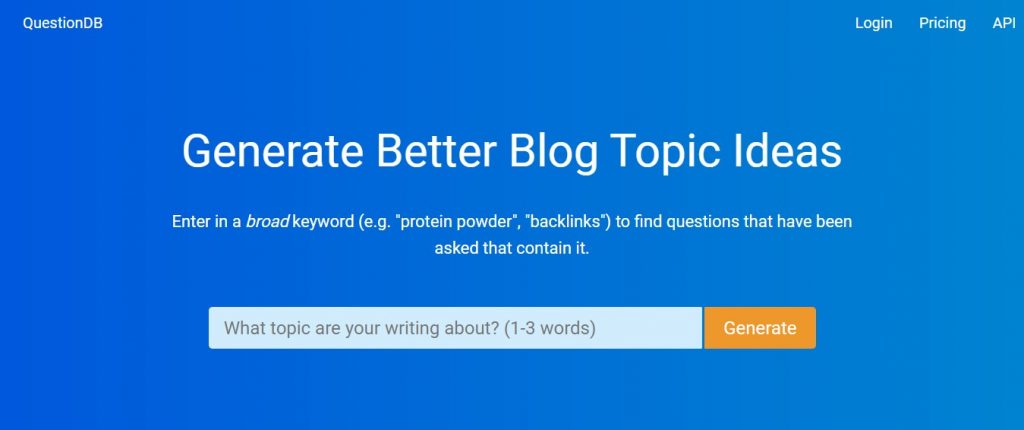
If you are a marketer or a blogger, QuestionDB can be an extremely helpful tool for you. It is not really a keyword research tool. Rather it finds questions related to your keyword that people are asking. You can easily get an idea for a new blog or know about what people care most about the keyword you’re planning to target.
If you can use it right, QuestionDB will constantly give you new ideas for blogs and update you with the current trends that you can go after. It costs nothing unless you want more than 10 results per search. The pro version can show you up to 800 results.
Price: Free & Premium ($10/month).
10. Keywords Everywhere
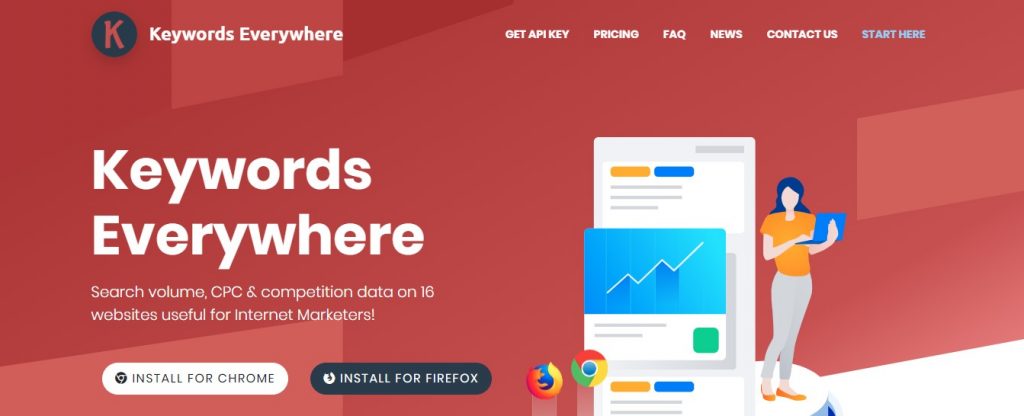
Keyword Everywhere does what Keyword Surfer does, and then some more. It’s a browser extension like the Keyword Surfer But unlike the previous one, it is available for both Firefox and Chrome. Like Keyword Surfer it does a very good job of showing an estimated search volume of a keyword for Google but it does the same for 9 other websites like Amazon and eBay. So you can be sure that it is worth the penny, though it recently became a paid tool.
Another thing we like about this tool is the “People also search for” feature, where it shows the related searches to a keyword. It comes in handy and we often get some really good suggestions.
Price: Premium (Starts at $10 for 10000 Keywords).
11. SECockpit

If you are an experienced campaigner of SEO, SECockpit can be your best friend. If you’re still on the learning curve, steer clear of this tool and start with some easy to learn tools. Why? Because, what SECockpit takes some time to get a hold of. But for pro, it can offer in-depth results on competition, niche suggestion, keyword trends, and many more.
With this tool in hand, you can expect to get some invaluable insights for a very little amount.
Price: Premium ($25/month)
12. KWFinder
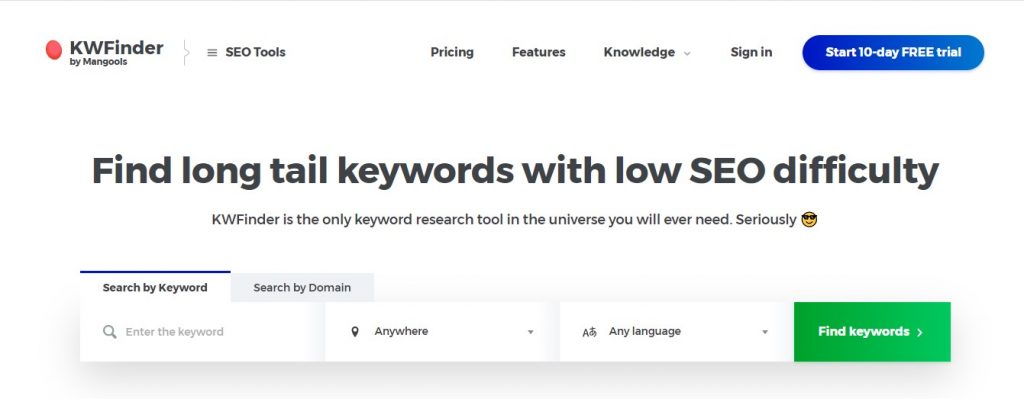
KWFinder can make your life a lot easier when it comes to Keyword Research. KWFinder shows you the search volume, and how hard it will be for you to rank with your keyword. If you are finding it difficult to find a suitable keyword, you can even know the keywords that your competitors are ranked for. All you need to do is just input their domain or URL. Their basic subscription is very cheap, and you’ll start loving it once you start using it.
Price: Premium (Starts at $29.90/month).
13. Moz Keyword Explorer
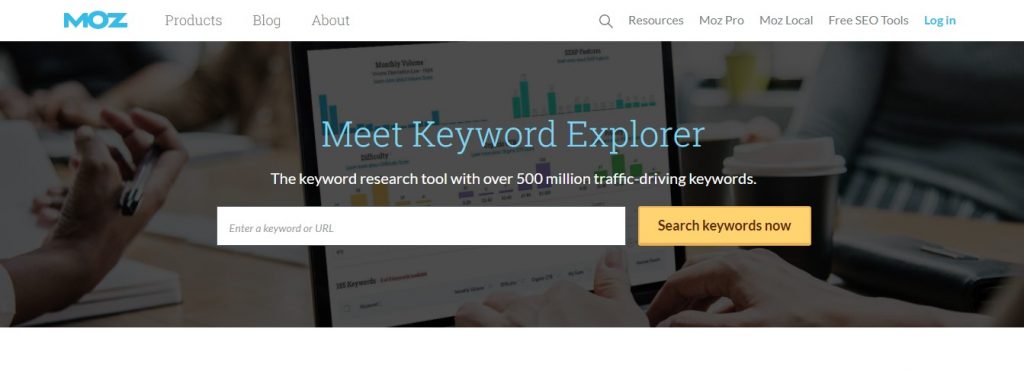
Moz is one of the most common names in the SEO arena. All of their tools are efficient and effective. Just like their keyword explorer tools. What sets this tool apart is its smartness. It suggests keywords that are related to your topic, yet that might not even come to your mind. It tells you approximately how many clicks you may get from your preferred keywords.
Its priority feature compiles all the relevant data (such as search volume, top sites with the same keyword, PPC ads, etc) for a keyword and then gives an overall score so that you can determine, whether or not you should pursue that keyword. Pretty smart, right?
However, you can not buy the standalone subscription for the Moz Keyword Explorer, but we assure you that you’ll not regret purchasing their whole SEO Pro pack.
Price: Premium (Starts from $99/month).
14. Ahrefs Keyword Explorer
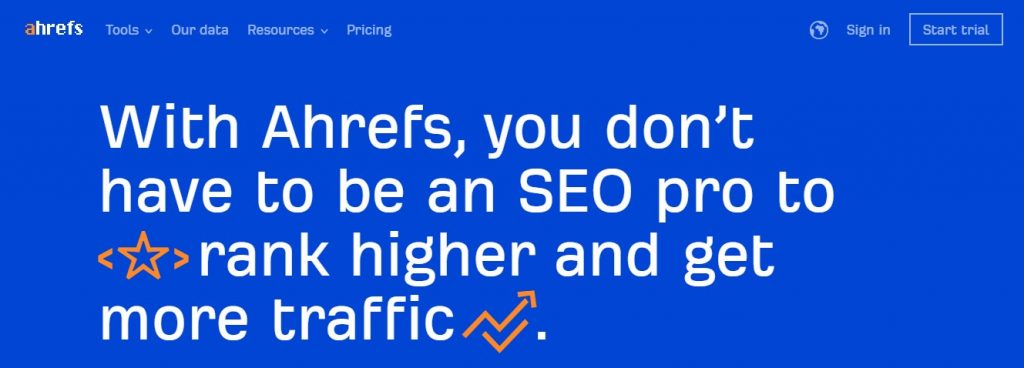
We told you we’ll introduce the paid tool from ahrefs, and here it is. Ahrefs Keyword Explorer has some unique features that are unmatched by any other keyword research tools. It gives you all the information that you need to rank your keyword and gives them in detail.
Like any other keyword research tool, you’ll get the standard keyword suggestions and search volume for each one, but with Ahrefs Keyword Explorer, you’ll also exactly how many backlinks are needed to rank with that keyword. This is pretty impressive stuff and not going to lie, we love it!
Price: Premium (Starts at $99/month).
15. SEMrush
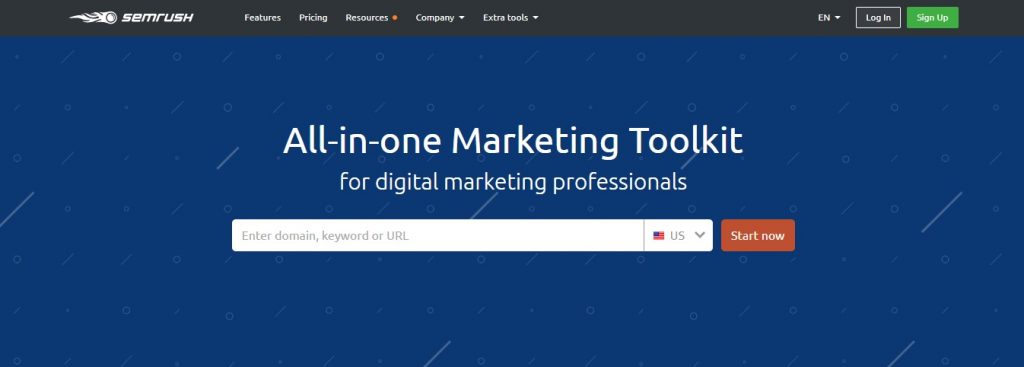
SEMRush does magic in what it does. Enter any domain name of any site and it’ll show you exactly what keywords they focused on. This way you can rank your website higher with the already tried and tested keywords. You can also see the competition for each of the keywords they are ranked for. You can even see the information for any specific country.
Apart from that, you can also get the standard long-tail keyword suggestions by searching for your keyword. And it is really intelligent and suggests some gem from time to time! If you have the budget, spending a very small amount on a tool like this will be one of the best decisions you’ll ever make.
Price: Premium (Starts from $83.28/month).
Choose the Right Keyword Tools that Serves Your Need
With everything being said, the best keyword research tools for you depends on your personal preference. Some of the free tools are very efficient but as your business grows you’ll find the limitation in those and will want to move to a paid tool. Paid tools usually have a huge database and an intelligent system to back them up, so that you can be assured to get the perfect keywords to rank your website. We hope you liked reading the article. If you already have a preferred keyword research tool, let us know in the comment box.


![Black Friday and Cyber Monday are around the corner, and people are waiting for these festivals to grab the best product deals. That is why giving an attractive look to your website during this festive season is very necessary. But, creating a whole new landing page might be difficult in a short period of time. Don't worry. By using Happy Elementor Addons Black Friday and Cyber Monday Landing Page templates, you can easily develop a whole new landing page in a few minutes. In this today's blog, we are going to show how to boost your website design using HappyAddons templates during this festival season. Before that, we'll talk a bit about these two festivals and why they are important to online business communities. What are Black Friday and Cyber Monday? Black Friday is the immediate following of the famous Thanksgiving day. This is when people start shopping to celebrate the Christmas festival. Since the late 1980s, retail sales on this day have constantly been suppressing the past volumes. See the graph below. Source: Salecycle.com The first Monday following Thanksgiving day each year is called Cyber Monday. It was first introduced in 2005 by the USA National Retail Federation to encourage people to buy online. Though this festival originated in the USA, it is celebrated globally today. See the stats below. Source: Salecycle.com It indicates customers' buying behavior around this day is growing up over time. Many customers today keep a budget to buy products on these two days. So, why won’t you prepare a Cyber Monday landing page if you have an online store? Importance of Designing Landing Pages for Black Friday and Cyber Monday Festival Having a well-design website is one of the major checklists if you are running an online business. Most importantly, you have to make sure that your website remains up-to-date to boost your sales. That is why you need to redesign your website or make a new landing page during the Black Friday and Cyber Monday festivals. Because most online product & service-based businesses promote special deals during these two festivals. Here are some remarkable ways dedicated landing pages during these festivals can positively impact the performance of your online business. Boosts your product salesIncreases conversion rateOpportunity to collect potential email leadsGrabs users' attention toward your siteReduces bounce rateIncreases website visitors. Elementor Black Friday New Seasonal Kit is Already Here! Source: Elementor To make this Black Friday more enjoyable, Elementor has launched a New Seasonal Kit that includes landing pages, sections, pop-ups, and vector assets. All these design elements are made by the Elementor team so that one can easily use them on their website to ensure more sales and conversions. New Elementor Black Friday Seasonal Kit offers: 3 Landing pages6 Sections 6 Popups A collection of stickers & animations You can only get these ready-made Black Friday landing pages and sections if you have Installed Elementor Pro on your site. However, if you are looking for templates that are outside of the box, you can go with Happy Addons, the fastest Elementor Addons on the market. It's very easy to use, flexible and has tons of advanced features and widgets that can ease your website design journey. Also, you'll get several festival landing page templates & blocks. Moreover, you can use free Black Friday and Cyber Monday design blocks and templates to decorate your site. Most importantly, these templates and blocks are easy to customize and can be used for multiple purposes. Now let's see how you can use the Happy Addons templates to design your website according to the Black Friday theme. Pre-Requisites to Use HappyAddons Templates to Design Black Friday and Cyber Monday Landing Pages You must have the following plugins installed on your site to get access to the HappyAddons Template library. Make sure you’ve installed and activated the Happy Addons Free & Premium version of your website. Elementor (Free)Happy Addons (Free)Happy Addons Pro If you are new to Elementor, check this Step By Step Guide For Beginners. If you want to explore the readymade templates of HappyAddons before installing these plugins, you may visit by clicking on the button below. Check out Happy Addons Templates How to Design Black Friday Landing Page on Your Website Once you have the plugins (mentioned above) installed, your website is ready to follow the tutorial guide explained in this section. Get ready now! Step 1: Open a New Page with Elementor Create a new page or open the existing page with Elementor. Next, you have to select the Elementor Canvas option.Unless you select Elementor Canvas, you may watch the header, footer, and unnecessary other texts on the page. These might be irritating to you.Once you open the page with Elementor Canvas, your page will be completely clean. Watch the video below on how to do it. Step 02: Go to HappyAddons Library Click on the HappyAddons Library Icon. It will open up a modal popup. Here you'll find numerous stunning premade Blocks and Pages created by the Happy Addons team. Kindly explore them to create a list of your favorite items. Step 03: Import a HappyAddons Black Friday Template Go to the Page tab on the modal popup.Select Black Friday from the left-side filter option.You will several good-looking templates on your screen.Take your cursor on the one you like and hit on the INSERT button. Wait for a while to finish the installation process. You will get the template on your screen with editable sections and options. Step 04: Set the Black Friday Campaign Deadline A deadline creates a sense of urgency in customers' minds. So, better if you add a deadline section on the page to show your Black Friday deals. The good thing is that if you select the template as we did, you will automatically get a deadline or countdown option. You have to customize it as you want. Step 05: Show Image Carousel Slider on Your Black Friday Landing Page Using the Image Carousel, you can slide show demonstrating discounts on your product categories. Drag and drop the Image Carousel widget on any landing page section. Next, from the Elementor panel, you can add photos and text to the widget. Do it accordingly. Thus, you can add more sections and options on the landing page. Hope you can do it yourself. Step 06: Make the Black Friday Landing Page Mobile Responsive Making a web page mobile responsive with Elementor is super easy. You'll get the mobile responsive option on the Elementor footer section. Clicking on it will open up the option to view your landing page on different device screens. We have explained the process in the video below. Note: Don't delete any widget or section while customizing your landing page for any particular device. Because if you delete a widget or section on any device screen, it will also be applied on other devices. However, you may change their position or alignment or hide them. It won't make any impact on other devices. Step 07: Final Preview of Our Landing Page Here is the final interface of our Elementor Black Friday landing page that we've designed using the Happy Addons' ready-made Template. Get Happy Addons to Add a Black Friday Theme Landing Page on Your Website How to Design Cyber Monday Landing Page on Your Website You will require the same prerequisites (Elementor and HappyAddons Plugins) to design the Cyber Monday landing page on your website. Hope you have them ready on your website. Now, let's get into the tutorial part. Step 01: Import a Cyber Monday Readymade Landing Page Template Go to the HappyAddons Template library.Choose the Cyber Monday template you like.Click on the INSERT button. Wait for a while to finish the installation process. You'll get a page design like the following image below. Step 02: Edit Different Sections of the Page In the first tutorial, you saw the deadline/countdown option was already embedded in the template. But this template doesn't have it. So, you can bring it to your page? Very simple. Create a new section by clicking on the plus icon.Type Countdown on the Elementor search bar.Drag and drop the widget on the section. Customize the Countdown section from the Content and Style tabs of the Elementor panel. Using the Heading widget, we have added the FLASH DEALS text next to the countdown to make it more meaningful. Thus, you can use other exciting widgets on the template to make your landing page super gorgeous. Step 03: Promote Products on the Landing Page Promotional landing pages usually include a section to showcase some hot-selling products to generate instant sales. Using the Image and Button widgets, we have created this section under the FLASH DEALS.You may customize it more as you wish. Step 04: Make it Mobile Responsive We already showed you the process in the first tutorial on making a mobile web landing page responsive. Hope you can do it here as well, following the same guideline. Click on the Responsive Mode icon and do the rest yourself. Bonus: Black Friday and Cyber Monday Landing Page Design Key Considerations Whenever you design a landing page, you need to consider why you need to design this page and what elements they should keep on the page. Because if you are not adding all the necessary features to your page, it will not serve its purpose. This is why you need to focus on a few things before designing your Black Friday landing page. Here are some points you must consider in designing Black Friday and Cyber Monday landing pages. Add Black Friday textSet deals deadlineShow your best-discounted productsAdd coupon code Focus on responsive page designMake your page visually appealingImprove your page user experience or page structureSet a proper website navigation FAQ on Black Friday and Cyber Monday Landing Page Design Now, we'll answer some common questions on Black Friday and Cyber Monday Landing page designs commonly found online. How much does it cost to design a landing page?The cost of designing a landing page varies depending on the complexity of the design, the level of customization required, and whom to hire for the page. A simple landing page can be designed for as little as $25, while a more complex design with multiple customizations can cost upwards of $2,00.However, if you have Elementor and HappyAddons installed, you can design unlimited landing pages at a minimal cost. But like any other tool, you must have a kind of enterprise on them. As they are drag-and-drop builders and their numerous tutorials and documentation are available, they won't take you more than a month to be used to. Check out some wonderful YouTube tutorials on these two plugins. Hope you will enjoy them.How many hours does it take to design a landing page?It mainly depends on the level of design complexity and your web design skill. However, both in Elementor and HappyAddons, you will get countless readymade templates and block sections. You can design a beautiful landing page in 3-5 hours by making a proper combination of them.Can I design Black Friday and Cyber Monday Landing pages with Elementor and HappyAddons free versions?Surely, you can design Black Friday and Cyber Monday Landing pages with Elementor and HappyAddons free versions. But only with the pro versions, you can't add too many exciting features to your pages. For example, free versions will give you access to only a limited number of readymade templates.If you are just a beginner-level designer, free versions are enough. But if you are a professional designer or have a web designing agency, pro versions are a must. Are You Ready To Design Your Black Friday and Cyber Monday Landing Page? Customers look forward to this kind of occasion to buy their favorite products at a minimum price. Naturally, they are drawn to websites that look good and give a festive vibe. That is why adding a Black Friday and Cyber Monday landing page during the festival season will give you an extra edge over the competitors. The above guide shows how to design your Elementor Black Friday Landing page using the Happy Addons' Black Friday Templates and how it can help boost your holiday sales. So if you have any queries regarding this blog, you can comment on us in the below box. If you like this post, then share it on your social channel. Don't forget to subscribe to our newsletter. Also, follow our Facebook and Twitter channels for regular updates. Subscribe to our newsletter Get latest news & updates on Elementor [yikes-mailchimp form="1"] ":36560} /--](https://happyaddons.com/wp-content/uploads/2021/11/How-to-Design-Black-Friday-and-Cyber-Monday-Landing-Page-300x188.png)

10 Responses
Great list of tools! I myself use Ahrefs 🙂
Thank you for reading. Ahrefs is one of our favourite as well. Do read our other blogs to know about more useful tools and tips.
Cheers.
Both Ubersuggest and Ahrefs are great tools for keyword research.
Yes, both of them are great in different ways.
Thank you for taking the time to read and comment on the HappyAddons blog.
Thank you for sharing this great article. Hope you will have many more articles for everyone to read.
Thanks, we will try to maintain the quality.
This is such an informative article, thanks for sharing. Keep posting such great stuff!
Hi Alex,
Thanks for stopping by, and sharing your feedback. BTW please avoid links while sharing comments. Otherwise, we will not approve your comments.
Solid roundup. One gap I see: most of these tools still ignore AI Overviews as a keyword surface. We track zero-click SERP features separately because traditional volume metrics miss the traffic that comes from being cited in an AI-generated snippet rather than ranked in blue links.
Good point. That’s something worth adding.
AI Overviews are changing how search works. Traditional keyword volume does not always show the full picture anymore. Zero-click results and AI-generated snippets are becoming more important for visibility tracking.
We will include this part in the next update of the post.