


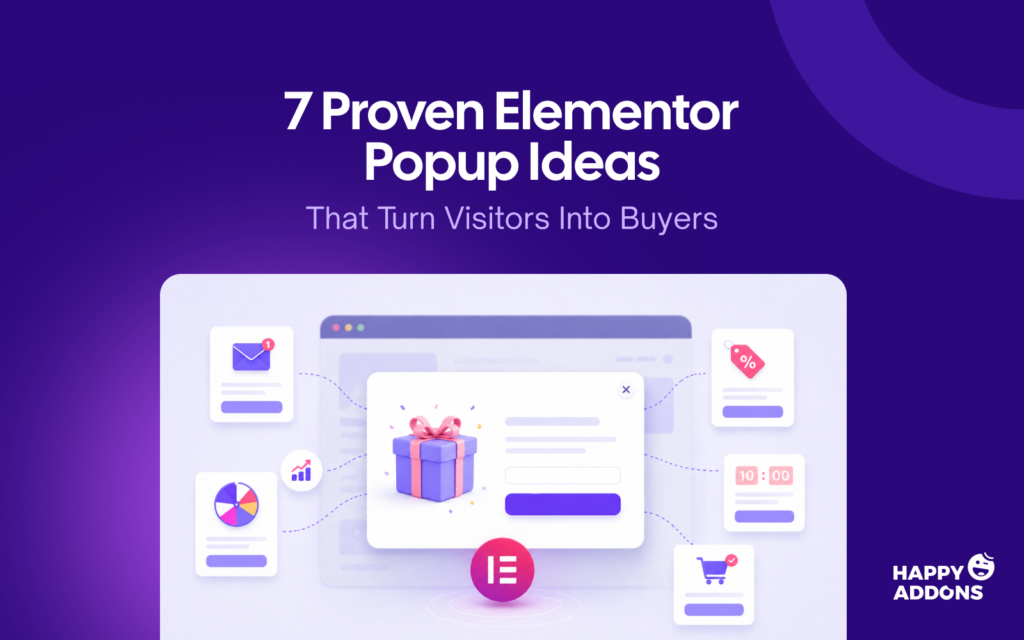

You have a great product. Your store looks good. Traffic is coming in. But visitors keep leaving without buying anything. The problem is not your product – it is the missing conversation between you and your visitors. That’s exactly where popups could be a great solution.
Popups can speak to your visitor at the right moment – whether before they leave, after they scroll, or right when they are ready to make a decision. It allows you to offer a discount, collect an email, recover an abandoned cart, or share a time-sensitive deal with someone on your site.
Elementor is one of the easiest and smartest page builder plugins to build high-converting popups. In this guide, you will find 7 proven Elementor popup ideas that actually work. Each idea comes with what to offer, when to show it, and how to set it up – step by step.
What Is a Popup?
A popup is a window that appears on top of your webpage while a visitor is browsing. It could show a discount code, ask for an email address, or remind someone about their cart. It gets attention without the visitor having to scroll or click anywhere.
Popups are one of the highest-converting elements you can add to any website. According to Wisepops, eCommerce popups convert at 8.11% on average – far higher than any static banner, sidebar widget, or embedded form on your page.
What Is Elementor?
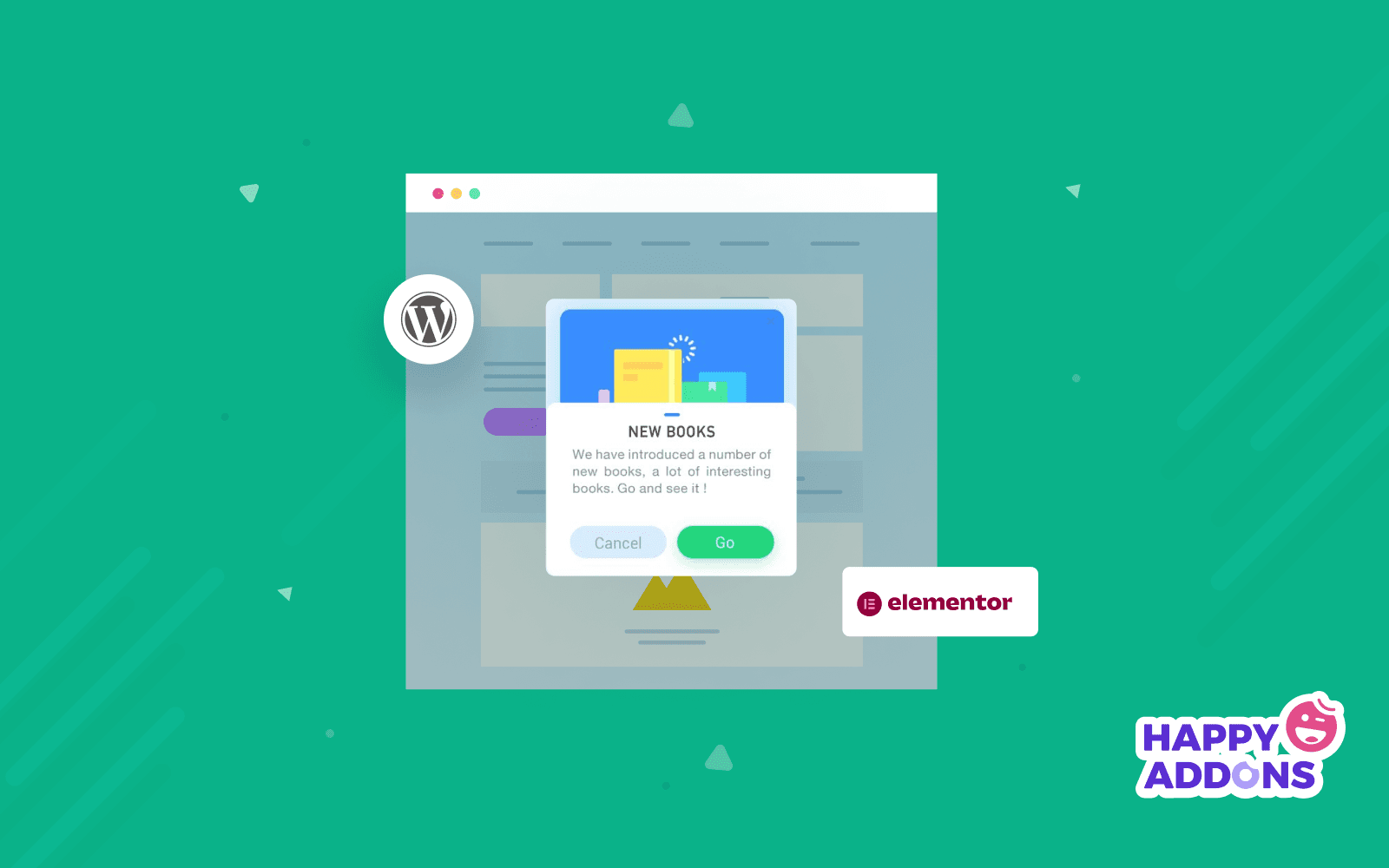
Elementor is a drag-and-drop page builder plugin for WordPress. It lets you design any page visually – without writing a single line of code. You just drag elements onto the page and customize them live on screen.
It is used by over 10 million websites worldwide. From simple landing pages to full WooCommerce stores – designers, developers, and store owners use Elementor to build professional websites faster and without a developer.
Elementor comes in two versions. The free version gives you access to basic widgets and design tools. The Pro version unlocks advanced features – including the built-in Elementor popup builder that lets you create and control popups directly inside your site.
Pre-requisites to Build an Elementor Popup
Before you start building an Elementor popup, make sure a few things are in place. First, you need WordPress installed and running – Elementor works only within a WordPress environment. Second, you need the Elementor plugin active on your site. The popup builder is part of Elementor Pro, so the free version alone won’t cut it; you’ll need an active Pro license.
Once Elementor Pro is installed, no separate popup plugin is required. The popup builder is built directly into the editor, so everything – design, triggers, and targeting – is handled from one place.
If you want advanced display conditions beyond what Elementor Pro offers natively – such as targeting by user role, device type, date range, or browser – installing an addon like HappyAddons beforehand will save you time. It extends Elementor’s popup capabilities significantly without adding complexity to your workflow.
In short, your checklist before building:
- WordPress (self-hosted)
- Elementor Pro (active license)
- A page or template to attach the popup to
- Optionally, HappyAddons for advanced targeting rules
With these in place, you’re ready to build.
Why Elementor Popups Work for eCommerce?
Running an e-commerce store means competing for attention every single second. Visitors land, browse for a while, and leave – most of the time without buying. The global cart abandonment rate sits at 76.8% in 2026. Learn how to create an eCommerce store.
That means nearly 8 out of every 10 shoppers leave without completing a purchase. Elementor popups work because they give you one last chance to speak to a visitor before they are gone.
Here is why they work better than any static element on your page:
- They appear at the right moment – triggered by behavior, not guesswork
- They target the right visitor – new vs. returning, mobile vs. desktop, cart vs. browse
- They make a specific offer – not a generic message, a direct and relevant ask
- They demand attention – unlike a banner sitting quietly on the side of the page
- They convert higher – eCommerce popups average 8.11% conversion vs. 1.7% global eCommerce average
The best part? You do not need to run all seven ideas at once. Pick the one that matches your biggest problem right now – and start there.
7 Proven Elementor Popup Ideas That Turn Visitors Into Buyers
Here are 7 Elementor popup ideas you can build today – each one designed for a specific goal. Pick the one that matches your biggest problem right now and start there.
Idea 01: Exit-Intent Discount Popup
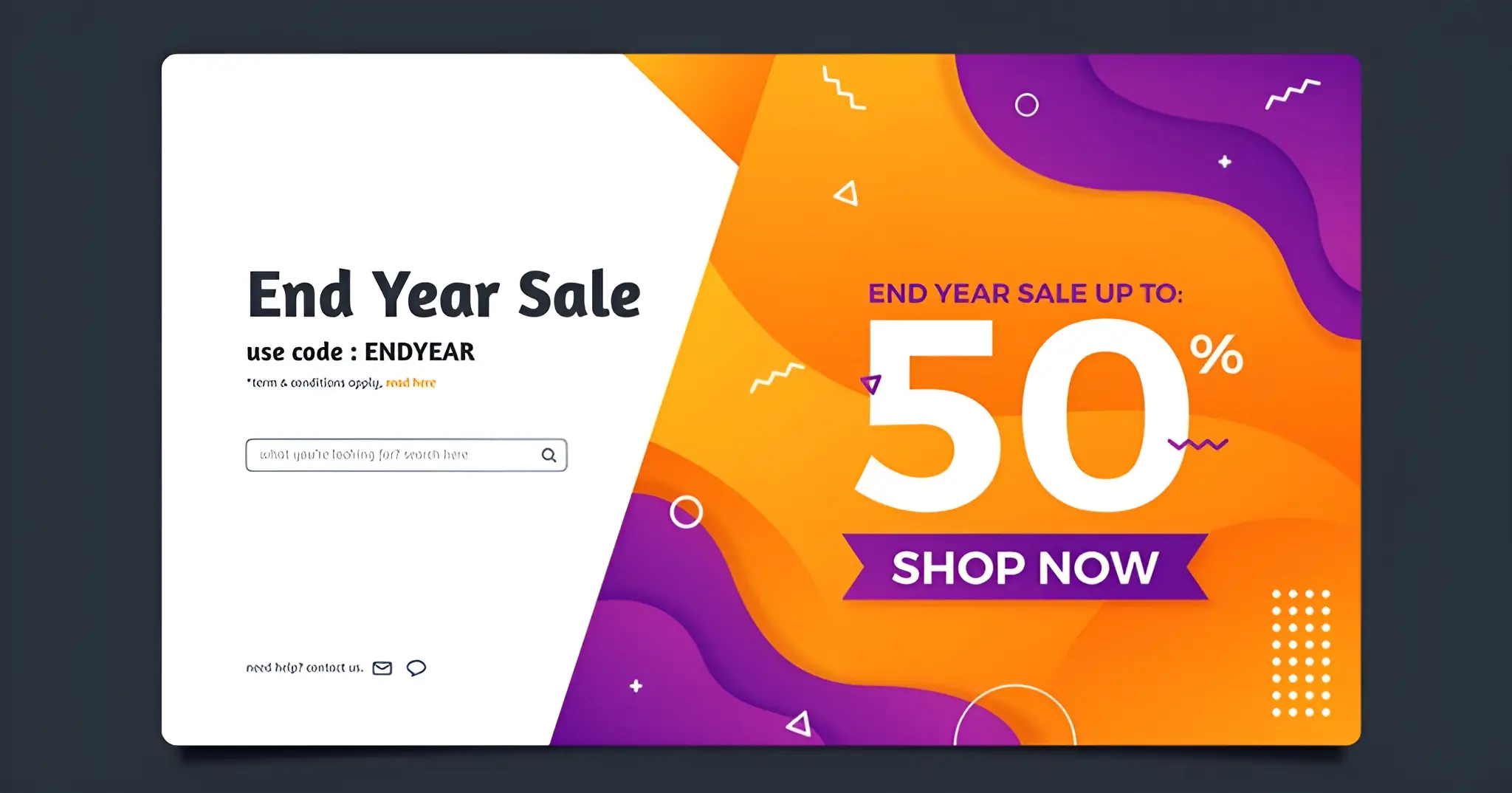
An exit-intent popup appears when a visitor is about to leave your site. It detects when their cursor moves toward the browser tab or address bar – and shows your offer at that exact moment.
It is your last chance to speak to a visitor before they are gone. Research shows exit-intent popups recover between 3% to 8% of abandoning visitors.
What to Offer:
- 10% to 15% discount on their current order
- Free shipping on their next purchase
- A limited-time bundle deal
Trigger Settings:
- Trigger: Exit intent
- Pages: Product pages and homepage
- Frequency: Once per session
- Audience: All visitors
Design Tip:
One headline. One offer. One button. Do not ask for too much information. The visitor is already leaving – make it easy for them to say yes. Visit here to get an idea of how to write amazing content.
Idea 02: Welcome Discount Popup
A welcome popup greets a visitor the moment they land on your site for the first time. It appears after a short delay – giving them just enough time to see your store before the offer shows up.
Done right, it feels like a warm greeting. Done wrong, it feels like a door-to-door salesman. The difference is timing and what you offer.
What to Offer:
- 10% off their first order in exchange for an email
- A free gift with their first purchase
- Early access to a new collection or product launch
Trigger Settings:
- Trigger: Time delay 5–8 seconds
- Pages: Homepage only
- Frequency: Once per visitor
- Audience: New visitors only
Design Tip:
Make it feel personal and on-brand. Use your store colors, a strong headline, and one email field. The simpler the form, the higher the signup rate. Learn visual content marketing for a better design sense.
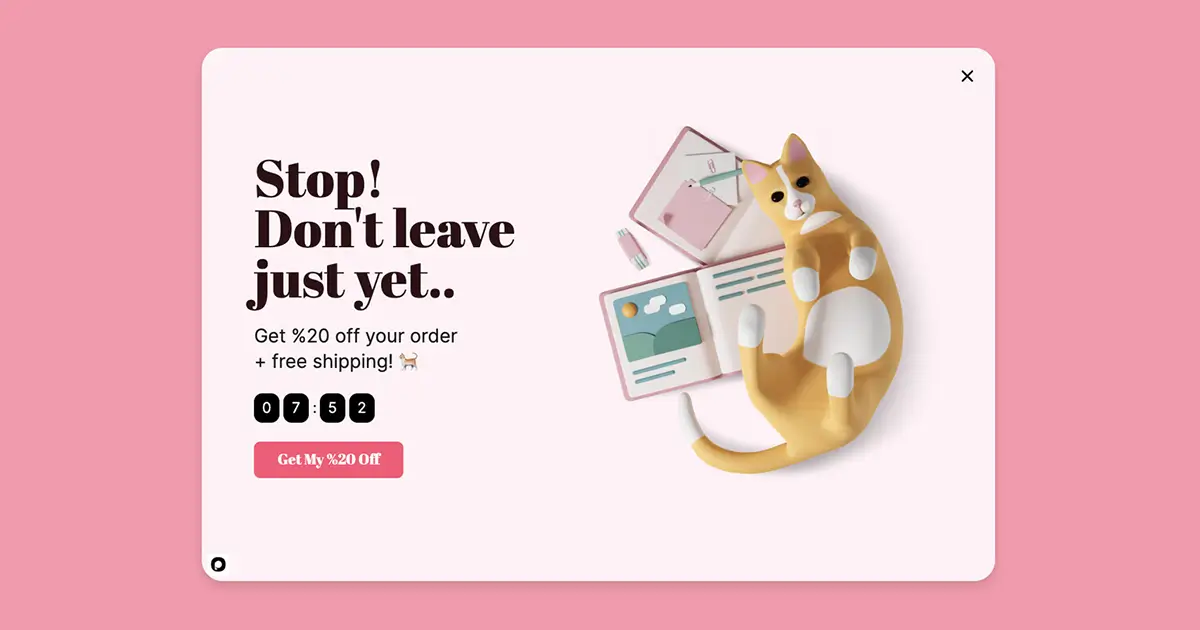
Idea 03: Cart Abandonment Popup
A cart abandonment popup targets visitors who have added items to their cart but are about to leave without completing the purchase. It detects exit intent specifically on the cart or checkout page.
This is where the real money is. A visitor with items in their cart is already interested – they just need one final reason to complete the purchase.
What to Offer:
- A small discount on their current cart items
- Free shipping to remove the last barrier
- A simple reminder of what they are leaving behind
(Source: popupsmart.com)
Trigger Settings:
- Trigger: Exit intent
- Pages: Cart and checkout pages only
- Frequency: Once per session
- Audience: Visitors with items in cart
Design Tip:
Reference what they are leaving behind. A headline like “Still thinking about it?” feels personal and relevant. Keep the CTA button copy action-focused – “Complete My Order” works better than just “Buy Now.”
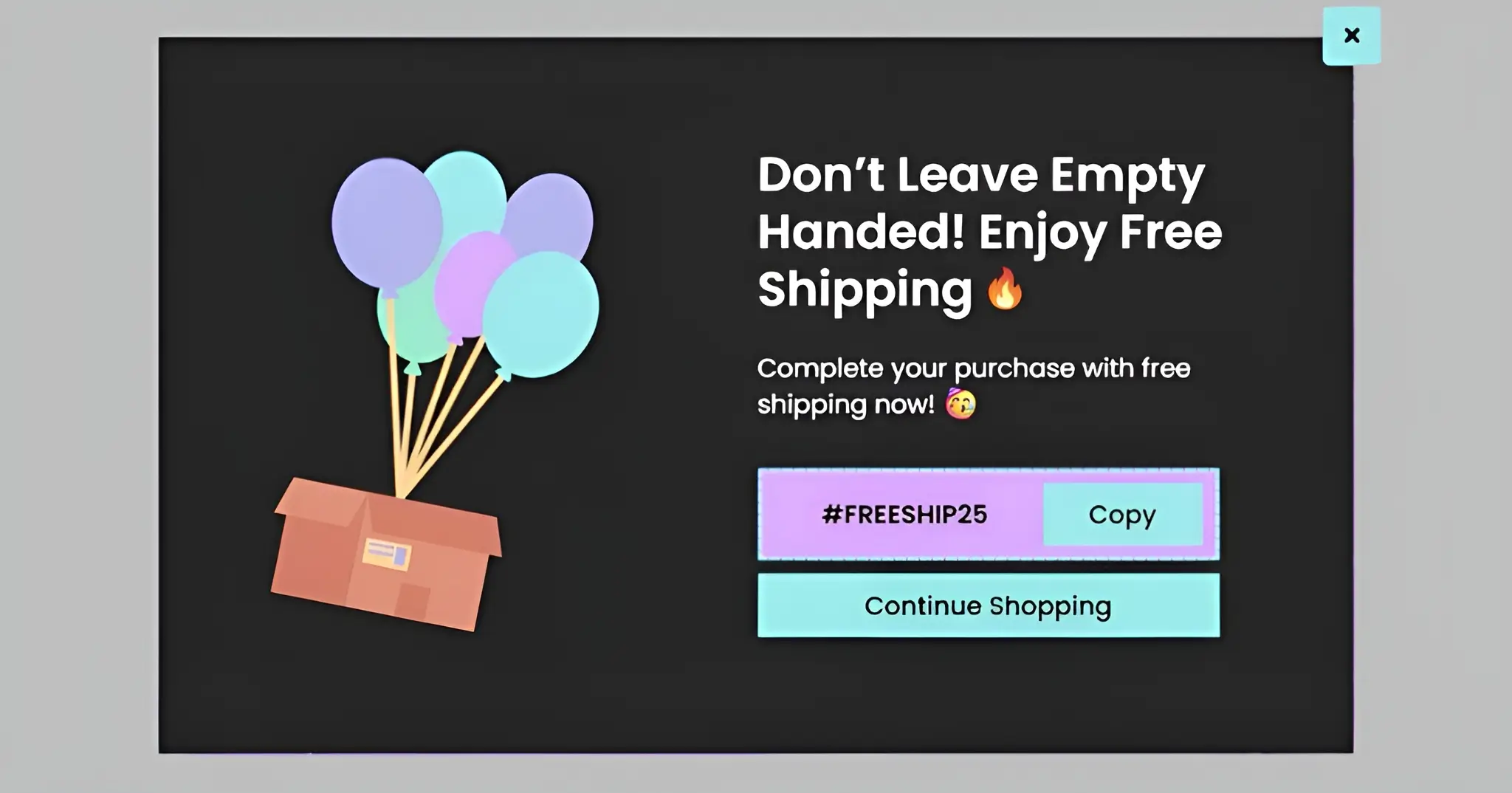
Idea 04: Free Shipping Threshold Popup
A free shipping threshold popup appears while a visitor is browsing your store. It tells them exactly how much more they need to spend to unlock free shipping – and nudges them to add one more item to their cart.
Free shipping is the number one purchase motivator for online shoppers. Showing it at the right moment can increase your average order value by 8% to 15% without offering a single discount.
(Source: Dribble)
What to Offer:
- “You are $12 away from free shipping – add one more item.”
- A curated list of products that bridge the gap
- A progress bar showing how close they are to the threshold
Trigger Settings:
- Trigger: Scroll depth 40%
- Pages: Product pages and shop page
- Frequency: Once per session
- Audience: Visitors who have not yet reached the free shipping threshold
Design Tip:
Add a progress bar inside the popup. Seeing how close they are to free shipping creates visual urgency without any pressure. Keep the copy short and the CTA direct – “Keep Shopping” works better than “Add to Cart.”
Learn more about checkout flow.
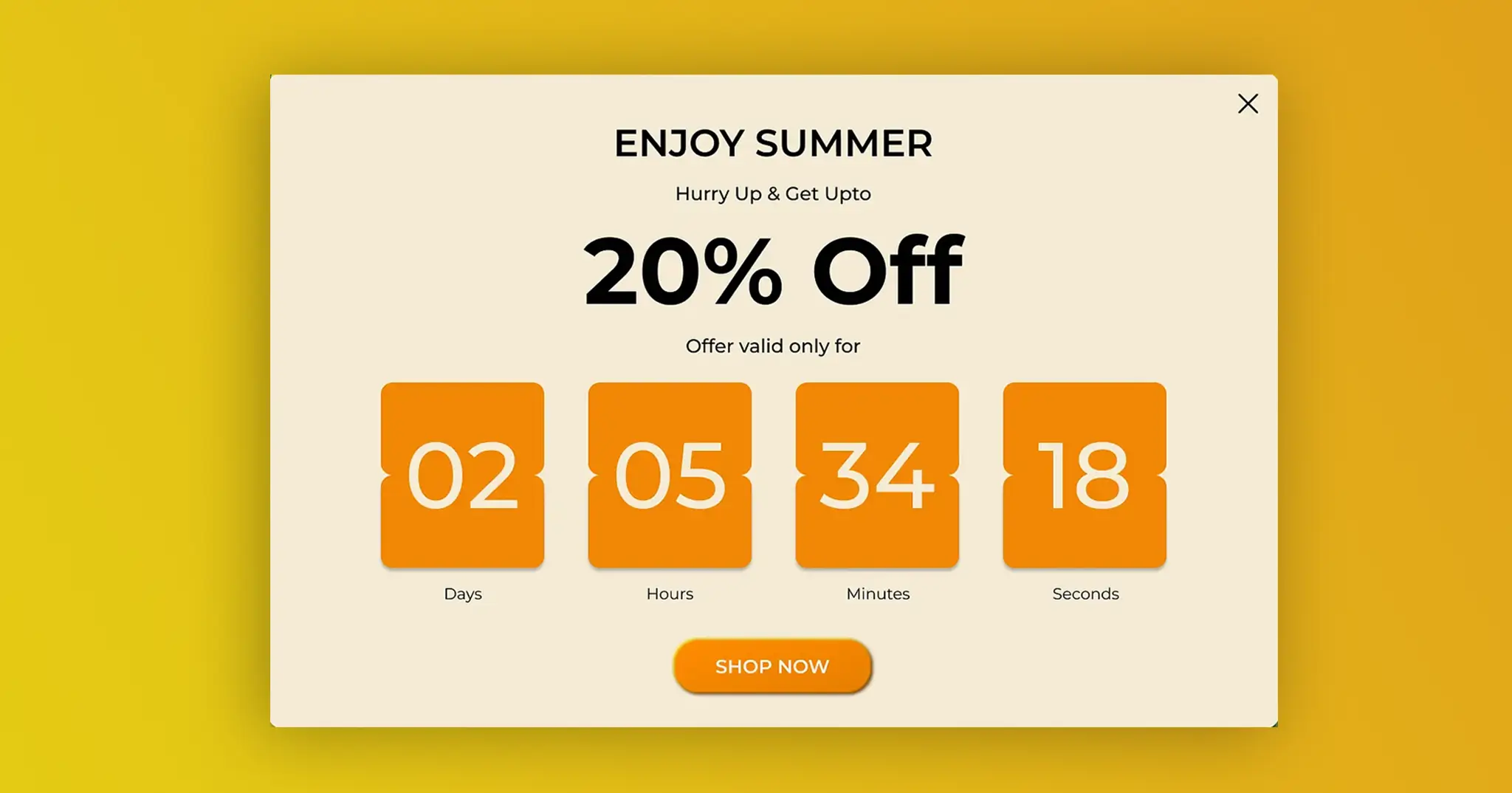
Idea 05: Time-Limited Offer Popup
A time-limited offer popup promotes a sale, flash deal, or limited stock with a countdown timer. The timer is the hero of this popup – it does the persuasion work without you having to write a single pushy line of copy.
Scarcity and urgency are two of the strongest conversion triggers in eCommerce. When a visitor sees a timer counting down, the fear of missing out kicks in naturally.
(Source: Dribble)
What to Offer:
- A flash sale with a specific end time
- A limited stock deal – “Only 3 left at this price”
- A seasonal promotion tied to a real deadline
Trigger Settings:
- Trigger: Time delay 10 seconds
- Pages: Homepage, product pages, and sale pages
- Frequency: Once per 24 hours per visitor
- Audience: All visitors
Design Tip:
Never use a fake countdown timer. Visitors notice when the timer resets every time they visit – and it destroys trust instantly. Only use real deadlines tied to real offers. The timer should mean something.
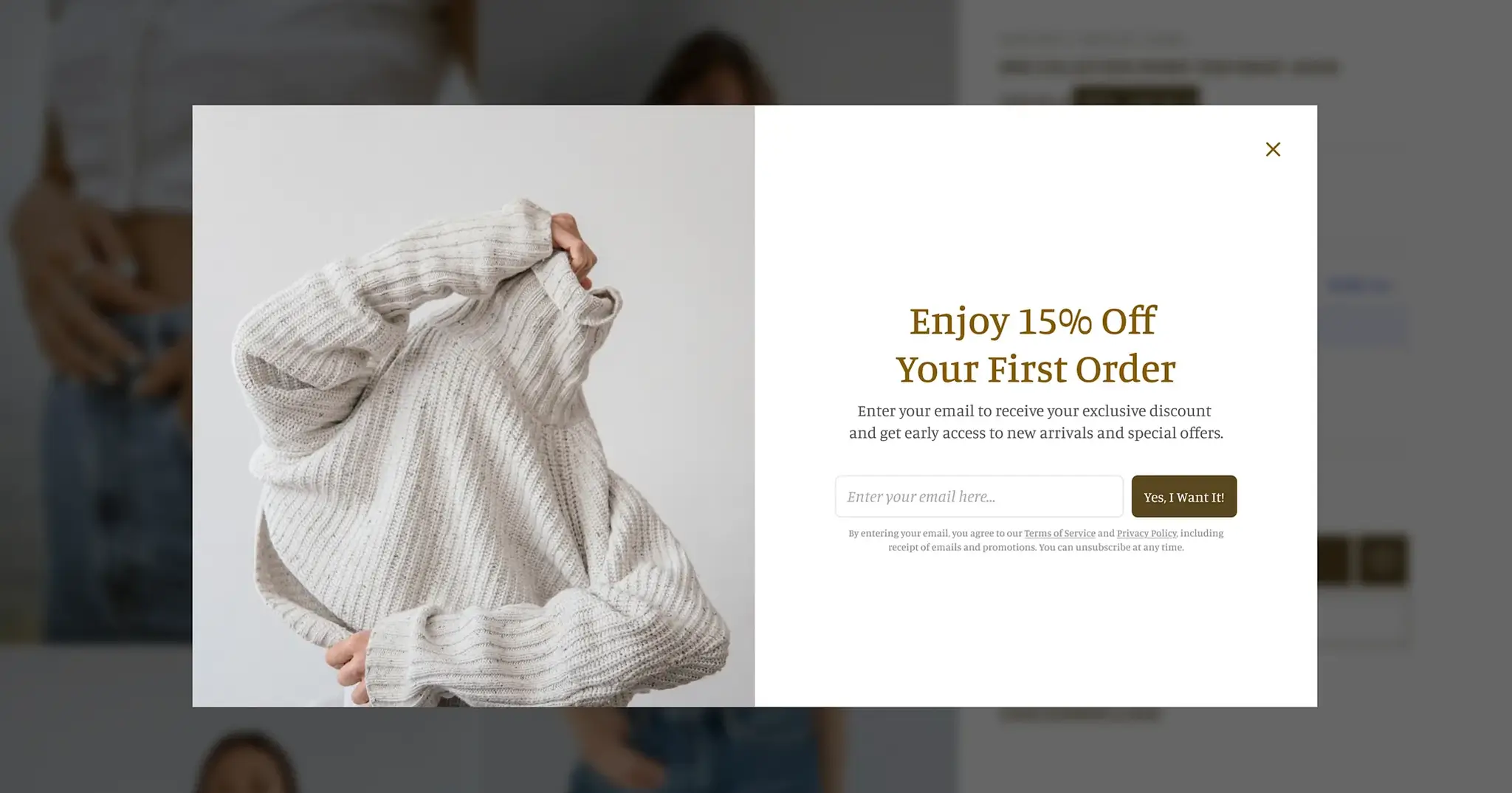
Idea 06: Lead Magnet Popup
A lead magnet popup offers something valuable for free – a guide, a checklist, a template, or a PDF – in exchange for an email address. It is not about selling. It is about starting a relationship with your visitor.
This type of popup works especially well for agencies, freelancers, and content-heavy eCommerce brands. The leads it generates are higher quality than discount-driven signups – because the visitor is engaging with your expertise, not just grabbing a coupon.
What to Offer:
- A free downloadable guide related to your niche
- A checklist or template your audience would find useful
- A free lookbook, size guide, or product comparison PDF
Trigger Settings:
- Trigger: Scroll depth 50%
- Pages: Blog posts and landing pages
- Frequency: Once per visitor
- Audience: All visitors who have not already subscribed
Design Tip:
Make the freebie feel tangible. Show a mockup image of the PDF or guide inside the popup. A visual of what they are getting increases signups significantly. Keep the form to one field – email address only. Learn more about how to convert leads into customers.
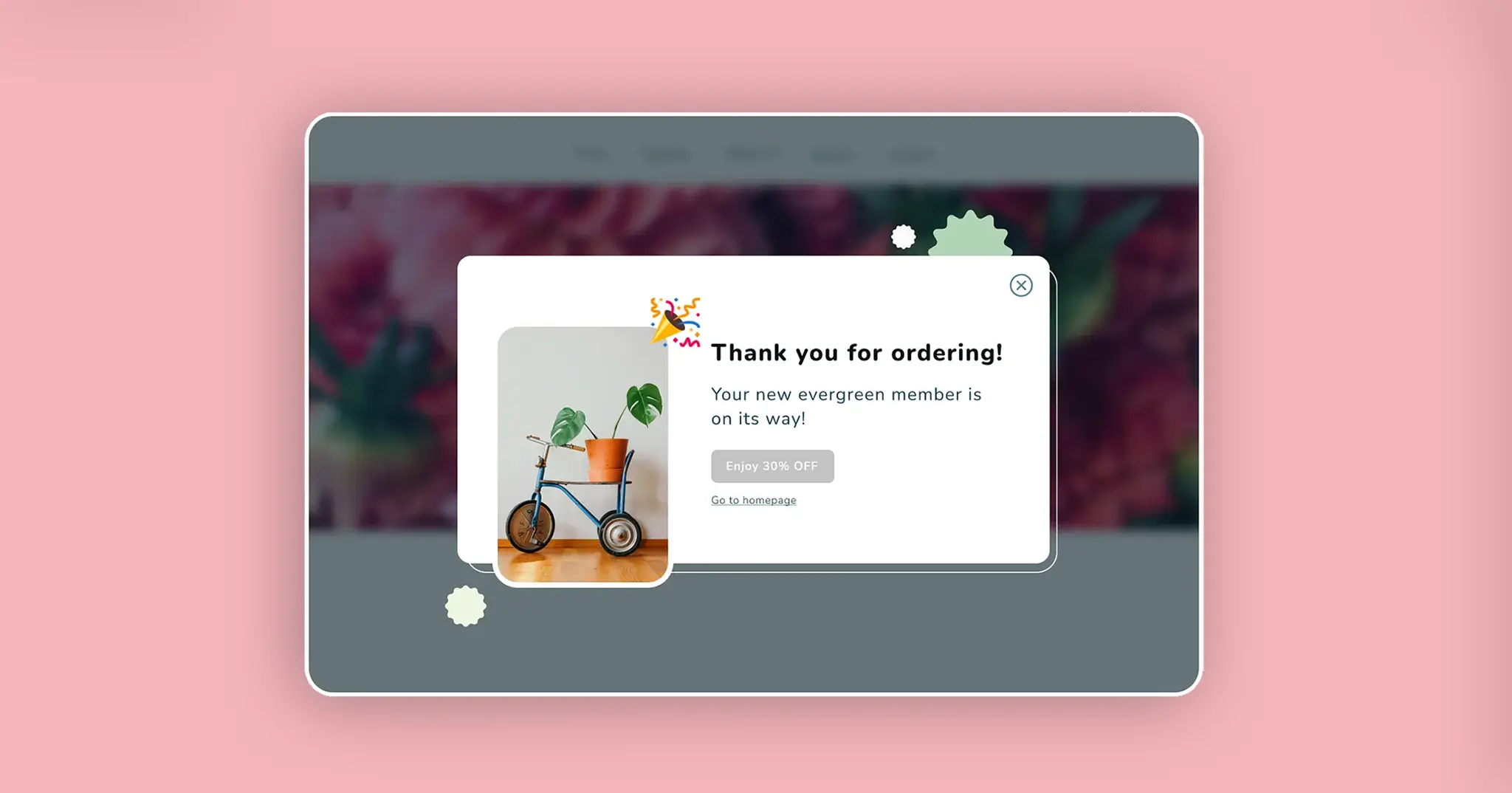
Idea 07: Post-Purchase Thank You Popup
A post-purchase popup appears on the order confirmation page – right after a visitor completes a purchase. This is the most underused popup type in eCommerce, which means zero competition for your visitor’s attention at that moment.
The timing is perfect. A customer who just bought from you is at their highest point of trust and satisfaction. That is exactly when you make your next move.
What to Offer:
- 15% off their next order as a thank you gift
- A referral discount – “Share with a friend and both get 10% off”
- A review request – “Tell us what you think and get a reward”
Trigger Settings:
- Trigger: Page load
- Pages: Order confirmation and thank you page only
- Frequency: Once per purchase
- Audience: Logged-in customers who just completed an order
Design Tip:
Lead with gratitude, not selling. Start with “Thank you for your order” before making any offer. The tone should feel warm and personal – not like another sales pitch. A customer who feels appreciated is far more likely to come back.
Quick Comparison Table on Elementor Popup / TL;DR
Not sure which popup to start with? Use this table to find the right Elementor popup idea for your store or client project in seconds.
| Popup Idea | Best Trigger | Best For | Goal |
|---|---|---|---|
| Idea 01: Exit-Intent Discount | Exit intent | All stores | Recover bouncing visitors |
| Idea 02: Welcome Discount | Time delay 5–8s | New visitors | First purchase + email signup |
| Idea 03: Cart Abandonment | Exit on cart page | WooCommerce stores | Recover lost sales |
| Idea 04: Free Shipping Threshold | Scroll 40% | AOV growth | Push visitors to spend more |
| Idea 05: Time-Limited Offer | Time delay 10s | Sales and launches | Create urgency |
| Idea 06: Lead Magnet | Scroll 50% on blog | Agencies and content sites | Grow email list |
| Idea 07: Post-Purchase | Page load on thank you page | Repeat buyers | Retain and reward customers |
How to Create an Elementor Popup
Creating an Elementor popup is easier than most people think. You do not need a separate plugin or any coding knowledge. Everything is built directly inside your Elementor dashboard in just a few steps.
Read this guide to know how to set up your first Elementor popup from scratch.
Elementor Popup Mistakes to Avoid
A poorly set up popup does not just fail to convert – it actively drives visitors away. These are the most common mistakes store owners and designers make when building Elementor popups.
Avoid these, and your popups will always feel helpful rather than annoying:
- Showing the same popup on every page – a discount popup on your thank you page makes no sense. Match the popup to the page and the visitor’s intent.
- No frequency cap – if a visitor sees the same popup on every single visit, they will start ignoring your site entirely. Always set a frequency limit.
- Too many form fields – asking for a name, email, phone number, and birthday in a popup kills conversions. One field is almost always enough.
- Full-screen popups on mobile – Google penalizes websites that use intrusive interstitials on mobile. Keep mobile popups small, dismissible, and non-intrusive.
- Fake countdown timers – visitors notice when a timer resets on every visit. It destroys trust and makes your brand look dishonest. Only use real deadlines.
- Vague copy – “Subscribe for updates” is not an offer. Be specific about what the visitor gets and why they should care right now.
The rule is simple. If your popup would annoy you as a visitor – it will annoy your customers too. Learn a few of the best eCommerce growth hacks from this article.
Frequently Asked Questions on Elementor Popup Ideas
What is the best Elementor popup for eCommerce?
The best Elementor pop-up for eCommerce depends on your biggest problem right now. If visitors are leaving without buying, start with an exit-intent discount popup. If your email list is empty, start with a welcome discount popup. Match the popup to the problem first.
Does Elementor have a built-in popup builder?
Yes. Elementor Pro comes with a built-in popup builder inside Templates → Popups. You can design, trigger, and target popups entirely inside the Elementor editor without any additional plugin.
How do I create a popup in Elementor?
Go to Templates → Popups in your WordPress dashboard. Click Add New, design your popup in the Elementor editor, then set your conditions, triggers, and advanced rules. Your popup will go live as soon as you publish it.
What is a good popup conversion rate?
A good popup conversion rate is anything above 3%. According to Wisepops, the average popup conversion rate is 4.82% in 2026. eCommerce-specific popups perform even higher — averaging 8.11% when designed and targeted correctly.
Can I show different popups to different visitors in Elementor?
Yes. Elementor’s advanced rules let you target popups based on visitor type, device, and login status. For even more control, HappyAddons Display Condition lets you target by user role, browser, operating system, date range, and more.
Conclusion
Elementor popups are not about interrupting your visitors. They are about showing up at the right moment with the right offer – and giving your visitor a reason to stay, buy, or come back.
You do not need to build all 7 ideas at once. Start with the one that matches your biggest problem right now. Fix cart abandonment first. Then grow your email list. Then work on retention. One popup at a time.
The stores and websites that convert the best are not the ones with the most popups. They are the ones with the most relevant popups. Relevance beats frequency every single time.
Pick your first idea. Build it today. And let your popup do the work for you.

![Black Friday and Cyber Monday are around the corner, and people are waiting for these festivals to grab the best product deals. That is why giving an attractive look to your website during this festive season is very necessary. But, creating a whole new landing page might be difficult in a short period of time. Don't worry. By using Happy Elementor Addons Black Friday and Cyber Monday Landing Page templates, you can easily develop a whole new landing page in a few minutes. In this today's blog, we are going to show how to boost your website design using HappyAddons templates during this festival season. Before that, we'll talk a bit about these two festivals and why they are important to online business communities. What are Black Friday and Cyber Monday? Black Friday is the immediate following of the famous Thanksgiving day. This is when people start shopping to celebrate the Christmas festival. Since the late 1980s, retail sales on this day have constantly been suppressing the past volumes. See the graph below. Source: Salecycle.com The first Monday following Thanksgiving day each year is called Cyber Monday. It was first introduced in 2005 by the USA National Retail Federation to encourage people to buy online. Though this festival originated in the USA, it is celebrated globally today. See the stats below. Source: Salecycle.com It indicates customers' buying behavior around this day is growing up over time. Many customers today keep a budget to buy products on these two days. So, why won’t you prepare a Cyber Monday landing page if you have an online store? Importance of Designing Landing Pages for Black Friday and Cyber Monday Festival Having a well-design website is one of the major checklists if you are running an online business. Most importantly, you have to make sure that your website remains up-to-date to boost your sales. That is why you need to redesign your website or make a new landing page during the Black Friday and Cyber Monday festivals. Because most online product & service-based businesses promote special deals during these two festivals. Here are some remarkable ways dedicated landing pages during these festivals can positively impact the performance of your online business. Boosts your product salesIncreases conversion rateOpportunity to collect potential email leadsGrabs users' attention toward your siteReduces bounce rateIncreases website visitors. Elementor Black Friday New Seasonal Kit is Already Here! Source: Elementor To make this Black Friday more enjoyable, Elementor has launched a New Seasonal Kit that includes landing pages, sections, pop-ups, and vector assets. All these design elements are made by the Elementor team so that one can easily use them on their website to ensure more sales and conversions. New Elementor Black Friday Seasonal Kit offers: 3 Landing pages6 Sections 6 Popups A collection of stickers & animations You can only get these ready-made Black Friday landing pages and sections if you have Installed Elementor Pro on your site. However, if you are looking for templates that are outside of the box, you can go with Happy Addons, the fastest Elementor Addons on the market. It's very easy to use, flexible and has tons of advanced features and widgets that can ease your website design journey. Also, you'll get several festival landing page templates & blocks. Moreover, you can use free Black Friday and Cyber Monday design blocks and templates to decorate your site. Most importantly, these templates and blocks are easy to customize and can be used for multiple purposes. Now let's see how you can use the Happy Addons templates to design your website according to the Black Friday theme. Pre-Requisites to Use HappyAddons Templates to Design Black Friday and Cyber Monday Landing Pages You must have the following plugins installed on your site to get access to the HappyAddons Template library. Make sure you’ve installed and activated the Happy Addons Free & Premium version of your website. Elementor (Free)Happy Addons (Free)Happy Addons Pro If you are new to Elementor, check this Step By Step Guide For Beginners. If you want to explore the readymade templates of HappyAddons before installing these plugins, you may visit by clicking on the button below. Check out Happy Addons Templates How to Design Black Friday Landing Page on Your Website Once you have the plugins (mentioned above) installed, your website is ready to follow the tutorial guide explained in this section. Get ready now! Step 1: Open a New Page with Elementor Create a new page or open the existing page with Elementor. Next, you have to select the Elementor Canvas option.Unless you select Elementor Canvas, you may watch the header, footer, and unnecessary other texts on the page. These might be irritating to you.Once you open the page with Elementor Canvas, your page will be completely clean. Watch the video below on how to do it. Step 02: Go to HappyAddons Library Click on the HappyAddons Library Icon. It will open up a modal popup. Here you'll find numerous stunning premade Blocks and Pages created by the Happy Addons team. Kindly explore them to create a list of your favorite items. Step 03: Import a HappyAddons Black Friday Template Go to the Page tab on the modal popup.Select Black Friday from the left-side filter option.You will several good-looking templates on your screen.Take your cursor on the one you like and hit on the INSERT button. Wait for a while to finish the installation process. You will get the template on your screen with editable sections and options. Step 04: Set the Black Friday Campaign Deadline A deadline creates a sense of urgency in customers' minds. So, better if you add a deadline section on the page to show your Black Friday deals. The good thing is that if you select the template as we did, you will automatically get a deadline or countdown option. You have to customize it as you want. Step 05: Show Image Carousel Slider on Your Black Friday Landing Page Using the Image Carousel, you can slide show demonstrating discounts on your product categories. Drag and drop the Image Carousel widget on any landing page section. Next, from the Elementor panel, you can add photos and text to the widget. Do it accordingly. Thus, you can add more sections and options on the landing page. Hope you can do it yourself. Step 06: Make the Black Friday Landing Page Mobile Responsive Making a web page mobile responsive with Elementor is super easy. You'll get the mobile responsive option on the Elementor footer section. Clicking on it will open up the option to view your landing page on different device screens. We have explained the process in the video below. Note: Don't delete any widget or section while customizing your landing page for any particular device. Because if you delete a widget or section on any device screen, it will also be applied on other devices. However, you may change their position or alignment or hide them. It won't make any impact on other devices. Step 07: Final Preview of Our Landing Page Here is the final interface of our Elementor Black Friday landing page that we've designed using the Happy Addons' ready-made Template. Get Happy Addons to Add a Black Friday Theme Landing Page on Your Website How to Design Cyber Monday Landing Page on Your Website You will require the same prerequisites (Elementor and HappyAddons Plugins) to design the Cyber Monday landing page on your website. Hope you have them ready on your website. Now, let's get into the tutorial part. Step 01: Import a Cyber Monday Readymade Landing Page Template Go to the HappyAddons Template library.Choose the Cyber Monday template you like.Click on the INSERT button. Wait for a while to finish the installation process. You'll get a page design like the following image below. Step 02: Edit Different Sections of the Page In the first tutorial, you saw the deadline/countdown option was already embedded in the template. But this template doesn't have it. So, you can bring it to your page? Very simple. Create a new section by clicking on the plus icon.Type Countdown on the Elementor search bar.Drag and drop the widget on the section. Customize the Countdown section from the Content and Style tabs of the Elementor panel. Using the Heading widget, we have added the FLASH DEALS text next to the countdown to make it more meaningful. Thus, you can use other exciting widgets on the template to make your landing page super gorgeous. Step 03: Promote Products on the Landing Page Promotional landing pages usually include a section to showcase some hot-selling products to generate instant sales. Using the Image and Button widgets, we have created this section under the FLASH DEALS.You may customize it more as you wish. Step 04: Make it Mobile Responsive We already showed you the process in the first tutorial on making a mobile web landing page responsive. Hope you can do it here as well, following the same guideline. Click on the Responsive Mode icon and do the rest yourself. Bonus: Black Friday and Cyber Monday Landing Page Design Key Considerations Whenever you design a landing page, you need to consider why you need to design this page and what elements they should keep on the page. Because if you are not adding all the necessary features to your page, it will not serve its purpose. This is why you need to focus on a few things before designing your Black Friday landing page. Here are some points you must consider in designing Black Friday and Cyber Monday landing pages. Add Black Friday textSet deals deadlineShow your best-discounted productsAdd coupon code Focus on responsive page designMake your page visually appealingImprove your page user experience or page structureSet a proper website navigation FAQ on Black Friday and Cyber Monday Landing Page Design Now, we'll answer some common questions on Black Friday and Cyber Monday Landing page designs commonly found online. How much does it cost to design a landing page?The cost of designing a landing page varies depending on the complexity of the design, the level of customization required, and whom to hire for the page. A simple landing page can be designed for as little as $25, while a more complex design with multiple customizations can cost upwards of $2,00.However, if you have Elementor and HappyAddons installed, you can design unlimited landing pages at a minimal cost. But like any other tool, you must have a kind of enterprise on them. As they are drag-and-drop builders and their numerous tutorials and documentation are available, they won't take you more than a month to be used to. Check out some wonderful YouTube tutorials on these two plugins. Hope you will enjoy them.How many hours does it take to design a landing page?It mainly depends on the level of design complexity and your web design skill. However, both in Elementor and HappyAddons, you will get countless readymade templates and block sections. You can design a beautiful landing page in 3-5 hours by making a proper combination of them.Can I design Black Friday and Cyber Monday Landing pages with Elementor and HappyAddons free versions?Surely, you can design Black Friday and Cyber Monday Landing pages with Elementor and HappyAddons free versions. But only with the pro versions, you can't add too many exciting features to your pages. For example, free versions will give you access to only a limited number of readymade templates.If you are just a beginner-level designer, free versions are enough. But if you are a professional designer or have a web designing agency, pro versions are a must. Are You Ready To Design Your Black Friday and Cyber Monday Landing Page? Customers look forward to this kind of occasion to buy their favorite products at a minimum price. Naturally, they are drawn to websites that look good and give a festive vibe. That is why adding a Black Friday and Cyber Monday landing page during the festival season will give you an extra edge over the competitors. The above guide shows how to design your Elementor Black Friday Landing page using the Happy Addons' Black Friday Templates and how it can help boost your holiday sales. So if you have any queries regarding this blog, you can comment on us in the below box. If you like this post, then share it on your social channel. Don't forget to subscribe to our newsletter. Also, follow our Facebook and Twitter channels for regular updates. Subscribe to our newsletter Get latest news & updates on Elementor [yikes-mailchimp form="1"] ":36560} /--](https://happyaddons.com/wp-content/uploads/2021/11/How-to-Design-Black-Friday-and-Cyber-Monday-Landing-Page-300x188.png)