






Running a web design agency sounds exciting – until you’re juggling five client projects at once, each with its own deadline, revision requests, and “can we just change this one thing” messages. The pressure doesn’t come from the design work. It comes from everything around it.
Most agencies don’t lose time because they lack skills. They lose time because they don’t have a system. Every project starts almost from scratch. Sections get rebuilt. Plugins conflict. And somewhere between the third revision and the final handoff, the profit margin quietly disappears.
That’s the real agency problem – not talent, not clients, not even tight deadlines. It’s the gap between how fast a project should move and how fast it actually does. The right tools close that gap. The wrong ones make it wider.
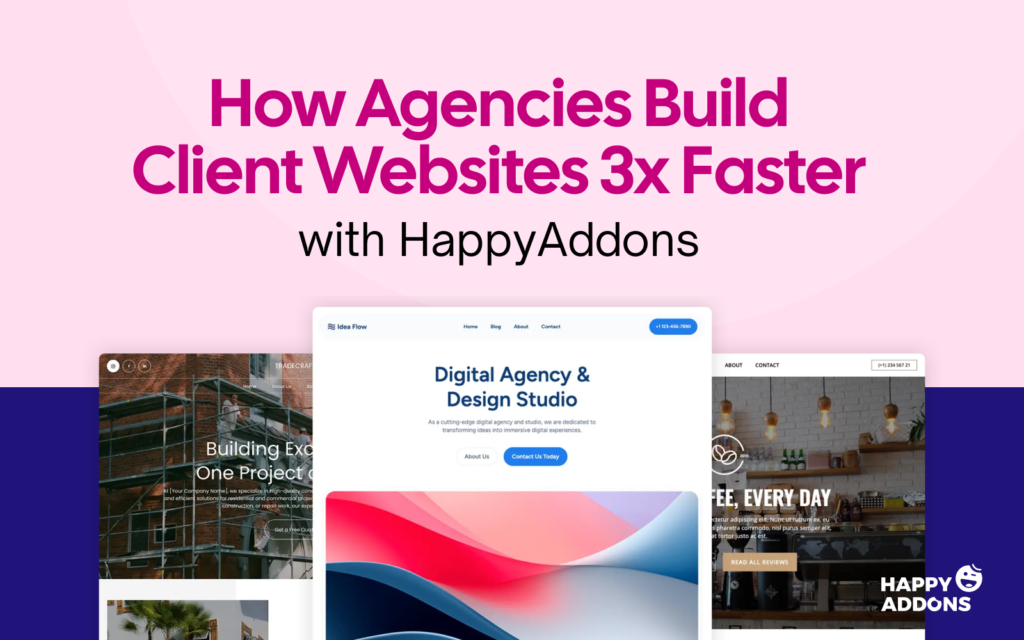
From this guide, you can learn how agencies build client websites 3x faster with HappyAddons. A real workflow guide, covering Theme Builder, templates, GSAP animations, and clean client handoff in Elementor.
Why Agencies Lose Time in Website Design
Most agencies assume slow delivery is a people problem. Someone’s not fast enough, not focused enough. But when you actually look at where the hours go, the real issue shows up quickly – there’s no repeatable process. Every project feels like starting over.
Here are the four places where agency time quietly disappears:
1. Project Setup Takes Too Long
Before a single content section is touched, 3 to 4 hours have already gone by. Installing plugins, configuring settings, rebuilding the header from scratch – all of it happens before the real work even begins. Do that across 10 projects a year, and you’ve lost weeks on setup alone.
2. Too Many Plugins in the Stack
Most agencies run 4 to 5 separate addons – one for animations, one for mega menus, one for the header builder, and another for templates. Each has its own update cycle. Each has its own way of breaking things at the worst possible time.
Read this post on how to check and fix theme and plugin conflicts.
3. Revision Cycles Eat the Profit
A client wants to change the hero layout. The section breaks. You fix it. They want the font adjusted globally. You chase it across five pages. By the time the site goes live, revisions have cost more time than the original build – and that’s not an exaggeration.
4. No System Means Starting Over Every Time
The biggest time drain isn’t any single task – it’s the lack of a repeatable process. Every project feels like the first one. No saved templates, no reusable sections, no standard structure to follow. The work gets done, but nothing carries forward to make the next project faster.
Read this post on basic web design principles so you can save your time in handling lots of design projects in the future.
Why and How HappyAddons Fits Agency Work
Fighting with slow plugins is the fastest way to kill your momentum. You need tools that actually fit your workflow – fast to set up, easy to tweak, and reliable enough that you aren’t stuck fixing bugs at midnight before a launch. Here is what makes HappyAddons the right fit for agency work specifically:
1. One Plugin Replaces Many
HappyAddons gives you 150+ widgets inside one plugin. Sliders, pricing tables, mega menus, GSAP animations, and header builder – all in one place. No juggling separate tools, no worrying about which plugin is conflicting with which. One plugin, one update, one support team to contact if something goes wrong.
2. A Template Library That Actually Saves Time
The Happy Templates library comes with 448+ section blocks and 81+ full-page templates. You’re not staring at a blank Elementor canvas every time a new project lands. Pick the closest layout, import it in a few clicks, and start customizing from there instead of from zero.
3. Proven on Real Client Sites
With 400,000+ active installs and a 4.8★ rating, this is a plugin agencies are already trusting on real client sites every day. The hard edge cases have already been found and fixed. For agencies, that kind of track record isn’t a nice-to-have – it’s the whole point.
How Agencies Build Client Websites 3x Faster with HappyAddons
The sections above covered why agencies lose time and what makes HappyAddons the right fit. Now let’s get into the actual workflow. The tips below are arranged in order – follow them chronologically for the best results, or pick the ones that address your biggest bottleneck right now.
Tip 01: Start with a Template, Not a Blank Canvas
Every project has a brief. The client wants a homepage, a services page, and an about section. Instead of opening Elementor and starting from scratch, the first move is opening Happy Templates and finding the layout that’s closest to what the client needs.
Import it in a few clicks, and it’s live inside your Elementor editor – structure, sections, placeholder content, and all. From there, you’re customizing, not constructing. That shift alone saves 45 to 60 minutes per page, and on a 5-page site, that’s an easy 4 hours back in your day.
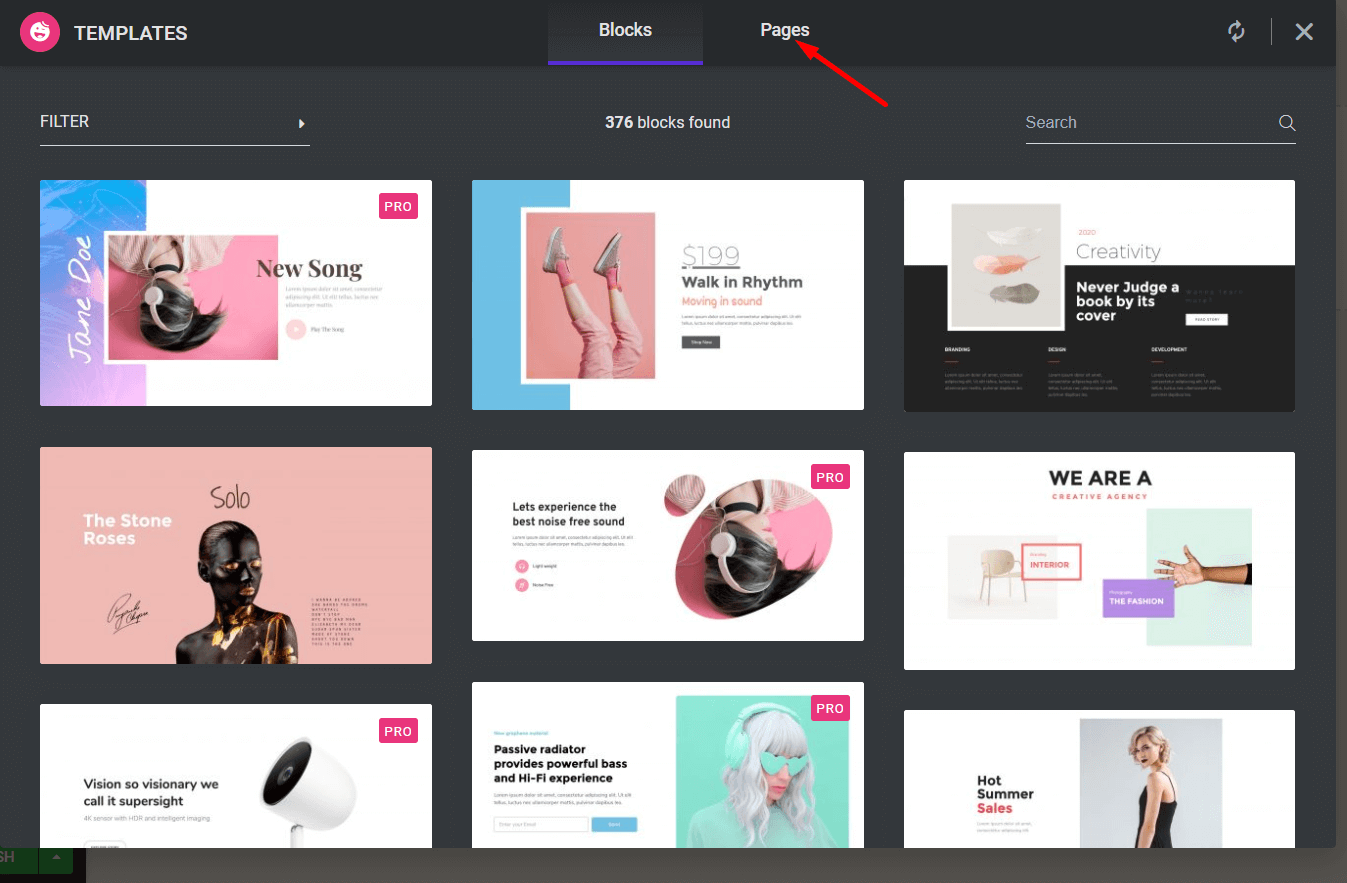
The templates aren’t just visually ready – they’re built with proper sections and widget structure, so you’re not inheriting messy code or locked layouts. You get a clean starting point that you can actually work with, not one you have to fight against before the real design work begins.
And as your agency grows, so does your starting point. Every project you finish, every section you refine – those become your own saved templates for the next client. The first project sets the foundation. By the fifth, you’re barely starting from the library anymore.
Tip 02: Build the Site Structure with Theme Builder
Once the template is in place, the next move is setting up the site structure – and this is where most agencies still waste time they don’t need to. They build the header and footer on one page, copy it manually to others, and hope nothing breaks when the client asks for a font change across the whole site.
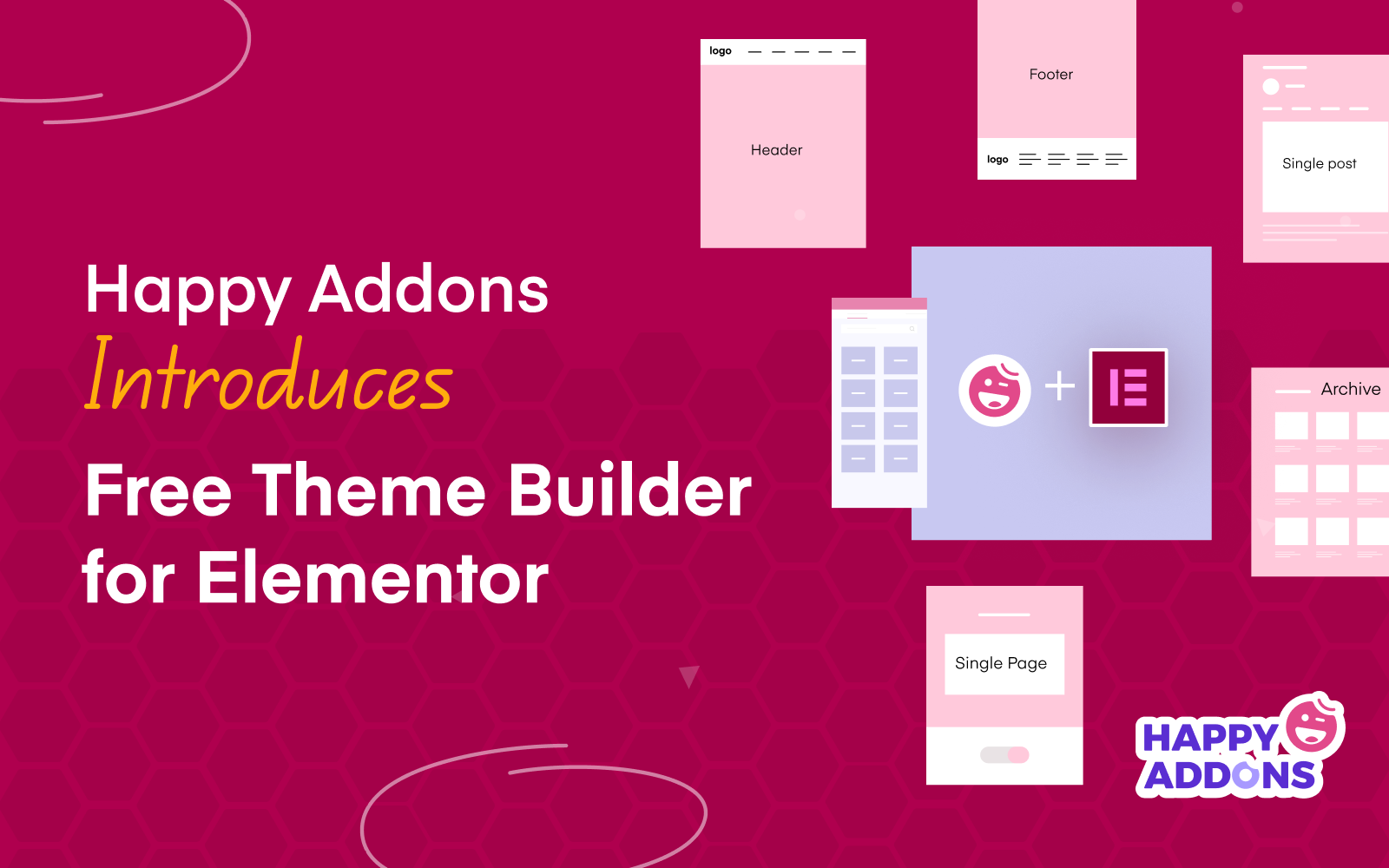
HappyAddons Theme Builder solves this at the root. Instead of building page by page, you build the structure once and apply it everywhere through conditions. Header, footer, single post layout, archive pages, loop templates – all designed once, all managed from one place.
Header & Footer
The header is the first thing you build. Logo, navigation, CTA button – designed once inside the Theme Builder, then set to display across the entire site. Change it once, and it updates everywhere. No more hunting through pages to fix a nav item a client decided to rename.
The footer works the same way. Contact details, social links, copyright text – one template, site-wide. Agencies dealing with multi-page client sites know exactly how much time this saves when the client emails at the last minute asking to update the phone number.
Single Post Template
Blog-heavy client sites need a consistent post layout. With the Single template, you design the blog post structure – featured image, title, author info, content area, related posts – and every blog post on the site inherits it automatically. No manual formatting per post.
This also means that when the client wants to rebrand the blog section, you update one template. Not fifty posts. That’s the kind of thing that turns a 3-hour revision into a 10-minute job.
Archive Page Template
Category pages and tag pages on most WordPress sites look like default WordPress – plain, unstyled, forgettable. With the Archive template, you design those pages properly inside Elementor and apply them site-wide just like the header. Check how to create an author archive page.
For clients running content-heavy sites or WooCommerce stores, this matters a lot. A well-designed archive page keeps visitors browsing. A default one sends them back to Google. Agencies that handle this detail stand out from those that don’t.
Loop Template
The Loop Template is what controls how individual postcards look inside grids, blog listings, and dynamic content areas. You design the card once – thumbnail, title, excerpt, category tag, read more button – and it repeats consistently across every listing on the site.
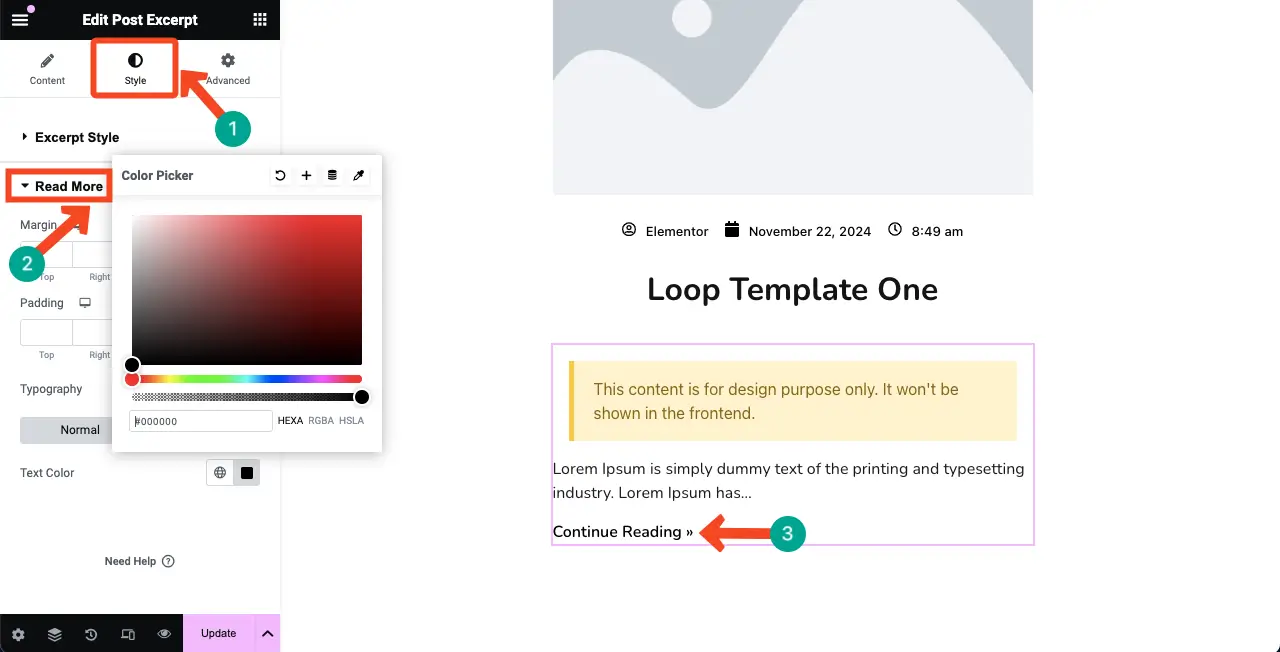
This is especially useful for agencies building portfolio sites, news sites, or any client that publishes content regularly. The client adds a new post, and it automatically looks right – no agency involvement needed. That’s fewer support calls and more time for the next project.
Tip 03: Build Your Agency’s Section Library
After a few client projects, you start noticing something. You’re building the same sections over and over – a hero banner, a testimonial block, a pricing table, a contact CTA. The design changes, the colors change, but the structure is almost always the same.
HappyAddons lets you save any section as a template directly from the Elementor editor. Build a testimonial section you’re happy with, save it, and it’s available on every future project. Same for pricing tables, team sections, FAQ blocks – anything you find yourself rebuilding from scratch repeatedly.
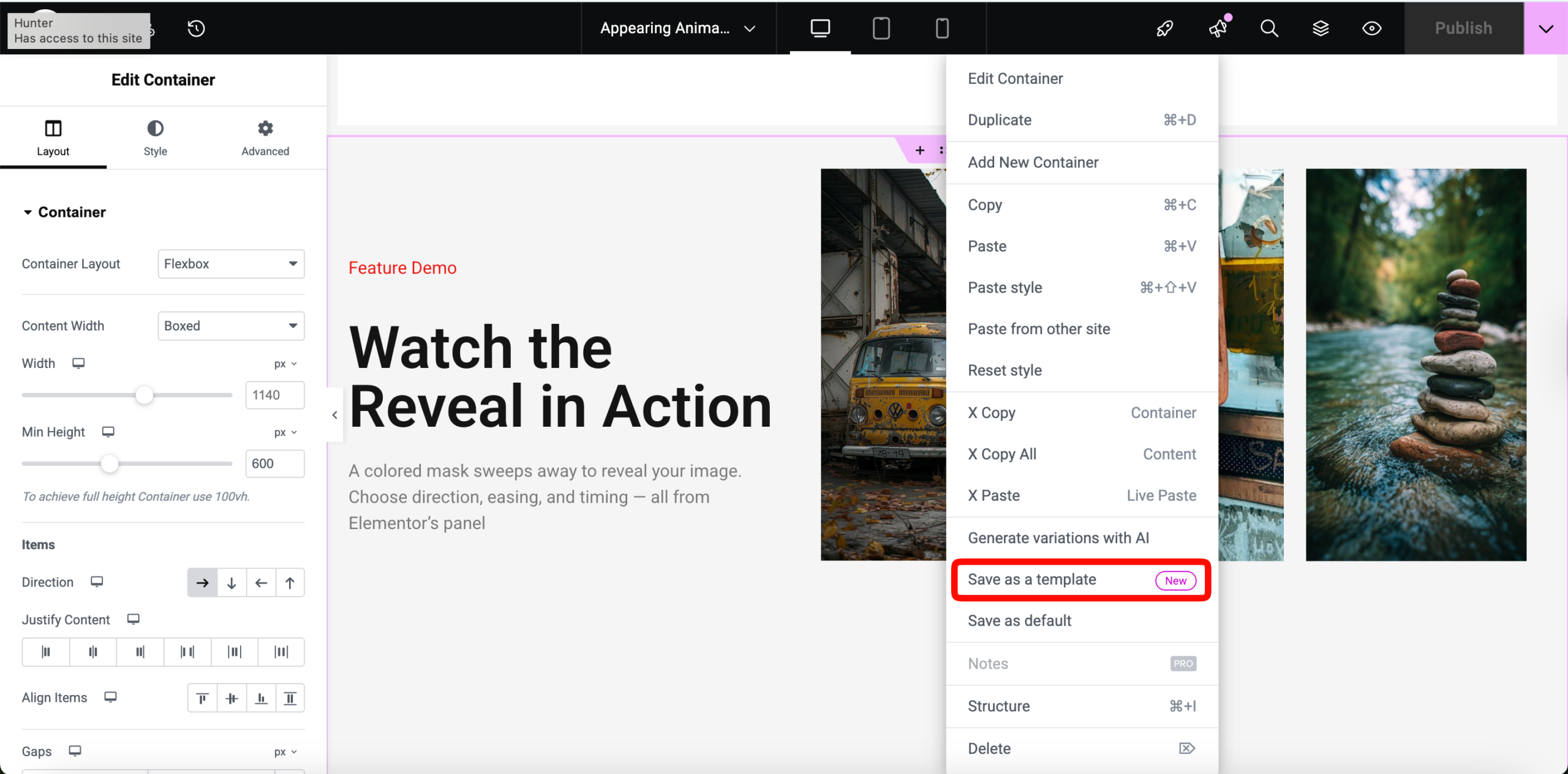
The real value shows up over time. Your first client project might take 20 hours to complete. By the fifth project, you’re pulling saved sections, swapping content, adjusting colors to match the brand – and the same quality site is done in 8 hours. The work compounds in your favor.
This is how agencies quietly build a competitive edge. Not by hiring more people or working longer hours, but by making every finished project contribute to the next one. Your section library grows with each build, and your delivery time keeps dropping without dropping the quality.
Tip 04: Add Motion Without a Developer
Clients always want something that moves. A scroll animation on the hero image, a fade-in effect on the features section, a parallax background that shifts as you scroll. A year ago, that kind of request meant calling a developer, explaining the brief, waiting, and reviewing. That added days to a project.
HappyAddons comes with GSAP-powered scroll-triggered animations built directly into the widget panel. The Image Appearing Animation, parallax effects, scroll reveals – all applied through a few settings inside Elementor. No custom JavaScript, no developer handoff, no back and forth.
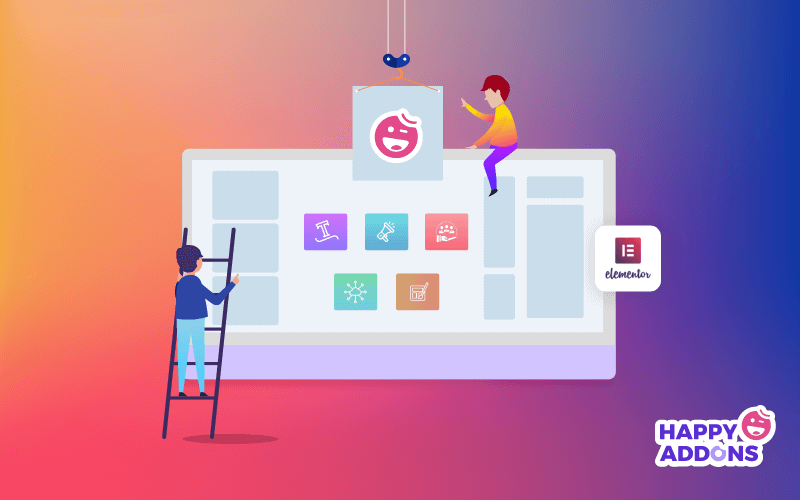
This changes what agencies can confidently promise clients. Features that used to be upsells requiring extra time and budget are now part of the standard build. You add motion to a section in minutes, the client sees it in the preview, and it goes live the same day.
The time saved here is real. Custom animation work from a developer typically adds 3 to 5 hours to a project minimum. With HappyAddons handling it inside the editor, that time goes back into the project – or into starting the next one.
Tip 05: Hand Off Clean, Stay Out of Revision Hell
The build is done. The client approves it. You hand it over – and two days later they message asking you to change a heading because they couldn’t figure out how to edit it themselves. That one message turns into a call, the call turns into a screen share, and suddenly an hour is gone.
This happens when the site isn’t built for the person who will actually use it after launch. HappyAddons widgets have a clean, straightforward structure inside the Elementor editor. Text is where you’d expect it. Images are swappable without touching the layout. Clients can make basic edits without accidentally breaking anything.
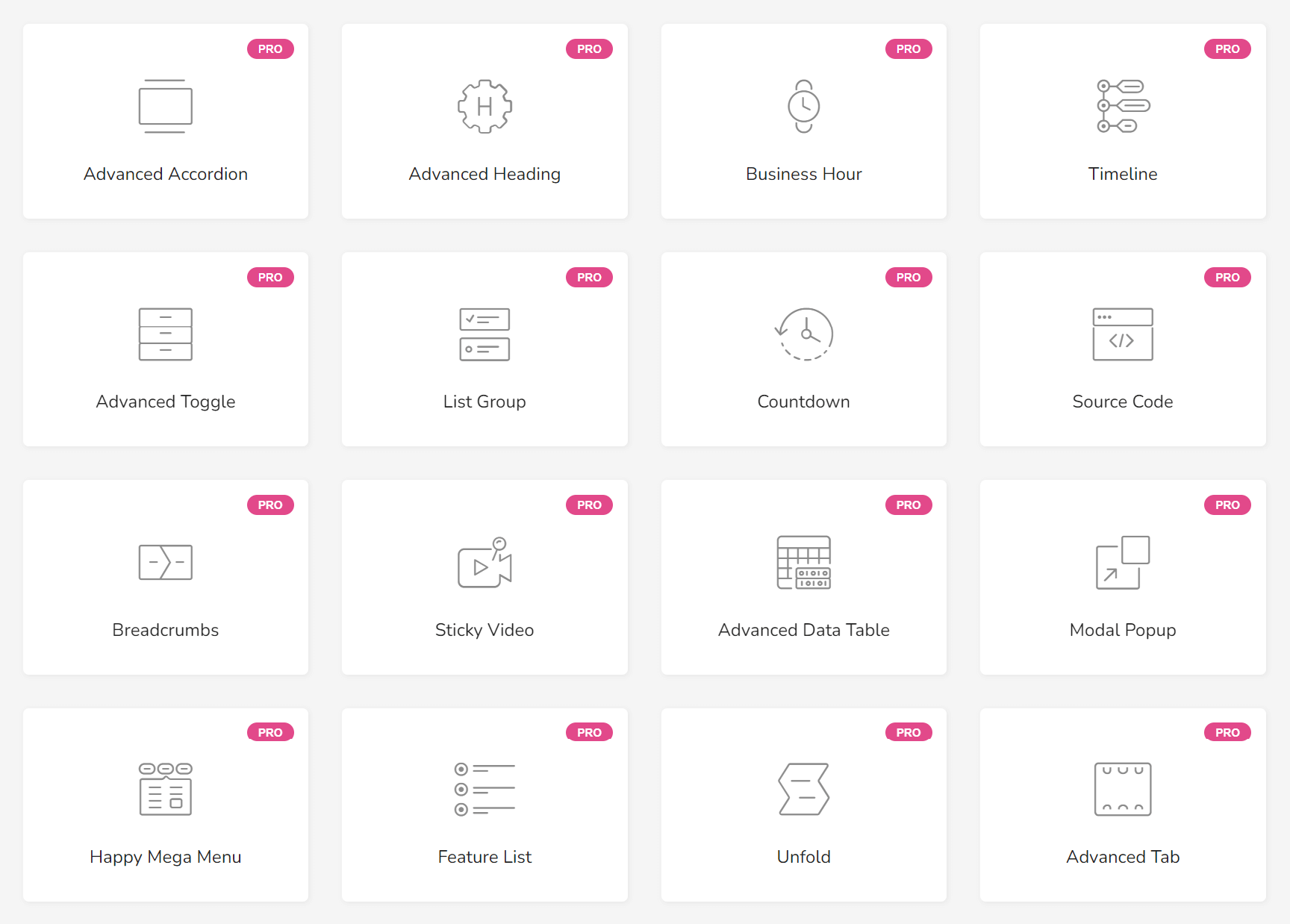
For content-heavy client sites, the Advanced Search widget adds another layer of independence. Clients can find their own pages, posts, and content through a fast, Ajax-powered search instead of calling you every time they can’t locate something in the WordPress dashboard.
The less hand-holding a client needs post-launch, the more time your agency has for the next project. A clean handoff isn’t just good service – it’s how you protect your own time and keep the relationship from turning into unpaid support work after the invoice is paid.
Tip 06: Maintenance Is One Plugin, Not Five
Once a site goes live, the work doesn’t fully stop. Plugins need updates, Elementor releases new versions, and clients occasionally add new pages that need to match the existing design. How smoothly this goes depends entirely on how the site was built in the first place.
HappyAddons stays up to date with Elementor releases. When Elementor 4.0 rolled out, HappyAddons was already compatible. That matters because a plugin conflict after a major update is the kind of thing that pulls you away from a new project to fix an old one – at the worst possible time.
Running one plugin instead of five also means one update to check, one changelog to read, and one team to contact if something needs attention. Agencies managing 10 or 20 client sites feel this difference immediately. Update days go from an afternoon of checking and testing to something you can move through in under an hour.
There’s also an upsell angle worth mentioning. Because everything – animations, new sections, landing pages, mega menus – is built inside the same plugin, adding features for a client later is straightforward. You’re not learning a new tool or installing something new. You open the editor, build what’s needed, and bill for it. That’s how maintenance retainers become genuinely profitable.
Real Scenario: How agencies build client websites faster
A client needs a 5-page business site – homepage, about, services, blog, and contact. Standard brief, 5-day deadline. Here is how an agency with a proper HappyAddons workflow actually moves through it.
The whole thing runs across two focused days. No late nights, no scrambling, no “we need more time” conversation with the client. Just a system doing what a system is supposed to do.
Day 1
- Theme Builder set up first – header, footer, single post template, archive page configured site-wide in under an hour
- Homepage imported from Happy Templates, customized for the client’s brand – done by midday
- Services and About pages built using saved section blocks from the agency library
- End of Day 1: 4 out of 5 pages complete
Day 2
- Contact page finished using saved form and map sections – under 30 minutes
- GSAP scroll animations added to hero and key sections across the site
- Staging link sent to client for review
- One revision round comes back – global changes handled through Theme Builder in minutes
- Site handed off before end of day
Total focused hours: around 10. Without this system, the same project typically runs 3 to 4 fragmented days across a full team. That’s not an exaggeration – that’s just what happens when there’s no workflow holding everything together.
One Plugin vs. Five Plugins
Most agencies don’t realize how much time the plugin stack itself costs them. It’s not just the money – it’s the updates, the conflicts, the duplicate settings panels, and the support tickets spread across five different teams when something breaks.
Here’s what a typical agency stack looks like versus what HappyAddons replaces:
| What Agencies Usually Stack | What HappyAddons Replaces It With |
|---|---|
| Separate animation plugin | GSAP animations built into the widget panel |
| Separate header builder plugin | Header Footer Builder included free |
| Separate template library plugin | Happy Templates – 500+ blocks, 70+ full pages |
| Separate mega menu plugin | Happy Mega Menu widget included |
| Separate slider plugin | Header-Footer Builder is included free |
The difference isn’t just cost. Every plugin you remove from the stack is one less thing to update, one less potential conflict with the next Elementor release, and one less settings panel your team needs to know.
For agencies managing 10, 15, or 20 client sites, this compounds fast. Fewer plugins per site means maintenance is simpler, handoffs are cleaner, and the sites you build stay stable long after the invoice is paid.
Keep Your Team Aligned with WP Project Manager
Building fast is only half the job. The other half is making sure the right person is working on the right task at the right time. Without that, even the fastest build workflow breaks down – things fall through the cracks, deadlines slip, and the team ends up in a messy back-and-forth over email.
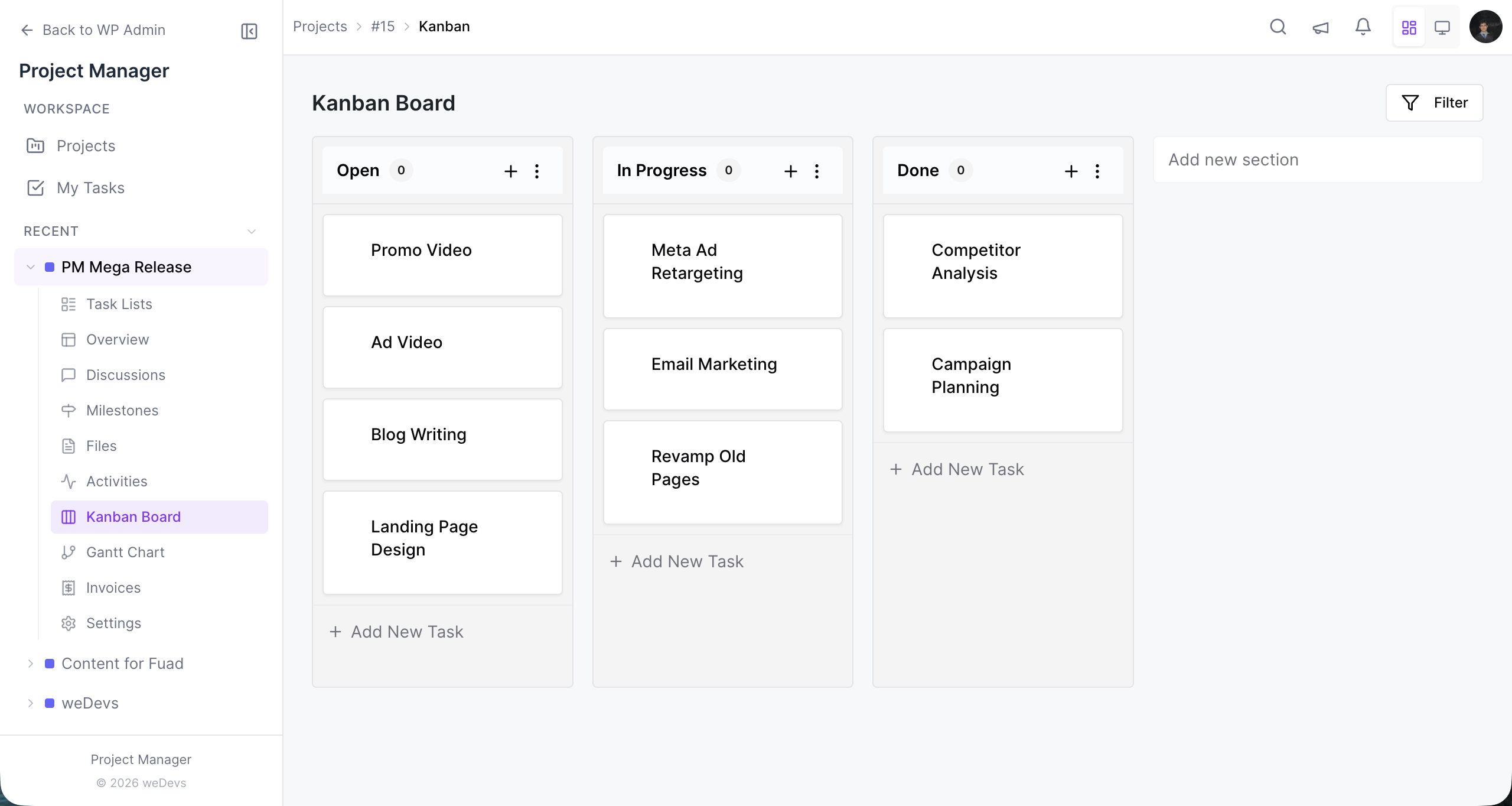
WP Project Manager is a project management tool built by weDevs and lives right inside your WordPress dashboard. No switching to Trello, no separate Asana tab, no “did you see my message” moments. Everything your team needs to stay on track is in one place, alongside the site you’re actually building.
Here’s what agencies use it for day to day:
- Task Lists & Subtasks – Break each client project into clear tasks, assign them to team members, set due dates, and track progress without a single status meeting
- Kanban Board – Visualize the entire workflow in columns. See what’s in progress, what’s waiting on client feedback, and what’s done – at a glance
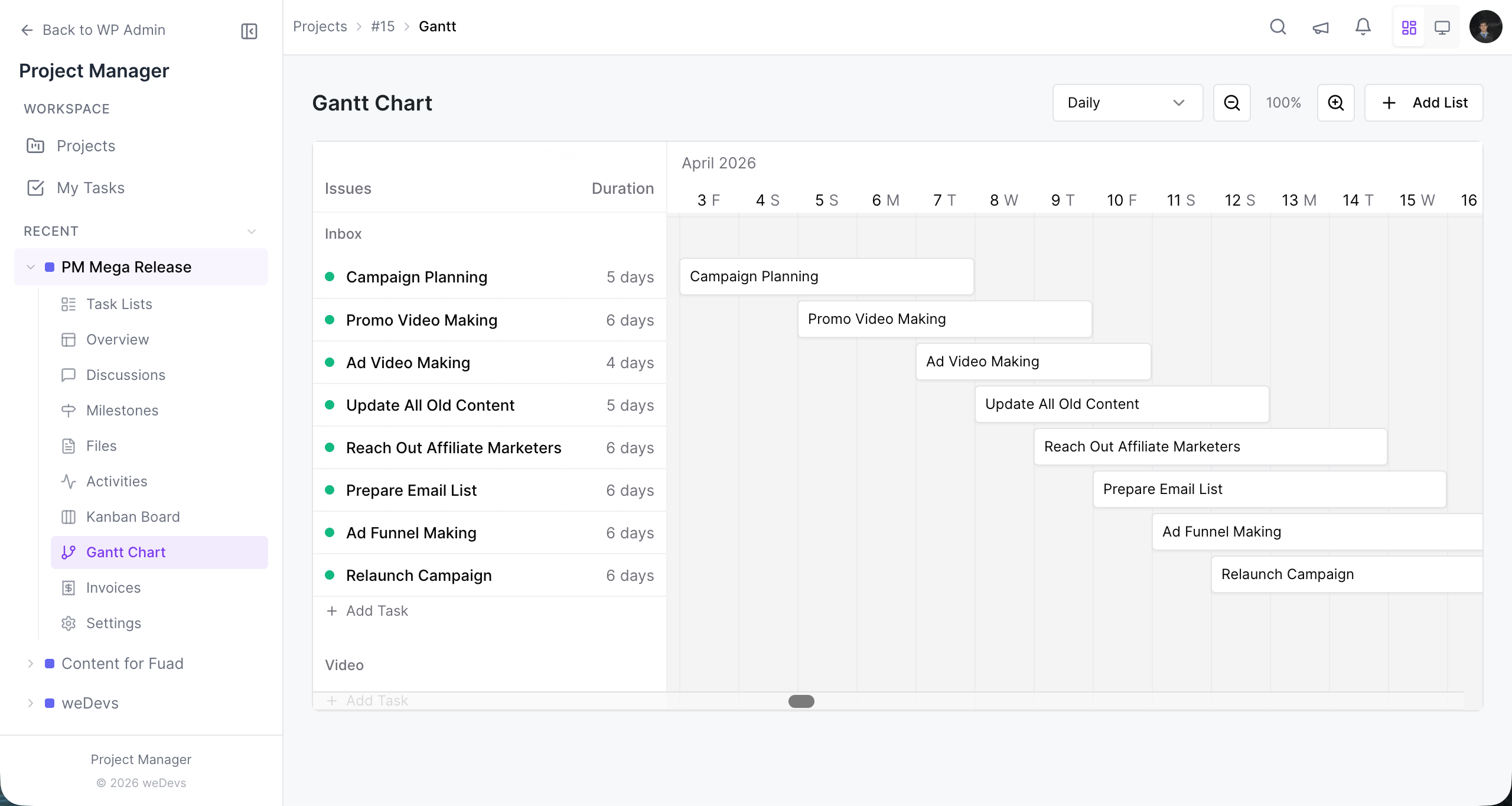
- Gantt Chart – Map out project timelines, link dependent tasks, and catch scheduling conflicts before they turn into missed deadlines
- Milestone Tracking – Set key project milestones so the team always knows what the next big goal is and how close they are to hitting it
- Time Tracker – Log hours per task per team member. Useful for billing clients accurately and understanding where time actually goes on each project
- File Manager – Share design files, briefs, and client assets in one directory. Link Google Docs directly if needed. No more hunting through email threads for the latest version
- Discussion Threads – Keep project conversations attached to the project itself, not scattered across Slack, email, and WhatsApp
Think of it this way – HappyAddons handles the build speed, WP Project Manager handles everything around the build. One makes your sites faster to deliver. The other makes sure your team delivers them without the chaos that usually comes with agency work.
Conclusion
Building client websites faster isn’t about rushing. It’s about removing the parts of the process that slow you down without adding any real value – the repetitive setups, the plugin conflicts, the revision breaks, the scattered team communication.
HappyAddons gives agencies a complete toolkit inside one plugin to build client websites. Templates to start fast, Theme Builder to set the structure once, saved sections to reuse across projects, GSAP animations to impress clients without calling a developer, and a clean handoff that keeps post-launch support calls to a minimum.
Add WP Project Manager on top of that and both sides of agency work are covered. The design side moves faster. The project side stays organized. Your team knows what they’re working on, your clients get their sites on time, and your margins stop disappearing into untracked revision hours.
The agencies that consistently deliver great work on tight deadlines aren’t doing anything magical. They’ve just built a system and stuck to it. HappyAddons is a big part of what that system looks like for WordPress agencies today. Start with the free version, build your first template library, and see how the second project compares to the first.
![Black Friday and Cyber Monday are around the corner, and people are waiting for these festivals to grab the best product deals. That is why giving an attractive look to your website during this festive season is very necessary. But, creating a whole new landing page might be difficult in a short period of time. Don't worry. By using Happy Elementor Addons Black Friday and Cyber Monday Landing Page templates, you can easily develop a whole new landing page in a few minutes. In this today's blog, we are going to show how to boost your website design using HappyAddons templates during this festival season. Before that, we'll talk a bit about these two festivals and why they are important to online business communities. What are Black Friday and Cyber Monday? Black Friday is the immediate following of the famous Thanksgiving day. This is when people start shopping to celebrate the Christmas festival. Since the late 1980s, retail sales on this day have constantly been suppressing the past volumes. See the graph below. Source: Salecycle.com The first Monday following Thanksgiving day each year is called Cyber Monday. It was first introduced in 2005 by the USA National Retail Federation to encourage people to buy online. Though this festival originated in the USA, it is celebrated globally today. See the stats below. Source: Salecycle.com It indicates customers' buying behavior around this day is growing up over time. Many customers today keep a budget to buy products on these two days. So, why won’t you prepare a Cyber Monday landing page if you have an online store? Importance of Designing Landing Pages for Black Friday and Cyber Monday Festival Having a well-design website is one of the major checklists if you are running an online business. Most importantly, you have to make sure that your website remains up-to-date to boost your sales. That is why you need to redesign your website or make a new landing page during the Black Friday and Cyber Monday festivals. Because most online product & service-based businesses promote special deals during these two festivals. Here are some remarkable ways dedicated landing pages during these festivals can positively impact the performance of your online business. Boosts your product salesIncreases conversion rateOpportunity to collect potential email leadsGrabs users' attention toward your siteReduces bounce rateIncreases website visitors. Elementor Black Friday New Seasonal Kit is Already Here! Source: Elementor To make this Black Friday more enjoyable, Elementor has launched a New Seasonal Kit that includes landing pages, sections, pop-ups, and vector assets. All these design elements are made by the Elementor team so that one can easily use them on their website to ensure more sales and conversions. New Elementor Black Friday Seasonal Kit offers: 3 Landing pages6 Sections 6 Popups A collection of stickers & animations You can only get these ready-made Black Friday landing pages and sections if you have Installed Elementor Pro on your site. However, if you are looking for templates that are outside of the box, you can go with Happy Addons, the fastest Elementor Addons on the market. It's very easy to use, flexible and has tons of advanced features and widgets that can ease your website design journey. Also, you'll get several festival landing page templates & blocks. Moreover, you can use free Black Friday and Cyber Monday design blocks and templates to decorate your site. Most importantly, these templates and blocks are easy to customize and can be used for multiple purposes. Now let's see how you can use the Happy Addons templates to design your website according to the Black Friday theme. Pre-Requisites to Use HappyAddons Templates to Design Black Friday and Cyber Monday Landing Pages You must have the following plugins installed on your site to get access to the HappyAddons Template library. Make sure you’ve installed and activated the Happy Addons Free & Premium version of your website. Elementor (Free)Happy Addons (Free)Happy Addons Pro If you are new to Elementor, check this Step By Step Guide For Beginners. If you want to explore the readymade templates of HappyAddons before installing these plugins, you may visit by clicking on the button below. Check out Happy Addons Templates How to Design Black Friday Landing Page on Your Website Once you have the plugins (mentioned above) installed, your website is ready to follow the tutorial guide explained in this section. Get ready now! Step 1: Open a New Page with Elementor Create a new page or open the existing page with Elementor. Next, you have to select the Elementor Canvas option.Unless you select Elementor Canvas, you may watch the header, footer, and unnecessary other texts on the page. These might be irritating to you.Once you open the page with Elementor Canvas, your page will be completely clean. Watch the video below on how to do it. Step 02: Go to HappyAddons Library Click on the HappyAddons Library Icon. It will open up a modal popup. Here you'll find numerous stunning premade Blocks and Pages created by the Happy Addons team. Kindly explore them to create a list of your favorite items. Step 03: Import a HappyAddons Black Friday Template Go to the Page tab on the modal popup.Select Black Friday from the left-side filter option.You will several good-looking templates on your screen.Take your cursor on the one you like and hit on the INSERT button. Wait for a while to finish the installation process. You will get the template on your screen with editable sections and options. Step 04: Set the Black Friday Campaign Deadline A deadline creates a sense of urgency in customers' minds. So, better if you add a deadline section on the page to show your Black Friday deals. The good thing is that if you select the template as we did, you will automatically get a deadline or countdown option. You have to customize it as you want. Step 05: Show Image Carousel Slider on Your Black Friday Landing Page Using the Image Carousel, you can slide show demonstrating discounts on your product categories. Drag and drop the Image Carousel widget on any landing page section. Next, from the Elementor panel, you can add photos and text to the widget. Do it accordingly. Thus, you can add more sections and options on the landing page. Hope you can do it yourself. Step 06: Make the Black Friday Landing Page Mobile Responsive Making a web page mobile responsive with Elementor is super easy. You'll get the mobile responsive option on the Elementor footer section. Clicking on it will open up the option to view your landing page on different device screens. We have explained the process in the video below. Note: Don't delete any widget or section while customizing your landing page for any particular device. Because if you delete a widget or section on any device screen, it will also be applied on other devices. However, you may change their position or alignment or hide them. It won't make any impact on other devices. Step 07: Final Preview of Our Landing Page Here is the final interface of our Elementor Black Friday landing page that we've designed using the Happy Addons' ready-made Template. Get Happy Addons to Add a Black Friday Theme Landing Page on Your Website How to Design Cyber Monday Landing Page on Your Website You will require the same prerequisites (Elementor and HappyAddons Plugins) to design the Cyber Monday landing page on your website. Hope you have them ready on your website. Now, let's get into the tutorial part. Step 01: Import a Cyber Monday Readymade Landing Page Template Go to the HappyAddons Template library.Choose the Cyber Monday template you like.Click on the INSERT button. Wait for a while to finish the installation process. You'll get a page design like the following image below. Step 02: Edit Different Sections of the Page In the first tutorial, you saw the deadline/countdown option was already embedded in the template. But this template doesn't have it. So, you can bring it to your page? Very simple. Create a new section by clicking on the plus icon.Type Countdown on the Elementor search bar.Drag and drop the widget on the section. Customize the Countdown section from the Content and Style tabs of the Elementor panel. Using the Heading widget, we have added the FLASH DEALS text next to the countdown to make it more meaningful. Thus, you can use other exciting widgets on the template to make your landing page super gorgeous. Step 03: Promote Products on the Landing Page Promotional landing pages usually include a section to showcase some hot-selling products to generate instant sales. Using the Image and Button widgets, we have created this section under the FLASH DEALS.You may customize it more as you wish. Step 04: Make it Mobile Responsive We already showed you the process in the first tutorial on making a mobile web landing page responsive. Hope you can do it here as well, following the same guideline. Click on the Responsive Mode icon and do the rest yourself. Bonus: Black Friday and Cyber Monday Landing Page Design Key Considerations Whenever you design a landing page, you need to consider why you need to design this page and what elements they should keep on the page. Because if you are not adding all the necessary features to your page, it will not serve its purpose. This is why you need to focus on a few things before designing your Black Friday landing page. Here are some points you must consider in designing Black Friday and Cyber Monday landing pages. Add Black Friday textSet deals deadlineShow your best-discounted productsAdd coupon code Focus on responsive page designMake your page visually appealingImprove your page user experience or page structureSet a proper website navigation FAQ on Black Friday and Cyber Monday Landing Page Design Now, we'll answer some common questions on Black Friday and Cyber Monday Landing page designs commonly found online. How much does it cost to design a landing page?The cost of designing a landing page varies depending on the complexity of the design, the level of customization required, and whom to hire for the page. A simple landing page can be designed for as little as $25, while a more complex design with multiple customizations can cost upwards of $2,00.However, if you have Elementor and HappyAddons installed, you can design unlimited landing pages at a minimal cost. But like any other tool, you must have a kind of enterprise on them. As they are drag-and-drop builders and their numerous tutorials and documentation are available, they won't take you more than a month to be used to. Check out some wonderful YouTube tutorials on these two plugins. Hope you will enjoy them.How many hours does it take to design a landing page?It mainly depends on the level of design complexity and your web design skill. However, both in Elementor and HappyAddons, you will get countless readymade templates and block sections. You can design a beautiful landing page in 3-5 hours by making a proper combination of them.Can I design Black Friday and Cyber Monday Landing pages with Elementor and HappyAddons free versions?Surely, you can design Black Friday and Cyber Monday Landing pages with Elementor and HappyAddons free versions. But only with the pro versions, you can't add too many exciting features to your pages. For example, free versions will give you access to only a limited number of readymade templates.If you are just a beginner-level designer, free versions are enough. But if you are a professional designer or have a web designing agency, pro versions are a must. Are You Ready To Design Your Black Friday and Cyber Monday Landing Page? Customers look forward to this kind of occasion to buy their favorite products at a minimum price. Naturally, they are drawn to websites that look good and give a festive vibe. That is why adding a Black Friday and Cyber Monday landing page during the festival season will give you an extra edge over the competitors. The above guide shows how to design your Elementor Black Friday Landing page using the Happy Addons' Black Friday Templates and how it can help boost your holiday sales. So if you have any queries regarding this blog, you can comment on us in the below box. If you like this post, then share it on your social channel. Don't forget to subscribe to our newsletter. Also, follow our Facebook and Twitter channels for regular updates. Subscribe to our newsletter Get latest news & updates on Elementor [yikes-mailchimp form="1"] ":36560} /--](https://happyaddons.com/wp-content/uploads/2021/11/How-to-Design-Black-Friday-and-Cyber-Monday-Landing-Page-300x188.png)