





If you are a photographer and are looking for the easiest way to build a professional website, WordPress could be a great solution. It’s one of the finest and most resourceful web-building platforms to create an entire website from scratch without having to code anything.
WordPress offers various types of plugins to display media files in a stunning way that could really be helpful for photographers to showcase their work. For example, gallery plugins, slider plugins, carousel plugins, social sharing plugins, portfolio plugins, etc.
In this post, we’ll walk you through some of the best WordPress plugins for photographers that can take your photography website to the next level. Hope you will enjoy this discussion a lot and find it extremely useful. Get started!
Is Photography Still a Good Career in This AI Age?
No doubt, we are currently living in an AI-dominating world. Countless generative AI tools are out there that can instantly produce high-quality images according to our prompt. So, lots of people today are increasingly getting dependent on AI tools, which is posing a serious threat to whether photography is still relevant today or not.
But never forget that there will always be spaces for human creativity and for those who can add emotional touch. If you are really talented and have faith in your creativity and professionalism, you can still add value. Take a look at some points below.

1. The Industry Is Changing, Not Disappearing
According to ArtSmart.ai, around 85% of professional photographers expect a major transformation in the next five years because of AI. But this doesn’t mean photography is dying, but evolving. Professionals who embrace new tools and trends will remain in demand as the industry expands.
2. Photographers Are Adapting with AI Tools
More than 80% of photographers already use AI, with 32.2% using it regularly and 53.1% occasionally (ArtSmart.ai). Instead of replacing their craft, AI helps them edit faster, test new creative ideas, and produce more consistent results. It’s becoming a trusted assistant, not a competitor.
3. Real Photos Still Matter More Than AI Images
Despite AI’s progress, authenticity remains key. Studies show that 64% of consumers trust brands more when they use real photos instead of AI-enhanced images. People connect emotionally with genuine human moments. This means photographers remain vital to brands, media, and storytelling.
Explore this guide to learn how to create a photography website.
4. The Photography Market Keeps Growing
Far from declining, the photography industry is expanding. The global photography services market is projected to grow from $33.5 billion in 2023 to over $60 billion by 2032 (Custom Market Insights). So, the demand for skilled photographers is expected to remain strong worldwide.
5. AI Is Boosting Efficiency, Not Taking Jobs
AI-driven tools are helping photographers work smarter. Reports from ArtSmart.ai and Dzine.ai show that AI editing tools can increase workflow efficiency by up to 50%, and 68% of AI-savvy photographers believe AI will soon handle more than half of post-production tasks.
In short, photography is still a great career, but in a more tech-savvy form. So, those who can blend human creativity with AI’s power will continue to lead the way in this exciting new era.
Check this guide on how to create a website with Elementor.
Types of Plugins Needed in a Photography Website
Building a photography website is not just about uploading pictures. It’s about presenting them beautifully and managing them efficiently. To make your site both attractive and functional, you’ll need a mix of different plugin types designed for specific photography needs. They are:

1. Gallery Plugins
Gallery plugins are essential for creating stylish and organized photo galleries. They let you display images in grids, masonry layouts, or lightboxes for easy browsing.
2. Slider Plugins
Slider plugins help you show one photo at a time with smooth transitions or effects. They’re perfect for homepage banners, featured images, or storytelling slideshows that highlight your best shots.
3. Carousel Plugins
Carousel plugins display multiple photos in a scrollable row. It allows visitors to swipe or click through several images quickly. They’re great for client showcases or event highlights.
4. Image Optimization Plugins
These plugins compress and resize your photos automatically to improve loading speed without losing quality. Fast-loading pages not only enhance user experience but also help with SEO rankings.
Visit this tutorial on how to optimize images on a WordPress website.
5. eCommerce Plugins
If you want to sell prints or digital photos, eCommerce plugins like WooCommerce let you set up an online store. You can add pricing, manage orders, and accept payments securely.
6. Social Sharing Plugins
These plugins make it easy for visitors to share your photos or gallery pages on social media platforms, helping you gain more exposure and followers.
In addition to these, you’ll definitely need various features like media management, lightbox, watermark, SEO, backup, security, and more. Based on these key points, in the next section, we’ll discuss the best WordPress plugins for photographers that offer these features.
Take a look at the best WordPress speed optimization plugins.
Best WordPress Plugins for Photographers Explained
So, the theoretical part is over. Now, in this section, we’ll list and discuss some of the best WordPress plugins for Photographers, including their key features. Keep reading!
1. Envira Photo Gallery (Shortcode-based)
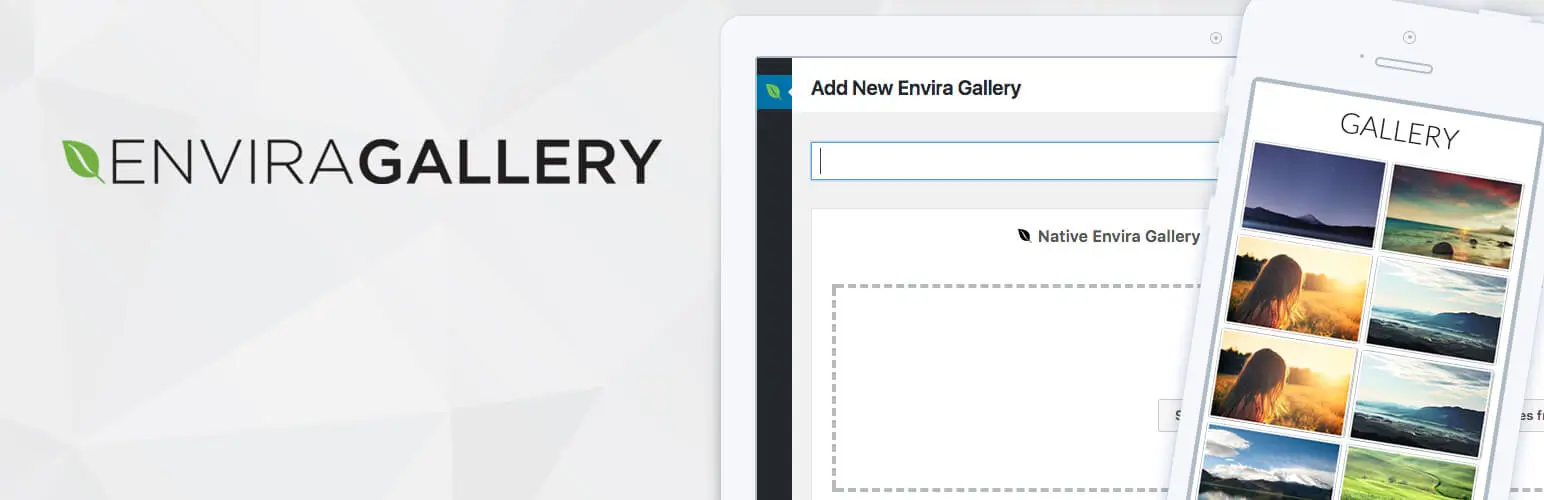
Envira Gallery is one of the most trusted WordPress photo gallery plugins. It’s a drag-and-drop gallery builder that helps photographers create beautiful, responsive, and fast-loading image galleries. This is a shortcode-based plugin that works smoothly with page builders and Gutenberg.
It’s highly optimized for performance. It can load a large collection of photos quickly while maintaining top SEO rankings. Whether you’re a beginner or a pro, Envira offers everything from custom layouts and slideshows to dynamic galleries and auto image compression, giving you ultimate freedom.
Key features of Envira Gallery
- Albums for organizing multiple galleries
- Social sharing for Facebook, Twitter, Pinterest
- Video galleries for YouTube, Vimeo, Wistia
- Watermarking to protect images
- Slideshow with autoplay and manual controls
- Deeplinking for SEO-Friendly galleries
- Pagination for large galleries
- WooCommerce integration to sell photos
- Image Tags for easy organization and filtering
- Password protection for private galleries
- EXIF metadata display (Camera, Aperture, Shutter Speed, etc.)
- Auto image compression for faster loading
2. NextGEN Gallery (Block, Widget, Shortcode-based)
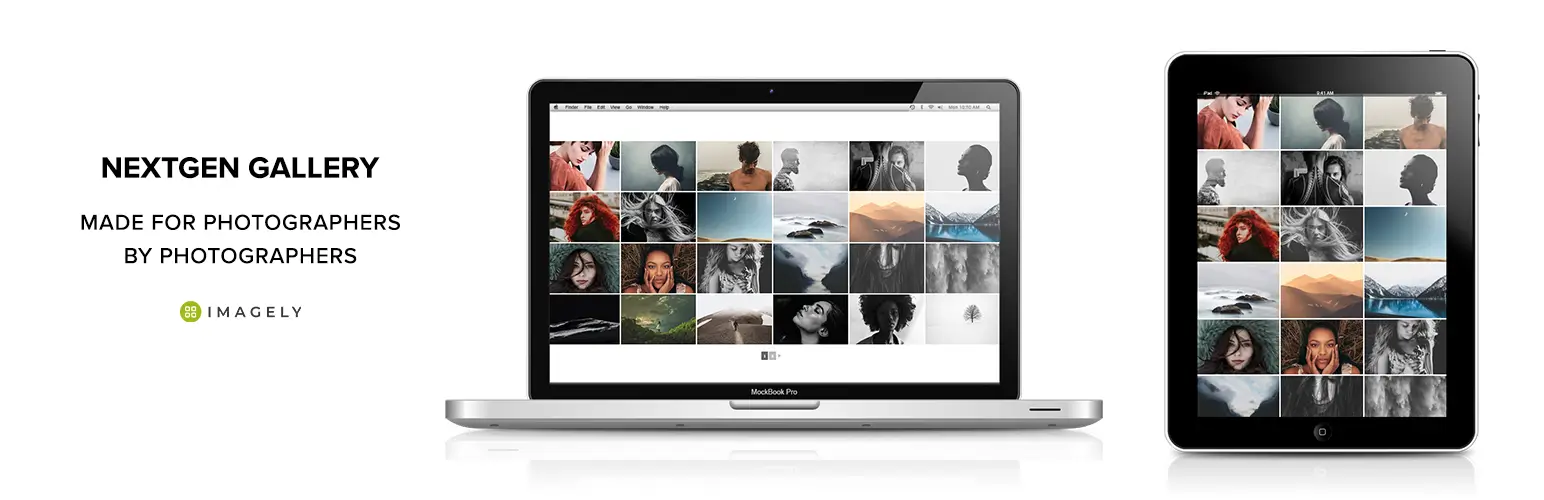
NextGEN Gallery has been in the market since 2007. It makes creating and managing galleries easy, whether you’re building a simple portfolio or a complex professional gallery system. Photographers can batch upload photos, import metadata, rearrange images, and organize unlimited galleries with ease.
Its free version includes three gallery styles: slideshow, thumbnail, and image browser, and two album styles: compact and extended. It allows photographers to control size, layout, timing, transitions, and lightbox effects. This one is also fully compatible with Gutenberg and page builders.
Key features of NextGEN Gallery
- Organize multiple galleries into albums for easy viewing
- Group images with tags for better organization
- Sell images or entire galleries with eCommerce (Stripe & PayPal)
- Automatic slideshows with customizable timing and transitions
- 84+ gallery themes for visual presentation
- 25+ animations for adding movement to galleries
- Watermark protection for image security
- Permission controls for who can view, edit, or publish galleries
- Print fulfillment with automated lab processing
- Automatic sales tax calculation for eCommerce
- Offer discounts and coupons for gallery sales
- Lightroom integration to sync galleries automatically
- Social sharing optimized for Open Graph and X platforms
3. HappyAddon (Powered with Elementor)

To build a professional website, you may look for a web design tool to craft visually good-looking pages. Elementor is a prominent drag-and-drop page builder plugin you can use in this case. It comes with 100+ powerful widgets and dozens of exciting features.
For example, Image, Video, Carousel, Basic Gallery, Tabs, Slides, Portfolio, Loop Carousel, Nested Carousel, etc., are some widgets that can help you design various photography sections. In addition to these, Elementor has widgets for designing the sidebar, eCommerce sections, and social feeds.
But why HappyAddons? If you ever feel like the widgets of Elementor aren’t enough and you need extra design support, you can try the HappyAddons plugin. Because it comes with an additional 140+ widgets and 28+ features that can further power up your photography site.
Some great widgets of the plugin that could be helpful for your photography site are Image Compare, Image Accordion, Image Grid, Lightbox, Sticky Video, Image Stack Group, Photo Stack, Flip Box, Scrolling Image, Loop Tab, Multi Scroll, etc.
Key features of Elementor (Powered by HappyAddons)
- Wide range of Elementor widgets for galleries, sliders, and portfolios
- Drag-and-drop page building for full customization
- Pre-built templates to quickly set up photography websites
- Advanced hover and animation effects for galleries
- Content grids to organize and display multiple projects
- Display conditions for personalized content visibility
- Dynamic content integration for client projects or portfolios
- Form and booking integration for client inquiries
- Responsive and mobile-friendly designs
- Floating and sticky elements for engaging website navigation
- Advanced sliders and carousels for portfolio displays
4. Happy Media (Media file manager)
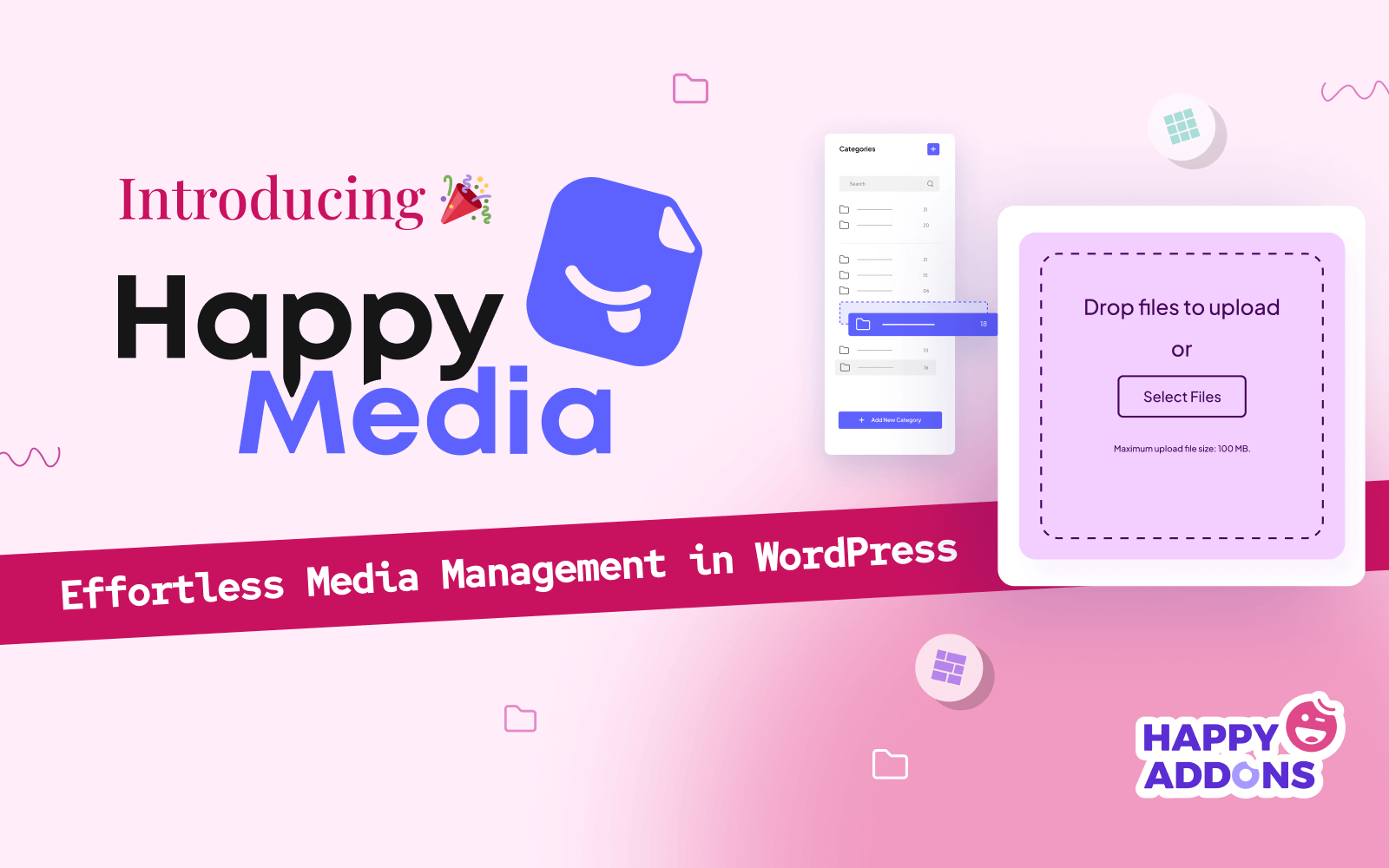
Happy Media is a complete WordPress media management plugin designed to simplify how you organize, upload, and optimize media files. This plugin can help save time by managing all their images and videos efficiently. You can create unlimited folders, rename categories, and organize media assets for easy navigation.
It supports different gallery layouts like grid and masonry views, making it easier to browse through your visuals. It offers advanced tools like image compression, image replacement, and third-party import options from Unsplash, Pixabay, and Pexels.
Key features of Happy Media
- Create and manage unlimited folders for easy media organization
- Multi-grid image gallery for browsing media content
- Dokan multivendor integration for marketplace media management
- One-click import from Unsplash, Pixabay, and Pexels
- Replace images while keeping links and SEO intact
- Full compatibility with Elementor and WordPress block editor
- Rename categories and organize folders easily
- Search through folders for specific media items
- Image compression to boost page speed without losing quality
5. Easy Digital Downloads
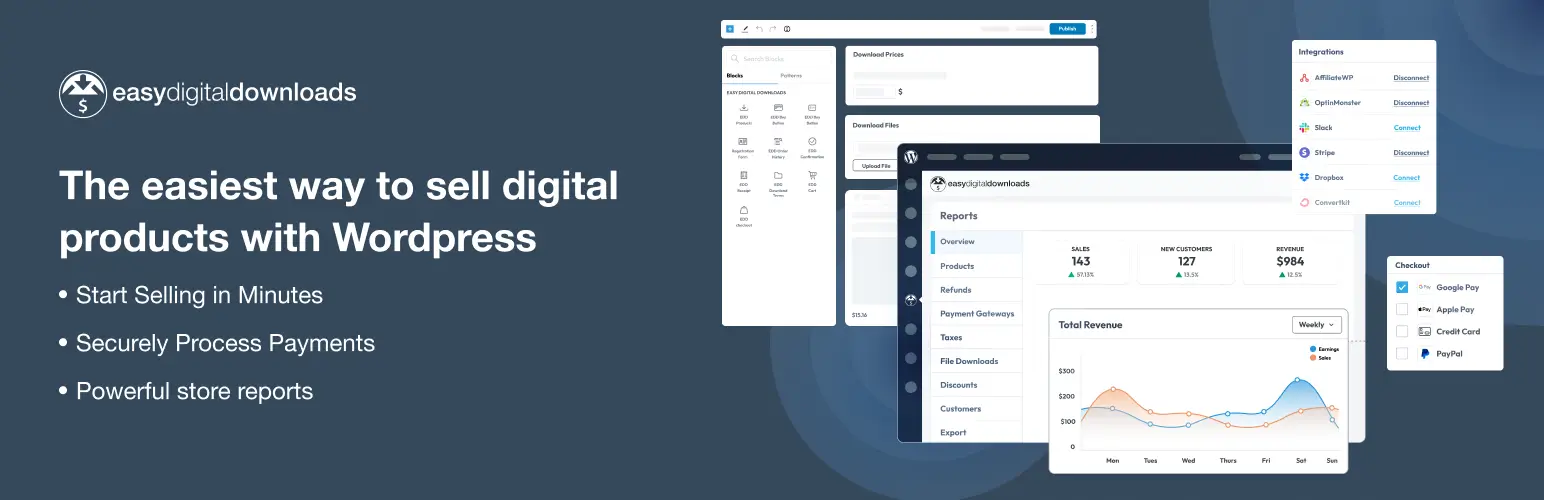
Easy Digital Downloads (EDD) is a trusted eCommerce plugin for selling digital products on WordPress. It gives you full control to sell anything downloadable, from photos, presets, eBooks, or videos to software and licenses. With no limits on product listings or transactions, EDD offers photographers and digital creators the freedom to build a complete online store without restrictions.
It comes with an easy setup wizard, an optimized checkout system, and built-in tools for secure file delivery, payment processing, discount management, and customer tracking. You can start selling within minutes using gateways like PayPal, Stripe, or Apple Pay from a clean and secure checkout form.
Key features of Easy Digital Downloads
- Create and sell unlimited digital products without restrictions
- Secure checkout form optimized for conversions and mobile devices
- Supports major global payment methods like Stripe, PayPal, Apple Pay, and Google Pay
- Protects file downloads with unique, secure access links
- Manage customers, purchases, and refunds from a single dashboard
- Run promotions using built-in discount code tools
- Get detailed reports on revenue, sales trends, and customer growth
- Fully customizable email receipts and invoices
- Supports recurring subscriptions and memberships
- Add product reviews, recommendations, and EU VAT compliance
- Enable vendor marketplaces and pay commissions to contributors
- Easy integration with other WordPress tools and plugins
- Open source and developer-friendly with hooks, filters, and code snippets
6. Galleryberg (Block plugin)

Galleryberg is a relatively new WordPress plugin for photographers. It’s a modern and lightweight WordPress gallery block plugin designed to make visual storytelling easy and elegant inside the Gutenberg editor. If your site is fully designed with a block editor theme, using a block-based gallery builder plugin could be effective a lot.
It can help you create beautiful and responsive image galleries with multiple layout options such as tiles, squares, masonry, and justified grids. It’s built-in lightbox powered by GLightbox offers smooth zoom animations, full keyboard navigation, and touch-friendly support.
Besides, it gives you full creative control to customize every image and layout detail. You can adjust column numbers, image spacing, borders, captions, aspect ratios, and even apply duotone filters to create a unique visual feel.
Key features of Galleryberg
- Multiple gallery layouts: tiles, square, masonry, and justified
- Fully responsive design with adjustable columns
- Built-in professional lightbox powered by GLightbox
- Smooth zoom, slide, and loop effects for image navigation
- Advanced image customization, including captions, borders, and aspect ratios
- Adjustable image spacing, cropping, and column numbers
- Duotone filter and multiple image size options
- Keyboard and touch navigation support for better accessibility
- Server-side rendering for fast performanceCustom link destinations for each image
- Accessibility-ready with proper ARIA labels and focus management
7. Ultimate Blocks (Block plugin)

If you are looking for a block plugin to design your web pages with various customizable elements, you can consider the Ultimate Blocks plugin. It comes with 26+ custom blocks by which you can design page layouts, add image sliders, portfolio tabs, accordions, and more.
If you want to write descriptions about the photos, you can use the Review Block to share equipment reviews, add Countdown Blocks for upcoming exhibitions or photo releases, or use Call to Action Blocks to invite visitors to book a photoshoot or join your photography course.
You can also use the Social Share and Click to Tweet to encourage visitors to share your content. With these creative tools, Ultimate Blocks helps photographers go beyond just displaying pictures. It can help you tell visual stories, build brand trust, and engage visitors more effectively.
Key features of Ultimate Blocks
- Create image sliders to display photography portfolios beautifully
- Add tabbed and accordion layouts to organize photos by theme, event, or project
- Use Call to Action blocks to invite clients to book sessions or buy prints
- Add Review blocks to write camera, lens, or gear reviews with star ratings
- Display a Table of Contents for long photography blog posts or tutorials
- Use Countdown timers for photography exhibitions, launches, or discounts
- Add Social Share buttons and Click to Tweet quotes to boost social engagement
- Use Styled Boxes to create elegant info sections for services or pricing
- Add Testimonials from clients to build trust and attract new bookings
8. WP Rocket
WP Rocket is one of the most powerful caching and performance optimization plugins for WordPress. Photography sites often contain large, high-resolution images that can slow page load times, hurting both user experience and SEO rankings. WP Rocket helps fix that by caching pages, optimizing files, and speeding up your site with just a few clicks.
You don’t need to deal with complex settings or coding – everything is automatic and beginner-friendly. Once activated, your photography portfolio or gallery pages will load faster. This will ensure a smooth browsing experience for visitors.
Key features of WP Rocket
- Page caching to improve website loading speed instantly
- Lazy loading for images to make photo-heavy pages faster
- File minification and combination for CSS, JavaScript, and HTML
- Database optimization to remove unnecessary data and boost performance
- CDN integration to serve photos faster across the globe
- GZIP compression to reduce file sizes and save bandwidth
- Browser caching for faster return visits
- Mobile caching to speed up photography sites on smartphones
- Automatic cache preloading to keep your pages ready to load quickly
- Easy setup with no coding or technical knowledge required
9. EWWW Image Optimizer

EWWW Image Optimizer is a must-have plugin if you want to maintain high-quality visuals without sacrificing website speed. Photography sites often host hundreds of large, high-resolution images, which can slow down page loading times and affect SEO. EWWW Image Optimizer automatically compresses and optimizes images as you upload them.
This ensures that your beautiful photos load fast while keeping their original quality intact. It works for all types of images – JPEG, PNG, GIF, and WebP. It allows you to bulk optimize old images, convert them to modern formats like WebP or AVIF, and even store them on its built-in image CDN for global delivery.
Key features of EWWW Image Optimizer
- Automatic image compression and optimization on upload
- Bulk optimization for previously uploaded photos
- Conversion to next-gen formats like WebP and AVIF
- Lossless and lossy compression options to balance quality and size
- Built-in global CDN (ExactDN) for faster image delivery worldwide
- Lazy loading to delay image loading until needed
- Automatic resizing of large image uploads
- Easy integration with popular gallery and slider plugins
- Privacy-focused optimization with no external API required
- Improved Core Web Vitals and SEO performance for photography sites
Note: If you have the Happy Media plugin on your site, you won’t need the EWWW Image Optimizer separately.
10. WP Forms

WPForms is one of the most user-friendly form builder plugins for WordPress. It’s a fantastic tool for photographers who want to connect with clients directly from their websites. Whether you’re taking bookings for photoshoots, collecting client inquiries, or creating a simple contact form for collaboration requests, WPForms lets you do it all with an easy drag-and-drop interface.
You can add forms to collect client details, accept file uploads (like reference photos), or even take payments for session deposits through PayPal or Stripe integration. The plugin also allows setting up automated email notifications, so you never miss a booking request. With features like spam protection, multi-step forms, and conditional logic, you can offer a smooth and professional experience to every visitor.
Key features of WP Forms
- Drag-and-drop form builder for easy customization
- Pre-built templates for contact, booking, or inquiry forms
- File upload option for clients to send photo references or documents
- Payment integration with PayPal and Stripe for online deposits or fees
- Smart conditional logic to show or hide fields based on user input
- Multi-step forms for long or detailed client booking processes
- Instant email notifications and form confirmations
- Spam protection with reCAPTCHA and Honeypot
- Integration with email marketing tools like Mailchimp and AWeber
- Mobile-friendly and responsive design that looks great on all devices
Note: Elementor also has a feature-rich form widget. So, if you choose the HappyAddons (powered by Elementor) option, you won’t need the WP Forms plugin separately.
Final Words!
So, we are now at the end this today’s blog post. It’s now your turn to choose the batch of plugins according to your choice that cover all the features needed for your photography website. You have three options: shortcode-based, page builder compatible, and Gutenberg block solution.
For these three options, I’ve already listed the necessary plugins in the discussions above. Most of them are multifunctional and capable of handling heavy workloads. Hopefully, you’ll be able to find the right set of plugins from them that best suits your needs.
Comment below if you need further information. Or, knock at our live chat for quick suggestions. Thanks for being with us till the end.


![Black Friday and Cyber Monday are around the corner, and people are waiting for these festivals to grab the best product deals. That is why giving an attractive look to your website during this festive season is very necessary. But, creating a whole new landing page might be difficult in a short period of time. Don't worry. By using Happy Elementor Addons Black Friday and Cyber Monday Landing Page templates, you can easily develop a whole new landing page in a few minutes. In this today's blog, we are going to show how to boost your website design using HappyAddons templates during this festival season. Before that, we'll talk a bit about these two festivals and why they are important to online business communities. What are Black Friday and Cyber Monday? Black Friday is the immediate following of the famous Thanksgiving day. This is when people start shopping to celebrate the Christmas festival. Since the late 1980s, retail sales on this day have constantly been suppressing the past volumes. See the graph below. Source: Salecycle.com The first Monday following Thanksgiving day each year is called Cyber Monday. It was first introduced in 2005 by the USA National Retail Federation to encourage people to buy online. Though this festival originated in the USA, it is celebrated globally today. See the stats below. Source: Salecycle.com It indicates customers' buying behavior around this day is growing up over time. Many customers today keep a budget to buy products on these two days. So, why won’t you prepare a Cyber Monday landing page if you have an online store? Importance of Designing Landing Pages for Black Friday and Cyber Monday Festival Having a well-design website is one of the major checklists if you are running an online business. Most importantly, you have to make sure that your website remains up-to-date to boost your sales. That is why you need to redesign your website or make a new landing page during the Black Friday and Cyber Monday festivals. Because most online product & service-based businesses promote special deals during these two festivals. Here are some remarkable ways dedicated landing pages during these festivals can positively impact the performance of your online business. Boosts your product salesIncreases conversion rateOpportunity to collect potential email leadsGrabs users' attention toward your siteReduces bounce rateIncreases website visitors. Elementor Black Friday New Seasonal Kit is Already Here! Source: Elementor To make this Black Friday more enjoyable, Elementor has launched a New Seasonal Kit that includes landing pages, sections, pop-ups, and vector assets. All these design elements are made by the Elementor team so that one can easily use them on their website to ensure more sales and conversions. New Elementor Black Friday Seasonal Kit offers: 3 Landing pages6 Sections 6 Popups A collection of stickers & animations You can only get these ready-made Black Friday landing pages and sections if you have Installed Elementor Pro on your site. However, if you are looking for templates that are outside of the box, you can go with Happy Addons, the fastest Elementor Addons on the market. It's very easy to use, flexible and has tons of advanced features and widgets that can ease your website design journey. Also, you'll get several festival landing page templates & blocks. Moreover, you can use free Black Friday and Cyber Monday design blocks and templates to decorate your site. Most importantly, these templates and blocks are easy to customize and can be used for multiple purposes. Now let's see how you can use the Happy Addons templates to design your website according to the Black Friday theme. Pre-Requisites to Use HappyAddons Templates to Design Black Friday and Cyber Monday Landing Pages You must have the following plugins installed on your site to get access to the HappyAddons Template library. Make sure you’ve installed and activated the Happy Addons Free & Premium version of your website. Elementor (Free)Happy Addons (Free)Happy Addons Pro If you are new to Elementor, check this Step By Step Guide For Beginners. If you want to explore the readymade templates of HappyAddons before installing these plugins, you may visit by clicking on the button below. Check out Happy Addons Templates How to Design Black Friday Landing Page on Your Website Once you have the plugins (mentioned above) installed, your website is ready to follow the tutorial guide explained in this section. Get ready now! Step 1: Open a New Page with Elementor Create a new page or open the existing page with Elementor. Next, you have to select the Elementor Canvas option.Unless you select Elementor Canvas, you may watch the header, footer, and unnecessary other texts on the page. These might be irritating to you.Once you open the page with Elementor Canvas, your page will be completely clean. Watch the video below on how to do it. Step 02: Go to HappyAddons Library Click on the HappyAddons Library Icon. It will open up a modal popup. Here you'll find numerous stunning premade Blocks and Pages created by the Happy Addons team. Kindly explore them to create a list of your favorite items. Step 03: Import a HappyAddons Black Friday Template Go to the Page tab on the modal popup.Select Black Friday from the left-side filter option.You will several good-looking templates on your screen.Take your cursor on the one you like and hit on the INSERT button. Wait for a while to finish the installation process. You will get the template on your screen with editable sections and options. Step 04: Set the Black Friday Campaign Deadline A deadline creates a sense of urgency in customers' minds. So, better if you add a deadline section on the page to show your Black Friday deals. The good thing is that if you select the template as we did, you will automatically get a deadline or countdown option. You have to customize it as you want. Step 05: Show Image Carousel Slider on Your Black Friday Landing Page Using the Image Carousel, you can slide show demonstrating discounts on your product categories. Drag and drop the Image Carousel widget on any landing page section. Next, from the Elementor panel, you can add photos and text to the widget. Do it accordingly. Thus, you can add more sections and options on the landing page. Hope you can do it yourself. Step 06: Make the Black Friday Landing Page Mobile Responsive Making a web page mobile responsive with Elementor is super easy. You'll get the mobile responsive option on the Elementor footer section. Clicking on it will open up the option to view your landing page on different device screens. We have explained the process in the video below. Note: Don't delete any widget or section while customizing your landing page for any particular device. Because if you delete a widget or section on any device screen, it will also be applied on other devices. However, you may change their position or alignment or hide them. It won't make any impact on other devices. Step 07: Final Preview of Our Landing Page Here is the final interface of our Elementor Black Friday landing page that we've designed using the Happy Addons' ready-made Template. Get Happy Addons to Add a Black Friday Theme Landing Page on Your Website How to Design Cyber Monday Landing Page on Your Website You will require the same prerequisites (Elementor and HappyAddons Plugins) to design the Cyber Monday landing page on your website. Hope you have them ready on your website. Now, let's get into the tutorial part. Step 01: Import a Cyber Monday Readymade Landing Page Template Go to the HappyAddons Template library.Choose the Cyber Monday template you like.Click on the INSERT button. Wait for a while to finish the installation process. You'll get a page design like the following image below. Step 02: Edit Different Sections of the Page In the first tutorial, you saw the deadline/countdown option was already embedded in the template. But this template doesn't have it. So, you can bring it to your page? Very simple. Create a new section by clicking on the plus icon.Type Countdown on the Elementor search bar.Drag and drop the widget on the section. Customize the Countdown section from the Content and Style tabs of the Elementor panel. Using the Heading widget, we have added the FLASH DEALS text next to the countdown to make it more meaningful. Thus, you can use other exciting widgets on the template to make your landing page super gorgeous. Step 03: Promote Products on the Landing Page Promotional landing pages usually include a section to showcase some hot-selling products to generate instant sales. Using the Image and Button widgets, we have created this section under the FLASH DEALS.You may customize it more as you wish. Step 04: Make it Mobile Responsive We already showed you the process in the first tutorial on making a mobile web landing page responsive. Hope you can do it here as well, following the same guideline. Click on the Responsive Mode icon and do the rest yourself. Bonus: Black Friday and Cyber Monday Landing Page Design Key Considerations Whenever you design a landing page, you need to consider why you need to design this page and what elements they should keep on the page. Because if you are not adding all the necessary features to your page, it will not serve its purpose. This is why you need to focus on a few things before designing your Black Friday landing page. Here are some points you must consider in designing Black Friday and Cyber Monday landing pages. Add Black Friday textSet deals deadlineShow your best-discounted productsAdd coupon code Focus on responsive page designMake your page visually appealingImprove your page user experience or page structureSet a proper website navigation FAQ on Black Friday and Cyber Monday Landing Page Design Now, we'll answer some common questions on Black Friday and Cyber Monday Landing page designs commonly found online. How much does it cost to design a landing page?The cost of designing a landing page varies depending on the complexity of the design, the level of customization required, and whom to hire for the page. A simple landing page can be designed for as little as $25, while a more complex design with multiple customizations can cost upwards of $2,00.However, if you have Elementor and HappyAddons installed, you can design unlimited landing pages at a minimal cost. But like any other tool, you must have a kind of enterprise on them. As they are drag-and-drop builders and their numerous tutorials and documentation are available, they won't take you more than a month to be used to. Check out some wonderful YouTube tutorials on these two plugins. Hope you will enjoy them.How many hours does it take to design a landing page?It mainly depends on the level of design complexity and your web design skill. However, both in Elementor and HappyAddons, you will get countless readymade templates and block sections. You can design a beautiful landing page in 3-5 hours by making a proper combination of them.Can I design Black Friday and Cyber Monday Landing pages with Elementor and HappyAddons free versions?Surely, you can design Black Friday and Cyber Monday Landing pages with Elementor and HappyAddons free versions. But only with the pro versions, you can't add too many exciting features to your pages. For example, free versions will give you access to only a limited number of readymade templates.If you are just a beginner-level designer, free versions are enough. But if you are a professional designer or have a web designing agency, pro versions are a must. Are You Ready To Design Your Black Friday and Cyber Monday Landing Page? Customers look forward to this kind of occasion to buy their favorite products at a minimum price. Naturally, they are drawn to websites that look good and give a festive vibe. That is why adding a Black Friday and Cyber Monday landing page during the festival season will give you an extra edge over the competitors. The above guide shows how to design your Elementor Black Friday Landing page using the Happy Addons' Black Friday Templates and how it can help boost your holiday sales. So if you have any queries regarding this blog, you can comment on us in the below box. If you like this post, then share it on your social channel. Don't forget to subscribe to our newsletter. Also, follow our Facebook and Twitter channels for regular updates. Subscribe to our newsletter Get latest news & updates on Elementor [yikes-mailchimp form="1"] ":36560} /--](https://happyaddons.com/wp-content/uploads/2021/11/How-to-Design-Black-Friday-and-Cyber-Monday-Landing-Page-300x188.png)