




Choosing between Elementor and Framer in 2026 feels like picking between two very different philosophies of building for the web. One is a battle-hardened WordPress page builder with over a decade of community trust behind it.
The other is a sleek, design-forward platform of what a no-code builder can look like. But which one actually wins for your project? If you’re a WordPress developer managing 20 client sites, the answer will be different from if you’re a SaaS startup founder trying to build a landing page.
Both tools are exceptional – but they excel in entirely different arenas. In this deep-dive comparison, we’ll break down every major feature, pricing tier, performance benchmark, SEO capability, and real-world use case between these two plugins.
Hope this will help you make the most informed decision. So, let’s get into the post Elementor vs Framer.
What is Elementor? (WordPress Power Builder Overview)
Elementor is a visual drag-and-drop page builder plugin for WordPress, first launched in June 2016. It revolutionized WordPress development by giving non-developers the ability to build sophisticated, pixel-perfect layouts without writing a single line of code.
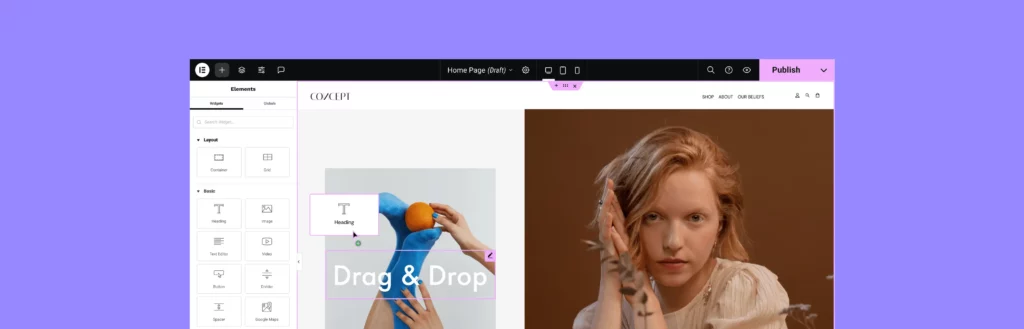
What started as a free plugin quickly became one of the most downloaded WordPress plugins in history. Today, Elementor is active on over 12 million websites across more than 180 countries. The plugin offers both a free version (Elementor Core) and a premium tier (Elementor Pro).
The premium version unlocks many advanced features like Theme Builder, WooCommerce Builder, Popup Builder, and a full suite of dynamic content widgets.
What is Framer? (Modern AI Website Builder Overview)
Framer is a modern, all-in-one website builder that blends the precision of a design tool (think Figma) with a live publishing platform. Originally launched as a prototyping tool in 2014, Framer pivoted to become a full website builder around 2022 — and it has grown explosively ever since.
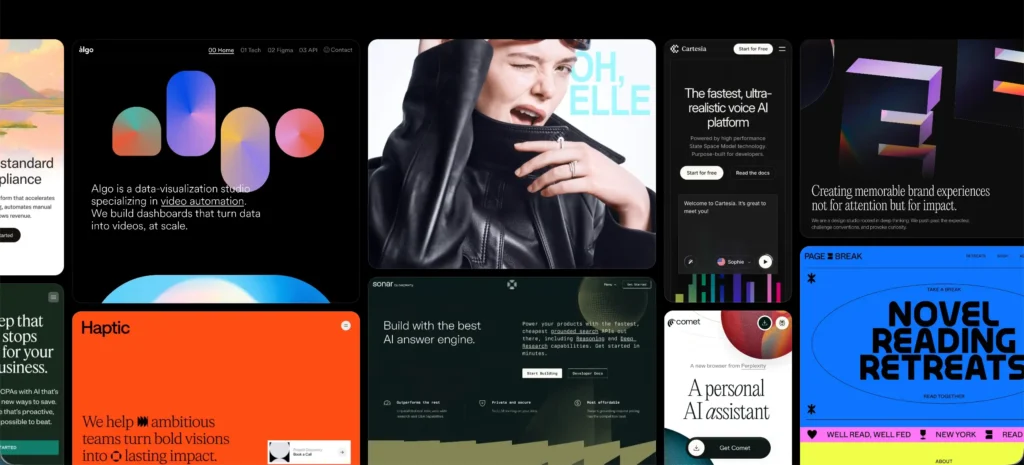
Framer is not a WordPress plugin, nor does it run on traditional hosting. It is a standalone SaaS platform where design, hosting, and publishing are unified under one roof. Framer sites are deployed on a global CDN automatically, with no server management required on the user’s part.
Framer is currently used on 3+ million websites worldwide and is becoming increasingly popular. It’s now among the top 5 fastest-loading website builders in independent benchmarks.
Elementor vs Framer: Quick Comparison Table
Before diving into the deep feature-by-feature breakdown, here’s a high-level snapshot of how Elementor and Framer compare across the most important decision-making criteria:
| Feature | Elementor | Framer |
|---|---|---|
| Ease of Use | Moderate | Very Easy |
| Design Flexibility | Very High | High |
| Performance & Speed | Good | Excellent |
| SEO Capability | Excellent | Good |
| Pricing (Starting) | Free (Pro from $5/month) | Free (Paid from $5/month) |
| Learning Curve | Moderate | Moderate |
| Hosting Control | Full (self-hosted WordPress) | None (Framer-managed hosting) |
| AI Integration | Available | Strong |
| eCommerce | Excellent | Limited |
| Best For | WordPress blogs, agencies, stores | Startups, portfolios, design teams |
Learn how to create a website with Elementor.
Framer vs Elementor: Head-to-Head Feature Comparison
Both these tools have numerous differentiable differences. Unless you know them well, it’s impossible to make the right decision regarding which tool/platform to choose for your website building. So, let’s explore their head-to-head differences in detail.
1. Drag-and-Drop Editor
Elementor‘s drag-and-drop editor is one of the most mature visual editing experiences. The editor is organized around a Sections → Columns → Widgets hierarchy. It gives users granular control over layout. Users can freely move widgets across the canvas, adjust spacing with visual handles, and access a deeply layered panel of style and advanced settings.
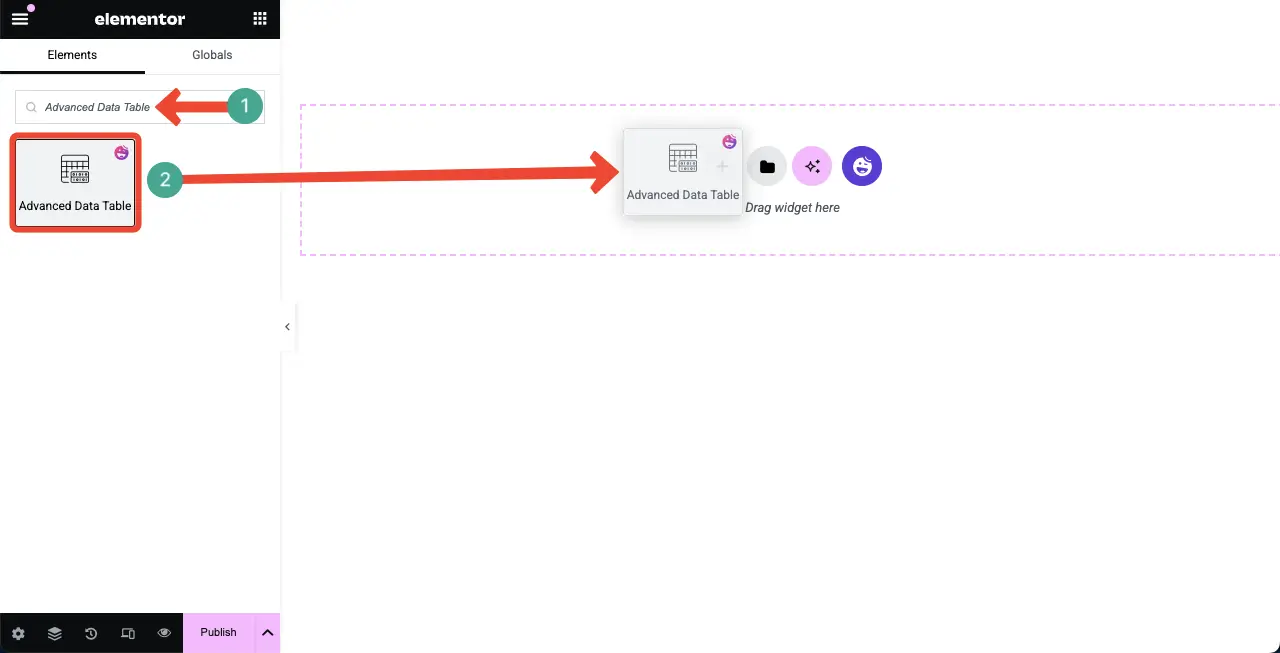
Framer‘s editor is arguably the most design-forward of any website builder available. Inspired heavily by Figma, it uses an infinite canvas model where elements can be placed with absolute precision. The experience feels like designing in a professional design tool — with layers, component overrides, and a properties panel that mirrors design software conventions.
2. Templates & Starter Kits
Elementor offers a library of over 300+ free and Pro templates, accessible directly from within the editor with a single click. These templates span a wide range of industries — business, portfolio, eCommerce, landing pages, agencies, restaurants, and more. Besides, there are many Elementor addons where you’ll get more and more templates.
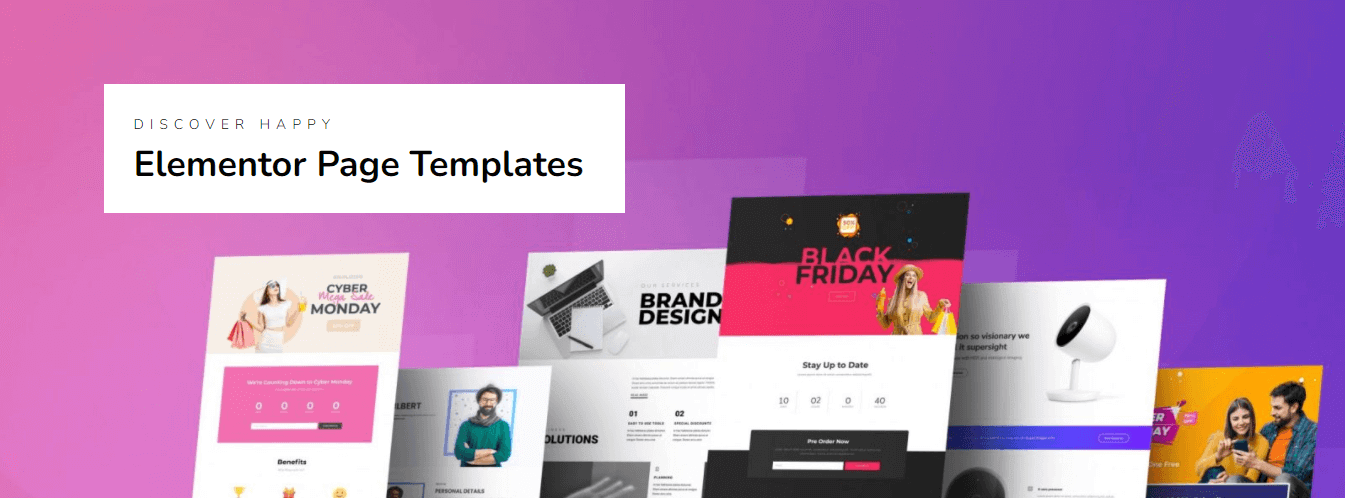
Framer‘s template library is smaller in absolute numbers but consistently praised for its visual quality and modern aesthetic. As of 2026, Framer offers around 500+ free templates in its official marketplace, many created by professional designers. Each template is production-ready, responsive out of the box, and cloneable with one click.
3. Theme Builder Functionality
Elementor Theme Builder allows you to visually design every part of a WordPress theme — including the header, footer, single post layout, archive pages, 404 pages, search results pages, and the WooCommerce product page. You can also add display conditions to specify which template applies to which posts, taxonomies, or page types.
Framer does not have a Theme Builder in the traditional WordPress sense. But it uses a component and layout system that achieves similar outcomes. You can define global navigation, footer, and shared page elements as reusable components, then apply them universally across all pages with one update. Changes made to a shared component appear instantly on all pages.
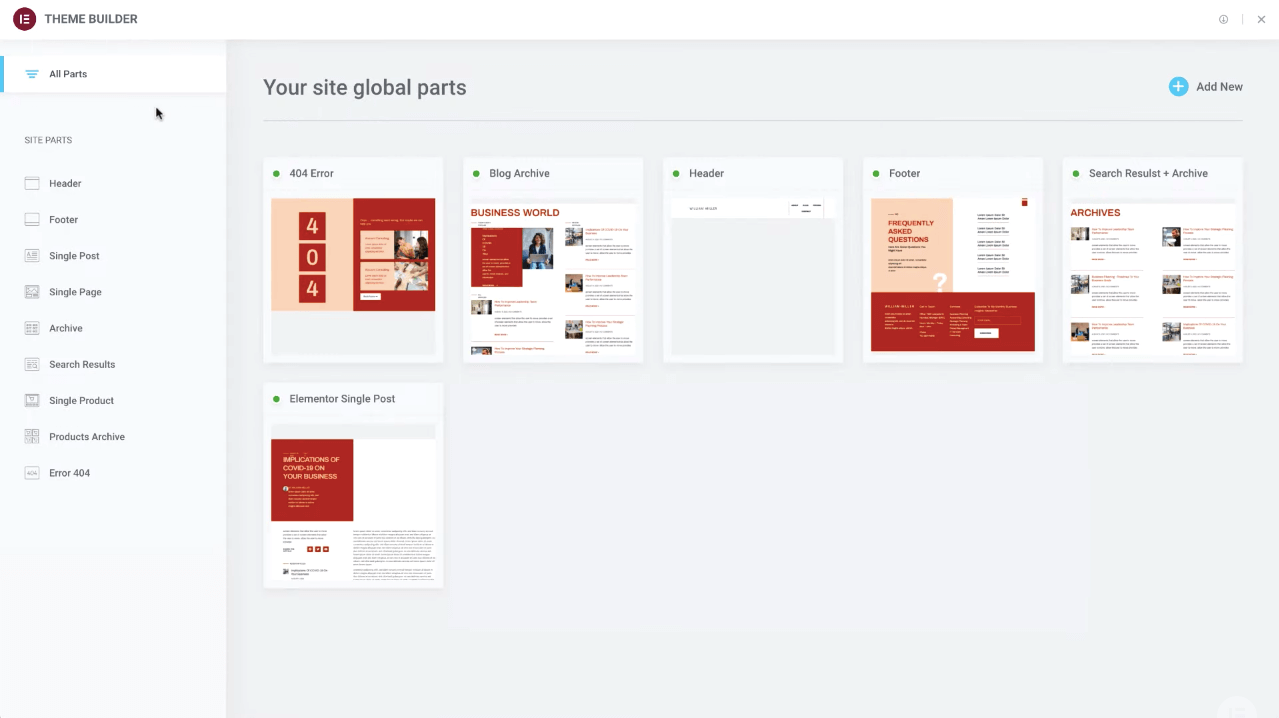
Check how to create a header and footer using the theme builder.
4. Global Styles & Design System
Elementor provides a Global Design System through its Global Colors and Global Fonts settings, accessible from the Site Settings panel. Users can define a palette of primary, secondary, text, and accent colors, as well as system-wide typography rules for headings, body text, and labels. Any widget that uses a Global Color or Font will automatically update site-wide.
Framer‘s design system capabilities are, arguably, its single greatest structural advantage over traditional page builders. Built with a Variables and Tokens system at its foundation, Framer allows teams to define color styles, text styles, spacing tokens, and breakpoint-specific values at the project level.
5. Responsive Design Controls
Elementor provides device-specific responsive controls for nearly every style property in its editor. Font size, padding, margin, alignment, column structure, widget visibility, and more can all be set individually for Desktop, Tablet, and Mobile views. The editor includes a responsive mode toolbar that lets users edit the site in each breakpoint simultaneously.
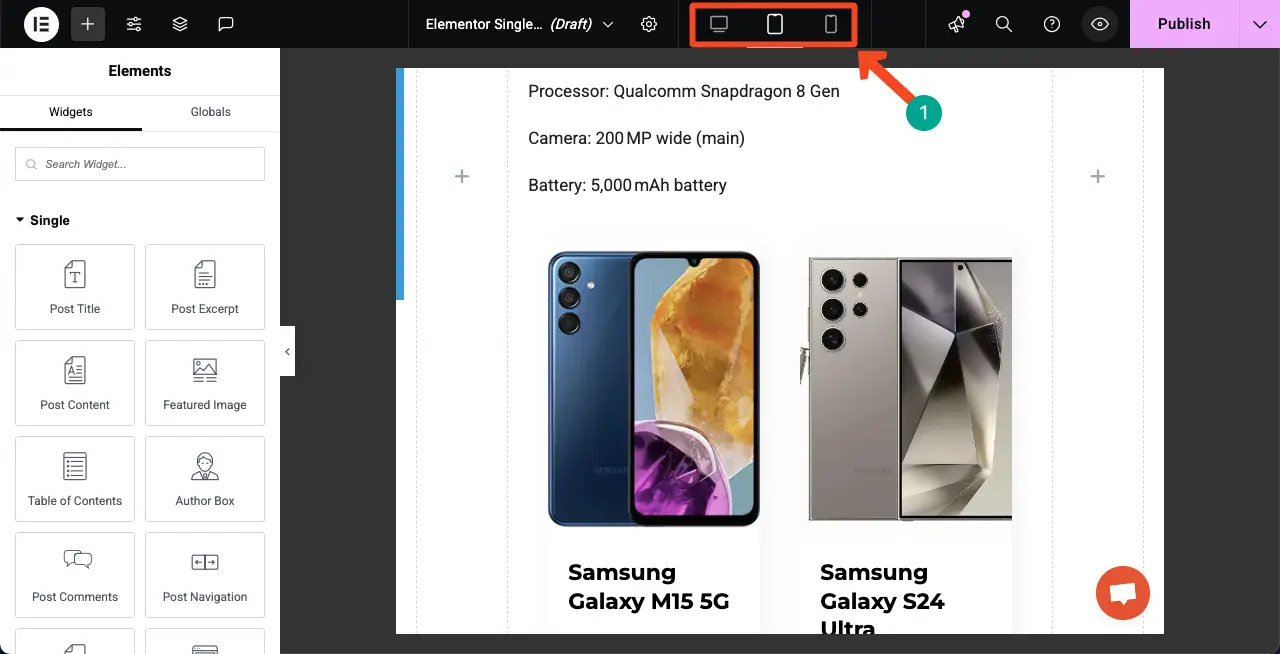
Framer‘s responsive design system is built around the concept of Breakpoints and Auto Layout. Every element on a Framer canvas can be configured with auto-sizing rules. Framer also supports multiple breakpoints (Desktop, Tablet, Mobile, and custom widths), and changes made at each breakpoint are inherited downward unless overridden.
6. SEO Optimization Features
Elementor itself does not have a dedicated SEO tool built in. But that is precisely its strength in the WordPress ecosystem. Because Elementor runs on WordPress, it works seamlessly with the most powerful SEO plugins ever built: Yoast SEO, Rank Math, and All in One SEO.
With them, you can easily configure meta title/description control, schema markup (Article, Product, FAQ, HowTo, BreadcrumbList), canonical URLs, XML sitemaps, robots.txt control, Open Graph and Twitter Card metadata, and redirect management.
Learn how to avoid the common SEO mistakes.

Framer has significantly improved its native SEO capabilities over 2024–2026, moving from a relatively basic setup to a more fully featured offering. Each Framer page now includes editable meta titles, meta descriptions, Open Graph images, and canonical URL settings accessible from the page settings panel.
Framer also supports custom sitemap generation, noindex/nofollow controls, and basic structured data. However, Framer still lacks native support for rich schema types like FAQ schema, HowTo, Review, and Product schema, which are increasingly important in this AI age.
7. AI Website Building Features
Elementor introduced its Elementor AI features in 2023 and has progressively deepened them through 2025–2026. The AI suite includes an AI Text Generator that creates copy for any text widget and an AI Image Generator for visual image creation.
The Elementor AI Copilot can generate entire sections, suggest design improvements, and write CSS code on demand based on your descriptions.

Framer‘s AI features are arguably the most talked-about in the website builder industry. Framer’s AI Site Generator — launched in 2023 and dramatically improved through 2025 — allows users to describe an entire website and receive a fully designed, live-published website in under 60 seconds.
As of today’s record, this feature reportedly generates over 50,000 new websites per month. Beyond generation, Framer offers AI Content Rewriting, AI Image Generation, AI Translation, and a Localization Engine that adapts content and layout for different regional audiences.
8. Animation & Motion Effects
Elementor provides a solid set of entrance animation effects and motion scrolling effects for individual elements. Widgets can be configured with entrance animations (fade in, slide up, zoom in, bounce, etc.) triggered on scroll, as well as parallax scrolling effects for background images and sections.
Elementor Pro introduces Scroll-Based Animations and Mouse Track Effects, which allow elements to move, scale, or change opacity relative to the user’s scroll position or cursor movement.
Framer is widely regarded as having the best-in-class animation and motion capabilities of any no-code website builder. Its animation system is inspired by Framer Motion and gives designers access to spring-based physics animations, staggered list animations, scroll-triggered timelines, and more.
9. Popup Builder
Elementor Pro includes a purpose-built Popup Builder that is one of the most comprehensive in the WordPress ecosystem. You can include forms, videos, countdowns, sliders, and dynamic content in it. These popups can be triggered by a rich set of conditions.
Some examples are page load, scroll percentage, time on page, exit intent, element click, inactivity, or a combination of multiple triggers. Display conditions allow popups to be targeted to specific pages, post types, user roles, device types, and more. Explore popup ideas for Elementor.

Framer does not have a native popup builder in the traditional sense. However, because Framer allows any component to be shown or hidden based on user interaction states, designers can build custom modal overlays and slide-in panels using Framer’s interaction and variant system.
10. Form Builder
Elementor Pro’s Form Builder is a fully featured lead capture and data collection tool embedded directly in the editor. Users can build multi-field forms with text inputs, textareas, email fields, phone fields, select dropdowns, checkboxes, radio buttons, date pickers, file uploads, and hidden fields.
Form submissions can be sent to a chosen email address, stored in Elementor’s native submission log, or forwarded to over 30+ marketing and CRM integrations — including Mailchimp, HubSpot, ActiveCampaign, Salesforce, Drip, ConvertKit, GetResponse, and Zapier.
Here’s an ultimate guide on how to create a contact form with Elementor.

Framer offers a built-in Form component that handles basic contact form and email capture use cases natively, with form submissions delivered to a designated email address or collected in the Framer CMS. The native form supports text, email, phone, and textarea fields, with basic validation and a submission confirmation message.
For more advanced form functionality — multi-step forms, conditional logic, CRM integration, or complex file uploads — Framer users must embed third-party form services like Tally, Typeform, Jotform, or connect via Zapier.
11. Dynamic Content Support
Elementor Pro’s Dynamic Content capabilities are one of its most powerful but most underappreciated. Using Dynamic Tags, users can connect any widget’s content (text, image, URL, visibility) to live WordPress data sources: post titles, featured images, custom field values, user data, site settings, taxonomy terms, and more.
This makes Elementor Pro the foundation of powerful custom post type displays — think real estate listings, staff directories, job boards, event calendars, or product catalogs — where layout templates are designed once and automatically populated with dynamic database content.
Learn how to create a dynamic web page with Elementor.
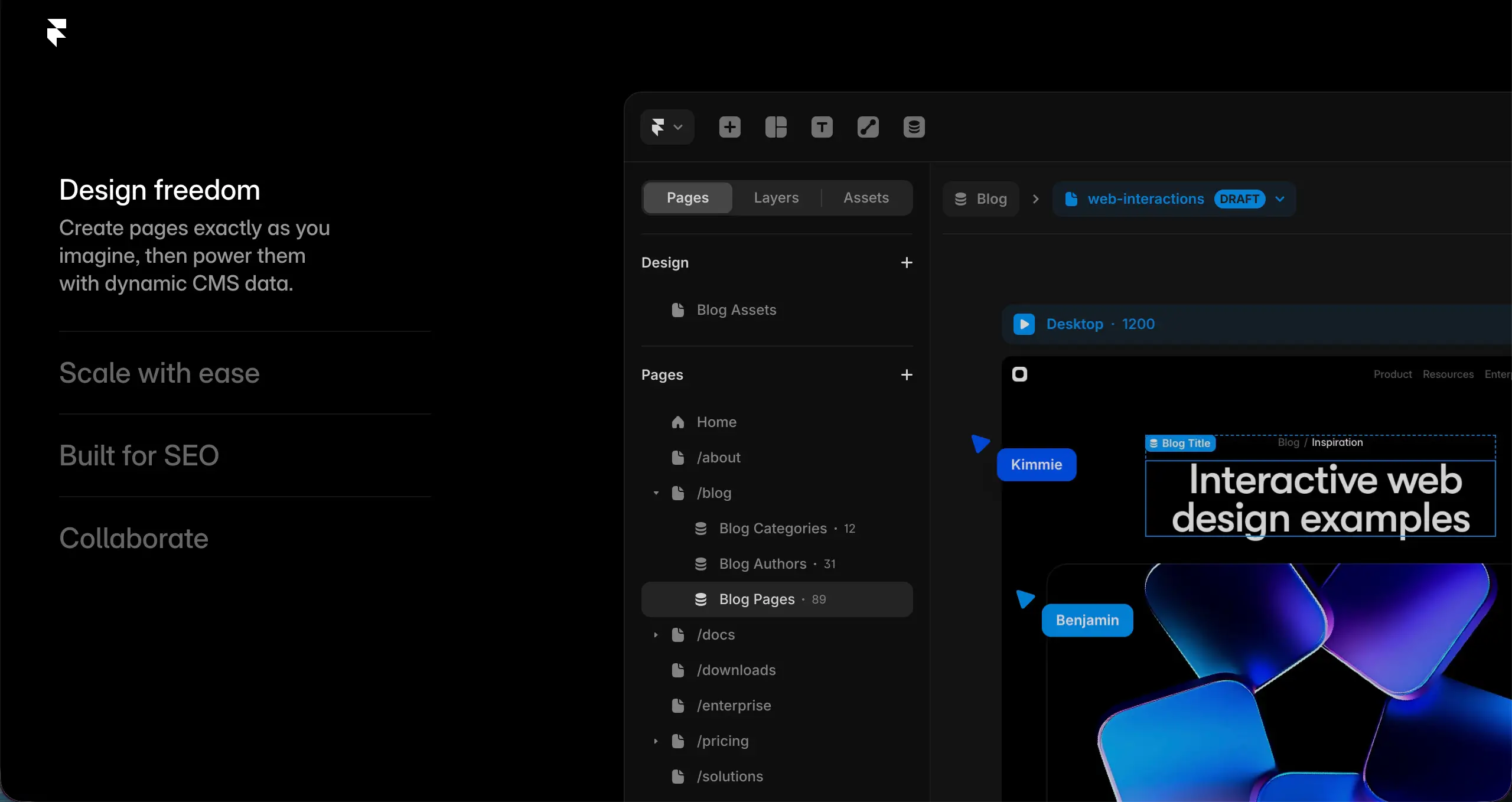
Framer‘s CMS is its built-in content management layer, which allows users to create structured content collections and design dynamic templates that auto-populate from those collections. This is how Framer powers blogs, portfolio galleries, job listings, and product directories.
The Framer CMS supports rich text, image, date, color, file, and relational fields, and the dynamic template system — called Collection Pages — works similarly to Elementor’s Loop Builder. Design the layout once, and it applies to every item in the collection automatically.
12. eCommerce Builder
Elementor‘s eCommerce capabilities are fundamentally powered by WooCommerce, which runs on over 7 million online stores as of 2026. Elementor Pro includes a dedicated WooCommerce Builder that lets users visually design every page of the shopping experience.
You can design the shop archive page, product category pages, individual product pages, cart, checkout, and thank-you pages. Specialized WooCommerce widgets include product grids, product carousels, add-to-cart buttons, price displays, review widgets, and dynamic product data.
Visit this post on how to create a WooCommerce marketplace on WordPress.

Framer‘s eCommerce capabilities are considerably more limited compared to Elementor + WooCommerce. Framer introduced basic eCommerce functionality in 2024, allowing users to add product pages, a simple cart, and checkout functionality powered by Stripe directly within the Framer platform.
This is sufficient for selling a small number of digital products, SaaS plans, or merchandise directly from a marketing-style site. However, Framer currently does not natively support features like product variants, inventory tracking, complex shipping rules, subscription billing, discount codes, or multi-currency pricing.
13. Blogging Features
Elementor is fundamentally built on top of WordPress. According to WP Engine’s 2025 survey, WordPress still hosts over 70 million blog posts published per month globally. This means Elementor inherits the most mature and feature-rich blogging infrastructure of any CMS on earth.

Framer‘s blogging capabilities have improved substantially since 2023, with the introduction of a proper blog CMS template system that supports posts, categories, tags, author pages, and an RSS feed. Framer’s blog experience is visually distinctive and fast to set up.
14. Third-Party Integrations
Elementor‘s integration ecosystem is more mature than that of the other platforms. It natively integrates with many popular tools like Mailchimp, HubSpot, ActiveCampaign, GetResponse, ConvertKit, Drip, Zapier, Slack, etc. Besides, Elementor has numerous addons coming up with more features and widgets to power up the core Elementor plugin.
Framer has a growing integration ecosystem centered around an Embed system and a dedicated Framer Marketplace of third-party plugins and components. As of today, Framer’s plugin marketplace includes over 1,500 community-built components and integrations. But it’s expected that over time, this number will go up.
Framer vs Elementor: Pricing and Value for Money
Understanding what you actually get for your money is critical in the Elementor vs Framer decision. These two platforms have fundamentally different pricing architectures.
Elementor Pricing
Elementor offers a free version (Elementor Core) available on WordPress.org that is genuinely useful for basic page building. Elementor Pro is required for the advanced features discussed in this article:
| Plan | Price | Sites | Pages |
|---|---|---|---|
| Essential | $59/year | 1 site | Unlimited |
| Advanced | $99/year | 3 sites | Unlimited |
| Expert | $199/year | 25 sites | Unlimited |
| Agency | $399/year | 1,000 sites | Unlimited |
Note: Elementor doesn’t include the hosting cost. You have to bear it additionally.
Framer Pricing (2026)
Framer includes hosting in all its plans, and the pricing model is simpler:
| Plan | Price | Sites | Pages |
|---|---|---|---|
| Free | $0/month | 1 site | 3 pages |
| Mini | $5/month | 1 site | Unlimited |
| Basic | $15/month | 1 site | Unlimited |
| Pro | $30/month | 1 site | Unlimited |
| Business | Custom | 1 site | Unlimited |
Note: Framer covers the hosting expenses.
Value Comparison
For single-site owners focused on a marketing or portfolio site, Framer’s Mini or Basic plan ($5–$15/month all-in) delivers exceptional value — particularly when factoring in the built-in performance, CDN, and security.
For agencies and freelancers managing multiple client sites, Elementor’s Agency plan at $399/year for 1,000 sites is extraordinary value — no other professional page builder comes close on a per-site cost basis at scale.
For eCommerce, Elementor + WooCommerce wins on value significantly, given WooCommerce’s zero transaction fees and the breadth of free/affordable extensions.
Bonus: Extend the Power of Elementor with HappyAddons
Elementor itself is a powerful plugin. You can design attractive web pages with it – no doubt. But still, you may often want to add variety to your designs. HappyAddons could be a helpful tool for you in this regard. It comes with an additional 35+ features and 150+ widgets that can remarkably increase the capabilities of your core Elementor plugin.

What HappyAddons Adds to Elementor:
- Advanced Widgets: Timeline, Pricing Table, Team Members, Testimonial Carousel, Logo Grid, Image Hotspot, Post Tab, Creative Button, Creative Link, Tooltip, and dozens more
- HappyCopier: Copy any widget, section, or page from one WordPress site and paste it into another – a workflow revolution for agencies managing multiple client sites
- Happy Templates: A curated library of 800+ pre-designed section and full-page templates optimized for Elementor, dramatically accelerating the design process
- Scroll to Top & Floating Elements: Utility widgets that would otherwise require separate plugins
- Cross-Site Copy-Paste: One of the most requested features in agency workflows — paste complete Elementor designs from any WordPress site to any other
- Preset designs for every widget: Apply professionally designed presets to any HappyAddons widget with a single click, then customize as needed
For agencies and freelancers who live in Elementor, HappyAddons is not optional — it’s essential. The combination of Elementor Pro + HappyAddons Pro creates a page building stack that genuinely rivals any premium, purpose-built website builder on the market today.
Real Use Cases: When to Choose Elementor
Let’s now take a look at some use cases where Elementor could be the best option for your website. Check them below.
WordPress Blogs
For content creators, digital publishers, and SEO-focused bloggers, Elementor is the clear choice. WordPress’s native content management – post scheduling, categories, tags, author management, editorial workflows, revisions, and RSS feeds – combined with Elementor’s visual post template builder.
WooCommerce Stores
Any serious eCommerce project with more than a handful of products should be on WooCommerce – and therefore, Elementor. The combination gives you pixel-perfect product pages, custom shop layouts, advanced checkout optimization, hundreds of payment gateways, inventory management, and zero per-transaction fees.
Client Websites
WordPress agencies overwhelmingly prefer Elementor for client work, and for good reason. The combination of Elementor Pro’s multi-site licensing, HappyAddons’ Cross-Site Copy-Paste, and a staging environment from a managed host means agencies can build efficiently, maintain easily, and hand off cleanly.
Agency Work
For agencies building high volumes of sites – particularly those offering maintenance retainers – Elementor’s Agency plan at $399/year for 1,000 sites is one of the best business decisions in digital marketing.
Real Use Cases: When to Choose Framer
Now, let’s take a look at some use cases where Framer fits best. Hope this will help you make the decision of which one to choose right away.
Startup Landing Pages
Framer was practically built for this use case. A startup founder can go from an AI-generated first draft to a live, beautifully animated, mobile-optimized landing page in a single afternoon. For SaaS companies, app launches, and product hunt debuts where speed and visual impression matter most, Framer delivers results faster than any other tool in 2026.
Portfolio Websites
Creative professionals like UI/UX designers, brand strategists, motion designers, photographers, and developers overwhelmingly favor Framer for personal portfolios. The platform’s animation capabilities, design-quality templates, and component-based architecture allow portfolios that genuinely showcase technical and creative skill.
AI-Generated Quick Sites
For businesses or projects that need a presentable web presence in hours rather than days, Framer’s AI generation is unmatched. Event microsites, conference landing pages, temporary campaign pages, and proof-of-concept sites can be generated, customized, and published before a meeting ends.
Design-First Projects
Design agencies working on brand-forward digital experiences consistently choose Framer for projects where performance, animation choreography, and design system cohesion are the primary deliverables.
FAQ on Framer vs Elementor

Let’s now read answers to some of the most frequently asked questions around the topic ‘Framer vs Elementor’. Read them below.
Is Elementor better than Framer in 2026?
It depends entirely on your use case. Elementor is better for WordPress-based projects, content-heavy blogs, WooCommerce stores, and agency work requiring deep CMS flexibility and plugin extensibility.
Framer is better for design-forward marketing sites, portfolios, startup landing pages, and projects that prioritize visual quality, animation, and out-of-the-box performance without server management. There is no universal winner.
Is Framer good for SEO?
Framer supports meta titles, meta descriptions, canonical URLs, Open Graph images, sitemaps, and noindex controls. Framer sites also tend to have strong technical SEO foundations thanks to fast loading times and mobile optimization.
However, Framer lacks native support for advanced schema markup types (FAQ, HowTo, Product, Review), which are increasingly important for AI-powered search features.
Can Elementor be used without coding?
Yes, absolutely. Elementor was specifically designed to enable non-coders to build professional websites visually. The vast majority of Elementor’s features — layout building, styling, animations, form creation, popup design, and even Theme Builder templates — are fully accessible without writing a single line of HTML, CSS, or PHP.
Advanced users can optionally add custom CSS through the widget’s Advanced tab or use Elementor’s Custom Code feature for global CSS/JS, but coding is never required to build a fully functional, professional website.
Can I migrate from Framer to WordPress?
Yes, migrating from Framer to WordPress is possible, but not trivial. Blog content exported from Framer’s CMS is typically available as JSON or CSV files that can be transformed into WordPress import files with developer assistance.
Visual designs, however, do not migrate automatically — your Framer layouts would need to be recreated in Elementor. For sites with large amounts of CMS-driven content, a developer-assisted migration using custom scripts is the most reliable approach.
Tools like WP All Import can help automate content migration once data is formatted correctly. The lack of a direct one-click Framer-to-WordPress migration path is one reason it’s important to choose the right platform from the start.
Conclusion: Final Verdict
After analyzing every major dimension — editor experience, features, SEO, AI, performance, pricing, and real-world use cases — here is the honest, unambiguous verdict on Elementor vs Framer in 2026:
Choose Elementor if:
- You’re building on WordPress or managing WordPress client sites
- Your project involves a blog, content marketing, or content-driven SEO strategy
- You need WooCommerce or a serious eCommerce solution
- You’re an agency that needs multi-site licensing and maximum plugin flexibility
- You require advanced forms, popups, or dynamic content tied to a database
Choose Framer if:
- You’re building a startup landing page, SaaS marketing site, or product showcase
- Design quality, animation, and visual impression are the primary brief
- You want the fastest possible time-to-launch without server management
- Your team has a design background (especially Figma users)
- AI-assisted site generation fits your workflow or client delivery model
Neither tool is objectively superior — they’re built for different audiences with different needs. Elementor is the power tool of the WordPress world: deep, extensible, and proven at scale. Framer is the designer’s stage of the web: elegant, fast, and visually spectacular by default.