







Imagine a customer lands on your store late at night, browses through products, and gets stuck on a simple question, something that could easily influence their decision.
But there’s no one there to help. Sometimes they leave immediately. Other times, they add items to their cart, hesitate, and eventually abandon it.
This is the silent reality of every WooCommerce store. Customers come in with intent, explore your products, even get close to checkout, and then vanish. Not because there’s no engagement, but because the tools you rely on can only respond, not intervene, when it matters most.
The deeper we looked, the clearer it became that existing tools were never part of the buying process. That missing layer has been overlooked for too long.
That’s exactly what we set out to change with CartPilot, an AI sales agent designed not just to respond, but to actively guide customers and move them toward purchase.
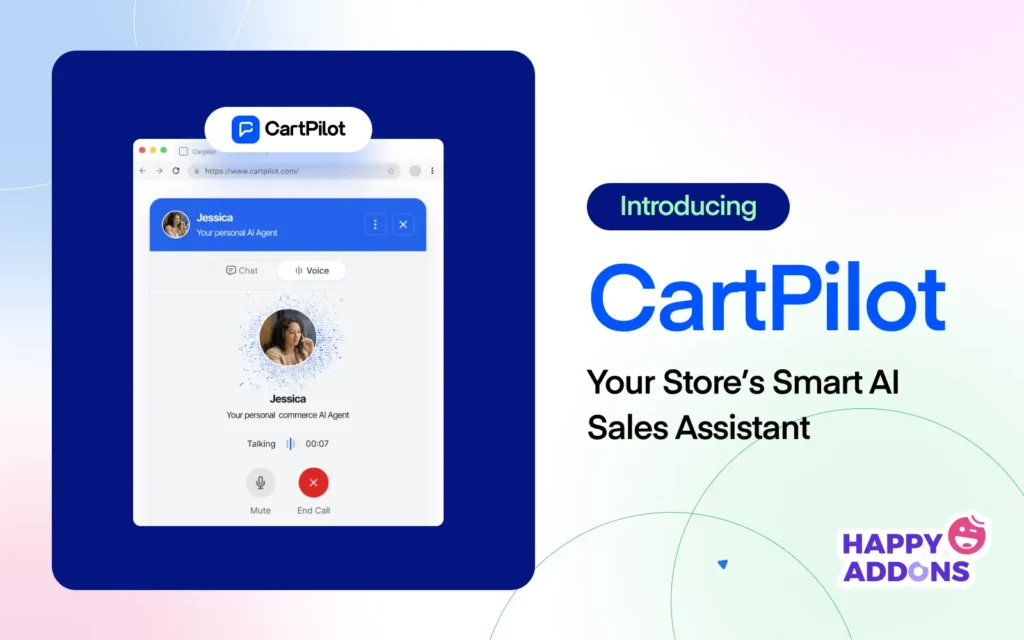
Introducing CartPilot: A Plugin for Your WooCommerce Store
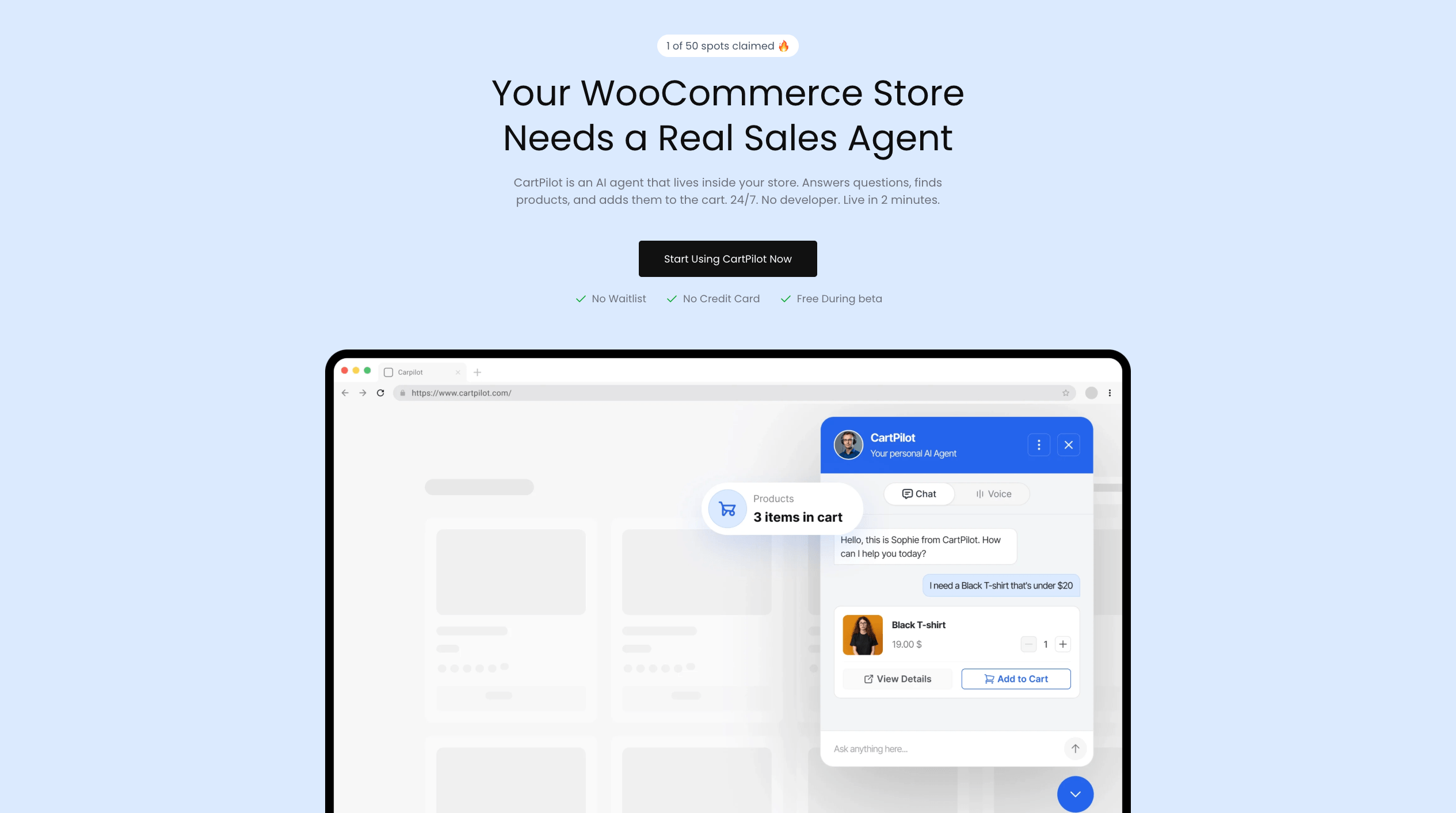
CartPilot is a powerful AI Sales Agent built exclusively for WooCommerce to help you turn more visitors into paying customers automatically.
Instead of relying on static chatbots or multiple support tools, CartPilot gets inside your store, understands your catalog, and actively closes the gap between ‘just browsing’ and ‘order confirmed.’
So, you can easily –
- Answer customer questions instantly inside your store
- Recommend the right products based on user intent
- Guide shoppers through product comparisons and decisions
- Add, update, or remove items directly in the cart via chat
- Reduce abandoned carts by keeping users engaged at checkout
It not only reacts to customers, but it also assists you in making more sales without complicating your working process.
Note: CartPilot is currently in beta. Features and capabilities may evolve as we continue refining the product based on feedback from early users.
The Story Behind CartPilot
Fifteen years ago, weDevs started with a simple belief that small businesses deserve powerful tools too.
That belief hasn’t changed. But the problems brought to us by our 550,000+ users have become even more pressing. And one issue kept appearing across store sizes, industries, and markets: WooCommerce merchants weren’t losing sales because their products weren’t good enough, but because no one was there at the moment it mattered most.
So we built CartPilot. Not to add another tool to the stack, but to finally give WooCommerce store owners something that could show up for their customers the way they would themselves, if they could be there every hour of every day.
We are not approaching an AI revolution. We are already inside one. The only question is which side of it you are on.
Who Should Be Using CartPilot?
CartPilot is exclusively built for the WooCommerce merchant who is tired of almost making the sale.
You know your products well, your store is set up properly, and visitors are arriving consistently. But despite that, most of them still leave without buying. A small unanswered question or a moment of hesitation is enough to break the journey, and existing tools rarely step in at the right time.
If any of these describe you, CartPilot is built for you:
- You run a WooCommerce store with a real catalog and real customers without any dedicated sales support
- Cart abandonment is your biggest revenue leak, and nothing you’ve tried has meaningfully closed it
- Your current chatbot only answers FAQs
- You’ve looked at the best AI sales tools out there and found every single one of them is Shopify-only
- You want to automate the buying experience without ripping apart your existing workflow to do it
Your store deserves better than a glorified FAQ bot. CartPilot is what comes next.
Key Features That Drive Conversions
A great AI sales agent does not just answer questions; it moves people. It reads the moment, responds with purpose, and guides a shopper from curiosity to checkout without ever making them feel like they are talking to a bot.
That is the standard CartPilot was built to meet. Every feature inside CartPilot exists for one reason: to make sure that when a shopper lands on your WooCommerce store, the next thing they do is buy.
Here’s an honest, side-by-side look at what changes when CartPilot becomes your store’s AI sales agent.
| Feature | Store With CartPilot | Store Without CartPilot |
| Autonomous Cart Actions | Add, update, or remove items directly through chat, instantly and without friction | Shoppers navigate the cart manually and drop off at every friction point |
| Semantic Product Search | AI understands shopper intent and surfaces the right product from your full catalog in real time | Shoppers search by keywords, miss relevant products, and leave empty handed |
| Custom Knowledge Base | Syncs automatically with your store and answers every policy and product question accurately | Outdated FAQs, unanswered tickets, and customers left guessing |
| Text & Voice Support | Shoppers interact naturally, by typing or talking, on any device, any time | Limited to static chat widgets or forms that feel impersonal and slow |
| 2-Minute Setup | Connected, synced, and live in under two minutes with no developer needed | Multiple tools, complex configurations, and ongoing maintenance just to get started |
Let’s explore these Features in depth –
Autonomous Cart Actions
The moment a customer says “I’ll take it,” CartPilot acts. No redirects, no manual steps, no lost momentum. Just a clean, uninterrupted path from conversation to checkout. With Autonomous Cart Actions, your customers can:
- Add any product to their cart instantly through chat
- Update quantities or swap variants mid-conversation
- Remove or adjust items without ever leaving the chat
It’s the closest thing to having a sales rep standing next to every shopper in your store, one who can actually reach out and handle the cart for them.
Semantic Product Search
Shoppers don’t always know what to search for. CartPilot figures it out for them. With Semantic Product Search, your store can:
- Understand natural language and find the right product instantly
- Search across your full catalog including all variants and availability
- Recommend the most relevant option based on real shopper intent
It’s like giving every customer a store expert who has memorized every product you’ve ever sold.
Custom Knowledge Base
Every store has its own policies, quirks, and product details that no generic chatbot could ever know. CartPilot learns yours. With a Custom Knowledge Base, your store can:
- Upload policies, FAQs, and custom Q&A in minutes
- Stay automatically synced with your live WooCommerce catalog
- Give shoppers accurate, store-specific answers around the clock
Think of it as onboarding CartPilot the same way you would a new team member — except it never forgets a thing.
Text & Voice Support
Not every shopper wants to type. CartPilot meets them, however they show up. Whether a customer prefers to type out a question or simply speak it, CartPilot handles both.
With Text & Voice Support, your customers can:
- Interact by typing or speaking, whatever feels natural
- Get consistent, accurate responses across every device
- Move through the buying journey without friction at any step
It’s the kind of shopping experience that feels less like a chatbot and more like a conversation with someone who actually knows the store.
2-Minute Setup
CartPilot connects to your WooCommerce store, syncs your entire catalog, and goes live in under two minutes, so the only thing left to do is watch it work.
With 2-Minute Setup, you can:
- Connect to WooCommerce without touching a single line of code
- Sync your full product catalog automatically on install
- Go live the same day with zero technical overhead
Because the best sales tool is the one that’s actually running in your store, not sitting in your to-do list.
So, if you’re ready to turn more conversations into conversions and stop losing customers at the finish line, CartPilot is the sales agent your WooCommerce store has been waiting for.
CartPilot vs Everything Else: What Makes It Unique
CartPilot isn’t just another chatbot or support tool, but a properly functioning AI sales agent for WooCommerce. It’s designed to actively participate in the buying process and remove the friction that causes customers to drop off before checkout.
There are three core things that make CartPilot fundamentally different from everything else on the market:
1. It Takes Action, Not Just Answers
Unlike traditional chat tools, CartPilot can directly add, update, or remove items in the customer’s cart inside the chat, turning conversation into purchase actions instantly.
2. It Understands Intent, Not Just Keywords
CartPilot goes beyond basic responses by understanding what customers actually need and recommending the right products based on real context.
3. It’s Built Natively for WooCommerce Conversions
Designed specifically for WooCommerce, it integrates deeply with products, variations, pricing, and stock to optimize every interaction for sales.
Here’s a quick comparison between CartPilot and other solutions –
| Feature / Benefit | CartPilot | Tidio | Tawk.to | Aisk AI Chatbot | Rep AI | WSChat | Gorgias |
| Support Chat | ✓ | ✓ | ✓ | ✓ | ✓ | ✓ | ✓ |
| AI Product Recommendations | ✓ | ✓ | ✓ | ✓ | ✓ | ✗ | ✓ |
| Cart Interaction (Add/Update/Remove) | ✓ | ✗ | ✗ | ✗ | ✓ (Shopify only) | ✗ | ✗ |
| Sales Conversion Focus | ✓ | ✓ | ✗ | ✓ | ✓ | ✓ | ✓ |
| WooCommerce Support | ✓ | ✓ | ✓ | ✓ | ✗ | ✓ | partial |
| AI Store Intelligence | ✓ | ✓ | ✗ | ✓ | ✓ | Limited | ✓ |
| Knowledge Base Sync | ✓ | ✓ | ✗ | ✓ | ✓ | Partial | ✓ |
| Setup Complexity (Easy) | ✓ | ✓ | ✓ | ✓ | ✓ | ✓ | ✓ |
| End-to-End Purchase Guidance | ✓ | ✗ | ✗ | ✗ | ✓ | ✗ | ✗ |
Instead of adding another layer of support tools, it brings intelligence directly into the shopping experience, where it matters most. By combining real-time conversation with real actions inside the cart, CartPilot turns everyday product interactions into completed purchases.
Pricing
CartPilot is currently free during beta, with full access to all features, no credit card required. You can start using it right away and explore its impact on your store without any commitment.
Early users also receive a special launch discount, locked in for life once CartPilot goes public. Plus, you’ll have a direct line to the team, helping shape future features.
As a beta user, you’ll also get early access to upcoming features like voice mode, analytics, and multi-store support, before anyone else.
Conclusion
Building a WooCommerce store takes real work. Real time, real investment, and real belief that what you are selling is worth something to the people who find it.
CartPilot was built with the belief that every merchant deserves a tool that shows up for their customers the way they would themselves. One that never clocks out, never misses a question, and never lets a good shopper walk away empty-handed.
That is what it does. And with a free tier and a two-minute setup, there has never been a lower bar to finding out what it can do for your store.

![Black Friday and Cyber Monday are around the corner, and people are waiting for these festivals to grab the best product deals. That is why giving an attractive look to your website during this festive season is very necessary. But, creating a whole new landing page might be difficult in a short period of time. Don't worry. By using Happy Elementor Addons Black Friday and Cyber Monday Landing Page templates, you can easily develop a whole new landing page in a few minutes. In this today's blog, we are going to show how to boost your website design using HappyAddons templates during this festival season. Before that, we'll talk a bit about these two festivals and why they are important to online business communities. What are Black Friday and Cyber Monday? Black Friday is the immediate following of the famous Thanksgiving day. This is when people start shopping to celebrate the Christmas festival. Since the late 1980s, retail sales on this day have constantly been suppressing the past volumes. See the graph below. Source: Salecycle.com The first Monday following Thanksgiving day each year is called Cyber Monday. It was first introduced in 2005 by the USA National Retail Federation to encourage people to buy online. Though this festival originated in the USA, it is celebrated globally today. See the stats below. Source: Salecycle.com It indicates customers' buying behavior around this day is growing up over time. Many customers today keep a budget to buy products on these two days. So, why won’t you prepare a Cyber Monday landing page if you have an online store? Importance of Designing Landing Pages for Black Friday and Cyber Monday Festival Having a well-design website is one of the major checklists if you are running an online business. Most importantly, you have to make sure that your website remains up-to-date to boost your sales. That is why you need to redesign your website or make a new landing page during the Black Friday and Cyber Monday festivals. Because most online product & service-based businesses promote special deals during these two festivals. Here are some remarkable ways dedicated landing pages during these festivals can positively impact the performance of your online business. Boosts your product salesIncreases conversion rateOpportunity to collect potential email leadsGrabs users' attention toward your siteReduces bounce rateIncreases website visitors. Elementor Black Friday New Seasonal Kit is Already Here! Source: Elementor To make this Black Friday more enjoyable, Elementor has launched a New Seasonal Kit that includes landing pages, sections, pop-ups, and vector assets. All these design elements are made by the Elementor team so that one can easily use them on their website to ensure more sales and conversions. New Elementor Black Friday Seasonal Kit offers: 3 Landing pages6 Sections 6 Popups A collection of stickers & animations You can only get these ready-made Black Friday landing pages and sections if you have Installed Elementor Pro on your site. However, if you are looking for templates that are outside of the box, you can go with Happy Addons, the fastest Elementor Addons on the market. It's very easy to use, flexible and has tons of advanced features and widgets that can ease your website design journey. Also, you'll get several festival landing page templates & blocks. Moreover, you can use free Black Friday and Cyber Monday design blocks and templates to decorate your site. Most importantly, these templates and blocks are easy to customize and can be used for multiple purposes. Now let's see how you can use the Happy Addons templates to design your website according to the Black Friday theme. Pre-Requisites to Use HappyAddons Templates to Design Black Friday and Cyber Monday Landing Pages You must have the following plugins installed on your site to get access to the HappyAddons Template library. Make sure you’ve installed and activated the Happy Addons Free & Premium version of your website. Elementor (Free)Happy Addons (Free)Happy Addons Pro If you are new to Elementor, check this Step By Step Guide For Beginners. If you want to explore the readymade templates of HappyAddons before installing these plugins, you may visit by clicking on the button below. Check out Happy Addons Templates How to Design Black Friday Landing Page on Your Website Once you have the plugins (mentioned above) installed, your website is ready to follow the tutorial guide explained in this section. Get ready now! Step 1: Open a New Page with Elementor Create a new page or open the existing page with Elementor. Next, you have to select the Elementor Canvas option.Unless you select Elementor Canvas, you may watch the header, footer, and unnecessary other texts on the page. These might be irritating to you.Once you open the page with Elementor Canvas, your page will be completely clean. Watch the video below on how to do it. Step 02: Go to HappyAddons Library Click on the HappyAddons Library Icon. It will open up a modal popup. Here you'll find numerous stunning premade Blocks and Pages created by the Happy Addons team. Kindly explore them to create a list of your favorite items. Step 03: Import a HappyAddons Black Friday Template Go to the Page tab on the modal popup.Select Black Friday from the left-side filter option.You will several good-looking templates on your screen.Take your cursor on the one you like and hit on the INSERT button. Wait for a while to finish the installation process. You will get the template on your screen with editable sections and options. Step 04: Set the Black Friday Campaign Deadline A deadline creates a sense of urgency in customers' minds. So, better if you add a deadline section on the page to show your Black Friday deals. The good thing is that if you select the template as we did, you will automatically get a deadline or countdown option. You have to customize it as you want. Step 05: Show Image Carousel Slider on Your Black Friday Landing Page Using the Image Carousel, you can slide show demonstrating discounts on your product categories. Drag and drop the Image Carousel widget on any landing page section. Next, from the Elementor panel, you can add photos and text to the widget. Do it accordingly. Thus, you can add more sections and options on the landing page. Hope you can do it yourself. Step 06: Make the Black Friday Landing Page Mobile Responsive Making a web page mobile responsive with Elementor is super easy. You'll get the mobile responsive option on the Elementor footer section. Clicking on it will open up the option to view your landing page on different device screens. We have explained the process in the video below. Note: Don't delete any widget or section while customizing your landing page for any particular device. Because if you delete a widget or section on any device screen, it will also be applied on other devices. However, you may change their position or alignment or hide them. It won't make any impact on other devices. Step 07: Final Preview of Our Landing Page Here is the final interface of our Elementor Black Friday landing page that we've designed using the Happy Addons' ready-made Template. Get Happy Addons to Add a Black Friday Theme Landing Page on Your Website How to Design Cyber Monday Landing Page on Your Website You will require the same prerequisites (Elementor and HappyAddons Plugins) to design the Cyber Monday landing page on your website. Hope you have them ready on your website. Now, let's get into the tutorial part. Step 01: Import a Cyber Monday Readymade Landing Page Template Go to the HappyAddons Template library.Choose the Cyber Monday template you like.Click on the INSERT button. Wait for a while to finish the installation process. You'll get a page design like the following image below. Step 02: Edit Different Sections of the Page In the first tutorial, you saw the deadline/countdown option was already embedded in the template. But this template doesn't have it. So, you can bring it to your page? Very simple. Create a new section by clicking on the plus icon.Type Countdown on the Elementor search bar.Drag and drop the widget on the section. Customize the Countdown section from the Content and Style tabs of the Elementor panel. Using the Heading widget, we have added the FLASH DEALS text next to the countdown to make it more meaningful. Thus, you can use other exciting widgets on the template to make your landing page super gorgeous. Step 03: Promote Products on the Landing Page Promotional landing pages usually include a section to showcase some hot-selling products to generate instant sales. Using the Image and Button widgets, we have created this section under the FLASH DEALS.You may customize it more as you wish. Step 04: Make it Mobile Responsive We already showed you the process in the first tutorial on making a mobile web landing page responsive. Hope you can do it here as well, following the same guideline. Click on the Responsive Mode icon and do the rest yourself. Bonus: Black Friday and Cyber Monday Landing Page Design Key Considerations Whenever you design a landing page, you need to consider why you need to design this page and what elements they should keep on the page. Because if you are not adding all the necessary features to your page, it will not serve its purpose. This is why you need to focus on a few things before designing your Black Friday landing page. Here are some points you must consider in designing Black Friday and Cyber Monday landing pages. Add Black Friday textSet deals deadlineShow your best-discounted productsAdd coupon code Focus on responsive page designMake your page visually appealingImprove your page user experience or page structureSet a proper website navigation FAQ on Black Friday and Cyber Monday Landing Page Design Now, we'll answer some common questions on Black Friday and Cyber Monday Landing page designs commonly found online. How much does it cost to design a landing page?The cost of designing a landing page varies depending on the complexity of the design, the level of customization required, and whom to hire for the page. A simple landing page can be designed for as little as $25, while a more complex design with multiple customizations can cost upwards of $2,00.However, if you have Elementor and HappyAddons installed, you can design unlimited landing pages at a minimal cost. But like any other tool, you must have a kind of enterprise on them. As they are drag-and-drop builders and their numerous tutorials and documentation are available, they won't take you more than a month to be used to. Check out some wonderful YouTube tutorials on these two plugins. Hope you will enjoy them.How many hours does it take to design a landing page?It mainly depends on the level of design complexity and your web design skill. However, both in Elementor and HappyAddons, you will get countless readymade templates and block sections. You can design a beautiful landing page in 3-5 hours by making a proper combination of them.Can I design Black Friday and Cyber Monday Landing pages with Elementor and HappyAddons free versions?Surely, you can design Black Friday and Cyber Monday Landing pages with Elementor and HappyAddons free versions. But only with the pro versions, you can't add too many exciting features to your pages. For example, free versions will give you access to only a limited number of readymade templates.If you are just a beginner-level designer, free versions are enough. But if you are a professional designer or have a web designing agency, pro versions are a must. Are You Ready To Design Your Black Friday and Cyber Monday Landing Page? Customers look forward to this kind of occasion to buy their favorite products at a minimum price. Naturally, they are drawn to websites that look good and give a festive vibe. That is why adding a Black Friday and Cyber Monday landing page during the festival season will give you an extra edge over the competitors. The above guide shows how to design your Elementor Black Friday Landing page using the Happy Addons' Black Friday Templates and how it can help boost your holiday sales. So if you have any queries regarding this blog, you can comment on us in the below box. If you like this post, then share it on your social channel. Don't forget to subscribe to our newsletter. Also, follow our Facebook and Twitter channels for regular updates. Subscribe to our newsletter Get latest news & updates on Elementor [yikes-mailchimp form="1"] ":36560} /--](https://happyaddons.com/wp-content/uploads/2021/11/How-to-Design-Black-Friday-and-Cyber-Monday-Landing-Page-300x188.png)
