







Blocks are chunks of content like photos, paragraphs of text, audio, or even videos. Those who work in WordPress know about the block editor called Gutenberg, which has revolutionized the WordPress industry.
Having said that, Gutenberg lays the groundwork for incredibly exciting developments. Then there is Elementor. You can create beautiful web pages for free, and those designs will be top-notch. Furthermore, it offers limitless design opportunities.
And addons like Happy Addons, Essential Addons, etc., have elevated the design level to the next tier.
Today, we are going to talk about the workability of Gutenberg with Elementor and discuss some of the Top Elementor FAQ Answered.
Gutenberg: A Bright New Future for WordPress
Back in 2018, the WordPress industry entered the age of Gutenberg’s block editor. This allows users for a much better writing experience when creating content on WordPress. It was the replacement for the old Wysiwyg editor.
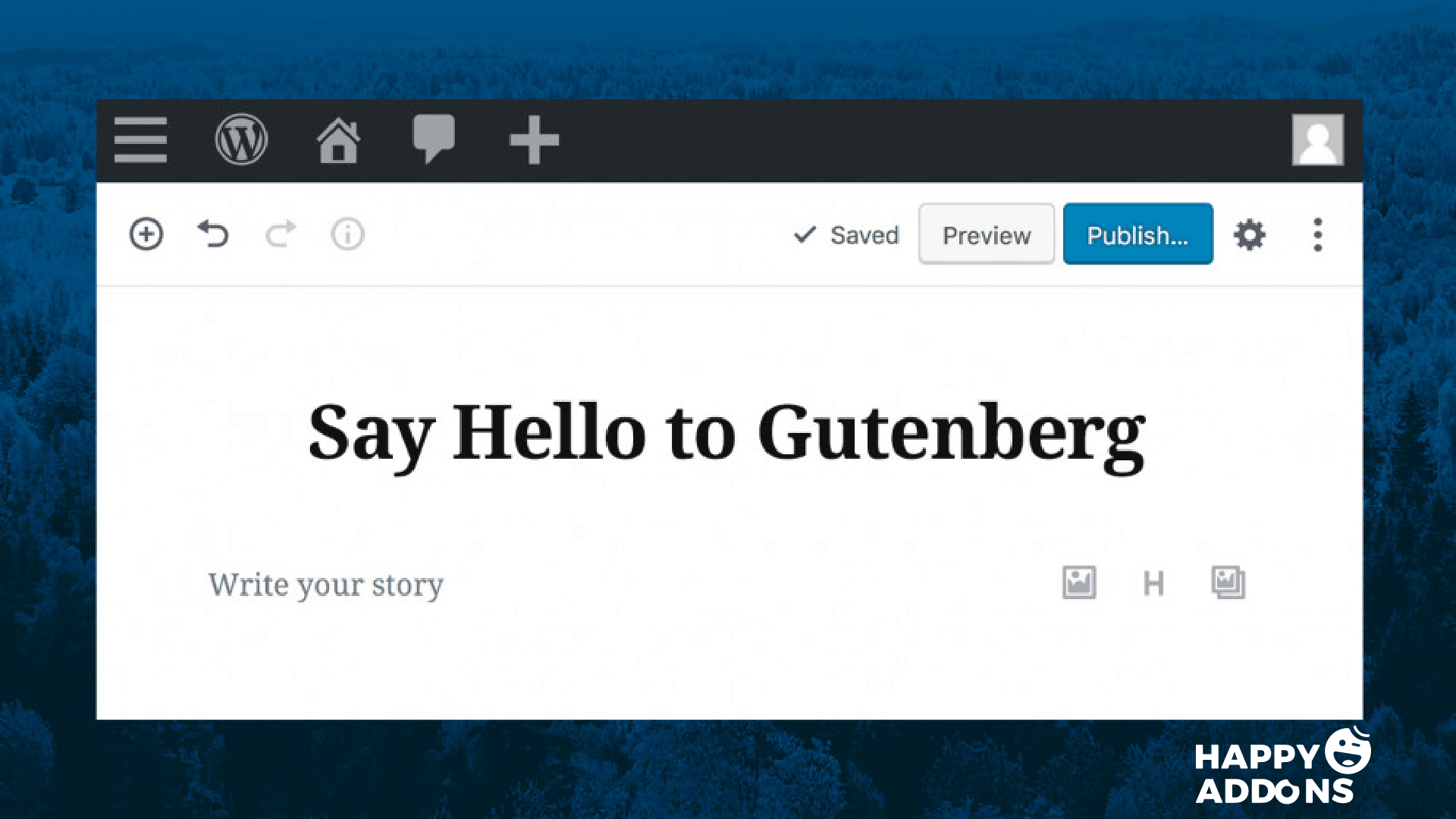
Gutenberg uses the block concept, which allows you to determine every part of the content easily. Now, you can change a single line of text into quotes. You have the option to select the type of quote, it’s placement, decoration, etc. However, the same goes for other blocks as well. Also, there are many other useful blocks, like
- Paragraphs
- Lists
- Quotes
- Headings
- Code
- Images
- Galleries
- Shortcodes
- Columns
- Buttons
- Widgets
Therefore, if you know the tips and tricks, you can easily find your way around the Gutenberg block editor. Recently, they have released version 7.2 which includes the long-awaited multi-button block and gallery size option.
Elementor: Design Your Dream Website For Free
Elementor lets you build a website, replacing a basic WordPress editor. It has a live frontend editor, so you can create complex layouts visually. You don’t need any codes to do this. It has a drag-and-drop mechanism that lets you use its exclusive widgets and features.
Its basic interface is extremely user-friendly. It is also fast and well-responding. It works with most of the WordPress themes. So you can easily create any complex designs of your will and satisfaction.
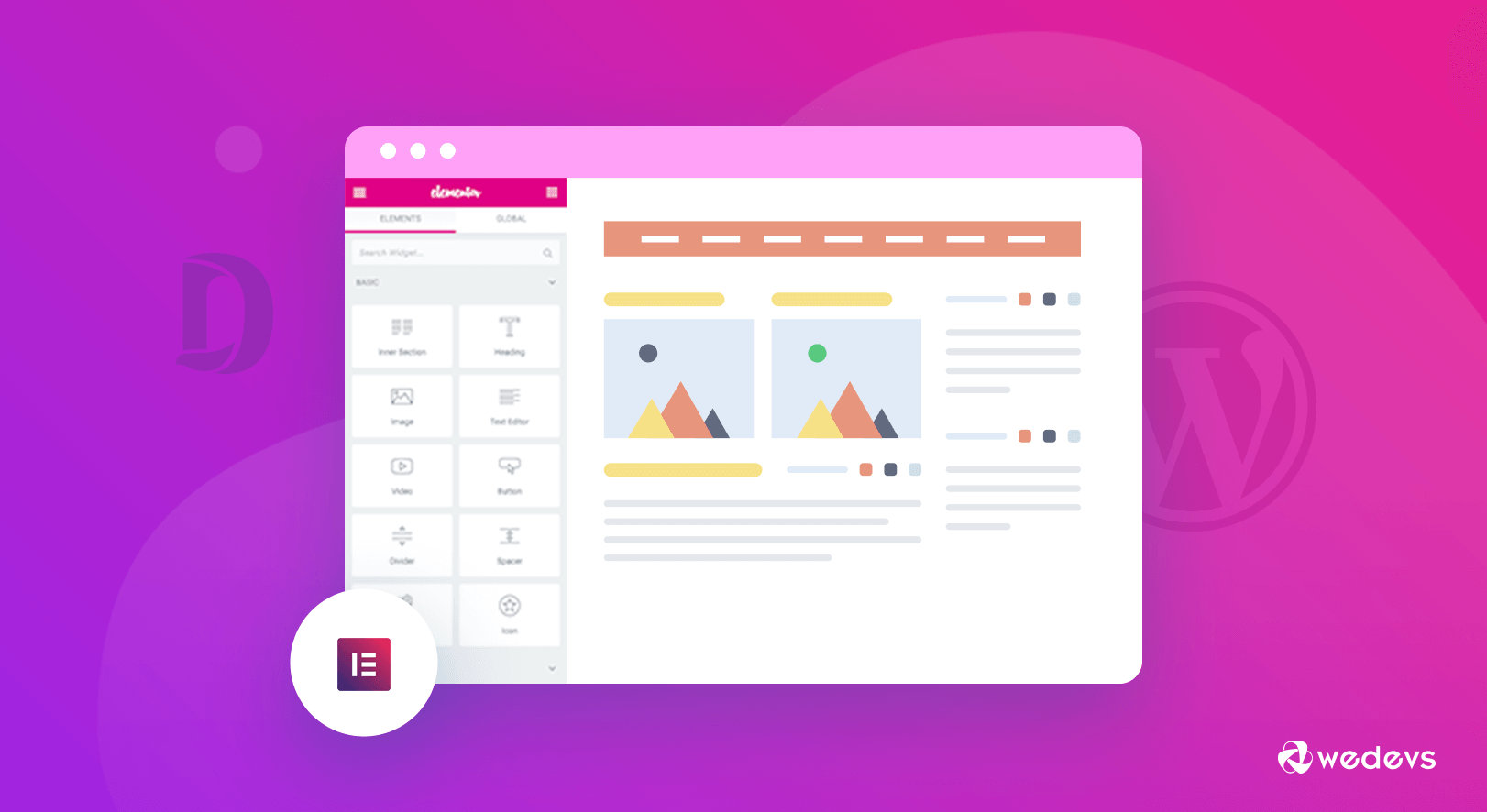
You can create websites that have a “Designer’s Touch”. To reverse column ordering, you can create responsive websites with different font sizes, padding, and margins per device.
There are exclusive widgets like,
- The inner section
- Heading
- Image
- Text Editor
- Video Button
- Star Rating
- Divider
- Google Maps
- Icon
- image box
- Icon box
- Basic gallery
- Image Carousel
- Icon list
- The counter spacer
- Testimonial
- Tabs
- Accordion
- Toggle
- Social icons
- Progress bar
And many more.
Top Elementor FAQ Answered
Elementor has become such a powerful tool in the webpage designing and WordPress industry that there are many questions that keep circulating in people’s minds. So, we are going to answer some of the top FAQs related to Elementor for you in this article.
Does The Elementor Work With Gutenberg?
A lot of people have been wondering if the two-block editors Gutenberg and Elementor work together. There is also a question if Gutenberg replaces Elementor and vice-versa. The answer to that question is,
Yes, Gutenberg works with Elementor. And No, Gutenberg doesn’t replace Elementor.
Elementor introduced a feature called Elementor Blocks. It is a separate plugin that has to be downloaded from the WordPress repository.
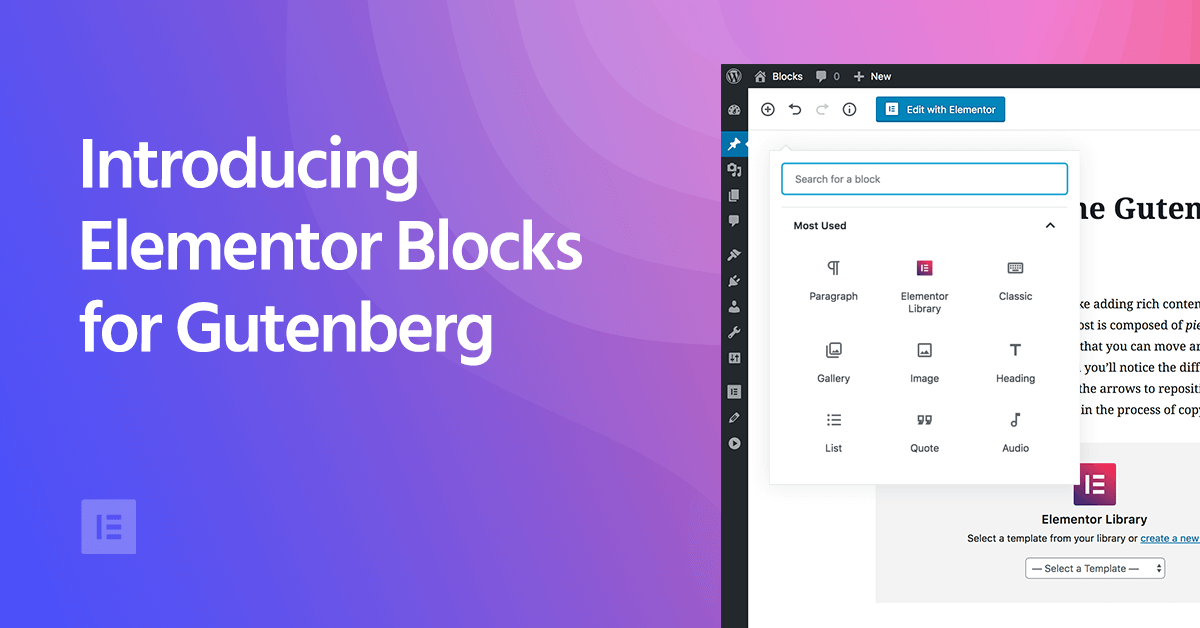
Then, it will automatically be integrated into the core of the plugin. Therefore, you can embed Elementor templates inside the Gutenberg editor with one click.
What are Elementor Addons?
Elementor offers a lot of features. However, there are certain aspects that remain untouched. That is where Elementor Addons comes in. These addons offer free and pro widgets and features that can elevate the design of your website to a whole new level.
Features like Preset, Cross-Domain copy-paste, and Live copy-paste are possible because of Elementor Addons.
Which are the Best Elementor Addons?
One of the top Elementor FAQs is which is the best Elementor Addons. It depends on a lot of aspects. Having said that, addons bring a lot of unique features and widgets to the table.

Currently, Happy Elementor Addons has the most unique and exclusive features that Elementor Addons has to offer. It has 40+ free and pro widgets along with features like Happy Icons, Image Masking, Site Sync, Happy Column Control, and many more.
It has already crossed 20000+ active installations within a few months of its release. Therefore, you can understand why Happy Addons has become the hottest Addons in the Elementor Community right now.
Why is The Elementor Free?
Elementor was developed with the intention of enabling anyone to design a website without having the skill or knowledge of code. Moreover, in order to develop a premium site would take a lot of time. Some might lose interest in the middle of the design. However, even after a lot of work, the design might not look satisfactory.
That is why Elementor was made free so that people can easily reach their designing goals.
Having said that, if someone wants to design more exclusive sites, then Elementor also has a Pro version.
Do I need coding skills to Use Elementor?
No, one doesn’t need to know any coding skills to use Elementor. All he/she has to know how to install WordPress and install the Elementor plugin. It has a lot of tutorial videos on how to use it to build your website effectively.
Is Elementor SEO Friendly?
Yes. Elementor is completely Search Engine Optimized. A lot of people believe that site builder plugins are bad for SEO. But not Elementor.
One of the better things about Elementor is that it generates valid HTML markup.
Therefore, there is no need to worry about any technical difficulties. Elementor works seamlessly with Yoast SEO, Rank Math, SEOPress, etc.
Will Elementor Slow Down My Site?
No. Elementor will not slow down your website. If you follow the right tools and tips then you can easily make your website faster with exclusive designs.
These are the top FAQs of Elementor that seek answers. We hope you found the desired reply about the Elementor you were looking for.
If you want to know more, you can check out this article.
Final Words
In Elementor, you will find all the right tools to start designing your dream website. Also, add-ons like Happy Addons are already there to take your website to the next level. By the way, if you love photography, you can easily create a Photography Site using Elementor and Happy Addons.
We also tried to answer some Top FAQs for your convenience. If you have any fears about designing your website, this post will hopefully remove them forever.
If you have any more queries, then be sure to let us know in the comment section below.

![Black Friday and Cyber Monday are around the corner, and people are waiting for these festivals to grab the best product deals. That is why giving an attractive look to your website during this festive season is very necessary. But, creating a whole new landing page might be difficult in a short period of time. Don't worry. By using Happy Elementor Addons Black Friday and Cyber Monday Landing Page templates, you can easily develop a whole new landing page in a few minutes. In this today's blog, we are going to show how to boost your website design using HappyAddons templates during this festival season. Before that, we'll talk a bit about these two festivals and why they are important to online business communities. What are Black Friday and Cyber Monday? Black Friday is the immediate following of the famous Thanksgiving day. This is when people start shopping to celebrate the Christmas festival. Since the late 1980s, retail sales on this day have constantly been suppressing the past volumes. See the graph below. Source: Salecycle.com The first Monday following Thanksgiving day each year is called Cyber Monday. It was first introduced in 2005 by the USA National Retail Federation to encourage people to buy online. Though this festival originated in the USA, it is celebrated globally today. See the stats below. Source: Salecycle.com It indicates customers' buying behavior around this day is growing up over time. Many customers today keep a budget to buy products on these two days. So, why won’t you prepare a Cyber Monday landing page if you have an online store? Importance of Designing Landing Pages for Black Friday and Cyber Monday Festival Having a well-design website is one of the major checklists if you are running an online business. Most importantly, you have to make sure that your website remains up-to-date to boost your sales. That is why you need to redesign your website or make a new landing page during the Black Friday and Cyber Monday festivals. Because most online product & service-based businesses promote special deals during these two festivals. Here are some remarkable ways dedicated landing pages during these festivals can positively impact the performance of your online business. Boosts your product salesIncreases conversion rateOpportunity to collect potential email leadsGrabs users' attention toward your siteReduces bounce rateIncreases website visitors. Elementor Black Friday New Seasonal Kit is Already Here! Source: Elementor To make this Black Friday more enjoyable, Elementor has launched a New Seasonal Kit that includes landing pages, sections, pop-ups, and vector assets. All these design elements are made by the Elementor team so that one can easily use them on their website to ensure more sales and conversions. New Elementor Black Friday Seasonal Kit offers: 3 Landing pages6 Sections 6 Popups A collection of stickers & animations You can only get these ready-made Black Friday landing pages and sections if you have Installed Elementor Pro on your site. However, if you are looking for templates that are outside of the box, you can go with Happy Addons, the fastest Elementor Addons on the market. It's very easy to use, flexible and has tons of advanced features and widgets that can ease your website design journey. Also, you'll get several festival landing page templates & blocks. Moreover, you can use free Black Friday and Cyber Monday design blocks and templates to decorate your site. Most importantly, these templates and blocks are easy to customize and can be used for multiple purposes. Now let's see how you can use the Happy Addons templates to design your website according to the Black Friday theme. Pre-Requisites to Use HappyAddons Templates to Design Black Friday and Cyber Monday Landing Pages You must have the following plugins installed on your site to get access to the HappyAddons Template library. Make sure you’ve installed and activated the Happy Addons Free & Premium version of your website. Elementor (Free)Happy Addons (Free)Happy Addons Pro If you are new to Elementor, check this Step By Step Guide For Beginners. If you want to explore the readymade templates of HappyAddons before installing these plugins, you may visit by clicking on the button below. Check out Happy Addons Templates How to Design Black Friday Landing Page on Your Website Once you have the plugins (mentioned above) installed, your website is ready to follow the tutorial guide explained in this section. Get ready now! Step 1: Open a New Page with Elementor Create a new page or open the existing page with Elementor. Next, you have to select the Elementor Canvas option.Unless you select Elementor Canvas, you may watch the header, footer, and unnecessary other texts on the page. These might be irritating to you.Once you open the page with Elementor Canvas, your page will be completely clean. Watch the video below on how to do it. Step 02: Go to HappyAddons Library Click on the HappyAddons Library Icon. It will open up a modal popup. Here you'll find numerous stunning premade Blocks and Pages created by the Happy Addons team. Kindly explore them to create a list of your favorite items. Step 03: Import a HappyAddons Black Friday Template Go to the Page tab on the modal popup.Select Black Friday from the left-side filter option.You will several good-looking templates on your screen.Take your cursor on the one you like and hit on the INSERT button. Wait for a while to finish the installation process. You will get the template on your screen with editable sections and options. Step 04: Set the Black Friday Campaign Deadline A deadline creates a sense of urgency in customers' minds. So, better if you add a deadline section on the page to show your Black Friday deals. The good thing is that if you select the template as we did, you will automatically get a deadline or countdown option. You have to customize it as you want. Step 05: Show Image Carousel Slider on Your Black Friday Landing Page Using the Image Carousel, you can slide show demonstrating discounts on your product categories. Drag and drop the Image Carousel widget on any landing page section. Next, from the Elementor panel, you can add photos and text to the widget. Do it accordingly. Thus, you can add more sections and options on the landing page. Hope you can do it yourself. Step 06: Make the Black Friday Landing Page Mobile Responsive Making a web page mobile responsive with Elementor is super easy. You'll get the mobile responsive option on the Elementor footer section. Clicking on it will open up the option to view your landing page on different device screens. We have explained the process in the video below. Note: Don't delete any widget or section while customizing your landing page for any particular device. Because if you delete a widget or section on any device screen, it will also be applied on other devices. However, you may change their position or alignment or hide them. It won't make any impact on other devices. Step 07: Final Preview of Our Landing Page Here is the final interface of our Elementor Black Friday landing page that we've designed using the Happy Addons' ready-made Template. Get Happy Addons to Add a Black Friday Theme Landing Page on Your Website How to Design Cyber Monday Landing Page on Your Website You will require the same prerequisites (Elementor and HappyAddons Plugins) to design the Cyber Monday landing page on your website. Hope you have them ready on your website. Now, let's get into the tutorial part. Step 01: Import a Cyber Monday Readymade Landing Page Template Go to the HappyAddons Template library.Choose the Cyber Monday template you like.Click on the INSERT button. Wait for a while to finish the installation process. You'll get a page design like the following image below. Step 02: Edit Different Sections of the Page In the first tutorial, you saw the deadline/countdown option was already embedded in the template. But this template doesn't have it. So, you can bring it to your page? Very simple. Create a new section by clicking on the plus icon.Type Countdown on the Elementor search bar.Drag and drop the widget on the section. Customize the Countdown section from the Content and Style tabs of the Elementor panel. Using the Heading widget, we have added the FLASH DEALS text next to the countdown to make it more meaningful. Thus, you can use other exciting widgets on the template to make your landing page super gorgeous. Step 03: Promote Products on the Landing Page Promotional landing pages usually include a section to showcase some hot-selling products to generate instant sales. Using the Image and Button widgets, we have created this section under the FLASH DEALS.You may customize it more as you wish. Step 04: Make it Mobile Responsive We already showed you the process in the first tutorial on making a mobile web landing page responsive. Hope you can do it here as well, following the same guideline. Click on the Responsive Mode icon and do the rest yourself. Bonus: Black Friday and Cyber Monday Landing Page Design Key Considerations Whenever you design a landing page, you need to consider why you need to design this page and what elements they should keep on the page. Because if you are not adding all the necessary features to your page, it will not serve its purpose. This is why you need to focus on a few things before designing your Black Friday landing page. Here are some points you must consider in designing Black Friday and Cyber Monday landing pages. Add Black Friday textSet deals deadlineShow your best-discounted productsAdd coupon code Focus on responsive page designMake your page visually appealingImprove your page user experience or page structureSet a proper website navigation FAQ on Black Friday and Cyber Monday Landing Page Design Now, we'll answer some common questions on Black Friday and Cyber Monday Landing page designs commonly found online. How much does it cost to design a landing page?The cost of designing a landing page varies depending on the complexity of the design, the level of customization required, and whom to hire for the page. A simple landing page can be designed for as little as $25, while a more complex design with multiple customizations can cost upwards of $2,00.However, if you have Elementor and HappyAddons installed, you can design unlimited landing pages at a minimal cost. But like any other tool, you must have a kind of enterprise on them. As they are drag-and-drop builders and their numerous tutorials and documentation are available, they won't take you more than a month to be used to. Check out some wonderful YouTube tutorials on these two plugins. Hope you will enjoy them.How many hours does it take to design a landing page?It mainly depends on the level of design complexity and your web design skill. However, both in Elementor and HappyAddons, you will get countless readymade templates and block sections. You can design a beautiful landing page in 3-5 hours by making a proper combination of them.Can I design Black Friday and Cyber Monday Landing pages with Elementor and HappyAddons free versions?Surely, you can design Black Friday and Cyber Monday Landing pages with Elementor and HappyAddons free versions. But only with the pro versions, you can't add too many exciting features to your pages. For example, free versions will give you access to only a limited number of readymade templates.If you are just a beginner-level designer, free versions are enough. But if you are a professional designer or have a web designing agency, pro versions are a must. Are You Ready To Design Your Black Friday and Cyber Monday Landing Page? Customers look forward to this kind of occasion to buy their favorite products at a minimum price. Naturally, they are drawn to websites that look good and give a festive vibe. That is why adding a Black Friday and Cyber Monday landing page during the festival season will give you an extra edge over the competitors. The above guide shows how to design your Elementor Black Friday Landing page using the Happy Addons' Black Friday Templates and how it can help boost your holiday sales. So if you have any queries regarding this blog, you can comment on us in the below box. If you like this post, then share it on your social channel. Don't forget to subscribe to our newsletter. Also, follow our Facebook and Twitter channels for regular updates. Subscribe to our newsletter Get latest news & updates on Elementor [yikes-mailchimp form="1"] ":36560} /--](https://happyaddons.com/wp-content/uploads/2021/11/How-to-Design-Black-Friday-and-Cyber-Monday-Landing-Page-300x188.png)

2 Responses
Really cool. And totally do agree with your every statement.
However, lots of people faced different issues with Gutenberg. But now it has cured and anyone can get through it.