






When it comes to choosing a WordPress Starter theme, there are so many options to simplify your theme development process significantly. But pick the right one from the crowd can be a little bit tough for the beginners. Let us help you by projecting the spotlight on important facts.
A WordPress starter theme allows theme developers to create their own WordPress theme for the clients or their personnel usages. It will give you a functional foundation to start from. Fundamentally, you can use these blank themes as your base while creating a website.
In this article, we have listed some of the best Starter WordPress Themes that you may consider while developing your site.
Short Introduction to WordPress Starter Themes
Starting from scratch is extremely time-consuming and sometimes frustrating too. Though it gives you the full freedom to impose your own creativity into your site design. Finally, it ends up with something unique and extraordinary.
However, if you are tensed about the extra efforts and time, then a fundamental or blank starter theme can help you out easily. These themes are like wet mud. You can mold them into any shape that you want. Plus, they can be optimized for any type of websites like a personal blog, portfolio, or business site as well.
As we said a WordPress Starter Theme comes with a minimal design and simple layout. It provides you the basic skeleton to proceed with your development process effortlessly.
Moreover, unlike other standard WordPress themes, these blank layouts include only foundational code. Therefore, you can extend the functionality according to your site requirements and build a completely new theme within a short time period.
Starter themes are totally different from parent theme or theme framework. They don’t come with custom hooks, additional styles, filters, or template tags. But you will get the primary code for displaying posts, comments, and pages.
Top 10+ WordPress Starter Themes for Website Developers
Check out the most used WordPress starter themes that you may also use as your base while creating your own theme.
Astra
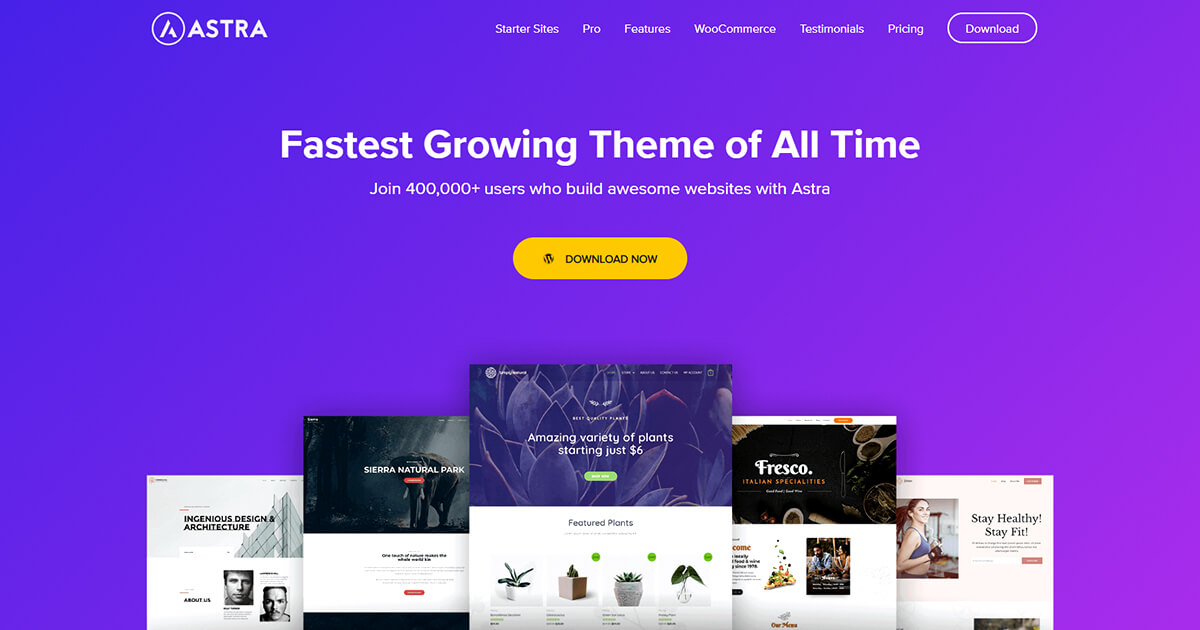
Astra is a premium WordPress theme that comes with elegant and stylish designs. It supports over 100 starter themes and pre-build websites to create multiple types of websites with ease.
It is acceptable for several business niches, that’s why you can easily find a perfect demo that fits your requirements. This fully editable and super fast theme is equally suitable for both professional developers and beginners. Work seamlessly with all popular site builders.
100% money back 14 days trial facility gives you the freedom to shift your choice.
Total
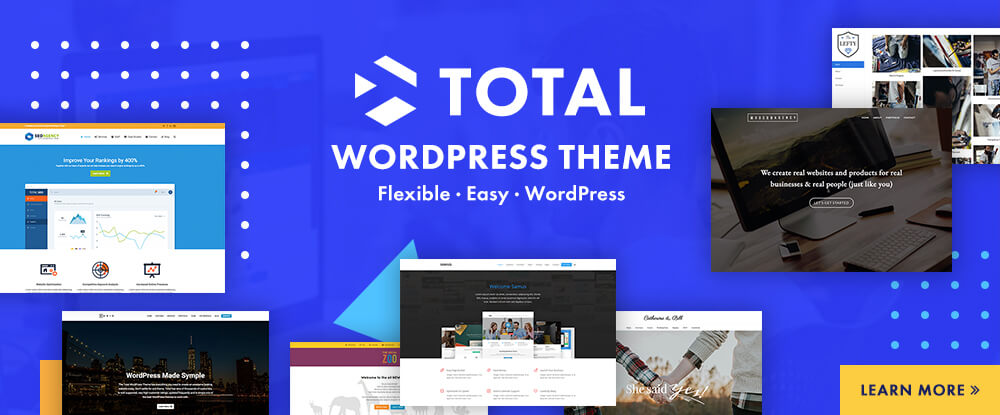
The Total WordPress theme is a great premium starter theme choice as it includes easy-to-use features to get your site up and running quickly.
Choose from 50+ quick import demos, 90+ section templates, 70+ cards, and tons of pre-styled page elements to create a stunning website. Or use the theme’s custom WPBakery page builder blocks and hundreds of live customizer settings to create a one-of-a-kind site.
Plus the theme is SEO friendly, optimized for speed, and integrates with popular plugins (including WooCommerce, bbPress, the Events Calendar, and more) for even more options!
Underscores
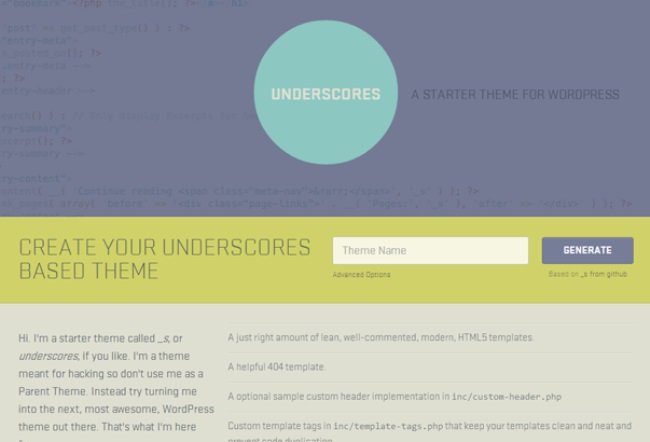
Next up, Underscores is a powerful WordPress starter theme developed by Automattic. This minimalist theme is created with HTML5 and CSS. The clean code system allows you to build a unique WordPress theme quicker than ever.
It provides two sample layouts, one having a sidebar on the right and another with a sidebar on the left. Since 2012, all WordPress default theme uses Underscores as a base. Therefore, creating a standard WordPress theme based on your preference becomes easier using Underscores.
UnderStrap
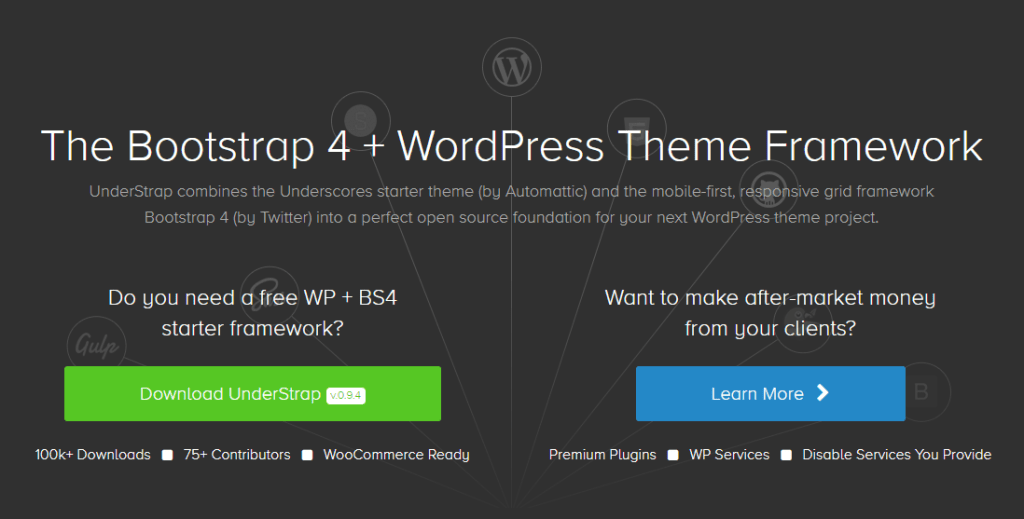
This WordPress theme framework is built on Bootstrap 4 and Underscore which tied together by Gulp, npm, and SCSS. It also gives support for Jetpack, WooCommerce, and Contact Form 7. You can easily modify this responsive theme as it provides a grid framework.
Most importantly, you will get regular updates from the theme authors. So, it can be a good choice to build your own parent theme using Understrap.
Genesis
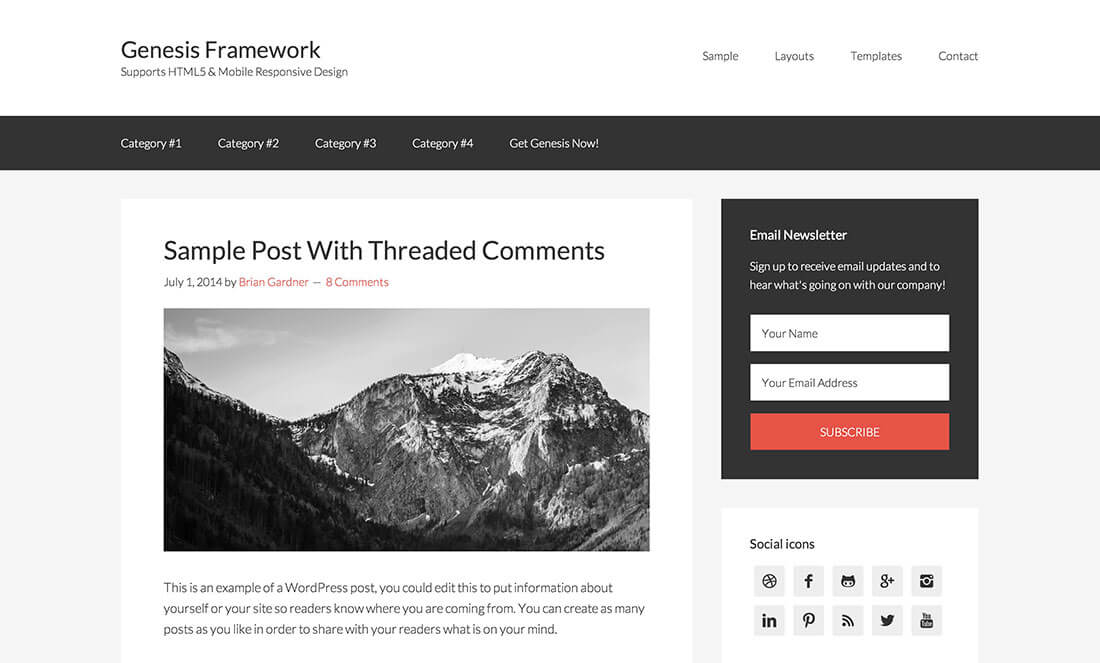
Genesis is a professionally designed framework that can handle a turnkey project with the highest level of security. This developer-friendly starter theme is built with technical SEO in mind. Therefore, you may get an advantage over the ranking factors from this open-source theme.
It requires you to develop using child themes instead of editing the framework directly. In addition, it needs WordPress’ hooks to help you in designing your themes.
However, you will get both pre-designed widget and layout options in any Genesis theme. It supports 6 layout designs, custom page templates, featured content widgets, and powerful theme options panel. So that you can customize your theme setup using helpful resources, demo content, plugins, and custom Gutenberg blocks.
Sage
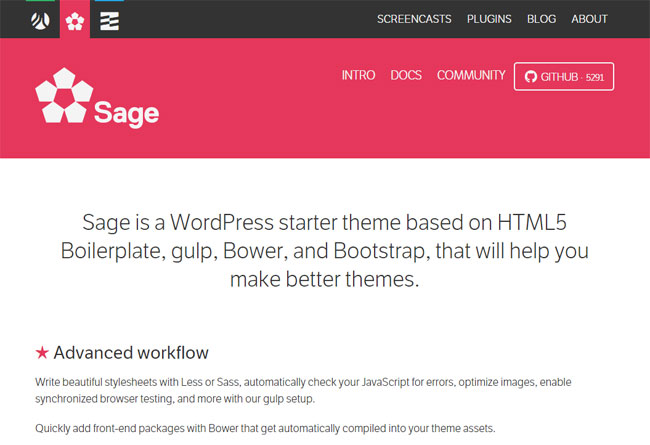
This modern WordPress starter theme includes advanced tools to speed up your theme development process. Sage is based on HTML5 Boilerplate, Gulp, Bower, Bootstrap, and BrowserSync. It includes Theme Wrapper to avoid code repetition in every template.
Frontend developers are more likely to use Sage for their projects because of:
- Proper documentation
- Active community
- Advanced technical spec
- Frequent update
However, you need to use components like composer and yarn to edit your theme with Sage. That may seem a bit complex to newbies. But once you get habituated, it will increase your productivity significantly.
JointsWP
For creating a complex design with quick responsiveness, JointsWP is a perfect choice for the site developers. One can build a well-structured website using the JointsWP from scratch. It is built on Foundation 6 framework with CSS or Sass flavors.
HTML5 Blank
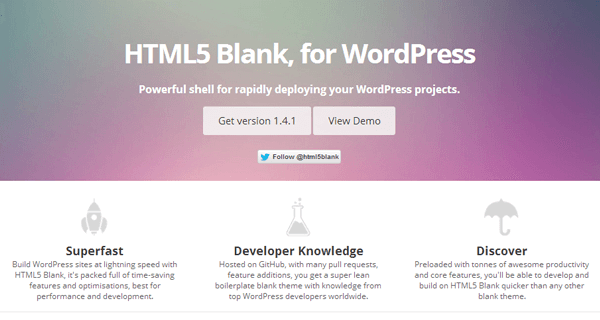
This WordPress starter theme is specially designed for performance. It’s an open-source theme allowing you to convert standard HTML and CSS into WordPress.
HTML5 Black helps to create a standard WordPress theme super quickly with pre-web-optimization. You can use shortcode API’s in the boilerplate code and dynamic sidebars.
Catch Stater
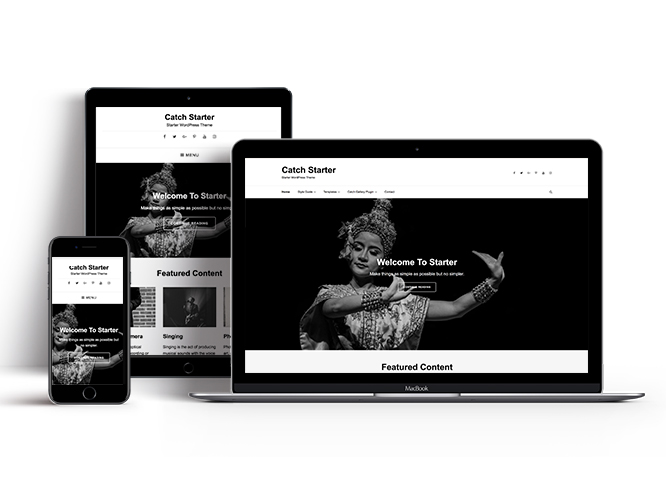
Next is Catch Starter- a dark-colored WordPress theme for the website designers. The main elements of this base theme are-
- Crucial features
- Minimal Design
- Secure standard code
It includes a number of exclusive features like content slider, portfolio, services, and testimonials. The layout is highly responsive and gives flawless visuals to your website regardless of the device.
Most importantly, this starter theme supports translation so that you can use it to create a multilingual site.
WP Rig
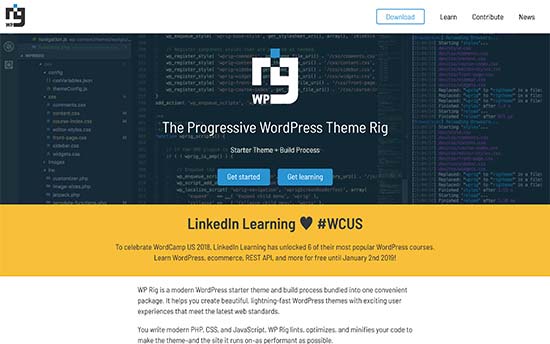
WP Rig is a complete package of useful development tools that helps you to build modern design and high-performing websites. Even though this theme is specially optimized for performance. It provides you distinct development base that lints, organizes, and compresses your code for greater performance.
Quark
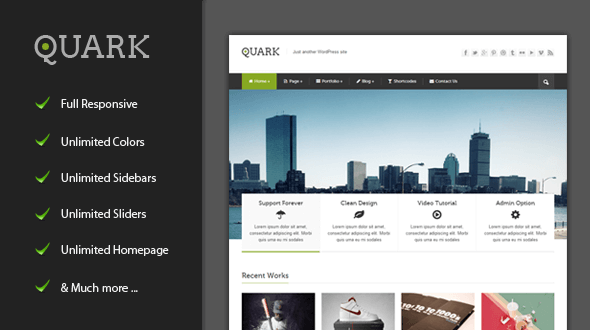
Last in the list comes Quark- a building block to create modern, sleek & responsive WordPress themes. Quark is written in HTML5 & CSS3 based on the Underscores and TwentyTwelve themes.
It aids with high performing design including a strong foundation, responsive layout, over 300 icons, post formats & templates, and others. Also, supports Normalize to ensure that browsers render all attributes more consistently, and Mordernizr to identify HTML5 and CSS3 browser capabilities.
Let’s walk you through the important aspects that you should know to get the right starter theme.
4 Things to Consider for Selecting the Right WordPress Starter Themes

If you want the flexibility to build a custom theme but not prefer to start from the null, then a WordPress Starter Theme can be the perfect tool to roll out. Get a quality base to begin your theme development journey smoothly.
However, if you decide to implement a starter theme on your site then the theme should satisfy the following features as well.
1. Fast Base-Level Speed Theme to Improve Your Site Performance
Well, by starting with a starter theme you have already taken a long root to reach the goal. So, going with a fast base-level speed may help you accelerate the success wheel. In addition, a lightweight WordPress starter theme can facilitate you with better user experience and increased visibility on the search engine.
2. Drag-and-Drop Functionality to Accelerate Your Workflow
A starter theme with a drag-and-drop facility can minimize your workload significantly. Drag-and-drop builders let you portrait your imagination in real life. You can visually witness the changes and sum up with your innovation faster than ever.
3. Pre-designed layouts To Explore More Design Options
It’s better to use a starter theme that comes with readymade designs and layouts. So, you can implement them while customizing the site right from there. Most amazingly, it lets you preview the design, include them into your site, or discard them immediately if you don’t like them.
4. Unlock Premium Components to Expand Your Accessibility
To amplify your theme’s functionality sometimes you may need some advanced features and proficiency. If your stater theme having the access to more upgrade and premium attributes then it would be helpful for your theme development.
Nonetheless, use the regularly updated and actively maintained themes by its authors. Instead, an outdated theme can slow down your project’s capability.

So, What are You Up to? Start Designing Your Own WordPress Theme
Working with your own unique theme is a matter of proud and satisfying, but it’s also time-consuming starting from scratch. However, if you have the right tool in your hand then your workload can be minimized remarkably. WordPress starter themes exactly do that.
These foundation themes can enhance your development experience along with the proper customization options. More preciously, it helps you to build your own standard WordPress theme.
If you are a novice, use Underscores as the foundation of your first theme development project. However, Sage can be a good option while you get an expert on your work. Working with Genesis can facilitate you with great SEO support and site privacy indeed. Nonetheless, for a wide range of design options, there is no alternative to Astra.
Do you have any questions regarding WordPress starter themes and how to choose the right one? Do share your views in the comment section below!


![Black Friday and Cyber Monday are around the corner, and people are waiting for these festivals to grab the best product deals. That is why giving an attractive look to your website during this festive season is very necessary. But, creating a whole new landing page might be difficult in a short period of time. Don't worry. By using Happy Elementor Addons Black Friday and Cyber Monday Landing Page templates, you can easily develop a whole new landing page in a few minutes. In this today's blog, we are going to show how to boost your website design using HappyAddons templates during this festival season. Before that, we'll talk a bit about these two festivals and why they are important to online business communities. What are Black Friday and Cyber Monday? Black Friday is the immediate following of the famous Thanksgiving day. This is when people start shopping to celebrate the Christmas festival. Since the late 1980s, retail sales on this day have constantly been suppressing the past volumes. See the graph below. Source: Salecycle.com The first Monday following Thanksgiving day each year is called Cyber Monday. It was first introduced in 2005 by the USA National Retail Federation to encourage people to buy online. Though this festival originated in the USA, it is celebrated globally today. See the stats below. Source: Salecycle.com It indicates customers' buying behavior around this day is growing up over time. Many customers today keep a budget to buy products on these two days. So, why won’t you prepare a Cyber Monday landing page if you have an online store? Importance of Designing Landing Pages for Black Friday and Cyber Monday Festival Having a well-design website is one of the major checklists if you are running an online business. Most importantly, you have to make sure that your website remains up-to-date to boost your sales. That is why you need to redesign your website or make a new landing page during the Black Friday and Cyber Monday festivals. Because most online product & service-based businesses promote special deals during these two festivals. Here are some remarkable ways dedicated landing pages during these festivals can positively impact the performance of your online business. Boosts your product salesIncreases conversion rateOpportunity to collect potential email leadsGrabs users' attention toward your siteReduces bounce rateIncreases website visitors. Elementor Black Friday New Seasonal Kit is Already Here! Source: Elementor To make this Black Friday more enjoyable, Elementor has launched a New Seasonal Kit that includes landing pages, sections, pop-ups, and vector assets. All these design elements are made by the Elementor team so that one can easily use them on their website to ensure more sales and conversions. New Elementor Black Friday Seasonal Kit offers: 3 Landing pages6 Sections 6 Popups A collection of stickers & animations You can only get these ready-made Black Friday landing pages and sections if you have Installed Elementor Pro on your site. However, if you are looking for templates that are outside of the box, you can go with Happy Addons, the fastest Elementor Addons on the market. It's very easy to use, flexible and has tons of advanced features and widgets that can ease your website design journey. Also, you'll get several festival landing page templates & blocks. Moreover, you can use free Black Friday and Cyber Monday design blocks and templates to decorate your site. Most importantly, these templates and blocks are easy to customize and can be used for multiple purposes. Now let's see how you can use the Happy Addons templates to design your website according to the Black Friday theme. Pre-Requisites to Use HappyAddons Templates to Design Black Friday and Cyber Monday Landing Pages You must have the following plugins installed on your site to get access to the HappyAddons Template library. Make sure you’ve installed and activated the Happy Addons Free & Premium version of your website. Elementor (Free)Happy Addons (Free)Happy Addons Pro If you are new to Elementor, check this Step By Step Guide For Beginners. If you want to explore the readymade templates of HappyAddons before installing these plugins, you may visit by clicking on the button below. Check out Happy Addons Templates How to Design Black Friday Landing Page on Your Website Once you have the plugins (mentioned above) installed, your website is ready to follow the tutorial guide explained in this section. Get ready now! Step 1: Open a New Page with Elementor Create a new page or open the existing page with Elementor. Next, you have to select the Elementor Canvas option.Unless you select Elementor Canvas, you may watch the header, footer, and unnecessary other texts on the page. These might be irritating to you.Once you open the page with Elementor Canvas, your page will be completely clean. Watch the video below on how to do it. Step 02: Go to HappyAddons Library Click on the HappyAddons Library Icon. It will open up a modal popup. Here you'll find numerous stunning premade Blocks and Pages created by the Happy Addons team. Kindly explore them to create a list of your favorite items. Step 03: Import a HappyAddons Black Friday Template Go to the Page tab on the modal popup.Select Black Friday from the left-side filter option.You will several good-looking templates on your screen.Take your cursor on the one you like and hit on the INSERT button. Wait for a while to finish the installation process. You will get the template on your screen with editable sections and options. Step 04: Set the Black Friday Campaign Deadline A deadline creates a sense of urgency in customers' minds. So, better if you add a deadline section on the page to show your Black Friday deals. The good thing is that if you select the template as we did, you will automatically get a deadline or countdown option. You have to customize it as you want. Step 05: Show Image Carousel Slider on Your Black Friday Landing Page Using the Image Carousel, you can slide show demonstrating discounts on your product categories. Drag and drop the Image Carousel widget on any landing page section. Next, from the Elementor panel, you can add photos and text to the widget. Do it accordingly. Thus, you can add more sections and options on the landing page. Hope you can do it yourself. Step 06: Make the Black Friday Landing Page Mobile Responsive Making a web page mobile responsive with Elementor is super easy. You'll get the mobile responsive option on the Elementor footer section. Clicking on it will open up the option to view your landing page on different device screens. We have explained the process in the video below. Note: Don't delete any widget or section while customizing your landing page for any particular device. Because if you delete a widget or section on any device screen, it will also be applied on other devices. However, you may change their position or alignment or hide them. It won't make any impact on other devices. Step 07: Final Preview of Our Landing Page Here is the final interface of our Elementor Black Friday landing page that we've designed using the Happy Addons' ready-made Template. Get Happy Addons to Add a Black Friday Theme Landing Page on Your Website How to Design Cyber Monday Landing Page on Your Website You will require the same prerequisites (Elementor and HappyAddons Plugins) to design the Cyber Monday landing page on your website. Hope you have them ready on your website. Now, let's get into the tutorial part. Step 01: Import a Cyber Monday Readymade Landing Page Template Go to the HappyAddons Template library.Choose the Cyber Monday template you like.Click on the INSERT button. Wait for a while to finish the installation process. You'll get a page design like the following image below. Step 02: Edit Different Sections of the Page In the first tutorial, you saw the deadline/countdown option was already embedded in the template. But this template doesn't have it. So, you can bring it to your page? Very simple. Create a new section by clicking on the plus icon.Type Countdown on the Elementor search bar.Drag and drop the widget on the section. Customize the Countdown section from the Content and Style tabs of the Elementor panel. Using the Heading widget, we have added the FLASH DEALS text next to the countdown to make it more meaningful. Thus, you can use other exciting widgets on the template to make your landing page super gorgeous. Step 03: Promote Products on the Landing Page Promotional landing pages usually include a section to showcase some hot-selling products to generate instant sales. Using the Image and Button widgets, we have created this section under the FLASH DEALS.You may customize it more as you wish. Step 04: Make it Mobile Responsive We already showed you the process in the first tutorial on making a mobile web landing page responsive. Hope you can do it here as well, following the same guideline. Click on the Responsive Mode icon and do the rest yourself. Bonus: Black Friday and Cyber Monday Landing Page Design Key Considerations Whenever you design a landing page, you need to consider why you need to design this page and what elements they should keep on the page. Because if you are not adding all the necessary features to your page, it will not serve its purpose. This is why you need to focus on a few things before designing your Black Friday landing page. Here are some points you must consider in designing Black Friday and Cyber Monday landing pages. Add Black Friday textSet deals deadlineShow your best-discounted productsAdd coupon code Focus on responsive page designMake your page visually appealingImprove your page user experience or page structureSet a proper website navigation FAQ on Black Friday and Cyber Monday Landing Page Design Now, we'll answer some common questions on Black Friday and Cyber Monday Landing page designs commonly found online. How much does it cost to design a landing page?The cost of designing a landing page varies depending on the complexity of the design, the level of customization required, and whom to hire for the page. A simple landing page can be designed for as little as $25, while a more complex design with multiple customizations can cost upwards of $2,00.However, if you have Elementor and HappyAddons installed, you can design unlimited landing pages at a minimal cost. But like any other tool, you must have a kind of enterprise on them. As they are drag-and-drop builders and their numerous tutorials and documentation are available, they won't take you more than a month to be used to. Check out some wonderful YouTube tutorials on these two plugins. Hope you will enjoy them.How many hours does it take to design a landing page?It mainly depends on the level of design complexity and your web design skill. However, both in Elementor and HappyAddons, you will get countless readymade templates and block sections. You can design a beautiful landing page in 3-5 hours by making a proper combination of them.Can I design Black Friday and Cyber Monday Landing pages with Elementor and HappyAddons free versions?Surely, you can design Black Friday and Cyber Monday Landing pages with Elementor and HappyAddons free versions. But only with the pro versions, you can't add too many exciting features to your pages. For example, free versions will give you access to only a limited number of readymade templates.If you are just a beginner-level designer, free versions are enough. But if you are a professional designer or have a web designing agency, pro versions are a must. Are You Ready To Design Your Black Friday and Cyber Monday Landing Page? Customers look forward to this kind of occasion to buy their favorite products at a minimum price. Naturally, they are drawn to websites that look good and give a festive vibe. That is why adding a Black Friday and Cyber Monday landing page during the festival season will give you an extra edge over the competitors. The above guide shows how to design your Elementor Black Friday Landing page using the Happy Addons' Black Friday Templates and how it can help boost your holiday sales. So if you have any queries regarding this blog, you can comment on us in the below box. If you like this post, then share it on your social channel. Don't forget to subscribe to our newsletter. Also, follow our Facebook and Twitter channels for regular updates. Subscribe to our newsletter Get latest news & updates on Elementor [yikes-mailchimp form="1"] ":36560} /--](https://happyaddons.com/wp-content/uploads/2021/11/How-to-Design-Black-Friday-and-Cyber-Monday-Landing-Page-300x188.png)
4 Responses
I am a beginner in web site designing and going through random articles here I found the HTML5 blank helpful for me.
Hello Wagner,
It’s my pleasure that you find the blog helpful. Stay with us for getting unique and trendy content regularly.
Undoubtedly, you have chosen the best options in the market. But, I wonder I might miss the selection criteria you have chosen to scrutinize them.
However, you said very true words about HTML5 blank option.
Hello Nick,
Thanks for your comment. Actually we didn’t follow any strict criteria to make the list. We picked the popular ones that we found really helpful for our readers.
Have a great day! 🙂