








Despite many people terming it as slow, unstable, or even insecure, shared hosting is dominating the hosting market with a 37.64% revenue share. It’s easy to read reviews online and get confused about Shared vs Managed WordPress Hosting and which type of hosting is suitable for you.
If you are planning to build a WordPress site or any site for that matter, hosting is the first quest that you will have set sail for. And it might take a lot of time to choose the perfect hosting, especially if you are building a WordPress site.
You will have to take into account a lot of things, like speed, security, and whether there is a dedicated WordPress-friendly environment on offer or not. Unlike many other articles you will find online, we will not bash one type and promote another.
Rather, we will help you on your quest to choose the type of hosting that will suit you. Sounds fair enough? Let’s dive right in.
Why Hosting Types Matters?
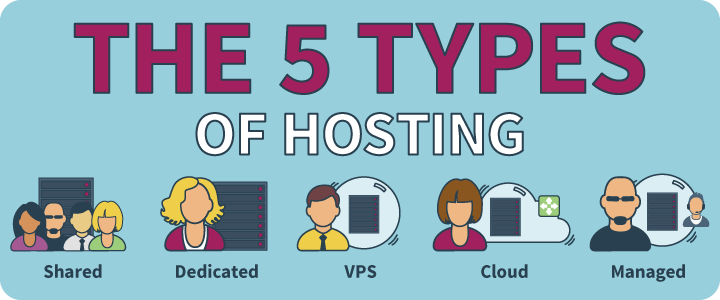
Before we let you know why hosting types matter so much, let’s take you on a stroll first.
For beginners, let’s clear out what hosting means? Hosting is the space on the internet where you can set up your website and store your files. In another way, you can think of hosting as your online hard drive.
Now unlike your pc hard drive, we call these storage spaces “web servers”. Around the world, hosting providers build data centers to keep these web servers as protected as possible. That is why we can hardly ever see websites go down.
Unsurprisingly, maintaining these web servers is a costly thing to do. So hosting providers usually share a common server with many people, and not spend any bucks on optimizations. It helps to keep the cost down for general people like us to build a website.
But if you want a more optimized environment for your website (speed optimizations, extra security protocols, etc.), some hosting providers also provide that type of feature, albeit for more money.
And if you want a more stable website, you can even opt for fully private servers, which are the most costly options.
So, in short, hosting types are there so that everyone can build a website no matter what is their budget. Depending on budget and priority, you can choose the type of hosting provider that you can afford or need.
What is Shared Hosting?
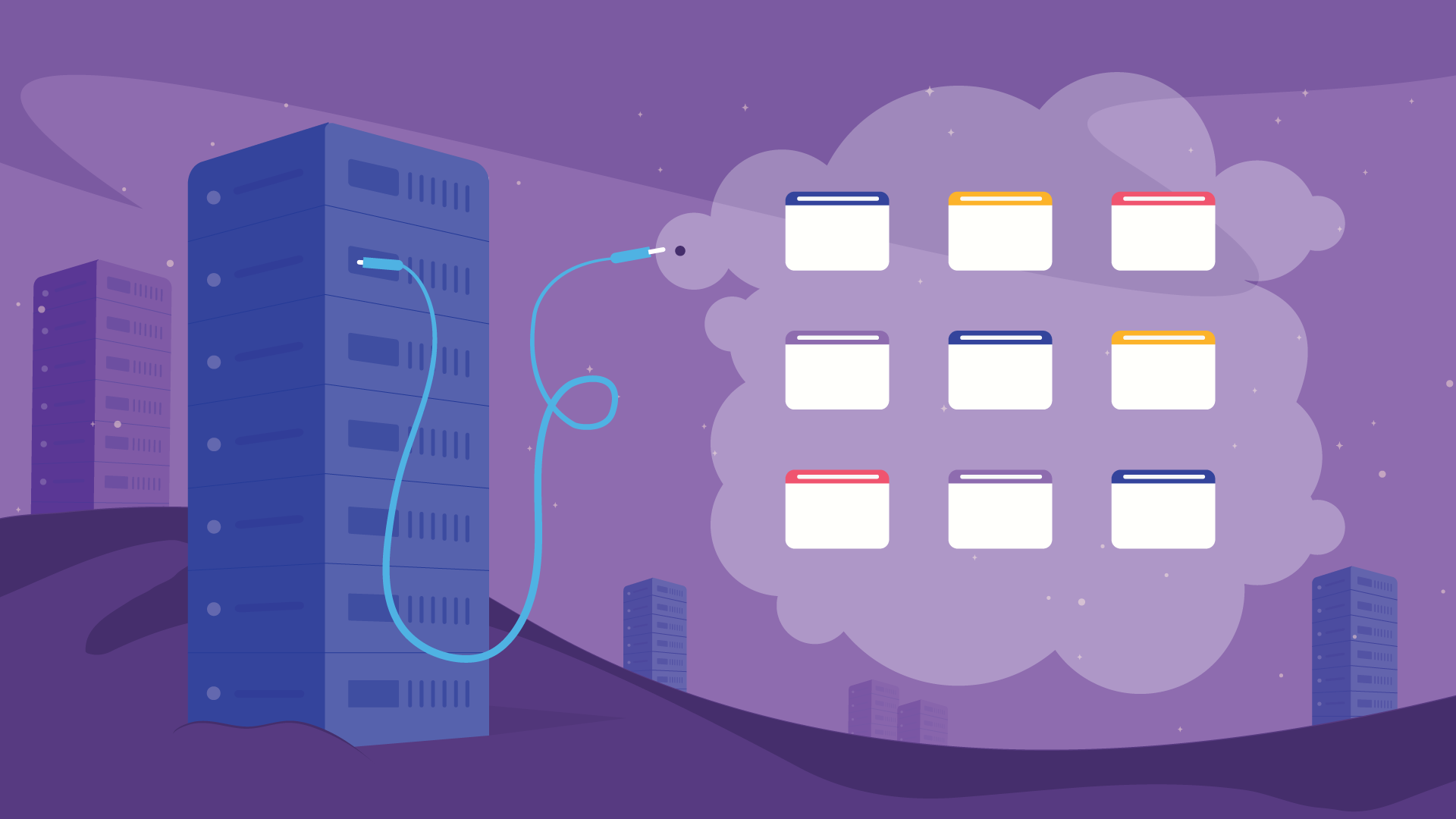
Shared hosting is the cheapest and likewise the most popular hosting option. It is a type of hosting, where multiple people share a single web server.
Now, this web server can either be managed or not-managed. So technically we can not compare between shared hosting vs managed WordPress hosting, as shared hosting can also be a managed hosting.
However, the following part of our discussion will show you the pros and cons to understand shared hosting better.
Pros of Shared Hosting
Shared hosting is the most common and widely-used form of hosting. So there must be something that sets this apart from the other options, right? Let’s look at the pros of Shared Hosting.
- Cost Friendly: This is the prime reason behind the popularity of Shared hosting. Comparing between regular shared hosting vs managed WordPress hosting, the latter is the cheapest of the two.
- Emails with Own Domain: More often than not, hosting providers let you create unlimited emails with your own domain.
- Customizability: Shared hosting can give you more customizability than managed hosting.
- Flexibility: Shared hosting is often very flexible. Unlike managed hosting, they are not optimized for any specific type of website (Such as WordPress Hosting), so you can build any type of website using shared hosting.
However, with all being said, shared hosting can also be managed, so some of the pros of shared hosting can also apply to managed hosting.
Cons of Shared Hosting
Now despite being the popular choice, shared hosting is far from perfect. It is in fact the least secure form of hosting (albeit that can be dealt with by taking appropriate security measures).
But that doesn’t lessen the cons of the cheapest type of hosting. As we have already talked about the pros, now let’s take a look at the flip side of using shared hosting.
- Performance Issues: Performance is the first concern when it comes to shared hosting. As several different websites cram inside a single space, if some of them start using more resources than usual, it will hamper your website performance as well.
- Security Concerns: Perhaps the most common saying about shared hosting is that it is not secure enough. To some extent, we can not disagree that shared hostings can be a bit insecure. When you have multiple websites from different owners sharing a single space, if one of the websites gets infected with malware, it poses a security threat to the others as well. This is why shared hostings are often not the most recommended ones.
- Everything on Your Hand: When you opt for unmanaged shared hosting, you will have to deal with all the security, performance, and other issues on your own. Whether you want to build a WordPress site or an HTML one, you have to build the environment from scratch.
- More Downtime: Another issue with most shared hosting is downtime. While every hosting gets down from time to time, because of more users shared hosting has to take more strain and as a result, gets down more often than other hosting plans.
What is Managed WordPress Hosting?
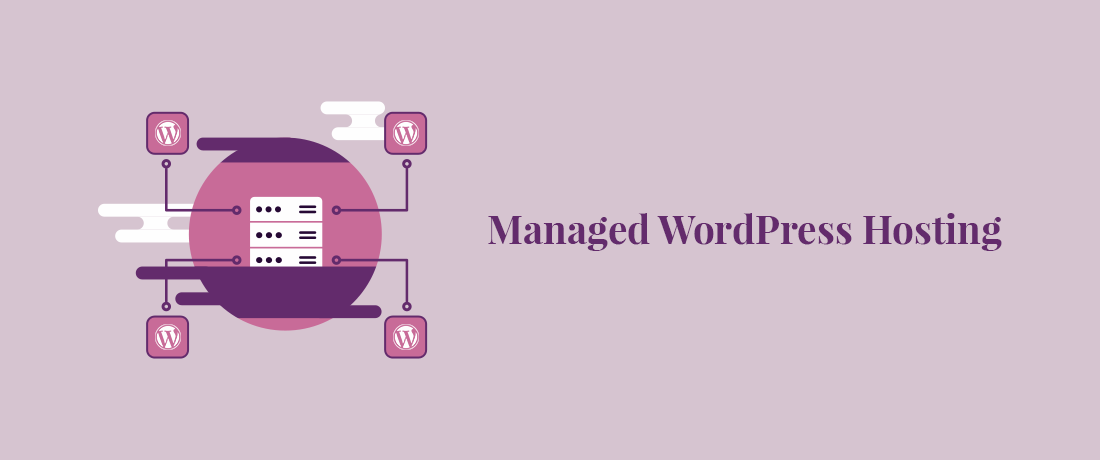
Managed WordPress hosting is another increasingly popular hosting method. When a hosting service provider assigns you a server space (shared or private) but manages it by themselves. Unlike regular shared hosting, with managed hosting, the provider controls your server, provides security, optimizes speed, and take care of your data backup services. Managed hostings are often optimized for a specific kind of websites, such as WordPress.
Pros of Managed WordPress Hosting
Managed WordPress hosting is easy to maintain. Well, to be honest, in the case of managed hosting, you don’t have to maintain the server at all. The core rationale behind managed hosting is leaving the server-side issues to the hosting provider so that you can focus on building the perfect website for your visitors.
Seems perfect for you? Then you might want to read some of the more bright sides of managed WordPress hosting.
- Handled by Experts: Managed WordPress hosting lets you stay out of hassles for most unwanted issues, as your server-side will be handled by hosting and WordPress experts. This is why, if you are someone new in the world of the web or WordPress, managed hosting is the perfect choice for you.
- Highly Optimized for Performance: Managed WordPress hostings are optimized for speed from the server-side, so your website will load faster than most websites.
- More Secure: Apart from the free SSL, managed WordPress hostings often come with built-in security plugins, so your website is protected from spam, malware, or brute-force attack.
- Automatic Backup: Every day new updates come for WordPress plugins. WordPress too releases updates every once in a while. If you are not active enough on your website, you could miss out on most updates. This can lead to security threats for your websites, or you might even miss out on great new features as well.
However, as managed WordPress hostings usually offer auto-updates for WordPress and its plugins, you will be on the safe side. Even if you hardly get any time to monitor your site, you can stay tension-free.
Cons of Managed WordPress Hosting
So far so good for managed WordPress hosting, right? Well, like every other hosting service, managed hosting also lacks in some areas.
If you don’t want to feel betrayed later, get to know where they fall behind.
- Less Cost-friendly: As you can already guess, managed WordPress hostings are not cheap. Because you have dedicated experts who will look after your site, you are not just paying for the product, but for the service as well. So generally, managed WordPress hostings tend to be comparatively pricier than regular shared hosting.
- Limited to WordPress: What happens if one sunny day, you decide that WordPress is not cutting it for you, you need a custom-developed website? We have bad news for you in that case. If you opt for Managed WordPress hosting, you will only be able to run a WordPress site with that hosting plan.
- Forget Own Domain Emails: Very few managed WordPress hosting plans offer free emails with the domain name, so unless you pay higher, there’s a good chance you will not be able to create emails with your domain name.
- Restriction on Plugin: There’s some specific restriction on which plugins you can not install on your WordPress websites, which is because managed WordPress hosting providers want you to have a faster website and you might be barred from installing plugins that are proven to slow down websites.
Shared vs Managed WordPress Hosting – Which One Should You Choose?

For beginners, choosing between shared vs managed WordPress hosting is one of the biggest decisions to make when it comes to building a website. But the truth is, there is no better or worse hosting plan. So which one should you choose?
If we take the facts we talked about above, we can have a brief comparison, which can led to help you find the perfect plan for you.
Shared hosting is the cheapest hosting plan, but it also lacks in speed and performance. So if you want to run a blog or a new website that will not bring tons of visitors overnight, you will be fine with it. However, if you are not an expert, it might be hard for you to manage security, performance, SEO, and everything else by yourself, which you might need to do in the case of Shared Hosting.
Shared Hosting is Suitable for: Blogs, new websites, and small websites with fewer visitors.
Managed WordPress hostings are comparatively pricier but offer managed WordPress optimization, better security, and help you get the better overall performance of your website. So if you have a website with more visitors, a website that will feature a lot of media files or a website that will have protected information, we suggest that you opt for managed WordPress hosting.
Managed WordPress Hosting is Suitable for: Large websites, Media-rich websites, websites with a large number of visitors, websites with confidential information.
Top Shared Hosting Providers
The primary selling point of shared hosting is that they are cheap. So we will focus mainly on cost-friendly options. Here goes the list of best shared hosting providers –
1. Hostinger
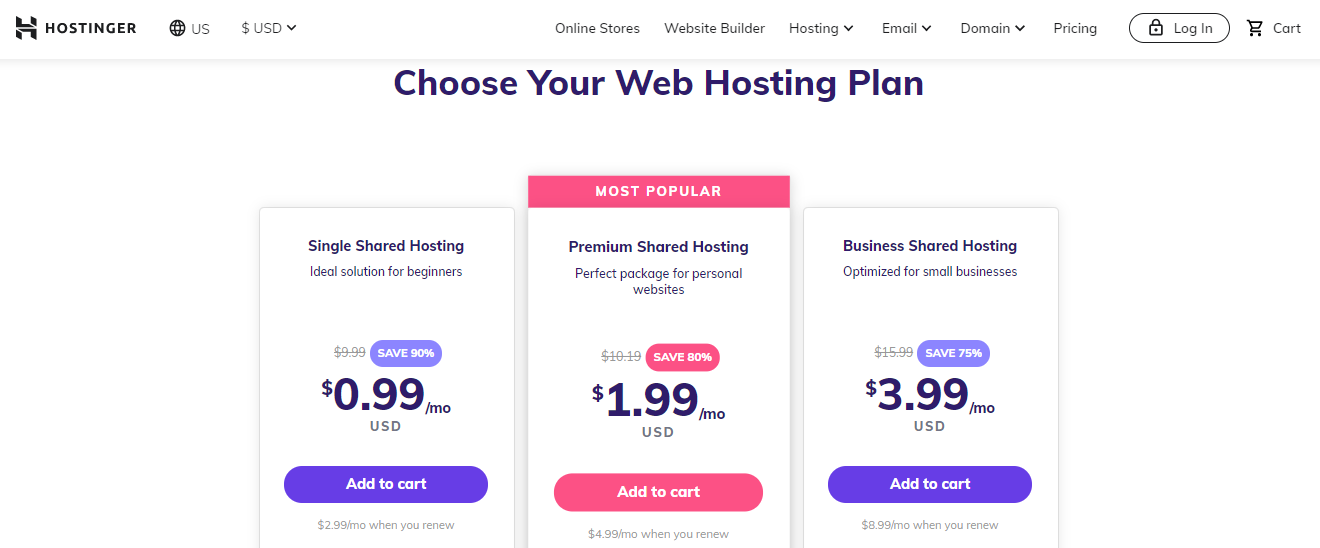
Hostinger provides one of the most cost-friendly shared hosting plans. Starting from lower than a buck, you can find a lot of options, all under budget.
There are various other reasons for ranking Hostinger on top of our list. Apart from the core features, you will be getting the following from Hostinger’s cheapest shared plan. An impressive list we must admit.
- Free SSL.
- GIT Access.
- Cloudflare Protected Nameservers.
- 24/7/365 Support
- 99.9% Uptime Guarantee
- DNS Management
- Access Manager
2. HostGator
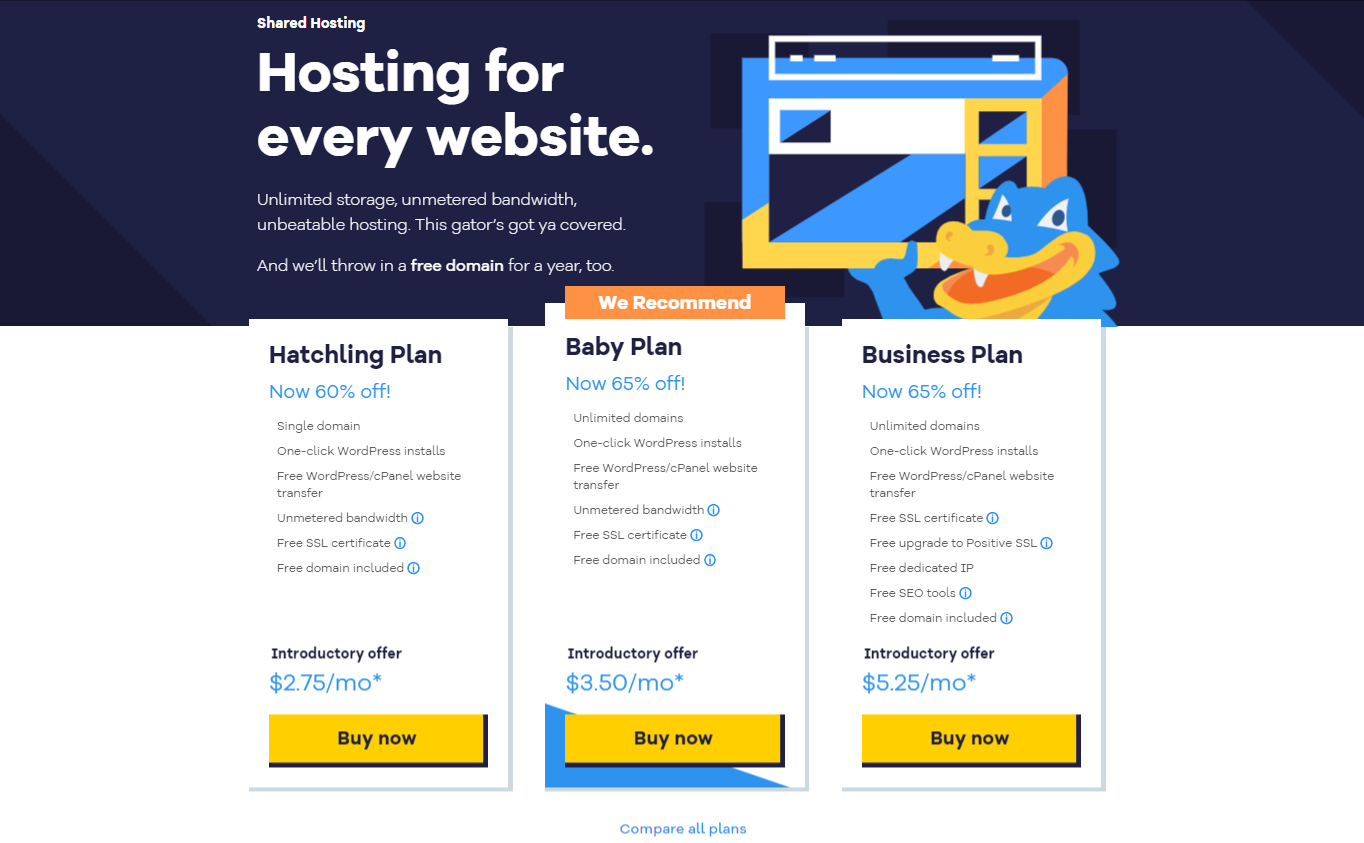
HostGator is another great hosting provider that provides shared hosting at competitive price point. They also offer some eye-catching features on top of that.
The list includes –
- One-click WordPress installs.
- Free WordPress/cPanel website transfer.
- Unmetered bandwidth.
- Free SSL certificate.
- And a free domain*.
3. Bluehost
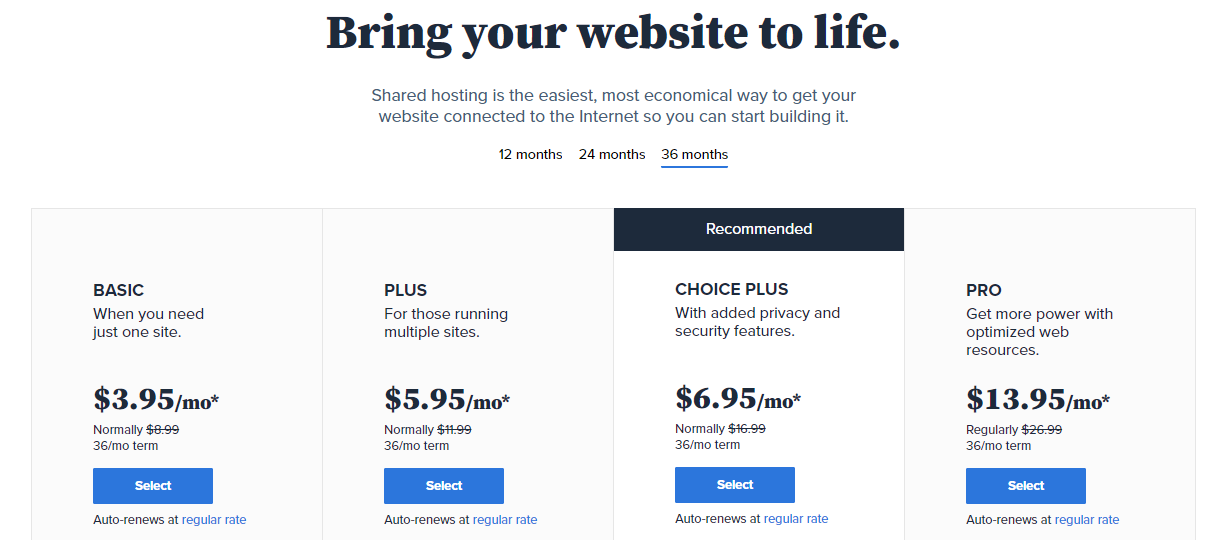
Bluehost is one of the most renowned names when it comes to web hosting. Their pricing is a bit more than others but considering the after-sale service and stability they provide for your site, they are one of the best in the world.
Their starter package for shared hosting offers some extras as well.
- Custom Themes
- Free Domain – 1 year
- CDN Included (Free)
- Free SSL Certificate
Top Managed WordPress Hosting Providers
There are quite a few big names on the list of the best managed WordPress hosting.
1. SiteGround
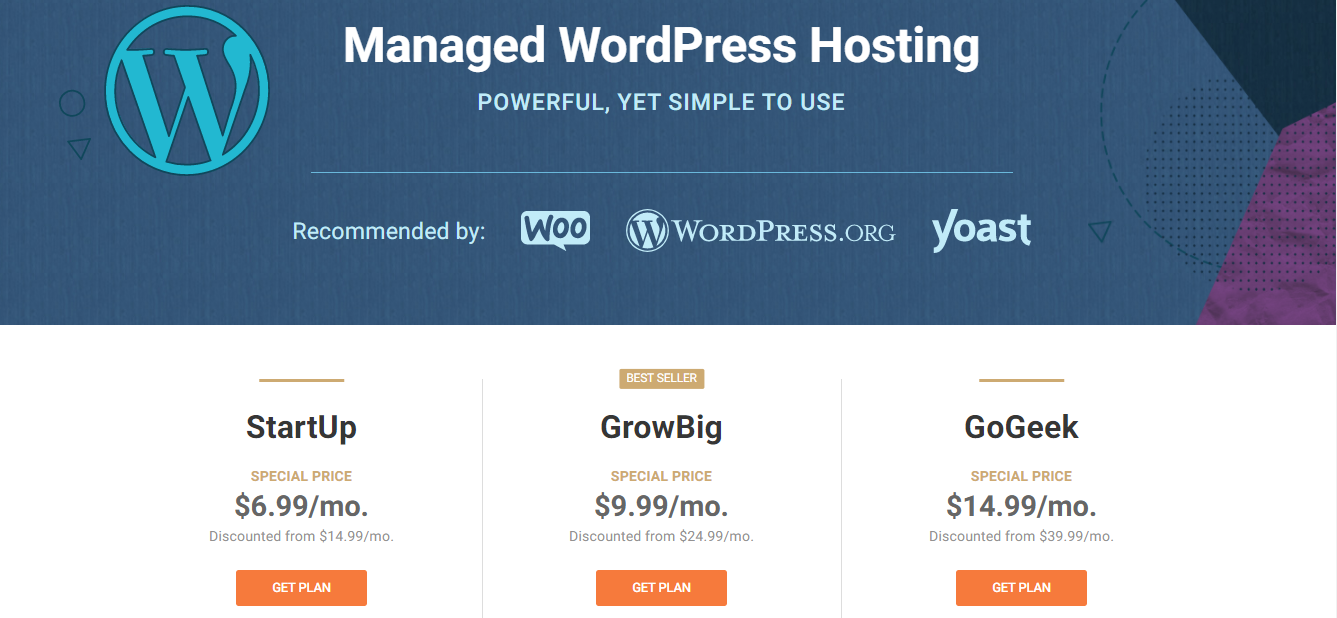
SiteGround is one of the top hosting providers online. They are in the business for a long time and provides excellent service. Their terrific history of customer service made them an auto choice in this list.
Their starter plan offers the following, apart from the regular features –
- Free WP Installation
- Free WP Migrator
- WordPress Auto-updates
- Free SSL
- Daily Backup
- Free CDN
- Free Email
- WP-CLI and SSH
- Unlimited Databases
- 30-Days Money-Back
2. Cloudways
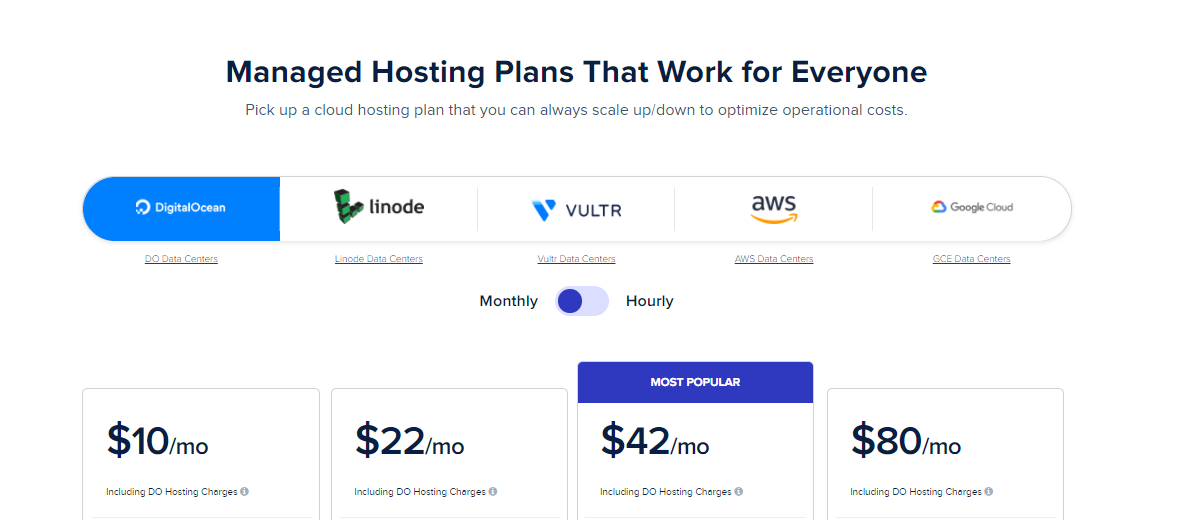
Cloudways is a managed hosting service provider. They are an expert and reliable name in the field of managed WordPress hosting.
Their basic plan got you covered with the following features.
- 24/7/365 Support
- Free SSL
- CDN Add-on
- Free Migration
- Unlimited Application Installation
- Dedicated Firewalls
- 24/7 Real-time Monitoring
- Automated Backups
- Staging Environment
- Optimized With Advanced Caches
- Auto Healing
- Regular Security Patching
- SSH and SFTP Access
3. DreamHost
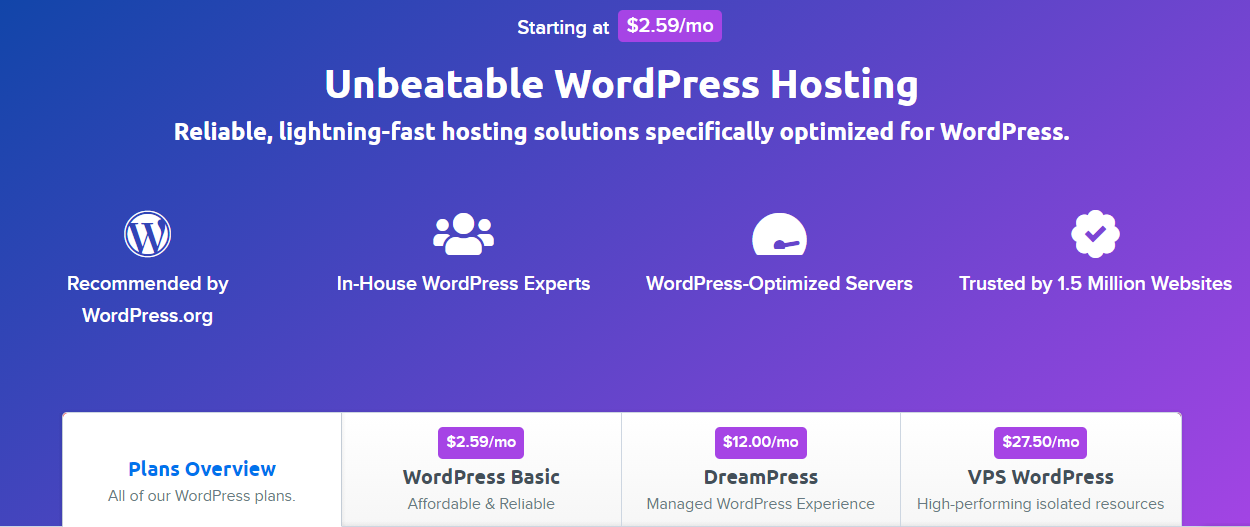
DreamHost is an increasingly popular hosting service. That is because they offer an amazingly cheap managed WordPress hosting service. Their WordPress basic plan is as low as it gets.
For the price, they can not afford to fill in much extra, but they do offer the following in the basic plan.
- WordPress Pre-Installed
- Free Automated WordPress Migrations
- WP Website Builder
- Fast SSD Storage
- Free SSL Certificate
Choose your Hosting and Start Building Your Dream Website Today
Hosting is one of the first things that you will have to choose when you plan to build a website. Although there are many types of hosting available, we have tried to compare and clear your confusion about one of the most asked questions online about hosting, which is shared vs managed WordPress hosting.
While two of them are not exactly the opposite and can exist together, managed hosting does offer a bit more security compared to regular shared hosting plans. However, shared hostings are the cost-effective option if you are just starting out and on a budget.
If you have already decided which type of hosting you want, consider Elementor page builder to start building your website easily. Need a guide? Here’s one to start on!

![Black Friday and Cyber Monday are around the corner, and people are waiting for these festivals to grab the best product deals. That is why giving an attractive look to your website during this festive season is very necessary. But, creating a whole new landing page might be difficult in a short period of time. Don't worry. By using Happy Elementor Addons Black Friday and Cyber Monday Landing Page templates, you can easily develop a whole new landing page in a few minutes. In this today's blog, we are going to show how to boost your website design using HappyAddons templates during this festival season. Before that, we'll talk a bit about these two festivals and why they are important to online business communities. What are Black Friday and Cyber Monday? Black Friday is the immediate following of the famous Thanksgiving day. This is when people start shopping to celebrate the Christmas festival. Since the late 1980s, retail sales on this day have constantly been suppressing the past volumes. See the graph below. Source: Salecycle.com The first Monday following Thanksgiving day each year is called Cyber Monday. It was first introduced in 2005 by the USA National Retail Federation to encourage people to buy online. Though this festival originated in the USA, it is celebrated globally today. See the stats below. Source: Salecycle.com It indicates customers' buying behavior around this day is growing up over time. Many customers today keep a budget to buy products on these two days. So, why won’t you prepare a Cyber Monday landing page if you have an online store? Importance of Designing Landing Pages for Black Friday and Cyber Monday Festival Having a well-design website is one of the major checklists if you are running an online business. Most importantly, you have to make sure that your website remains up-to-date to boost your sales. That is why you need to redesign your website or make a new landing page during the Black Friday and Cyber Monday festivals. Because most online product & service-based businesses promote special deals during these two festivals. Here are some remarkable ways dedicated landing pages during these festivals can positively impact the performance of your online business. Boosts your product salesIncreases conversion rateOpportunity to collect potential email leadsGrabs users' attention toward your siteReduces bounce rateIncreases website visitors. Elementor Black Friday New Seasonal Kit is Already Here! Source: Elementor To make this Black Friday more enjoyable, Elementor has launched a New Seasonal Kit that includes landing pages, sections, pop-ups, and vector assets. All these design elements are made by the Elementor team so that one can easily use them on their website to ensure more sales and conversions. New Elementor Black Friday Seasonal Kit offers: 3 Landing pages6 Sections 6 Popups A collection of stickers & animations You can only get these ready-made Black Friday landing pages and sections if you have Installed Elementor Pro on your site. However, if you are looking for templates that are outside of the box, you can go with Happy Addons, the fastest Elementor Addons on the market. It's very easy to use, flexible and has tons of advanced features and widgets that can ease your website design journey. Also, you'll get several festival landing page templates & blocks. Moreover, you can use free Black Friday and Cyber Monday design blocks and templates to decorate your site. Most importantly, these templates and blocks are easy to customize and can be used for multiple purposes. Now let's see how you can use the Happy Addons templates to design your website according to the Black Friday theme. Pre-Requisites to Use HappyAddons Templates to Design Black Friday and Cyber Monday Landing Pages You must have the following plugins installed on your site to get access to the HappyAddons Template library. Make sure you’ve installed and activated the Happy Addons Free & Premium version of your website. Elementor (Free)Happy Addons (Free)Happy Addons Pro If you are new to Elementor, check this Step By Step Guide For Beginners. If you want to explore the readymade templates of HappyAddons before installing these plugins, you may visit by clicking on the button below. Check out Happy Addons Templates How to Design Black Friday Landing Page on Your Website Once you have the plugins (mentioned above) installed, your website is ready to follow the tutorial guide explained in this section. Get ready now! Step 1: Open a New Page with Elementor Create a new page or open the existing page with Elementor. Next, you have to select the Elementor Canvas option.Unless you select Elementor Canvas, you may watch the header, footer, and unnecessary other texts on the page. These might be irritating to you.Once you open the page with Elementor Canvas, your page will be completely clean. Watch the video below on how to do it. Step 02: Go to HappyAddons Library Click on the HappyAddons Library Icon. It will open up a modal popup. Here you'll find numerous stunning premade Blocks and Pages created by the Happy Addons team. Kindly explore them to create a list of your favorite items. Step 03: Import a HappyAddons Black Friday Template Go to the Page tab on the modal popup.Select Black Friday from the left-side filter option.You will several good-looking templates on your screen.Take your cursor on the one you like and hit on the INSERT button. Wait for a while to finish the installation process. You will get the template on your screen with editable sections and options. Step 04: Set the Black Friday Campaign Deadline A deadline creates a sense of urgency in customers' minds. So, better if you add a deadline section on the page to show your Black Friday deals. The good thing is that if you select the template as we did, you will automatically get a deadline or countdown option. You have to customize it as you want. Step 05: Show Image Carousel Slider on Your Black Friday Landing Page Using the Image Carousel, you can slide show demonstrating discounts on your product categories. Drag and drop the Image Carousel widget on any landing page section. Next, from the Elementor panel, you can add photos and text to the widget. Do it accordingly. Thus, you can add more sections and options on the landing page. Hope you can do it yourself. Step 06: Make the Black Friday Landing Page Mobile Responsive Making a web page mobile responsive with Elementor is super easy. You'll get the mobile responsive option on the Elementor footer section. Clicking on it will open up the option to view your landing page on different device screens. We have explained the process in the video below. Note: Don't delete any widget or section while customizing your landing page for any particular device. Because if you delete a widget or section on any device screen, it will also be applied on other devices. However, you may change their position or alignment or hide them. It won't make any impact on other devices. Step 07: Final Preview of Our Landing Page Here is the final interface of our Elementor Black Friday landing page that we've designed using the Happy Addons' ready-made Template. Get Happy Addons to Add a Black Friday Theme Landing Page on Your Website How to Design Cyber Monday Landing Page on Your Website You will require the same prerequisites (Elementor and HappyAddons Plugins) to design the Cyber Monday landing page on your website. Hope you have them ready on your website. Now, let's get into the tutorial part. Step 01: Import a Cyber Monday Readymade Landing Page Template Go to the HappyAddons Template library.Choose the Cyber Monday template you like.Click on the INSERT button. Wait for a while to finish the installation process. You'll get a page design like the following image below. Step 02: Edit Different Sections of the Page In the first tutorial, you saw the deadline/countdown option was already embedded in the template. But this template doesn't have it. So, you can bring it to your page? Very simple. Create a new section by clicking on the plus icon.Type Countdown on the Elementor search bar.Drag and drop the widget on the section. Customize the Countdown section from the Content and Style tabs of the Elementor panel. Using the Heading widget, we have added the FLASH DEALS text next to the countdown to make it more meaningful. Thus, you can use other exciting widgets on the template to make your landing page super gorgeous. Step 03: Promote Products on the Landing Page Promotional landing pages usually include a section to showcase some hot-selling products to generate instant sales. Using the Image and Button widgets, we have created this section under the FLASH DEALS.You may customize it more as you wish. Step 04: Make it Mobile Responsive We already showed you the process in the first tutorial on making a mobile web landing page responsive. Hope you can do it here as well, following the same guideline. Click on the Responsive Mode icon and do the rest yourself. Bonus: Black Friday and Cyber Monday Landing Page Design Key Considerations Whenever you design a landing page, you need to consider why you need to design this page and what elements they should keep on the page. Because if you are not adding all the necessary features to your page, it will not serve its purpose. This is why you need to focus on a few things before designing your Black Friday landing page. Here are some points you must consider in designing Black Friday and Cyber Monday landing pages. Add Black Friday textSet deals deadlineShow your best-discounted productsAdd coupon code Focus on responsive page designMake your page visually appealingImprove your page user experience or page structureSet a proper website navigation FAQ on Black Friday and Cyber Monday Landing Page Design Now, we'll answer some common questions on Black Friday and Cyber Monday Landing page designs commonly found online. How much does it cost to design a landing page?The cost of designing a landing page varies depending on the complexity of the design, the level of customization required, and whom to hire for the page. A simple landing page can be designed for as little as $25, while a more complex design with multiple customizations can cost upwards of $2,00.However, if you have Elementor and HappyAddons installed, you can design unlimited landing pages at a minimal cost. But like any other tool, you must have a kind of enterprise on them. As they are drag-and-drop builders and their numerous tutorials and documentation are available, they won't take you more than a month to be used to. Check out some wonderful YouTube tutorials on these two plugins. Hope you will enjoy them.How many hours does it take to design a landing page?It mainly depends on the level of design complexity and your web design skill. However, both in Elementor and HappyAddons, you will get countless readymade templates and block sections. You can design a beautiful landing page in 3-5 hours by making a proper combination of them.Can I design Black Friday and Cyber Monday Landing pages with Elementor and HappyAddons free versions?Surely, you can design Black Friday and Cyber Monday Landing pages with Elementor and HappyAddons free versions. But only with the pro versions, you can't add too many exciting features to your pages. For example, free versions will give you access to only a limited number of readymade templates.If you are just a beginner-level designer, free versions are enough. But if you are a professional designer or have a web designing agency, pro versions are a must. Are You Ready To Design Your Black Friday and Cyber Monday Landing Page? Customers look forward to this kind of occasion to buy their favorite products at a minimum price. Naturally, they are drawn to websites that look good and give a festive vibe. That is why adding a Black Friday and Cyber Monday landing page during the festival season will give you an extra edge over the competitors. The above guide shows how to design your Elementor Black Friday Landing page using the Happy Addons' Black Friday Templates and how it can help boost your holiday sales. So if you have any queries regarding this blog, you can comment on us in the below box. If you like this post, then share it on your social channel. Don't forget to subscribe to our newsletter. Also, follow our Facebook and Twitter channels for regular updates. Subscribe to our newsletter Get latest news & updates on Elementor [yikes-mailchimp form="1"] ":36560} /--](https://happyaddons.com/wp-content/uploads/2021/11/How-to-Design-Black-Friday-and-Cyber-Monday-Landing-Page-300x188.png)
