







If you are using Elementor, most of your design hassles are taken care of by it!
Perhaps, we can’t overlook the importance of a theme working smoothly with Elementor. A quick Google search will show you hundreds and thousands to choose from, and most of which will work seamlessly with specific page builders.
Wouldn’t it be easier if you knew which ones specifically work the best with Elementor?
In our previous blogs, we’ve already listed the Top 10 Free WordPress Themes For Business and the most popular WordPress Themes for Elementor. In this series, today we’ve compiled another list of the best free themes for Elementor!
If in case you’re in a hurry, get a quick look over the top 10 free Elementor themes:
| Theme | Version | Active Installation | Last Update | Loading Time |
| Page Builder Framework | 2.5.8 | 20,000+ | 28th September 2020 | 156 ms |
| Kava | 2.1.0 | They Don’t Track | Not Available | 617 ms |
| Flexia | 2.2.0 | 1000+ | 22th October 2020 | 7.3 s |
| Customify | 0.3.5 | 40,000+ | 7th September 2020 | 1.71 s |
| Envo Shop | 1.0.6 | 6000+ | 26th October 2020 | 7.1 s |
| Bard | 1.7.5 | 20000+ | 27th October 2020 | 3.7 s |
| Business Event | 0.5 | 800+ | 14th October 2020 | 15.8 s |
| BeShop | 1.0.12 | 1000+ | 22nd October 2020 | 1.4 s |
| Total | 1.2.47 | 50000+ | 24th September 2020 | 4.2 s |
| Magazine NP | 1.1.4 | 1000+ | 15th October 2020 | 5.1 s |
10 Best Free WordPress Themes for Elementor
So many options with a single click in the WordPress directory. There are also elementor blog templates as well. But, you should consider different factors before choosing the right option for your site!
- Page Builder Framework- Build with Passion
- Kava- Tremendous Potential Theme
- Flexia- The Flexible WordPress Theme
- Customify- Start Your Amazing Website Today
- Envo Shop- Free WooCommerce WordPress Theme
- Bard- The Beautiful Theme
- Business Event- Digital Thinkers Meet
- BeShop- Just Another WordPress Theme
- Total- Complete WordPress Theme
- Magazine NP- Clean and Elegant Theme
These themes are recently updated and are quite popular as well!
1. Page Builder Framework- Build with Passion
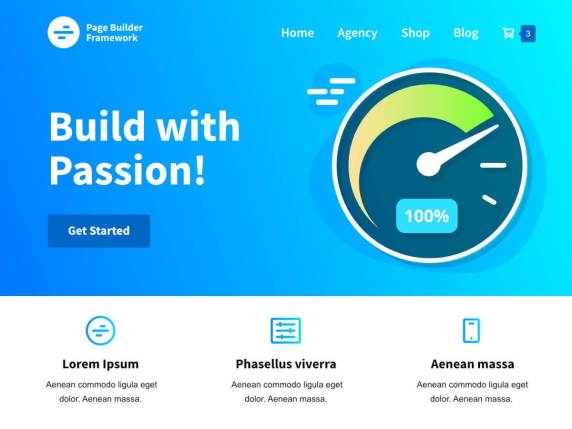
When you are in search of easy yet attractive website creation, you must have a look at Page Builder Framework. It is a superfast, lightweight, free theme for Elementor. The frontend of this theme weighs only 50KB. So, you can imagine how light it is.
If you are a picky designer, Page Builder Framework can figure out all your customization. From the ground building, this theme is SEO optimized and 100% Gutenberg compatible. Key Features-
- Extends high page speeds
- Superfast and lightweight
- Follows the most advanced web standards, like- HTML5 and schema.org markup
- Flexible and extendable
- Endless customization
- Specially designed for page builders
Well, the unlimited customization will assist you to explore all your creativities. Whether you want to build an agency website, blog, WooCommerce storefront, or portfolio website. Moreover, this theme will not slow down your site speed.
2. Kava- Tremendous Potential Theme
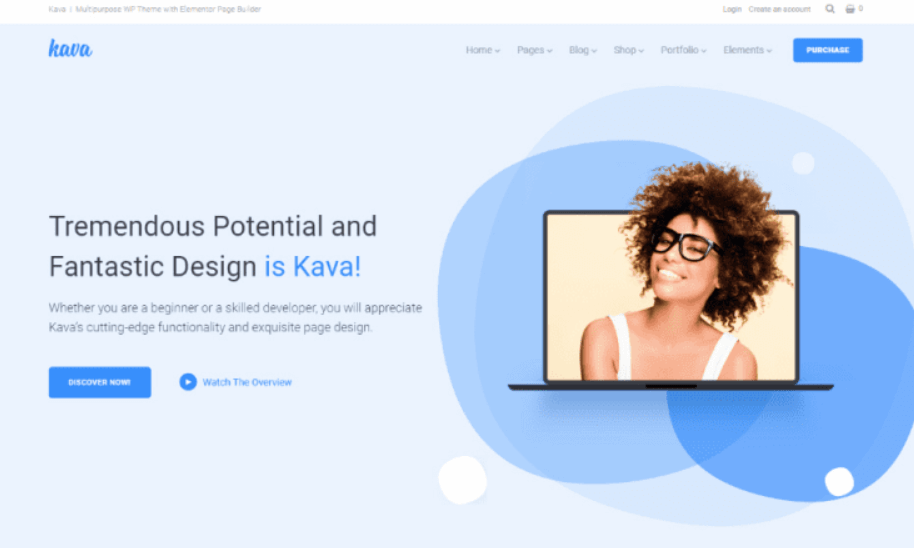
Kava is a clean and sharp theme developed by Crocoblock. Let me introduce their premium Elementor add-ons like- JetPopup, JetMenu, JetWooBuilder, and JetEngine.
This free theme is fully compatible with Elementor and the best choice for bloggers. You can’t download it from the WordPress theme directory, you have to visit their official site if you want to avail this incredible theme. Check out the highlights-
- Perfect match with Elementor
- Powerful blogging theme
- Fully Customizable
- Get 50 stylish blog page layouts
- Translation and RTL ready
- Developer friendly
Besides, blogging you will get options for building your WooCommerce storefront. The most essential part of a theme is device responsiveness. And, Kava has made it very well. whether it is mobile, laptop, or tab, your website looks fantastic.
3. Flexia- The Flexible WordPress Theme
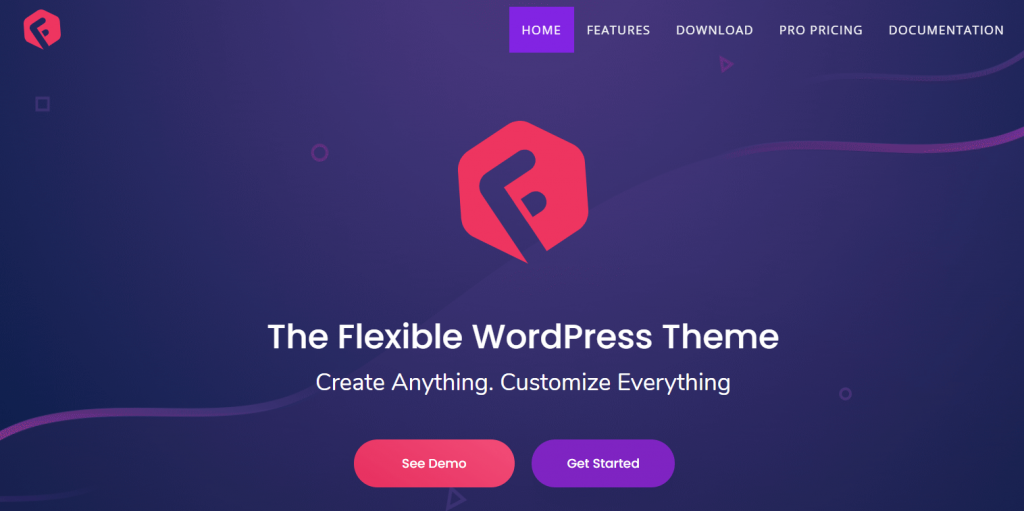
If you use addons on your Elementor powered website, Flexia can help you out. Especially, if you use Essential Addons, as both of them are built in the same company.
WPDeveloper always prioritizes the flexibility of their product. Flexia has also followed that tradition. This feature-rich theme is Freemium. If you use Elementor pro, don’t need to use the pro version of Flexia. The famous features of this theme are-
- Customize the single post layout
- Customize website and overlay colors
- Flexible header, footer, and layout
- Natural responsiveness
- Typography control
- Translation and RTL ready
- SEO friendly
You will get seamless integration with EDD (Easy Digital Downloads). So, building digital products is now easier with Flexia. Besides that, this best free themes for Elementor has enormous support.

4. Customify- Start Your Amazing Website Today
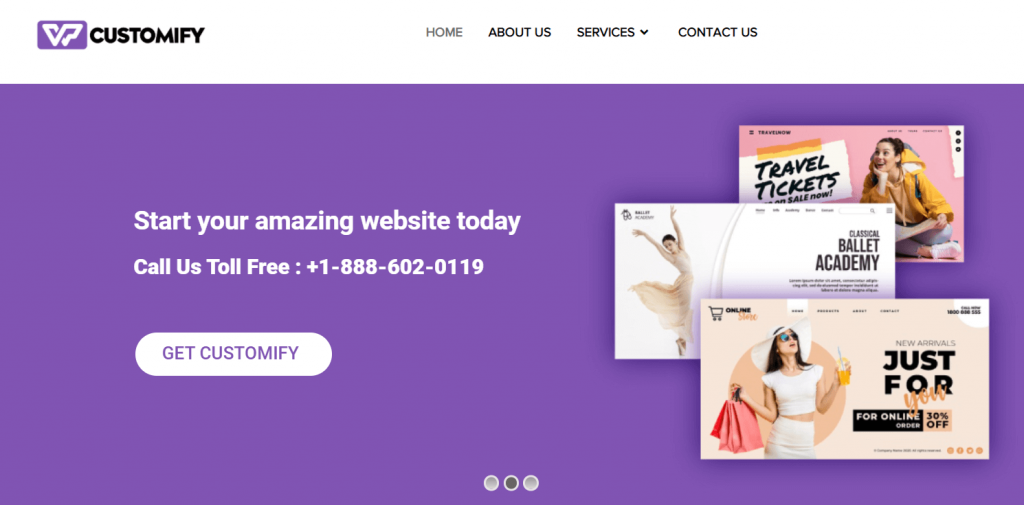
Customify is another theme that comes with over forty thousand active installations, and it was last updated on 7th September 2020.
If you are looking for a WordPress theme that offers speed, SEO, and excellent usability, then this theme fits the bill!
Customify works with a range of page builders such as Elementor, SiteOrigin, Beaver Builder, Visual Composer, and Divi.
Some awesome key features of Customify-
- WooCommerce Compatible
- Highly Customizable
- Responsive Design and SEO friendly
- Simple & Highly Intuitive Design
- Fast & Lightweight
- Advanced Typography
Additionally, it’s compatible with all well-coded plugins such as Yoast, Orbit, WooCommerce, and bbPress.You can use this theme for any purpose, whether it’s for your portfolio or business, the choice is all yours!
5. Envo Shop- Free WooCommerce WordPress Theme
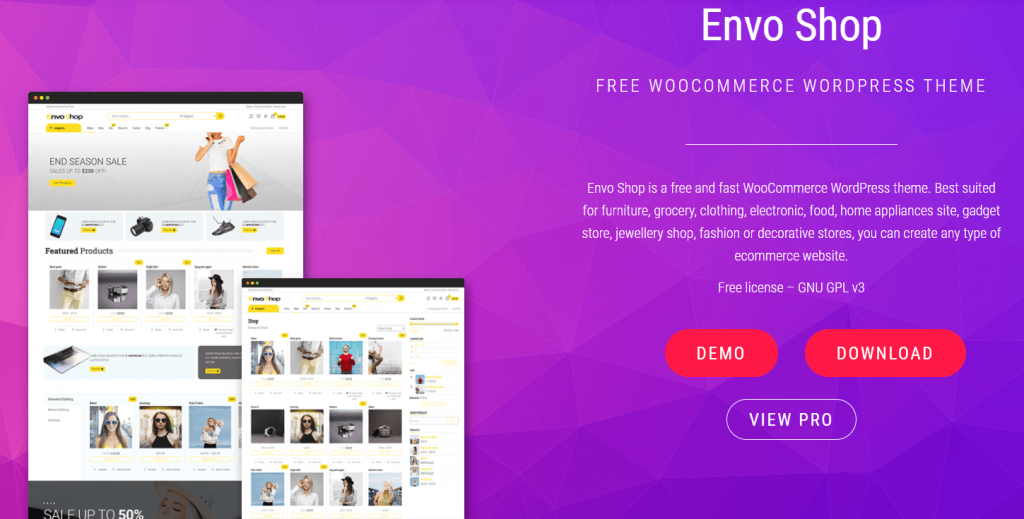
It’s a popular WordPress theme, with over five thousand active installations, and it supports a variety of page builders such as Elementor, SiteOrigin, Visual Composer, Divi, and many more!
Envo Shop offers various key features:
- Fast and lightweight theme
- Comes with a clean and modern look.
- Responsive design
- WooCommerce compatible
- SEO Optimized
It’s RTL and WPML ready, and for being SEO friendly, this theme is unstoppable. Moreover, it went through a recent update on 26th October 2020. Check out the demo site.
6. Bard- The Beautiful Theme
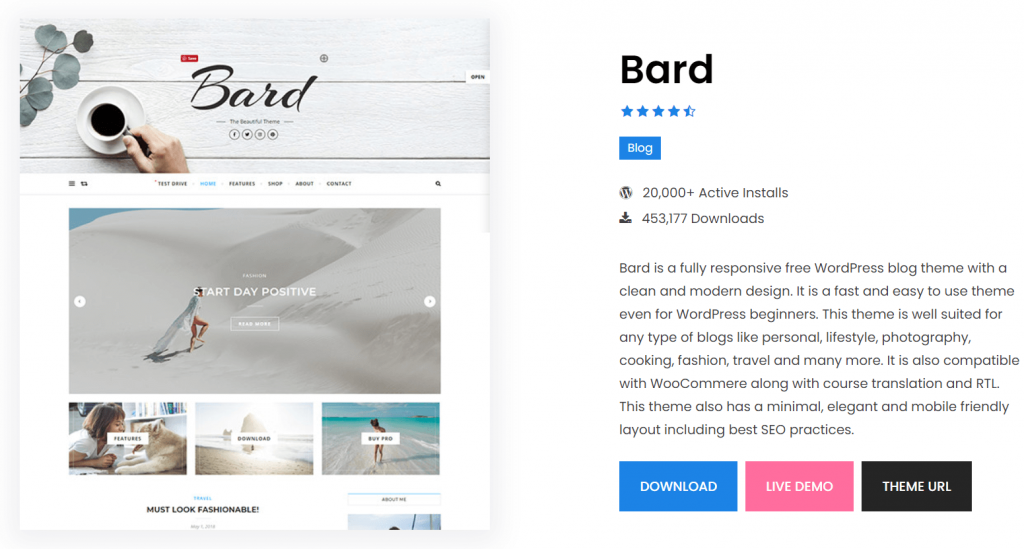
If you are looking to create a blog for any niche, WooCommerce shop, or a small business website, this is the theme that you must check!
This best theme for Elementor will offer your site visitors a minimal and mobile-friendly elegant layout to amaze. Plus, it’s easy to use for WordPress beginners.
There are various benefits of this theme:
- Responsive design will display your website on any device.
- Fast, retina and mobile display
- Compatible with well-known plugin
- RTL and translation ready
- Comes with SEO practice coding
Bard comes with various features such as header image, full-screen slider, image and text logo, Instagram slider widget support, footer menu support, GDPR compatibility plugins support, and more!
Additionally, this theme works effortlessly with major page builders such as Elementor, Divi, SiteOrigin, and Visual Composer. Its last update was on 27th October 2020, and has over twenty thousand active installations!
7. Business Event- Digital Thinkers Meet
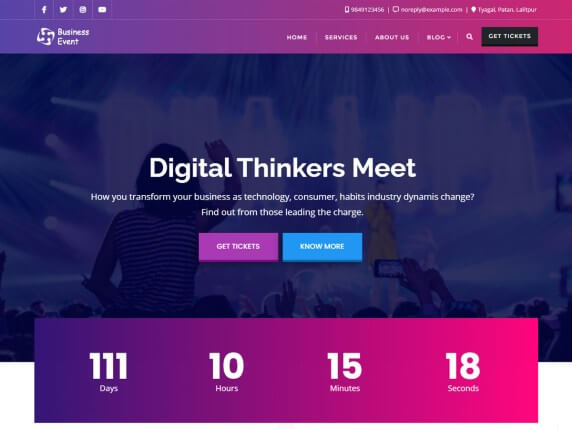
If you want a theme for your business website, a Business Event could be the best fit! It’s a dedicated event theme for business meetups and conferences, product release events, and other marketing and business-related events.
One of its benefits is, it works with a variety of page builders such as SiteOrigin, Divi, and Beaver Builder, alongside Elementor ( it fully supports Elementor).
Some of its features are:
- It’s SEO-friendly
- Offers cross-browser compatibility
- Completely responsive
- Translation ready.
Additionally, their helpful support team is always there to help you out in case you end up having any issue with the theme.
There are some more WordPress Themes for Elementor
8. BeShop- Just Another WordPress Theme
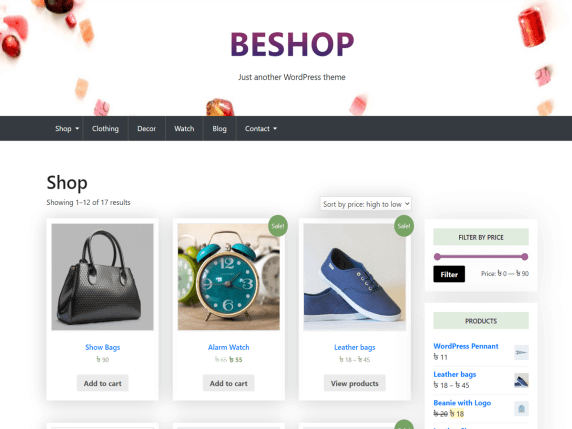
It has over a thousand active installations, and its last update was on 22nd October 2020. BeShop will give your site a unique look along with supplementary post layouts.
The benefits of BeShop theme-
- WooCommerce compatible
- SEO friendly
- Fully customizable and flexible
- Responsive
- Super-fast WordPress theme
Not only you can use it with Elementor but with other page builders such as SiteOrigin, Divi, and Visual Composer. You can use this theme to create your website for any purpose, for example, blog creating, e-commerce store, or business.
9. Total- Complete WordPress Theme
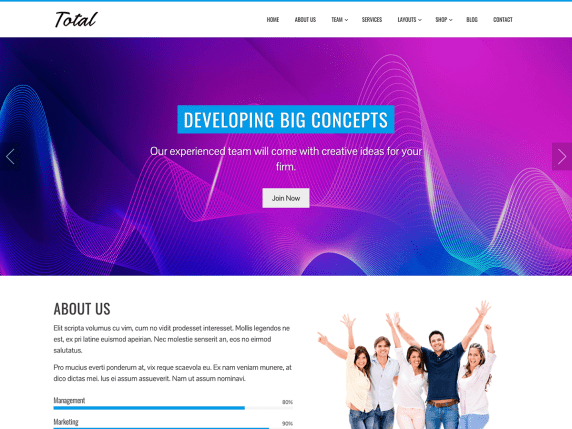
Total has over fifty thousand active installations! And, you’ll get a whole package with great features to create a well-functioning website.
Not only it offers an elegant and clean design, but also parallax sections, along with its theme color-changeable option!
Its customizer will allow you to configure your site with the live preview.
Some of its features and benefits are:
- You can use this theme with any top page builders.
- Import the demo with a single click
- It’s SEO-friendly.
- Compatible with WooCommerce and other popular plugins
- Offers cross-browser compatibility.
- It’s fully responsive!
10. Magazine NP- Clean and Elegant Theme
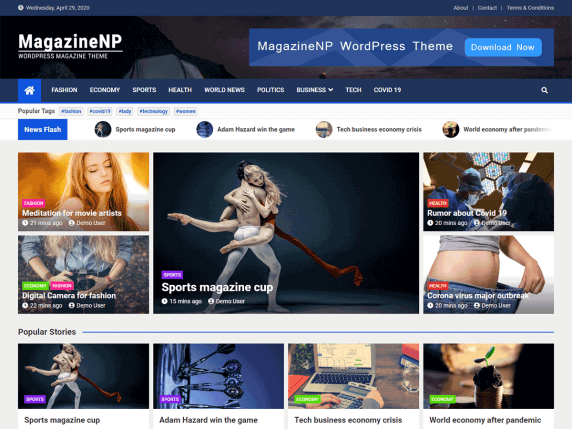
If you are looking for an elegant and simple design, you should check this out.
You can use this theme to design your website, blog, news portal, or online magazine site. Magazine NP also supports Elementor beside other popular page builders.
Some of its features are:
- Widget-based theme
- RTL support
- SEO-friendly
- WooCommerce support
- Live Preview
- Extendible with the premium plugin
The last update of this theme was on 15th October 2020, and it has over one thousand active installations.
Best Free Elementor Theme: Comparision Table
| Theme | Version | Active Installation | Last Update | Loading Time |
| Zakra | 1.5.3 | 50,000+ | 14th October 2020 | 1.181 s |
| Rife Free | 2.4.10 | 30,000+ | 7th September 2020 | 497 ms |
| Phlox | 2.7.1 | 40,000+ | 24th October 2020 | 7.3 s |
| Customify | 0.3.5 | 40,000+ | 7th September 2020 | 1.71 s |
| Envo Shop | 1.0.6 | 6000+ | 26th October 2020 | 7.1 s |
| Bard | 1.7.5 | 20000+ | 27th October 2020 | 3.7 s |
| Business Event | 0.5 | 800+ | 14th October 2020 | 15.8 s |
| BeShop | 1.0.12 | 1000+ | 22nd October 2020 | 1.4 s |
| Total | 1.2.47 | 50000+ | 24th September 2020 | 4.2 s |
| Magazine NP | 1.1.4 | 1000+ | 15th October 2020 | 5.1 s |
How To Select The Best Theme For Your Website?
Now that you have so many free elementor themes to choose from, it can feel overwhelming to select the best theme for your site! There are some crucial factors that you need to consider when making the right selection. Here’s what you need to examine:
Always Go for Faster Loading Themes
Loading speed is crucial for any website! It affects your site bounce rate. The users will leave your site if it takes a lot of time to load. Additionally, pages with longer loading time can affect conversions negatively.
Select a Simple Theme
Who doesn’t want to use the best elements and vibrant colors to design their site to make it stand out?! Well, if you are looking to make your site appear sophisticated, it’s best to go for minimalist themes that work with elementor.
If there are too many design elements and bold colors, it will make the site viewers overwhelmed. Additionally, it will affect the website’s usability.
Go for Responsive Themes
The truth is, responsive is the new requirement which is a must for any website. An increasing number of users are accessing sites through their mobile phones and other portable devices.
And, this is why your website needs to be responsive to scale automatically to fit the device screen. Mobile users aren’t interested in browsing a non-responsive site and will move to a responsive one!
Make Sure the Theme Comes with Browser Compatibility
No users will use the same browser to access your site. A theme without browser compatibility may appear fine on your browser, but cause issues in other ones. Besides that, mobile-friendliness is also essential.
Make Sure the Theme is SEO Friendly
Many people ask, ‘Can I use elementor with any theme?’ Well, it’s best to go for themes that are compatible and are SEO-optimized. If you check any theme description in the WordPress directory, you’ll find that many of them specifically mention “SEO-friendly” in their details.
A theme can look amazing, but due to poor HTML coding, it can affect the site’s ranking on the search engine. Moreover, these SEO optimized themes will help your site to perform better in the search engine results, provide higher ranking and better visibility.
Free Vs. Premium Themes: Which One Should Get?
You’ll find that there are both free and premium WordPress themes. there is a common question- Does Elementor work with any theme? Yes, it does, and that includes both free and premium.
If you are a beginner, it’s best to go for a free one initially. The benefits? You’ll get to save cash, and you can easily check out suitable themes for your site.
Some may question the quality of a free theme; however, to their surprise, these themes go through a stringent theme review procedure. Moreover, they also go through testing for standard compliance code, along with additional relevant tests for security and privacy.
Only after these tests, these themes can get their names approved for the official WordPress directory. You can also find free elementor templates.
On the other hand, premium ones will offer users more customization and features to design their website. Plus, there are more unique premium themes compared to the free ones.
However, you may find out that these premium themes can come with many unnecessary options that you don’t even need for your site. Also, some premium themes do come with sub-par coding standards, making it tough to use some plugins.
So, whether you want to go for the free or the premium themes is up to you. If you are planning to create a website for a small business or a blog, selecting a free theme is a great option! To make your theme smooth and secure for your site there is no alternative to update your theme regularly.
FAQs about Best Free WordPress Themes for Elementor
Question 1: Does Elementor require a theme?
Answer: Yes, it does. There are various themes, which works perfectly with Elementor, a well-known page builder. Over 800,000 WordPress sites use both free and premium ones, and you can use any one of them to design your site.
Question 2: How can I create a theme in Elementor?
Answer: To do so, you’ll need to click on ‘Appearance’ and select ‘Themes’. Click on ‘Add New’ and search for “Hello Elementor”. After that, install the theme and activate it to use.
Question 3: Is Elementor a plugin or a theme?
Answer: Elementor is one of the most popular page builder plugins to create your website. If you use it, you don’t need to use the WordPress editor. One of its advantages is that it’s compatible with most of the WordPress themes. Additionally, you can find premium templates as well.
Question 4: Why should I use Elementor?
Answer: If you want to save your time when designing a website, Elementor is your best bet! It’s easy to use, and most of its features are available for free. Plus, it’s also the right choice for those who don’t know how to code.
Question 5: Which free theme is best for a WooCommerce site?
Answer: Zakra is one of the best free themes that you can consider using to design your WooCommerce site. However, there are also other impressive WooCommerce themes you can consider are Storefront, Astra, Neve Shop, Hestia Lite, and Rife Free.
Final Thoughts on Best Free Themes for Elementor
If you want to build a great looking website, a free WordPress Elementor theme will help you to get started! There are so many benefits offered by them, which makes it easy to create a fully functioning site without much hassle.
Thousands of free themes available in the WordPress directory, those are compatible with Elementor. We hope that this list will help you to find the right one for designing your site!
Although you have a lot of options from the best free themes for Elementor to select from, don’t forget to consider a few crucial factors to help you choose the right Elementor compatible theme for your site.


![Black Friday and Cyber Monday are around the corner, and people are waiting for these festivals to grab the best product deals. That is why giving an attractive look to your website during this festive season is very necessary. But, creating a whole new landing page might be difficult in a short period of time. Don't worry. By using Happy Elementor Addons Black Friday and Cyber Monday Landing Page templates, you can easily develop a whole new landing page in a few minutes. In this today's blog, we are going to show how to boost your website design using HappyAddons templates during this festival season. Before that, we'll talk a bit about these two festivals and why they are important to online business communities. What are Black Friday and Cyber Monday? Black Friday is the immediate following of the famous Thanksgiving day. This is when people start shopping to celebrate the Christmas festival. Since the late 1980s, retail sales on this day have constantly been suppressing the past volumes. See the graph below. Source: Salecycle.com The first Monday following Thanksgiving day each year is called Cyber Monday. It was first introduced in 2005 by the USA National Retail Federation to encourage people to buy online. Though this festival originated in the USA, it is celebrated globally today. See the stats below. Source: Salecycle.com It indicates customers' buying behavior around this day is growing up over time. Many customers today keep a budget to buy products on these two days. So, why won’t you prepare a Cyber Monday landing page if you have an online store? Importance of Designing Landing Pages for Black Friday and Cyber Monday Festival Having a well-design website is one of the major checklists if you are running an online business. Most importantly, you have to make sure that your website remains up-to-date to boost your sales. That is why you need to redesign your website or make a new landing page during the Black Friday and Cyber Monday festivals. Because most online product & service-based businesses promote special deals during these two festivals. Here are some remarkable ways dedicated landing pages during these festivals can positively impact the performance of your online business. Boosts your product salesIncreases conversion rateOpportunity to collect potential email leadsGrabs users' attention toward your siteReduces bounce rateIncreases website visitors. Elementor Black Friday New Seasonal Kit is Already Here! Source: Elementor To make this Black Friday more enjoyable, Elementor has launched a New Seasonal Kit that includes landing pages, sections, pop-ups, and vector assets. All these design elements are made by the Elementor team so that one can easily use them on their website to ensure more sales and conversions. New Elementor Black Friday Seasonal Kit offers: 3 Landing pages6 Sections 6 Popups A collection of stickers & animations You can only get these ready-made Black Friday landing pages and sections if you have Installed Elementor Pro on your site. However, if you are looking for templates that are outside of the box, you can go with Happy Addons, the fastest Elementor Addons on the market. It's very easy to use, flexible and has tons of advanced features and widgets that can ease your website design journey. Also, you'll get several festival landing page templates & blocks. Moreover, you can use free Black Friday and Cyber Monday design blocks and templates to decorate your site. Most importantly, these templates and blocks are easy to customize and can be used for multiple purposes. Now let's see how you can use the Happy Addons templates to design your website according to the Black Friday theme. Pre-Requisites to Use HappyAddons Templates to Design Black Friday and Cyber Monday Landing Pages You must have the following plugins installed on your site to get access to the HappyAddons Template library. Make sure you’ve installed and activated the Happy Addons Free & Premium version of your website. Elementor (Free)Happy Addons (Free)Happy Addons Pro If you are new to Elementor, check this Step By Step Guide For Beginners. If you want to explore the readymade templates of HappyAddons before installing these plugins, you may visit by clicking on the button below. Check out Happy Addons Templates How to Design Black Friday Landing Page on Your Website Once you have the plugins (mentioned above) installed, your website is ready to follow the tutorial guide explained in this section. Get ready now! Step 1: Open a New Page with Elementor Create a new page or open the existing page with Elementor. Next, you have to select the Elementor Canvas option.Unless you select Elementor Canvas, you may watch the header, footer, and unnecessary other texts on the page. These might be irritating to you.Once you open the page with Elementor Canvas, your page will be completely clean. Watch the video below on how to do it. Step 02: Go to HappyAddons Library Click on the HappyAddons Library Icon. It will open up a modal popup. Here you'll find numerous stunning premade Blocks and Pages created by the Happy Addons team. Kindly explore them to create a list of your favorite items. Step 03: Import a HappyAddons Black Friday Template Go to the Page tab on the modal popup.Select Black Friday from the left-side filter option.You will several good-looking templates on your screen.Take your cursor on the one you like and hit on the INSERT button. Wait for a while to finish the installation process. You will get the template on your screen with editable sections and options. Step 04: Set the Black Friday Campaign Deadline A deadline creates a sense of urgency in customers' minds. So, better if you add a deadline section on the page to show your Black Friday deals. The good thing is that if you select the template as we did, you will automatically get a deadline or countdown option. You have to customize it as you want. Step 05: Show Image Carousel Slider on Your Black Friday Landing Page Using the Image Carousel, you can slide show demonstrating discounts on your product categories. Drag and drop the Image Carousel widget on any landing page section. Next, from the Elementor panel, you can add photos and text to the widget. Do it accordingly. Thus, you can add more sections and options on the landing page. Hope you can do it yourself. Step 06: Make the Black Friday Landing Page Mobile Responsive Making a web page mobile responsive with Elementor is super easy. You'll get the mobile responsive option on the Elementor footer section. Clicking on it will open up the option to view your landing page on different device screens. We have explained the process in the video below. Note: Don't delete any widget or section while customizing your landing page for any particular device. Because if you delete a widget or section on any device screen, it will also be applied on other devices. However, you may change their position or alignment or hide them. It won't make any impact on other devices. Step 07: Final Preview of Our Landing Page Here is the final interface of our Elementor Black Friday landing page that we've designed using the Happy Addons' ready-made Template. Get Happy Addons to Add a Black Friday Theme Landing Page on Your Website How to Design Cyber Monday Landing Page on Your Website You will require the same prerequisites (Elementor and HappyAddons Plugins) to design the Cyber Monday landing page on your website. Hope you have them ready on your website. Now, let's get into the tutorial part. Step 01: Import a Cyber Monday Readymade Landing Page Template Go to the HappyAddons Template library.Choose the Cyber Monday template you like.Click on the INSERT button. Wait for a while to finish the installation process. You'll get a page design like the following image below. Step 02: Edit Different Sections of the Page In the first tutorial, you saw the deadline/countdown option was already embedded in the template. But this template doesn't have it. So, you can bring it to your page? Very simple. Create a new section by clicking on the plus icon.Type Countdown on the Elementor search bar.Drag and drop the widget on the section. Customize the Countdown section from the Content and Style tabs of the Elementor panel. Using the Heading widget, we have added the FLASH DEALS text next to the countdown to make it more meaningful. Thus, you can use other exciting widgets on the template to make your landing page super gorgeous. Step 03: Promote Products on the Landing Page Promotional landing pages usually include a section to showcase some hot-selling products to generate instant sales. Using the Image and Button widgets, we have created this section under the FLASH DEALS.You may customize it more as you wish. Step 04: Make it Mobile Responsive We already showed you the process in the first tutorial on making a mobile web landing page responsive. Hope you can do it here as well, following the same guideline. Click on the Responsive Mode icon and do the rest yourself. Bonus: Black Friday and Cyber Monday Landing Page Design Key Considerations Whenever you design a landing page, you need to consider why you need to design this page and what elements they should keep on the page. Because if you are not adding all the necessary features to your page, it will not serve its purpose. This is why you need to focus on a few things before designing your Black Friday landing page. Here are some points you must consider in designing Black Friday and Cyber Monday landing pages. Add Black Friday textSet deals deadlineShow your best-discounted productsAdd coupon code Focus on responsive page designMake your page visually appealingImprove your page user experience or page structureSet a proper website navigation FAQ on Black Friday and Cyber Monday Landing Page Design Now, we'll answer some common questions on Black Friday and Cyber Monday Landing page designs commonly found online. How much does it cost to design a landing page?The cost of designing a landing page varies depending on the complexity of the design, the level of customization required, and whom to hire for the page. A simple landing page can be designed for as little as $25, while a more complex design with multiple customizations can cost upwards of $2,00.However, if you have Elementor and HappyAddons installed, you can design unlimited landing pages at a minimal cost. But like any other tool, you must have a kind of enterprise on them. As they are drag-and-drop builders and their numerous tutorials and documentation are available, they won't take you more than a month to be used to. Check out some wonderful YouTube tutorials on these two plugins. Hope you will enjoy them.How many hours does it take to design a landing page?It mainly depends on the level of design complexity and your web design skill. However, both in Elementor and HappyAddons, you will get countless readymade templates and block sections. You can design a beautiful landing page in 3-5 hours by making a proper combination of them.Can I design Black Friday and Cyber Monday Landing pages with Elementor and HappyAddons free versions?Surely, you can design Black Friday and Cyber Monday Landing pages with Elementor and HappyAddons free versions. But only with the pro versions, you can't add too many exciting features to your pages. For example, free versions will give you access to only a limited number of readymade templates.If you are just a beginner-level designer, free versions are enough. But if you are a professional designer or have a web designing agency, pro versions are a must. Are You Ready To Design Your Black Friday and Cyber Monday Landing Page? Customers look forward to this kind of occasion to buy their favorite products at a minimum price. Naturally, they are drawn to websites that look good and give a festive vibe. That is why adding a Black Friday and Cyber Monday landing page during the festival season will give you an extra edge over the competitors. The above guide shows how to design your Elementor Black Friday Landing page using the Happy Addons' Black Friday Templates and how it can help boost your holiday sales. So if you have any queries regarding this blog, you can comment on us in the below box. If you like this post, then share it on your social channel. Don't forget to subscribe to our newsletter. Also, follow our Facebook and Twitter channels for regular updates. Subscribe to our newsletter Get latest news & updates on Elementor [yikes-mailchimp form="1"] ":36560} /--](https://happyaddons.com/wp-content/uploads/2021/11/How-to-Design-Black-Friday-and-Cyber-Monday-Landing-Page-300x188.png)

2 Responses
Excellent blog! In this blog, you have written content with these best SEO WordPress themes. All these themes are popular themes. I feel very good at reading this blog. Hope this kind of blog from you.
Thank you for your appriciation.