






We are so thrilled to make an exciting announcement.
Today, we here at HappyAddons are super excited to announce that we’ve accomplished our biggest benchmark of this year- YES!!!! We can now proudly say that we’ve reached the milestone of 200,000+ Active Users.
That’s huge!
200,000+ Active Installs- This means more than 200k people chose HappyAddons as their web development platform.
Let’s look back on how we made it to this milestone in such a short time period!!!
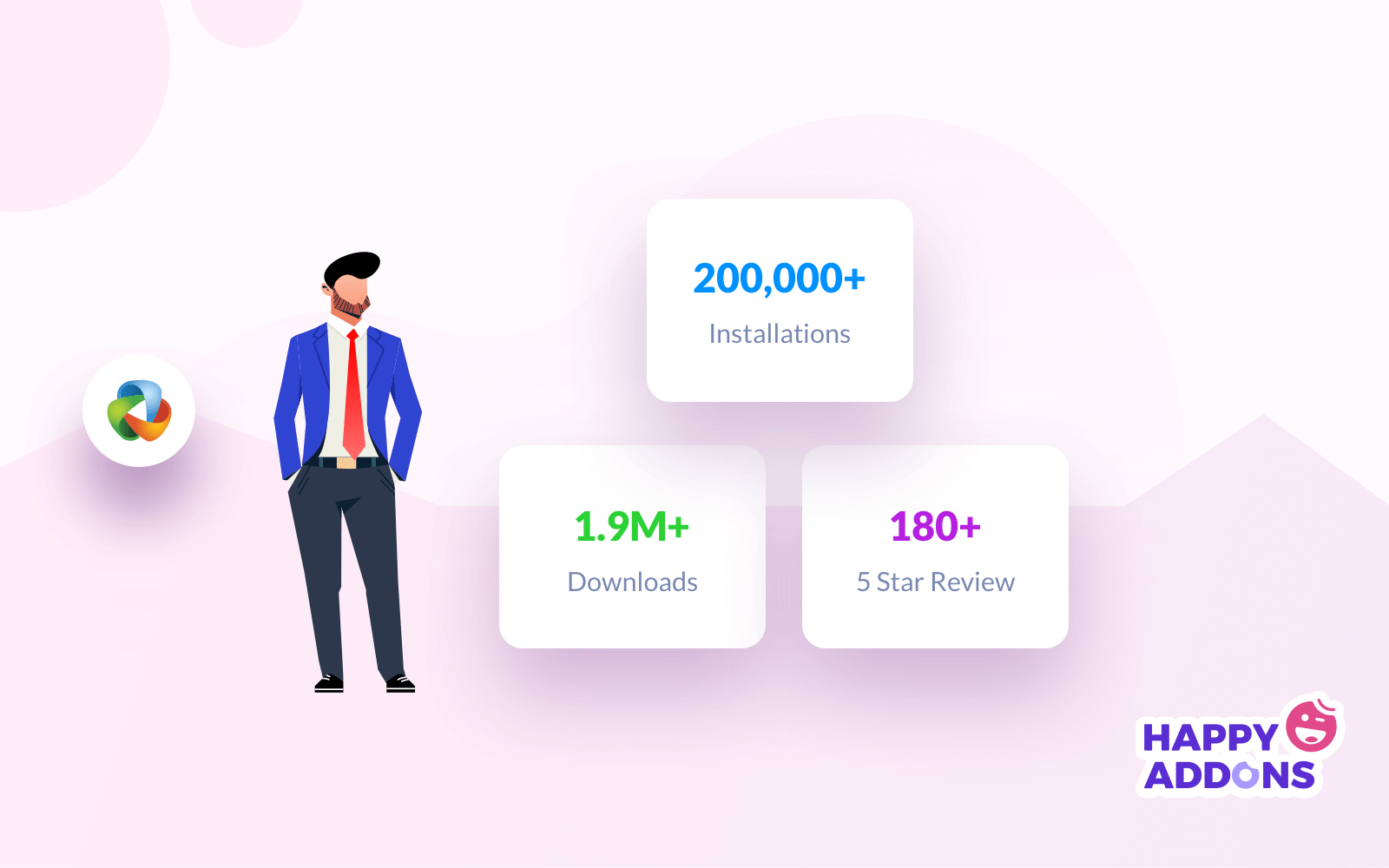
If you are an Elementor fan, then there is zero possibility that you are not aware of Happy Elementor Addons! As it becomes the talk of the town within a short time period. Now Happy Elementor Addons is one of the top choices for Elementor developers.
Feature-rich widgets, super-fast design tools, and easy development skills- are the main ingredients for the immense popularity of HappyAddons. Our growing curve also justifies this statement with adequate evidence.
We hit the milestone of 30,000 active installs within six months only.
Within the next two months, we accomplished another benchmark of 50,000.
And back in (11/12/20) we crossed another benchmark of 100,000.
Today (03/11/21), we are here to announce another big achievement. Yesss!!! Now we are a proud family of 200,000+ members.
That means in 11 months alone, our user base has doubled in size.
We never expected it could happen so soon. We are grateful to all our valued clients, users, well-wishers, and partners for being with us in thick and thin. Without your contribution, we can’t make this happen.
Today we will take you on a short journey to overview the overall journey. So you can explore the secret behind this immense success of Happy Elementor Addons.
Happy Elementor Addons: Advanced Customization Tool for Elementor Users
Elementor itself is a powerful page builder for creating professional sites inside WordPress. But it’s really hard for a single plugin to cover every tiny detail of WordPress.
Luckily, there are a number of Elementor add-ons available on the web. They have filled almost all the gaps and covered many vital areas of webpage development. However, Happy Elementor Addons makes a significant place among these designing tools within a few months only.
HappyAddons empowers Elementor users with 90+ amazing widgets and 20+ unique features. Including a wide space for customization.
It makes Eementor site-building experience easier than ever. High-functional tasks like animation, site sync, live copy/paste – you can do everything with HappyAddons in a flash. And to do so you don’t need any prior technical knowledge either.
We have introduced the pro version of HappyAddons at the end of September 2020. Before that, we have run the beta version and collected reviews from the real users. And updated the tool based on those feedbacks.
That is the reason we got a huge positive response from day 1 of releasing the premium version. Although we never stop updating the features of these powerful Elementor addons, We regularly launch new features, updates, fixes, and tweaks and continue to hear from our users.
Eventually, we became a large family of 200,000+ interactive members within 8 months-
As you know we arranged Happy Grand Giveaway for all our clients, users, and well-wishers while reaching 30,000 active installations. This time we also plan something BIG as a token of gratitude!
We believe in sharing and prefer to spread the LOVE!
Free Built-in Extensions to Give You an Exclusive Experience
With HappyAddons, you will get unique and exclusive features completely FREE. It will add additional customization options to your Elementor site.
| 1. Floating Effect | 6. Custom Column Order |
| 2. Asset Loading | 7. Happy Clone |
| 3. CSS Transform | 8. Fixed Size Button |
| 4. Background Overlay | 9. Grid Layout |
| 5. 500+ Line Icon | 10. Wrapper Link |
All these are advanced-level features. Not to mention, you can give a stunning look to your site using these features only.
Especially remarkable, the Floating Effect. With this magical feature now you can create exclusive animations for your site within a few clicks only. And it works seamlessly with all Elementor widgets. Moreover, you can add an amazing background, icons, layouts, and many more with these features.
Not only that, but every feature also comes with a hundred customization options. That means, with Happy Elementor Addons you will get endless opportunities to paint your site as per your imagination.
Happy Blocks, Post Tiles, Social Media Feeds– are some of the latest additions to HappyAddons Pro. Please give them a quick look!
Free HappyAddons Widgets for Exclusive Website Design
Like features, you will get 40+ FREE Happy Widget to design your Elementor site exclusively.
Some major widgets among them:
| 1. Card | 17. Fun Factor |
| 2. Info Box | 18. Calendly |
| 3. Skill Bars | 19. News Ticker |
| 4. Review | 20. Social Icon |
| 5. Dual Button | 21. Twitter Feed |
| 6. Number Widget | 22. Bar Chart |
| 7. Justified Grid | 23. Gradient Heading |
| 8. Testimonial | 24. Team Member |
| 9. Logo Grid | 25. Post Tab |
| 10. Slider | 26. Social Share |
| 11. Image Carousel | 27. Horizontal Timeline |
| 12. Post List | 28. Fluent Form Widget |
| 13. Image Grid | 29. Taxonomy List |
| 14. Image Compare | 30. 360 Degree Rotation |
| 15. Icon Box | 31. Data Table |
| 16. Step Flow | 32. News Ticker |
It clearly shows that you can now build a highly functional site without any CSS coding proficiency. You can easily build your service page, showing your team members, animated sliders, different types of charts, social feeds, client testimonials, etc. Without writing a single line of code.
And most importantly, we launch new features and widgets depending on the user’s demand and current trends every month.
Pro Happy Elementor Addons (Widgets & Features)
As we said, the free version of HappyAddons is enough to give your site a slick look. But for unlocking some outstanding features and exclusive design techniques you must go for the PRO version.
Let’s see some PRO features of Happy Elementor Addons.
| 1. Preset | 4. Live Copy |
| 2. Cross-Domain Copy Paste | 5. Image Masking |
| 3. Unlimited Section Nesting | 6. Conditional Display |
| 7. Blocks |
Dreamlike copy-pasting elements from one domain to another domain becomes possible with HappyAddons. Now, you don’t need to create the same design for every site. It will surely reduce your workload & amplify your workflow significantly.
Furthermore, you can explore some advanced widgets as well with HappyAddons PRO.
| 1. Feature List | 14. Instagram Feed |
| 2. Pricing Table | 15. Advanced Toggle |
| 3. Flip Box | 16. List Group |
| 4. Advanced Heading | 17. Count Down |
| 5. Hover Box | 18. Source Code |
| 6. Team Carousel | 19. Promo Box |
| 7. Scrolling Image | 20. Hot Spot |
| 8. Advanced Tab | 21. Price Menu |
| 9. Advanced Accordion | 22. Business Hour |
| 10. Testimonial Carousel | 23. Line Chart |
| 11. Logo Carousel | 24. Pie & Doughnut Chart |
| 12. Animated Text | 25. Polar Area Chart |
| 13. Timeline | 26. Radar Chart & more |
If you’re a blogger, then these 8 new widgets from Happy Addons will work best for you:
| 1. Post Grid | 4. Post Carousel |
| 2. Smart Post List | 5. Author List |
| 3. Post Tiles | 6. Post Tab |
| 7. Post List | 8. Taxonomy |
As we said, you will get endless customization options for different colors, styles, effects, and many more with every feature and widget. Also, there are some individual criteria for each widget accordingly.
In short, Happy Elementor Addons makes your hands more powerful with scalable and super-fast designing tools. And enables you to portray all your imagination live at record speed.
How HappyAddons Enriched the Elementor Community
Design is the most crucial part of website development. But Elementor makes it super easy with a simple drag-and-drop interface. Now, you can create a pixel-perfect website inside WordPress without having any prior expertise. Additionally, you can expand the functionality of Elementor with Happy Elementor Addons.
HappyAddons bundles up all the exclusive features to enhance the user’s in-hand experience. Grab this easy to use yet highly functional design tool to bring your insights live.
Apart from this, it fosters the design expertise of Elementor community members. So, you can accelerate the workflow while developing a side remarkably with this third-party add-on. As a result, developers can deliver their work faster and attend to more clients than before. It minimizes the time but improves quality.
Thus, Elementor users start using this toolkit for styling their widgets more attractively.
HappyAddons is a unique Elementor Addon. It might be the best addon package for Elementor.
Adam Preiser, Founder of WP Crafter
Furthermore, HappyAddons can easily match up with any Elementor powered WordPress site design requirements. It works seamlessly with all Elementor themes and templates. That increases the acceptance of this add-on among Elementor users.
As we mentioned above, we always prioritize our users at the top. In order to help them, we have a dedicated support team. This team provides 24/7 service for your assistance.
Besides, we have a social community on different platforms to communicate with our users directly.
Happy Addons Facebook Community
Like other WordPress community, we have created a Facebook Community for Elementor users. Here, we bring like-minded people under the same roof. So that you can share your experience and all types of queries there regarding Elementor and Happy Addons.
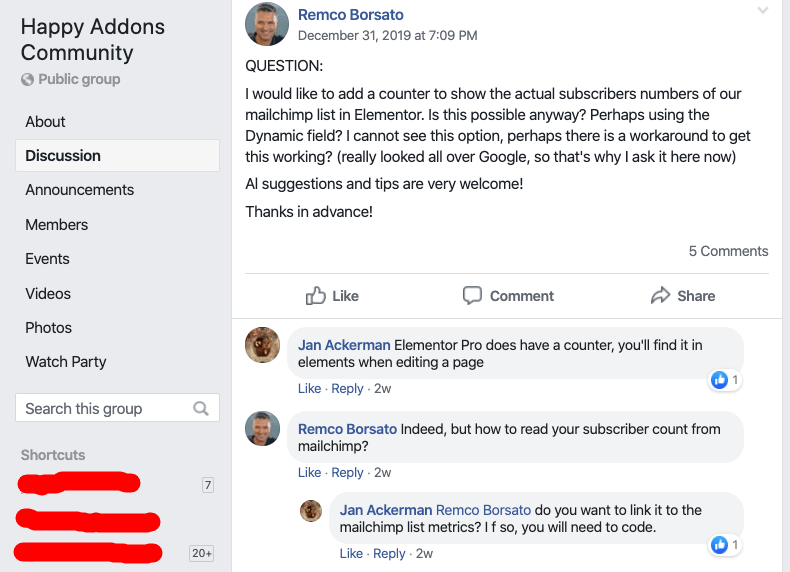
Also, we share all our important updates and news here. Join the community now to get instant solutions and the latest news.
You can also join our Twitter community to stay tuned!
Happy Journey to Success- A Far to Go

We become a family of 200,000+ members, and sharing the same bond with all is not an easy task. We appreciate your efforts to make this journey remarkable for us. As we started our journey with the aim of supporting Elementor users with exclusive features and intuitive design styles.
Your immense response and support, however, led us to broaden our thinking. We started to explore more useful elements only for enhancing your site development experience. With your love, we became a big family of 30,000 members within 6 months only.
For a new Elementor addon, it’s a significant achievement, as there are a ton of powerful add-ons available on the market.
This achievement boosts our energy and gets us more committed to giving maximum service to our clients. In this continuity, we regularly launch new features and widgets for both the Free and Pro version of HappyAddons.
These attributes are so amazing that we repeatedly cross 2 more milestones of 100k active installations and then become a family of 200,000 members eventually in only 11 months.
We are highly proud and grateful to our users for relying on us!
Happy Elementor Addons: Your Success, Our Achievements?
Happy Elementor Addons is a powerful resource for creating eye-catching designs quickly. Simply move your carousel and get your site ready to live!
We have launched HappyAddons at the end of 2019. And within the second quarter of 2020, we became a large family of 50,000+ members. And at the end of the last quarter, we extend our family adding more than 100,000+ members.
Currently, more than 200,000 people are using our tool to develop their dream site in a minimum time span at the lowest cost.
During this time, we have been confronted with many profound difficulties. The journey was filled with plenty of opportunities, challenges, hardships, planning, executions, failures, and so on. But we never lose our courage. We continue our work and bring new features and the latest updates. Along with the fix and tweak. However, the love and support we got from our users were tremendous!
Are you an Elementor user? Have you installed HappyAddons on your site? You can share your experience below in the comment section.

![Black Friday and Cyber Monday are around the corner, and people are waiting for these festivals to grab the best product deals. That is why giving an attractive look to your website during this festive season is very necessary. But, creating a whole new landing page might be difficult in a short period of time. Don't worry. By using Happy Elementor Addons Black Friday and Cyber Monday Landing Page templates, you can easily develop a whole new landing page in a few minutes. In this today's blog, we are going to show how to boost your website design using HappyAddons templates during this festival season. Before that, we'll talk a bit about these two festivals and why they are important to online business communities. What are Black Friday and Cyber Monday? Black Friday is the immediate following of the famous Thanksgiving day. This is when people start shopping to celebrate the Christmas festival. Since the late 1980s, retail sales on this day have constantly been suppressing the past volumes. See the graph below. Source: Salecycle.com The first Monday following Thanksgiving day each year is called Cyber Monday. It was first introduced in 2005 by the USA National Retail Federation to encourage people to buy online. Though this festival originated in the USA, it is celebrated globally today. See the stats below. Source: Salecycle.com It indicates customers' buying behavior around this day is growing up over time. Many customers today keep a budget to buy products on these two days. So, why won’t you prepare a Cyber Monday landing page if you have an online store? Importance of Designing Landing Pages for Black Friday and Cyber Monday Festival Having a well-design website is one of the major checklists if you are running an online business. Most importantly, you have to make sure that your website remains up-to-date to boost your sales. That is why you need to redesign your website or make a new landing page during the Black Friday and Cyber Monday festivals. Because most online product & service-based businesses promote special deals during these two festivals. Here are some remarkable ways dedicated landing pages during these festivals can positively impact the performance of your online business. Boosts your product salesIncreases conversion rateOpportunity to collect potential email leadsGrabs users' attention toward your siteReduces bounce rateIncreases website visitors. Elementor Black Friday New Seasonal Kit is Already Here! Source: Elementor To make this Black Friday more enjoyable, Elementor has launched a New Seasonal Kit that includes landing pages, sections, pop-ups, and vector assets. All these design elements are made by the Elementor team so that one can easily use them on their website to ensure more sales and conversions. New Elementor Black Friday Seasonal Kit offers: 3 Landing pages6 Sections 6 Popups A collection of stickers & animations You can only get these ready-made Black Friday landing pages and sections if you have Installed Elementor Pro on your site. However, if you are looking for templates that are outside of the box, you can go with Happy Addons, the fastest Elementor Addons on the market. It's very easy to use, flexible and has tons of advanced features and widgets that can ease your website design journey. Also, you'll get several festival landing page templates & blocks. Moreover, you can use free Black Friday and Cyber Monday design blocks and templates to decorate your site. Most importantly, these templates and blocks are easy to customize and can be used for multiple purposes. Now let's see how you can use the Happy Addons templates to design your website according to the Black Friday theme. Pre-Requisites to Use HappyAddons Templates to Design Black Friday and Cyber Monday Landing Pages You must have the following plugins installed on your site to get access to the HappyAddons Template library. Make sure you’ve installed and activated the Happy Addons Free & Premium version of your website. Elementor (Free)Happy Addons (Free)Happy Addons Pro If you are new to Elementor, check this Step By Step Guide For Beginners. If you want to explore the readymade templates of HappyAddons before installing these plugins, you may visit by clicking on the button below. Check out Happy Addons Templates How to Design Black Friday Landing Page on Your Website Once you have the plugins (mentioned above) installed, your website is ready to follow the tutorial guide explained in this section. Get ready now! Step 1: Open a New Page with Elementor Create a new page or open the existing page with Elementor. Next, you have to select the Elementor Canvas option.Unless you select Elementor Canvas, you may watch the header, footer, and unnecessary other texts on the page. These might be irritating to you.Once you open the page with Elementor Canvas, your page will be completely clean. Watch the video below on how to do it. Step 02: Go to HappyAddons Library Click on the HappyAddons Library Icon. It will open up a modal popup. Here you'll find numerous stunning premade Blocks and Pages created by the Happy Addons team. Kindly explore them to create a list of your favorite items. Step 03: Import a HappyAddons Black Friday Template Go to the Page tab on the modal popup.Select Black Friday from the left-side filter option.You will several good-looking templates on your screen.Take your cursor on the one you like and hit on the INSERT button. Wait for a while to finish the installation process. You will get the template on your screen with editable sections and options. Step 04: Set the Black Friday Campaign Deadline A deadline creates a sense of urgency in customers' minds. So, better if you add a deadline section on the page to show your Black Friday deals. The good thing is that if you select the template as we did, you will automatically get a deadline or countdown option. You have to customize it as you want. Step 05: Show Image Carousel Slider on Your Black Friday Landing Page Using the Image Carousel, you can slide show demonstrating discounts on your product categories. Drag and drop the Image Carousel widget on any landing page section. Next, from the Elementor panel, you can add photos and text to the widget. Do it accordingly. Thus, you can add more sections and options on the landing page. Hope you can do it yourself. Step 06: Make the Black Friday Landing Page Mobile Responsive Making a web page mobile responsive with Elementor is super easy. You'll get the mobile responsive option on the Elementor footer section. Clicking on it will open up the option to view your landing page on different device screens. We have explained the process in the video below. Note: Don't delete any widget or section while customizing your landing page for any particular device. Because if you delete a widget or section on any device screen, it will also be applied on other devices. However, you may change their position or alignment or hide them. It won't make any impact on other devices. Step 07: Final Preview of Our Landing Page Here is the final interface of our Elementor Black Friday landing page that we've designed using the Happy Addons' ready-made Template. Get Happy Addons to Add a Black Friday Theme Landing Page on Your Website How to Design Cyber Monday Landing Page on Your Website You will require the same prerequisites (Elementor and HappyAddons Plugins) to design the Cyber Monday landing page on your website. Hope you have them ready on your website. Now, let's get into the tutorial part. Step 01: Import a Cyber Monday Readymade Landing Page Template Go to the HappyAddons Template library.Choose the Cyber Monday template you like.Click on the INSERT button. Wait for a while to finish the installation process. You'll get a page design like the following image below. Step 02: Edit Different Sections of the Page In the first tutorial, you saw the deadline/countdown option was already embedded in the template. But this template doesn't have it. So, you can bring it to your page? Very simple. Create a new section by clicking on the plus icon.Type Countdown on the Elementor search bar.Drag and drop the widget on the section. Customize the Countdown section from the Content and Style tabs of the Elementor panel. Using the Heading widget, we have added the FLASH DEALS text next to the countdown to make it more meaningful. Thus, you can use other exciting widgets on the template to make your landing page super gorgeous. Step 03: Promote Products on the Landing Page Promotional landing pages usually include a section to showcase some hot-selling products to generate instant sales. Using the Image and Button widgets, we have created this section under the FLASH DEALS.You may customize it more as you wish. Step 04: Make it Mobile Responsive We already showed you the process in the first tutorial on making a mobile web landing page responsive. Hope you can do it here as well, following the same guideline. Click on the Responsive Mode icon and do the rest yourself. Bonus: Black Friday and Cyber Monday Landing Page Design Key Considerations Whenever you design a landing page, you need to consider why you need to design this page and what elements they should keep on the page. Because if you are not adding all the necessary features to your page, it will not serve its purpose. This is why you need to focus on a few things before designing your Black Friday landing page. Here are some points you must consider in designing Black Friday and Cyber Monday landing pages. Add Black Friday textSet deals deadlineShow your best-discounted productsAdd coupon code Focus on responsive page designMake your page visually appealingImprove your page user experience or page structureSet a proper website navigation FAQ on Black Friday and Cyber Monday Landing Page Design Now, we'll answer some common questions on Black Friday and Cyber Monday Landing page designs commonly found online. How much does it cost to design a landing page?The cost of designing a landing page varies depending on the complexity of the design, the level of customization required, and whom to hire for the page. A simple landing page can be designed for as little as $25, while a more complex design with multiple customizations can cost upwards of $2,00.However, if you have Elementor and HappyAddons installed, you can design unlimited landing pages at a minimal cost. But like any other tool, you must have a kind of enterprise on them. As they are drag-and-drop builders and their numerous tutorials and documentation are available, they won't take you more than a month to be used to. Check out some wonderful YouTube tutorials on these two plugins. Hope you will enjoy them.How many hours does it take to design a landing page?It mainly depends on the level of design complexity and your web design skill. However, both in Elementor and HappyAddons, you will get countless readymade templates and block sections. You can design a beautiful landing page in 3-5 hours by making a proper combination of them.Can I design Black Friday and Cyber Monday Landing pages with Elementor and HappyAddons free versions?Surely, you can design Black Friday and Cyber Monday Landing pages with Elementor and HappyAddons free versions. But only with the pro versions, you can't add too many exciting features to your pages. For example, free versions will give you access to only a limited number of readymade templates.If you are just a beginner-level designer, free versions are enough. But if you are a professional designer or have a web designing agency, pro versions are a must. Are You Ready To Design Your Black Friday and Cyber Monday Landing Page? Customers look forward to this kind of occasion to buy their favorite products at a minimum price. Naturally, they are drawn to websites that look good and give a festive vibe. That is why adding a Black Friday and Cyber Monday landing page during the festival season will give you an extra edge over the competitors. The above guide shows how to design your Elementor Black Friday Landing page using the Happy Addons' Black Friday Templates and how it can help boost your holiday sales. So if you have any queries regarding this blog, you can comment on us in the below box. If you like this post, then share it on your social channel. Don't forget to subscribe to our newsletter. Also, follow our Facebook and Twitter channels for regular updates. Subscribe to our newsletter Get latest news & updates on Elementor [yikes-mailchimp form="1"] ":36560} /--](https://happyaddons.com/wp-content/uploads/2021/11/How-to-Design-Black-Friday-and-Cyber-Monday-Landing-Page-300x188.png)

10 Responses
I love the style of the posts and even blog layout of this site, is there a copy code for it? Would love to see that
Hi Steve,
Thanks for the query. Please contact our support team for further assessment.
Very much informative articles. Would love to know about Happy Addons advancement.
Hello Lionel,
Thanks for the appreciation. We have recently added some new features and widgets to HappyAddons. Give a check!
Cheers 🙂
Congrats on becoming a giant in the industry. So inspiring and great work by the team. Awesome explanation.
However, I visit the youtube link but unfortunately, it was broken. It was a bit disappointment
Hello Rath,
Thanks for your comment. We are really sorry for the inconvenience. Can you please give it an another try? And let us know if you still face the same problem.
Have a great day! 🙂
Really nice post. HappyAddons you are awsome offering to us, readers, accurate and real informations. Keep up the good work.
Hi Darius,
Thanks a lot for inspiring us.
Stay connected.
Regards,
Gobinda,
Product Coordinator HappyAddons.
I just updated the plugin and it caused my website to have several components not load. Worked fine before the update. Shame as I liked some of the widgets that you offer
Hi Adam,
Gobinda here from team HappyAddons.
We are very sorry that you are going through a terrible experience. Our dev team is working on it. Please allow us a few more times. We will give a patch for that issue. In the meanwhile, please roll back to our previous version. You will get the older version from here: https://wordpress.org/plugins/happy-elementor-addons/advanced/.
Please stay connected.
Regards,
Gobinda,
Product Coordinator HappyAddons.