




HappyAddons WhatsApp Chat allows you to seamlessly integrate a WhatsApp chat button into your website, enabling real-time communication with visitors. It helps improve customer engagement by letting users reach you instantly through WhatsApp. Let’s dive in
Required Plugins
You will need the following plugins to be installed –
- Elementor Free
- Happy Addons Free
Search for the WhatsApp button widget in the search bar and drop it to the new page.
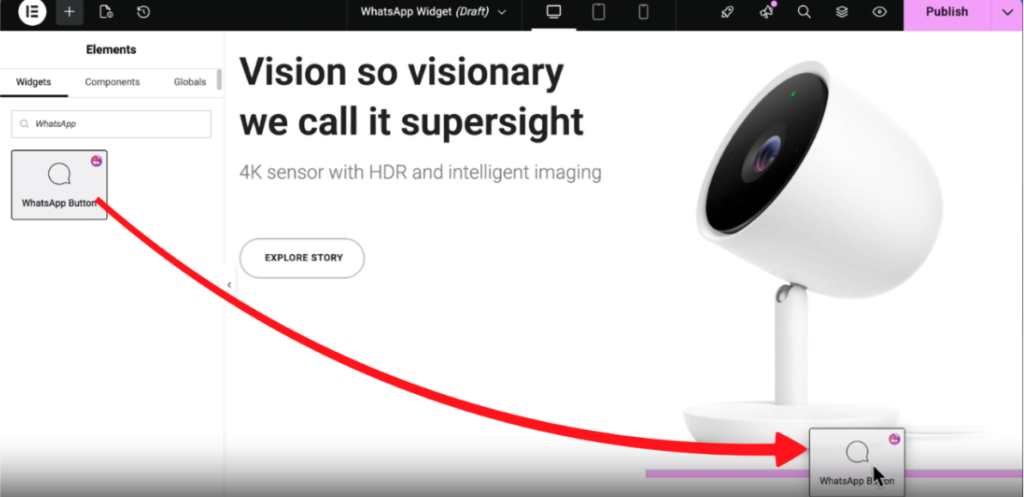
The button might not be visible properly at first, but after configuring it, it will work fine. You need to type a valid phone number first and choose a button type:
1. Standard Button
2. Floating Chat
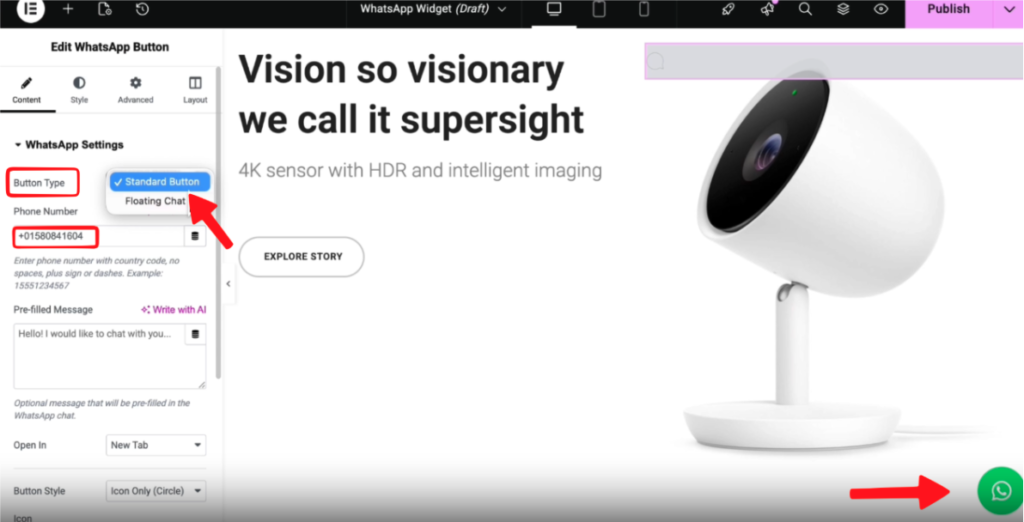
- Now type a pre-filled message which will appear after the WhatsApp button is clicked.
- Type your valid phone number.
- Choose to open WhatsApp in a new tab or the same tab.
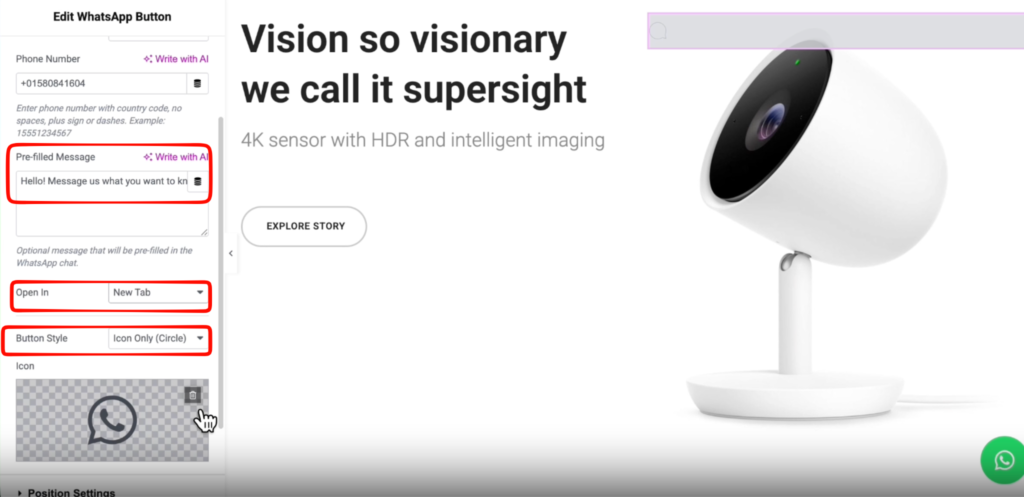
You can choose 3 types of button style such as:
1. Icon Only(Circle)
2. Icon +Text (Pill)
3. Icon + Text (Round)
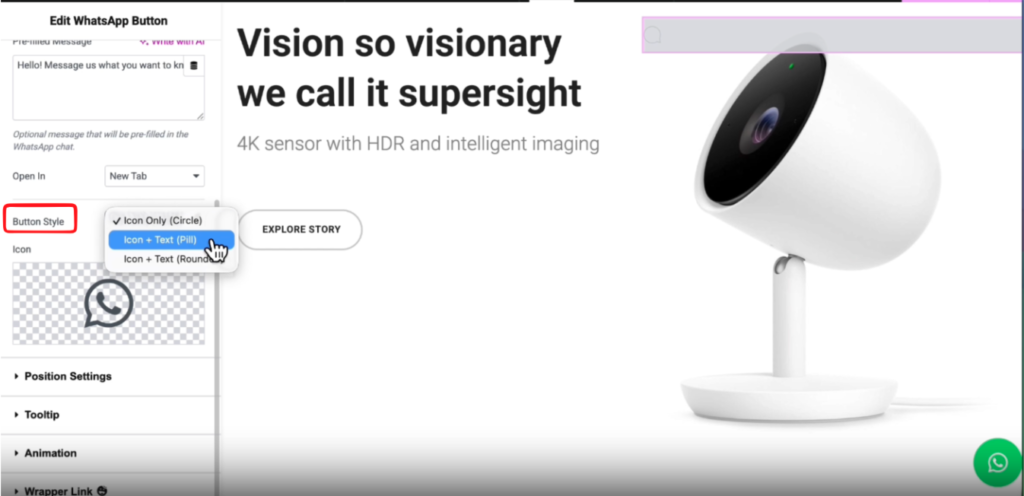
We are choosing the Icon + Text style, then type the button text to make it engaging.
You can also select the WhatsApp icon from the icon library.
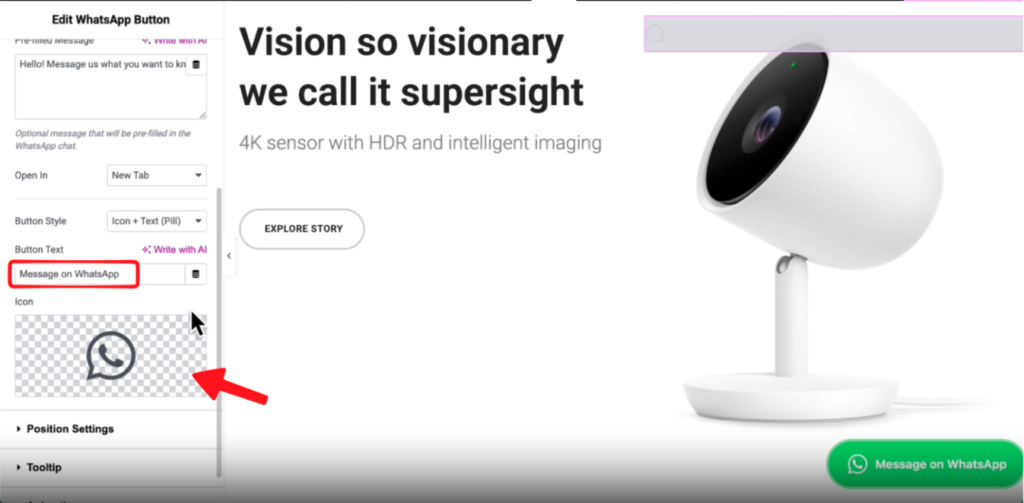
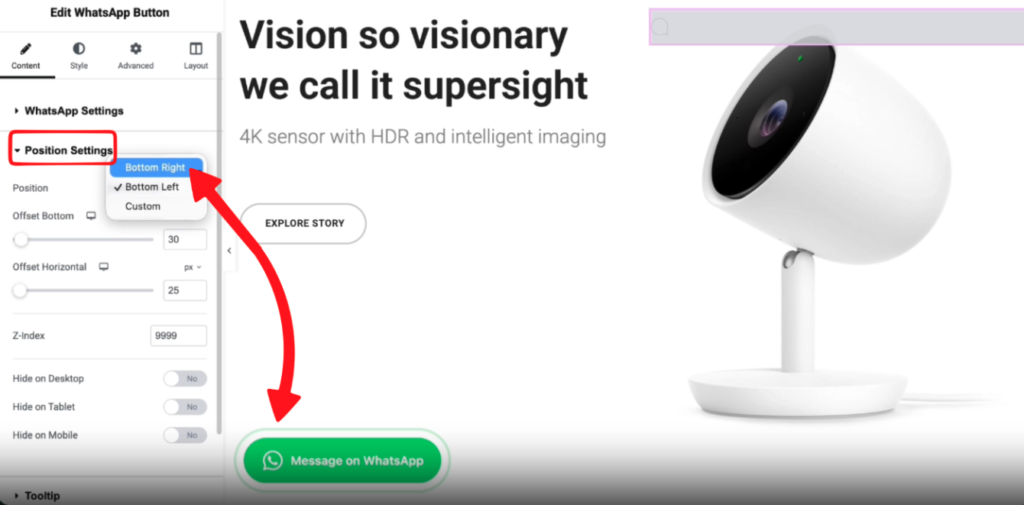
Under the Position settings, you can choose the position of the WhatsApp button.
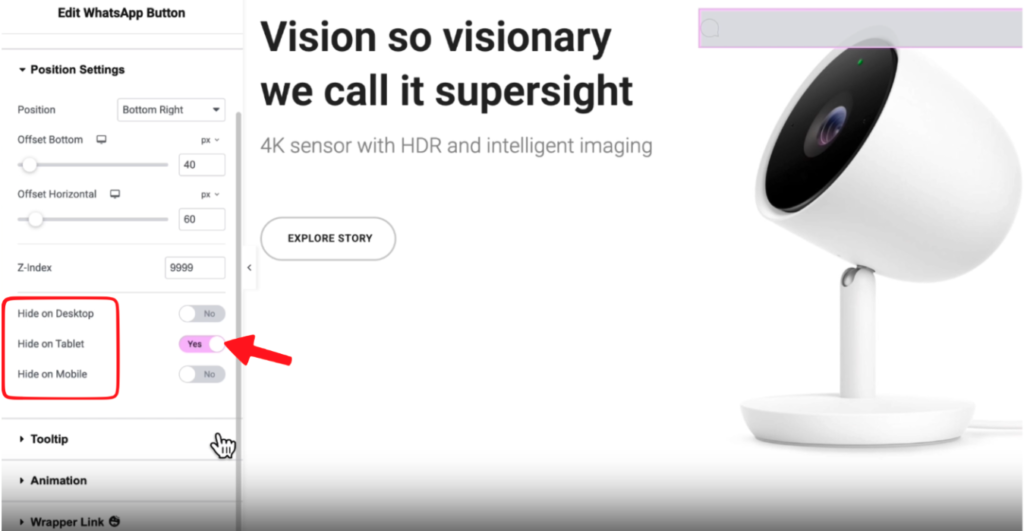
If you want to hide the button for a specific device, you can hover on/off to apply.
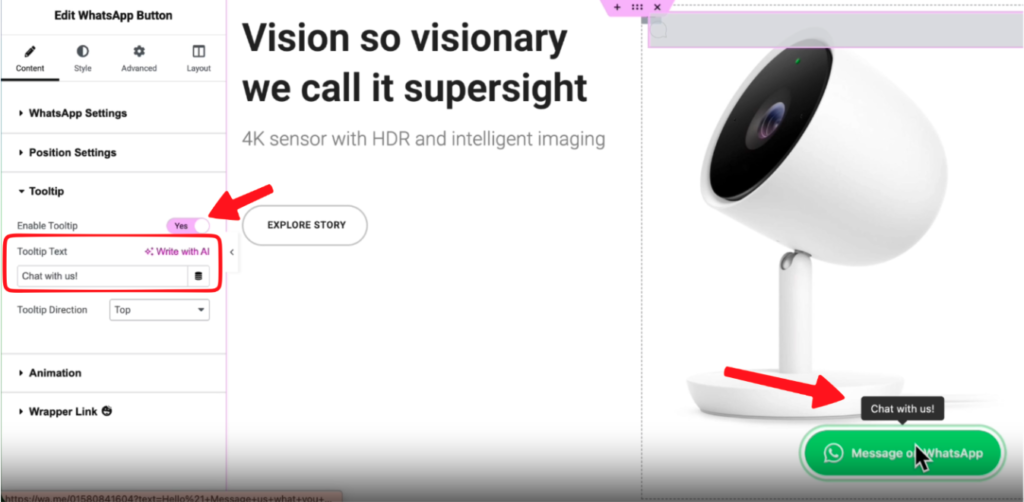
Now,
– Enable the Tooltip and type the Tooltip text
– Then choose the Tooltip direction
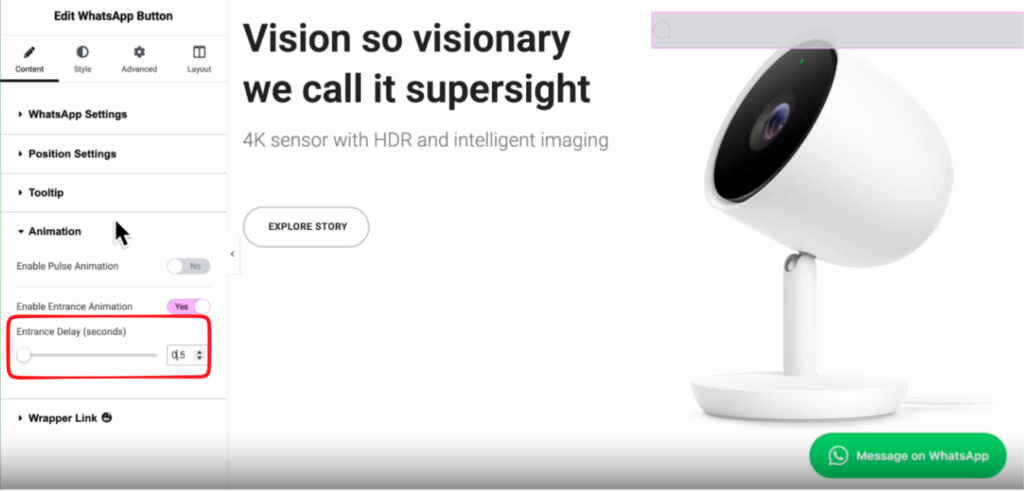
Scroll down to the Animation settings, and enable Entrance Animation > Yes.
Make the entrance delay 0.5 seconds. You can add a value as per your requirements.
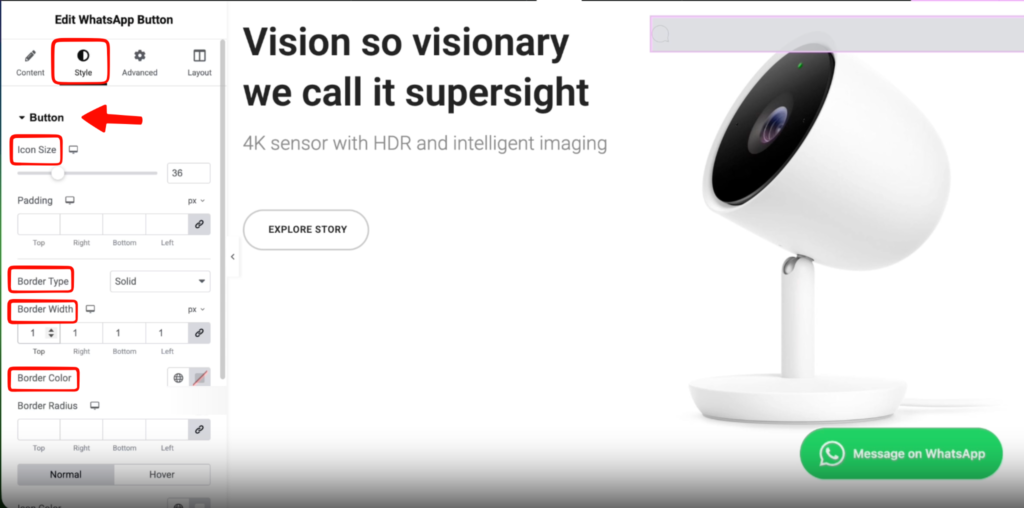
Now, click on the Style tab and configure Icon size, Padding, Border type, Border width, and Border color.
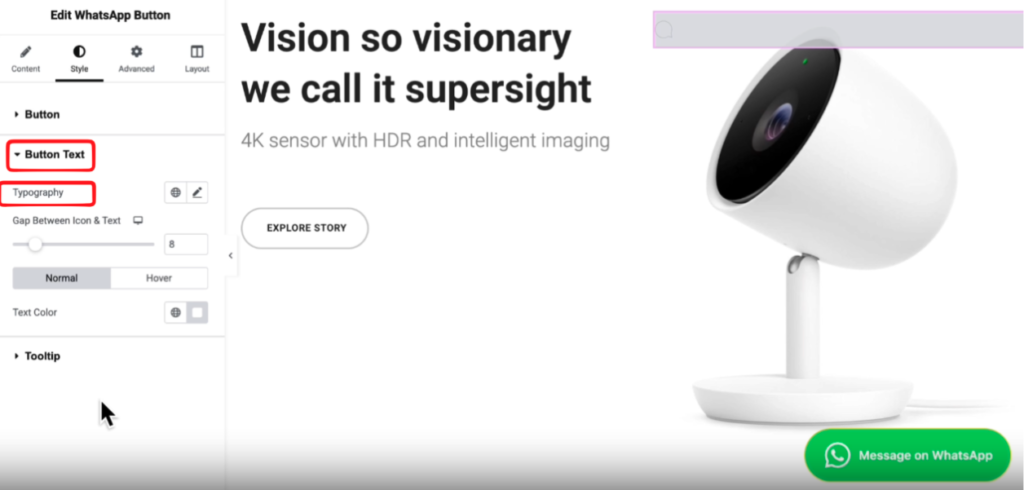
From the button text dropdown menu, you can change the typography and button text color.
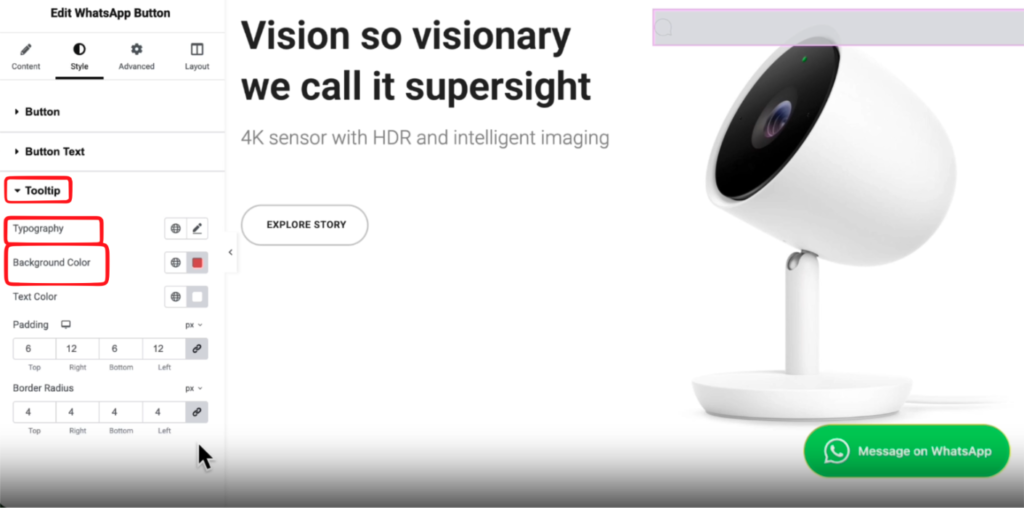
In the same way, you can change the Tooltip button text, typography, background color, text color, padding, and border radius.
Now let’s publish it and see our new WhatsApp button.